Porting to Jio means moving your existing mobile number from another operator to Jio without changing a single digit. You send one SMS to get a Unique Porting Code (UPC), complete KYC with Jio, collect a Jio SIM and wait for the switch. Most ports within the same telecom circle finish within about 3 working days.
The process is the same for prepaid and postpaid users, and you don’t need any paperwork from your old operator. This guide walks you through each stage, from checking eligibility to making your first call on Jio.
- Check eligibility first: 90 days on your current network, no unpaid postpaid bills and no SIM swap in the last 7 days.
- Get your UPC by sending PORT and your 10-digit number to 1900 from the number you want to move.
- Complete KYC at a Jio Store or during a doorstep visit, using your original ID.
- Your old SIM keeps working until the switch. Then insert the Jio SIM and restart your phone.
How Mobile Number Portability to Jio Works
Mobile Number Portability (MNP) is a process regulated by TRAI. Your current operator is called the donor, and Jio is the recipient. A central porting system sits between them and checks every request.
The journey has four main stages:
| Stage | What happens | Who acts |
|---|---|---|
| UPC request | You receive a Unique Porting Code by SMS | You and your current operator |
| Port request and KYC | Jio verifies your identity and submits the request | You and Jio |
| Approval | Your old operator checks dues and eligibility | Donor operator and porting system |
| Switch-over | Your number moves to Jio’s network | Jio and the porting system |
You don’t need to visit your old operator’s store or fill in a form there. Everything starts with one SMS from your phone.
Before You Start: Check Eligibility and Your Phone
A port request can be rejected at the approval stage, which wastes days. Run through these checks first.
- 90 days on the current network. The number must have been active with its current operator for at least 90 days, counting from activation or the last port.
- No unpaid postpaid bills. Clear every bill that has already been issued.
- No recent SIM swap. A UPC is not issued within 7 days of a SIM replacement or an eSIM switch.
- No ownership change or legal hold. The number must not be under a change of ownership or a court order.
- Company permission for corporate numbers. If your employer owns the connection, you need its authorisation letter.
Your phone matters too. Jio runs on 4G and 5G, and voice calls use VoLTE. Most smartphones sold in recent years support this. An old 3G-only phone, or a basic phone without 4G, will not work with a Jio SIM.
Check Jio’s signal where you live and work before you port. Ask a friend or neighbour who uses Jio how calls and data behave inside the house, especially in inner rooms.
How to Port to Jio Step by Step
Once you are eligible, the actual steps are short. Keep your ID ready and plan to finish them within a few days.
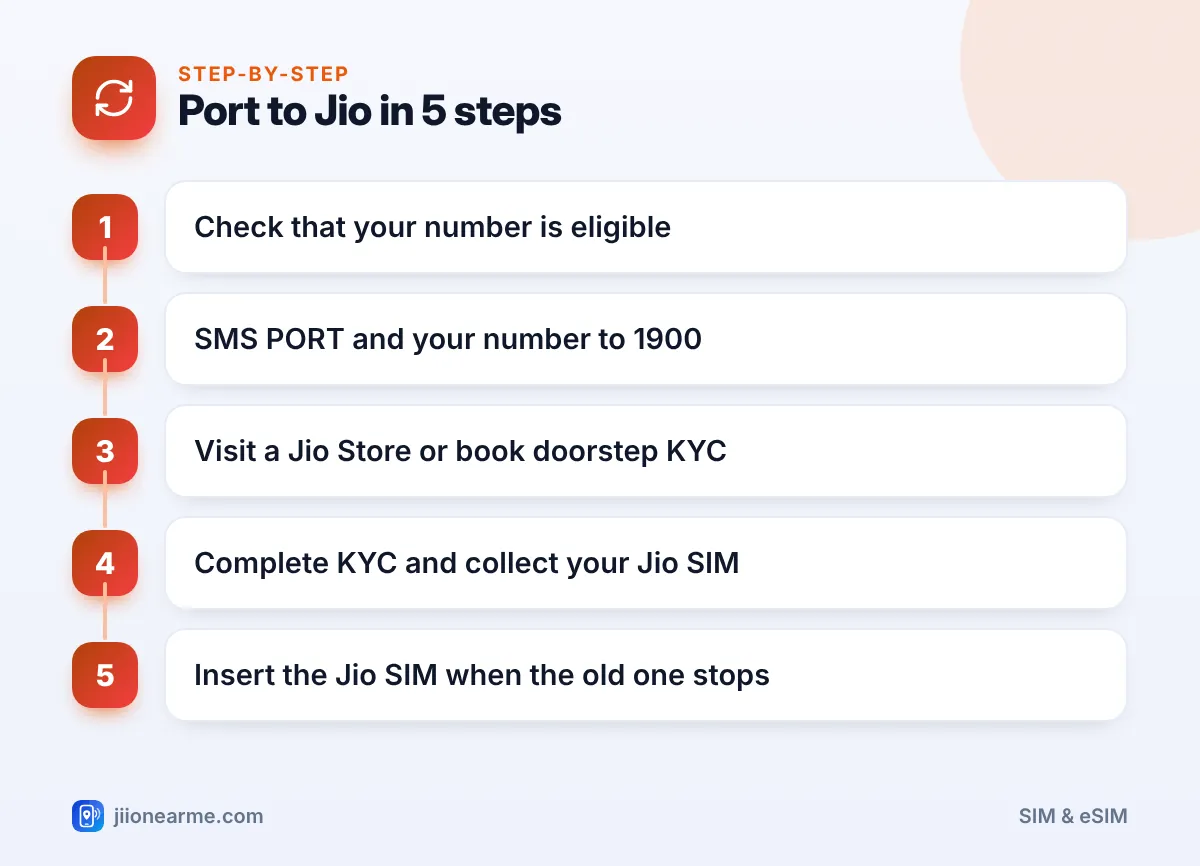
- Generate your UPC. From the number you want to port, send an SMS with PORT, a space and your 10-digit number to 1900. For example: PORT 98XXXXXXXX. The reply shows your UPC and its expiry date.
- Choose how to apply. Visit a Jio Store or an authorised Jio retailer. In many areas you can also book a port-in SIM for doorstep delivery on jio.com.
- Complete KYC. Share your UPC and show your original ID. Aadhaar-based e-KYC with a fingerprint or face check is the usual method, though other valid documents may be accepted.
- Pick your connection type. Choose a prepaid plan or a Jio postpaid plan. Check the current plans in the MyJio app or on jio.com before you decide.
- Collect your Jio SIM. You get the SIM at the counter or from the executive. Don’t insert it yet while your old SIM is still working.
- Watch for SMS updates. Jio and your old operator send messages as the request moves forward, including the expected time of the switch.
If your phone supports eSIM
You can ask for a Jio eSIM instead of a physical card. The KYC is the same. The store helps you download the eSIM profile to your phone, usually by scanning a QR code.
How Long Porting to Jio Takes
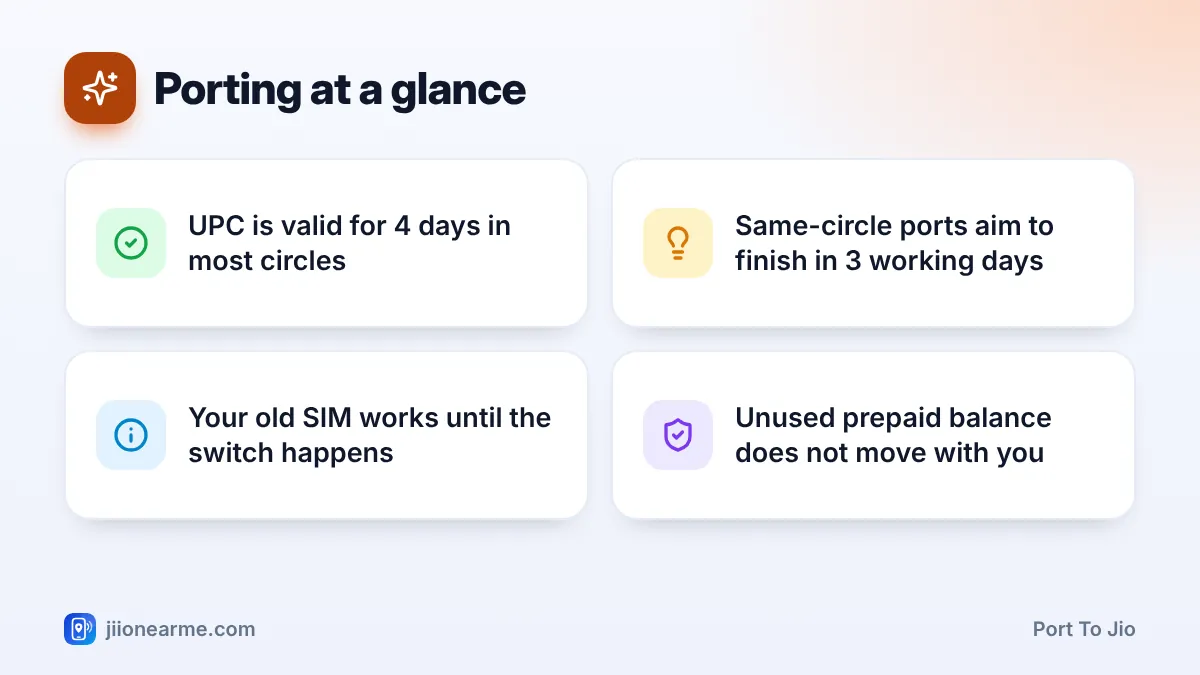
Under TRAI’s rules, a port within the same telecom circle should normally complete within about 3 working days. A port to a different circle, or a corporate port, can take up to 5 working days. Weekends and public holidays usually do not count.
The switch itself is often scheduled at night. For a short period, you may have no signal on either SIM. That gap is normal and usually ends within a few hours.
TRAI’s rules allow you to withdraw a port request within a short window after you submit it, generally about 24 hours. If you decide to stay with your current operator, go back to the Jio Store or call 1800-889-9999 quickly.
What to Do When the Switch Happens
You will know the port is done when your old SIM shows No service or Emergency calls only around the time mentioned in the SMS.
- Switch off your phone.
- Remove the old SIM and insert the Jio SIM in the same slot.
- Switch the phone on and wait a few minutes for the network to appear.
- Make a test call and turn on mobile data to check the internet.
- Follow any activation steps Jio sends by SMS, such as confirming or recharging your plan.
If the Jio SIM still shows no signal after a few hours, restart the phone. Then check that VoLTE or 4G calling is turned on in your mobile network settings. Labels differ by phone. If it still doesn’t work, call 1800-889-9999 from another phone.
Never share your UPC with anyone who calls or messages you about porting. Give it only at the Jio Store or to the executive you booked yourself. Anyone else asking for it may be trying to take over your number.
After Porting: Small Things to Sort Out
A few things do not move with your number, and a few need a quick check once you are on Jio.
- Prepaid balance. Unused balance or plan validity on your old prepaid SIM is not transferred to Jio.
- Final postpaid bill. If you were on postpaid, your old operator sends a final bill. Pay it on time.
- UPI and banking apps. Your number stays the same, but these apps may ask you to verify again because the SIM has changed.
- Contacts on the old SIM. Copy them to your phone or Google account before you throw the card away.
- The 90-day rule. You cannot port the number again for 90 days.
Frequently Asked Questions
Do I need to inform my old operator that I am porting?
No. The UPC request starts the process, and Jio handles the rest through the porting system. Your old operator may call with an offer to stay, which you are free to decline.
Can I port to Jio without visiting a store?
In many areas, yes. You can book a port-in SIM on jio.com, and an executive visits your home for KYC. You still need a valid UPC and your original ID.
Will I lose my WhatsApp chats when I port to Jio?
No. WhatsApp is linked to your number and your phone, not your operator. Since the number stays the same, your account and chats remain as they are.
What if my port request is rejected?
Read the rejection SMS for the reason. Common causes are an expired UPC, unpaid dues or a recent SIM swap. Fix the issue, generate a fresh UPC and apply again.
Can I keep using my old SIM after the port?
No. Once the switch happens, the old SIM stops working on its network. Keep the card only until you have copied any contacts saved on it.
Final Thoughts
Porting to Jio is mostly waiting. Check eligibility, send one SMS for the UPC, finish KYC within the code’s validity and keep your old SIM in the phone until it stops working.
Keep your UPC private, note the switch time from the SMS and test calls and data once the Jio SIM is in. If anything stalls for more than a few working days, contact Jio on 1800-889-9999.
JIo Near me is an independent guide and is not affiliated with Reliance Jio. App menus, plans and policies can change – always confirm current details in the official MyJio app or on jio.com. We will never ask for your OTP, PIN or passwords.
