To check your Jio data balance, open the MyJio app and look at the plan card near the top of the home screen. It shows how much high-speed data is left for today and when your current plan ends. Tap that card and you get a fuller view with your recent usage.
The steps are almost the same on Android and iPhone, because MyJio uses one design on both. This guide covers the home screen, the usage section, and the most common reasons the number you see might surprise you.
- The MyJio home screen shows today’s remaining data and plan validity at a glance.
- Tap the plan or data card to see day-wise usage and more detail.
- The steps are the same on Android and iPhone; only the app store is different.
- Your phone’s own data counter measures differently, so small gaps are normal.
What You Need Before You Start
You only need three things:
- The MyJio app, installed from the Google Play Store on Android or the App Store on iPhone.
- An active Jio prepaid or postpaid mobile number.
- An internet connection, either mobile data or Wi-Fi.
If you have not signed in before, the app asks for your Jio number and sends a one-time password (OTP) by SMS. Type it only inside the MyJio app. Never read it out to anyone who calls or messages you asking for it, even if they claim to be from Jio.
MyJio changes its layout from time to time. If a button mentioned here looks different on your phone, update the app first. Labels can differ slightly between versions, but the data card is always near the top of the home screen.
How to Check Jio Data Balance on the MyJio Home Screen
This is the fastest method, and it works the same way on both platforms.
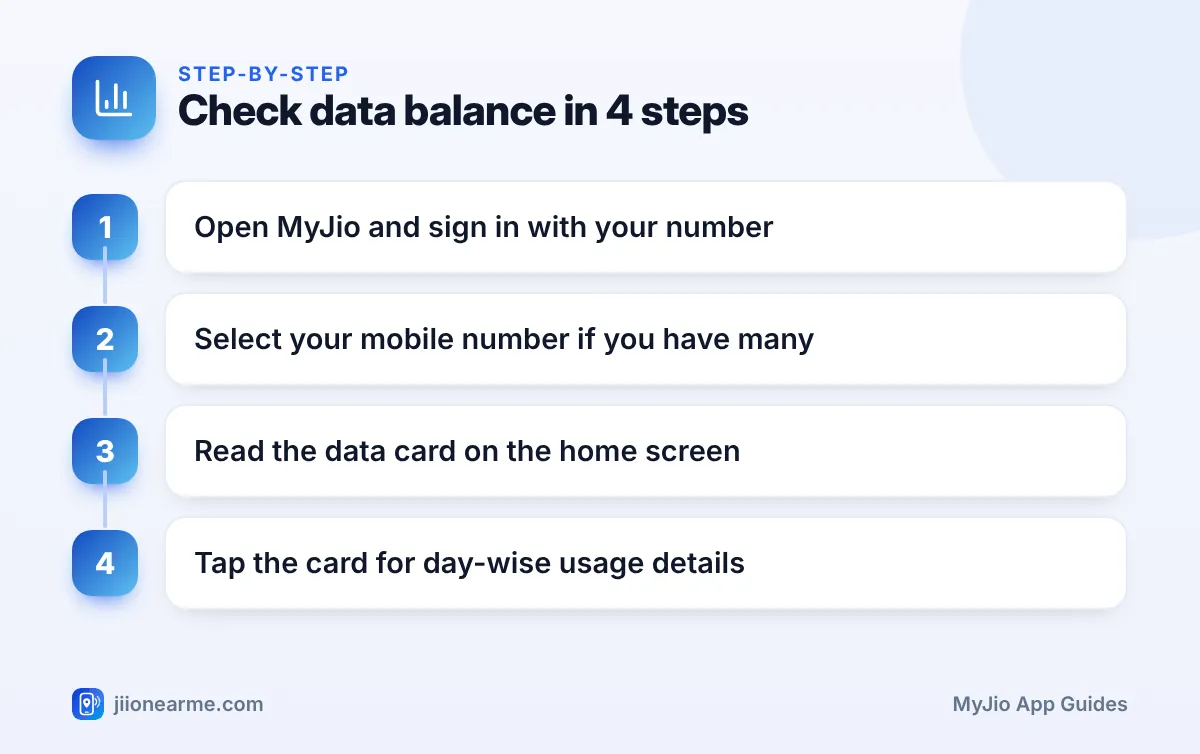
- Open the MyJio app and wait for the home screen to load fully.
- If you have linked more than one account, such as a family member’s number or a JioFiber connection, use the account switcher at the top to select the mobile number you want to check.
- Look at the plan card or data meter. It usually shows the data left for today and your daily limit.
- Check the validity line on the same card. It tells you the date your current plan ends.
- Pull down on the screen to refresh if the numbers look old.
The card usually has a recharge button as well. You do not need to tap it just to see your balance.
Reading the Data Card Correctly
Depending on your app version, the balance may appear as a ring, a bar or plain text. Whatever the style, the main figure is the high-speed data remaining for today, not for the whole plan.
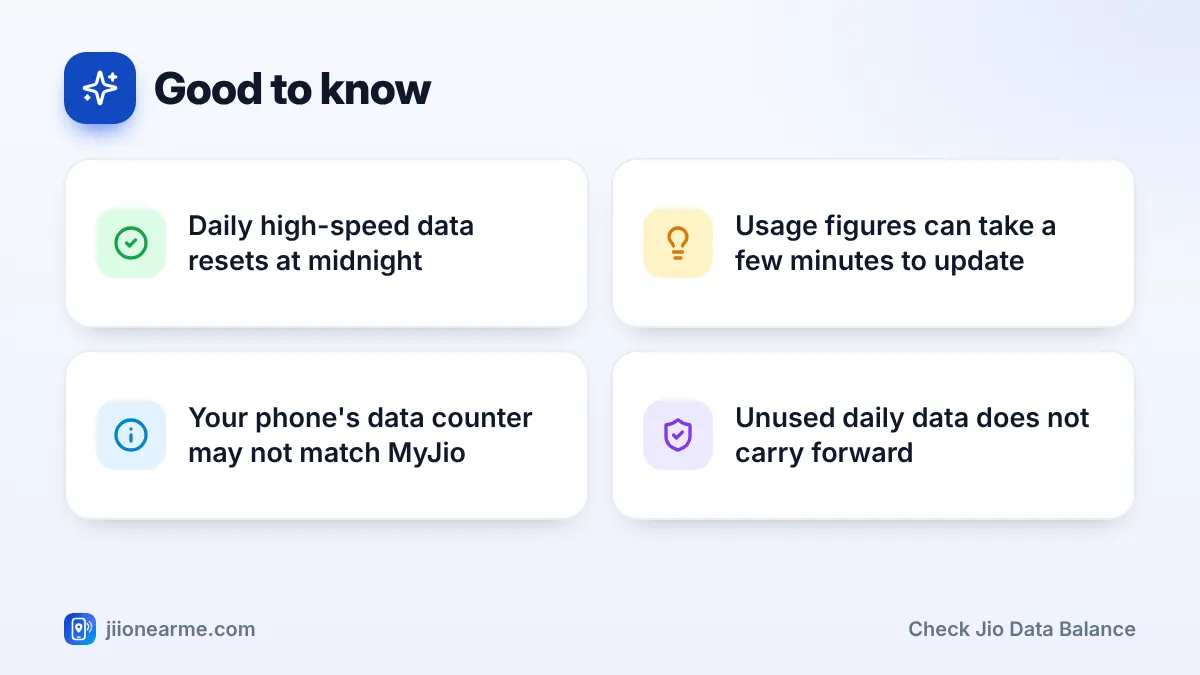
Once the daily high-speed limit is used up, the internet keeps working but at a much slower speed until the quota resets. Daily data on Jio plans resets at midnight. So even if you finish today’s data at 6 PM, you get a fresh quota the next day.
If you have bought an add-on data pack, the app may list it separately below your main plan. Add-on data is usually used after your daily quota runs out.
Seeing Detailed Usage in MyJio
The home screen gives you today’s figure. For a clearer picture of where your data went, open the usage section.
- On the home screen, tap the plan card, or look for a link such as View details or Usage.
- If the screen has separate tabs for data, calls and SMS, choose Data.
- Pick a date or a date range to see how much you used on each day.
This view is handy for spotting heavy days. If you see one day with very high use, think back to what happened. A long video call, a big game update or a photo backup are common causes.
Small Differences Between Android and iPhone
Inside MyJio, the screens are nearly identical. The differences are in your phone’s own settings:
- Android: Phone settings have a data usage page, usually under Network & internet or Connections. You can set a data warning there. Menu names vary by brand.
- iPhone: Go to Settings and open Mobile Service or Mobile Data (the name depends on your iOS version). It lists data used by each app since you last reset the statistics.
These phone counters help you find data-hungry apps. They do not show your Jio balance, so always rely on MyJio for the actual figure.
| Where you check | What it shows | Best for |
|---|---|---|
| MyJio home screen | Data left today, plan validity | Quick daily check |
| MyJio usage section | Day-wise data, calls and SMS | Spotting heavy-use days |
| Phone settings | Data used by each app on that phone | Finding data-hungry apps |
| jio.com after signing in | Plan and account details | Checking from a laptop |
Why Your Data Balance Might Look Wrong
If the number on the card does not match what you expected, one of these is usually the reason:
- Reporting delay: Usage is updated after a short gap. A video you finished a minute ago may not show yet.
- Wrong account selected: If you have linked several numbers, make sure the right one is active.
- Hotspot sharing: Every laptop or phone connected to your hotspot uses your Jio data.
- Background activity: App updates, cloud photo backups and autoplay videos use data even when you are not actively using the phone.
- Different counting: Your phone and Jio’s network measure use differently and may reset on different dates.
If your plan includes Jio True 5G benefits and you are on a 5G network, the app may show 5G use separately from your daily quota. Open your plan details to see how your plan treats 5G data.
Set app updates and photo backups to happen only on Wi-Fi. You can change this in the Play Store or App Store settings and in your gallery or cloud app. These two are among the most common reasons daily data disappears early.
Other Ways to Keep Track of Your Data
MyJio is the most reliable option, but you have a few backups:
- SMS alerts: Jio usually sends you an SMS as you use up a large part of your daily data. Do not ignore these messages.
- The Jio website: Sign in on jio.com with your number and an OTP to see your plan and account details on a computer.
- Customer care: You can call 199 from your Jio number for queries, though the app is quicker for a simple balance check.
Use only the official MyJio app or the Jio website. Third-party apps or links that ask for your OTP to “check balance” may be trying to take over your account. You can report suspicious calls and messages on the Sanchar Saathi portal.
Frequently Asked Questions
Is the MyJio data balance the same on Android and iPhone?
Yes. The balance comes from Jio’s systems, not from your phone. Any device signed in with your number shows the same figure after a refresh.
When does Jio daily data reset?
Daily high-speed data on Jio plans resets at midnight. Data you did not use during the day does not carry forward to the next day.
Why does MyJio show more data used than my phone counter?
Your phone and Jio count usage in different ways and often over different periods. Hotspot use, background updates and a short reporting delay can also make the numbers differ.
Does opening MyJio to check my balance use data?
It uses a very small amount of data to load the screens. This is tiny compared with browsing or streaming, so you can check as often as you like.
What should I do if the balance looks clearly wrong?
Refresh the app, confirm the correct number is selected and wait a few minutes. If it still looks wrong, use the help or chat option in MyJio, or call 199 from your Jio number.
Wrapping Up
Checking your Jio data balance takes a few seconds once you know where to look. The home screen card gives you today’s figure and validity, and the usage section shows how your data was spent over recent days.
Make it a habit to glance at the card before a long video call or a big download. If the numbers ever look odd, refresh, check the selected number, and reach out to Jio support through the app or 199 if the problem stays.
JIo Near me is an independent guide and is not affiliated with Reliance Jio. App menus, plans and policies can change – always confirm current details in the official MyJio app or on jio.com. We will never ask for your OTP, PIN or passwords.
