
You can add a family member to your JioPlus postpaid plan through the MyJio app, the Jio website or a Jio Store, as long as your plan still has room for another add-on connection. The new member completes their own KYC, gets a SIM or converts their existing number, and their charges then appear on your monthly bill.
This guide is for the primary account holder who wants to add a spouse, child, parent or other relative. It covers who can be added, what the member needs to keep ready, the official routes and what changes on your bill afterwards.
- Only the primary account holder can request a new add-on member.
- The member needs their own valid ID and a 4G VoLTE or 5G phone.
- A member can join with a new number, an existing Jio number or a ported number.
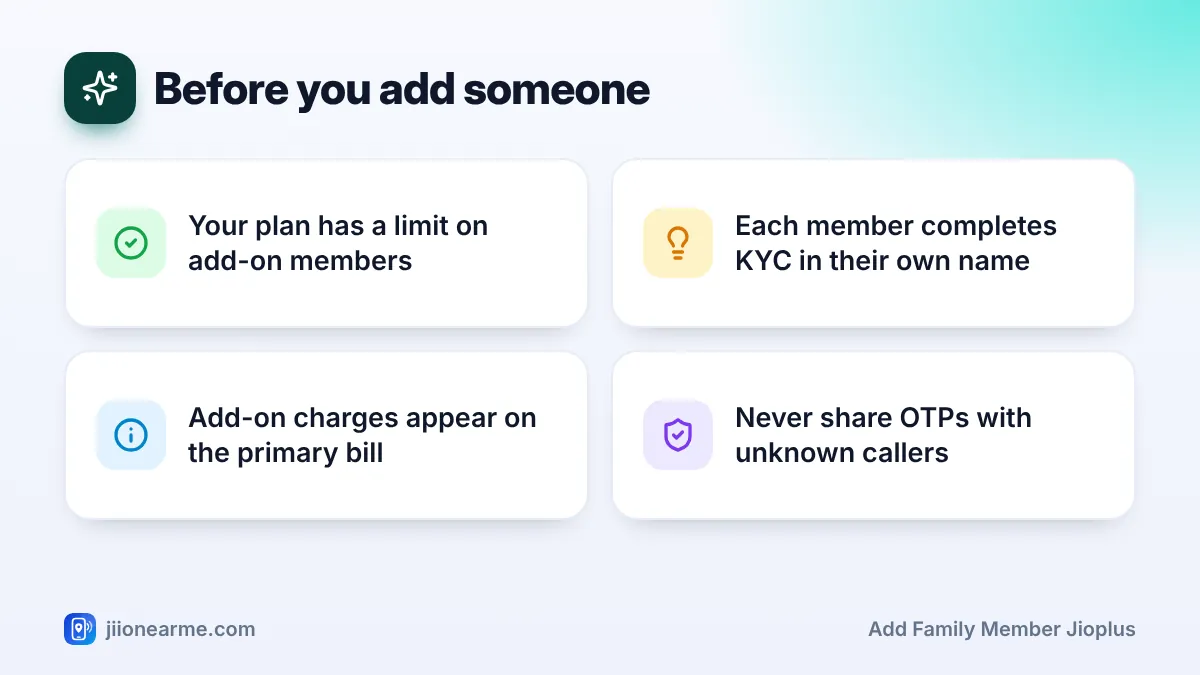
- Add-on charges are added to the primary holder’s combined bill.
- Use only MyJio, jio.com or a Jio Store, and never share OTPs with callers.
Before You Start: Who Can Be Added
Not every plan allows the same number of members. Most JioPlus family plans allow a limited number of add-ons, often up to three, but the exact count depends on your plan. Check your plan details in the MyJio app before you begin.
Here are the basic conditions to keep in mind:
- There must be a free slot. If your plan already has the maximum number of members, you may need to change to a plan that allows more.
- The member should be the real user. An adult member’s SIM is registered with their own ID, not someone else’s.
- The member’s consent matters. If you are converting someone’s existing number, they need to agree and take part in the verification.
- The account should be in good standing. Pending dues on your bill can hold up new requests, so clear them first.
A child under 18 cannot usually complete SIM KYC in their own name, so a parent or guardian is involved. Ask at a Jio Store about the correct way to set up a connection for a minor before you apply.
What the New Member Needs
Keeping things ready makes the process quicker. The member should have:
- A valid identity and address proof accepted for SIM KYC, such as Aadhaar or another approved document.
- A phone that supports 4G VoLTE or 5G, so calls and data work on Jio.
- Time to be present for verification, either at a store or during home delivery of the SIM, if that option is offered in your area.
What happens next depends on the number the member wants to use.
| Member’s situation | What usually happens |
|---|---|
| Wants a brand-new number | A new Jio SIM is issued after KYC |
| Already uses Jio prepaid | The existing number can usually be converted to an add-on |
| Uses another operator | The number can be ported to Jio through MNP |
| Already has Jio postpaid in their own name | Ask Jio whether it can be moved under your family plan |
If the member is porting from another operator, they can generate a Unique Porting Code by sending an SMS in the format PORT followed by their 10-digit number to 1900 from that number.
How to Add a Family Member in JioPlus Through MyJio
The MyJio app is usually the easiest place to start. Menu names change between app versions, so look for the closest matching option if your screen looks a little different.
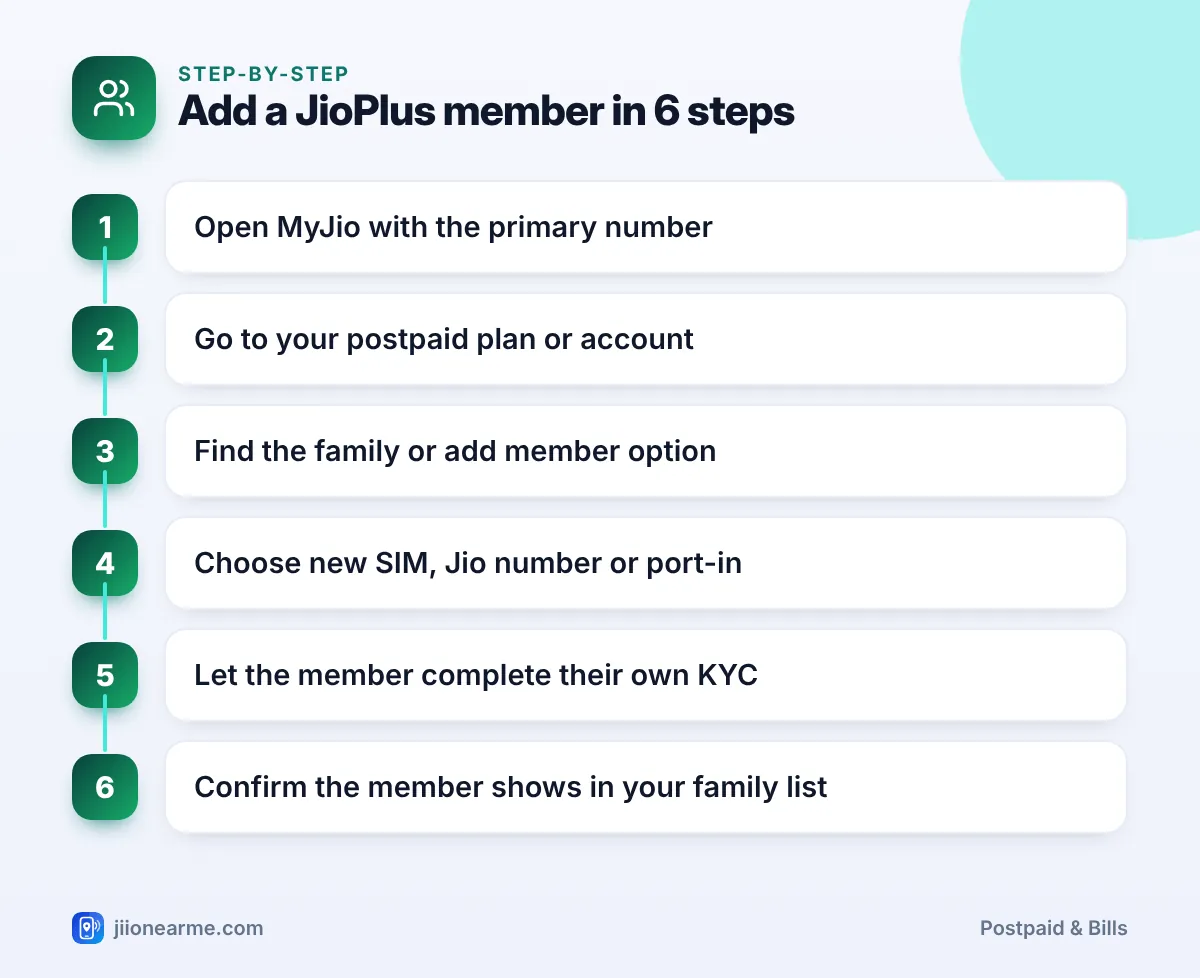
- Open the MyJio app and sign in with the primary JioPlus number.
- Go to your postpaid account or plan section. This is often reached from the home screen or the menu (☰).
- Look for a family option, which may be labelled Family plan, Add member or Manage members.
- Choose how the member will join: a new SIM, an existing Jio number, or a number ported from another operator.
- Enter the member’s details as asked and submit the request.
- Let the member complete their own KYC. If they are converting a Jio number, they may need to confirm the request on their own phone through the official app or message.
- Wait for activation, then check that the member appears in your family list in MyJio.
Activation time can vary. A new SIM or a port-in usually takes longer than converting an existing Jio prepaid number.
Any code sent during this process is meant only for the person whose number receives it. Never share an OTP, Aadhaar details or passwords with someone who calls or messages you offering to add a member for you.
Other Official Ways to Add a Member
If you cannot find the option in the app, or the member needs help with KYC, use one of these official routes instead:
- Jio Store or authorised retailer: Visit with the member and their ID. Staff can complete KYC, issue a SIM and link it to your account.
- Jio website: Sign in on jio.com with the primary number and look for options to manage your postpaid plan.
- Customer care: Call 199 from your Jio number for queries about your plan, or 1800-889-9999 toll-free, and ask about adding a member.
For older parents or anyone not comfortable with apps, a store visit is often the simplest choice because the KYC can be done on the spot.
What Changes on Your Bill After Adding a Member
Once the member is active, their connection becomes part of your account. You will usually see these changes:
- Add-on charges: The rental or charge for each add-on, as per your plan, is added to the combined bill.
- Partial first cycle: If the member joins in the middle of a billing cycle, the first bill may show charges for only part of the month.
- Member’s extra usage: Usage beyond plan limits, such as international roaming or premium services, is billed to your account.
- Possible deposit: A security deposit may apply for the new connection, depending on the plan and eligibility.
Check the first bill after adding someone carefully in MyJio. If anything looks wrong, raise it with customer care before the due date.
Before adding a member, agree on simple rules such as no premium subscriptions without asking. Since you pay the bill, it helps everyone know what is and is not included.
Common Problems and Quick Fixes
- No option to add a member in the app: Update MyJio, sign in with the primary number, or visit a Jio Store.
- Request rejected: Your plan may have no free slot, or there may be pending dues. Check both.
- Member’s number not converting: The member may need to confirm the request, or their KYC may need updating.
- Port-in delayed: Porting has its own timeline. Make sure the UPC is valid and the old operator’s dues are cleared.
Frequently Asked Questions
Can an add-on member request to join by themselves?
Generally, the request starts from the primary account because the primary holder pays the bill. The member then completes their own verification.
Does the new member keep their old number?
Yes, in most cases. An existing Jio prepaid number can usually be converted, and a number from another operator can be ported in.
What happens to the member's unused prepaid balance?
Unused prepaid benefits may not carry over when a number moves to postpaid. If possible, switch near the end of their current recharge.
Can I add someone who lives in another city?
Usually yes, because each member’s connection works on Jio’s network across India. The member may need to complete KYC at a store near them.
How do I know the member was added successfully?
You should receive a confirmation, and the member should appear in the family section of your MyJio app. Their SIM should also work for calls and data.
Wrapping Up
Adding a family member to JioPlus comes down to three things: a free slot on your plan, valid KYC in the member’s own name, and an official route such as MyJio, jio.com or a Jio Store. Once added, their charges join your monthly bill.
Check your first bill after the change, keep verification codes private, and call 199 from your Jio number if the request gets stuck.
JIo Near me is an independent guide and is not affiliated with Reliance Jio. App menus, plans and policies can change – always confirm current details in the official MyJio app or on jio.com. We will never ask for your OTP, PIN or passwords.