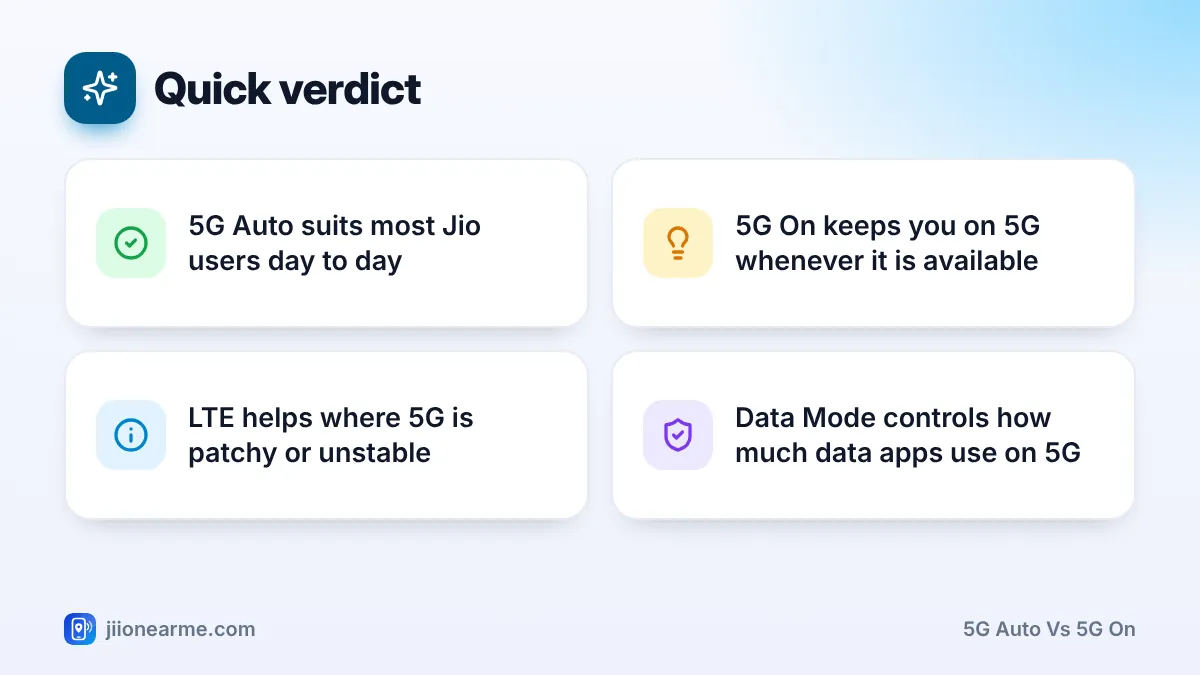
For most Jio users on an iPhone, 5G Auto is the better everyday choice. It uses Jio 5G when it gives a clear speed boost and falls back to 4G (LTE) when it does not, which helps battery life. 5G On is better if you have strong Jio 5G coverage and want the fastest speeds whenever possible.
The third option, LTE, keeps you on Jio 4G only. It sounds like a step back, but it can be the right pick in areas where 5G keeps dropping in and out. Below, you will see how each setting behaves and which one fits your routine.
- 5G Auto balances speed and battery by switching to LTE when 5G offers no noticeable benefit.
- 5G On uses 5G whenever it is available, which can drain the battery faster in weak-signal areas.
- LTE keeps you on Jio 4G only and suits places with unreliable 5G.
- You can change the setting any time from Voice & Data, and it takes effect straight away.
Where to Find the 5G Options on Your iPhone
The choices live under the Voice & Data screen. You will only see them on a 5G-capable iPhone (iPhone 12 series or newer, or iPhone SE 3rd generation) running a current iOS version.
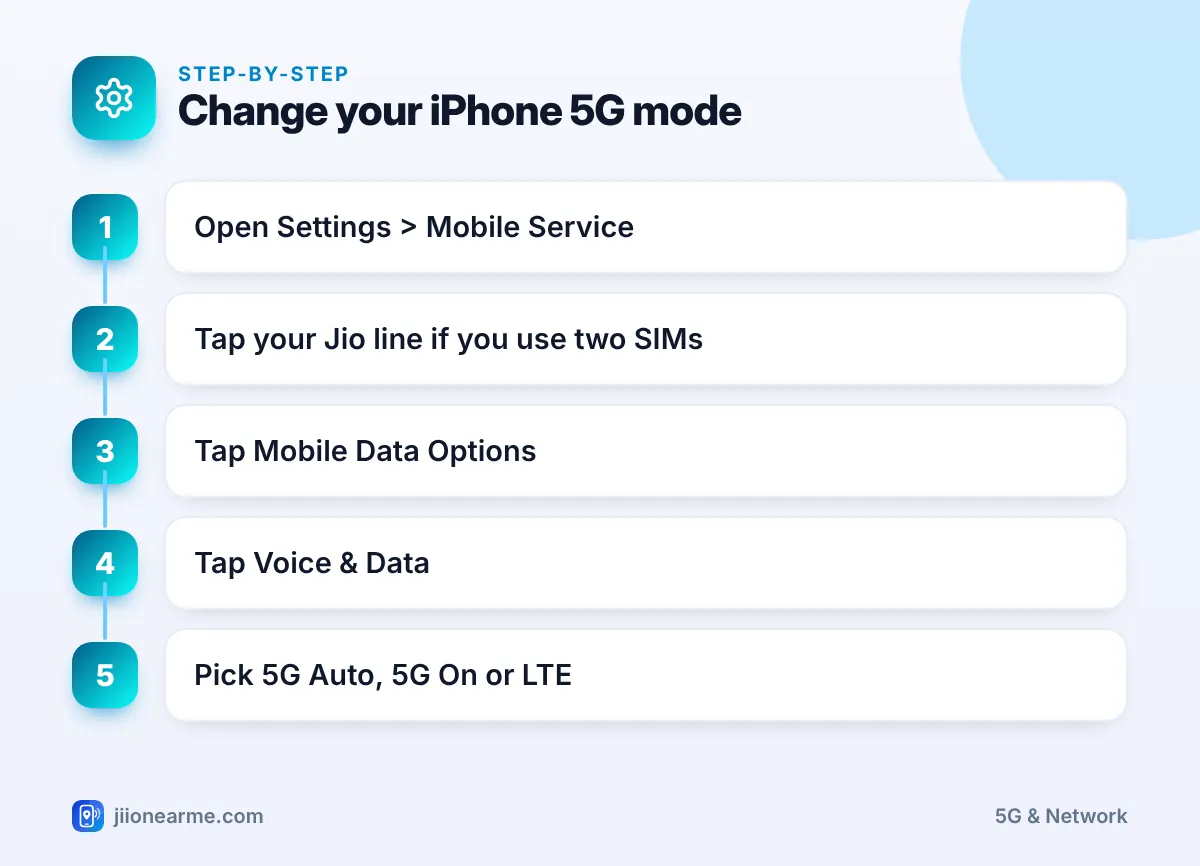
- Open Settings and tap Mobile Service. Some iOS versions call it Mobile Data or Cellular.
- If you use two lines, tap your Jio line.
- Tap Mobile Data Options.
- Tap Voice & Data.
- Select 5G Auto, 5G On or LTE.
If you do not see these options, update iOS from Settings > General > Software Update. Then open General > About to check for a carrier settings update.
What Each Setting Actually Does
5G Auto
Apple describes 5G Auto as a smart data mode. Your iPhone uses 5G when it gives noticeably better performance. When it does not, such as during light browsing or when the 5G signal is weak, the phone moves to LTE to save battery.
In practice, you will see the icon switch between 5G and 4G during the day. That is normal behaviour, not a fault.
5G On
5G On tells the iPhone to use the 5G network whenever it is available. You spend more time on 5G, so large downloads, video streaming and app updates can be quicker in good coverage.
Apple notes this may reduce battery life. The drain is usually worst at the edge of coverage, where the phone works hard to hold a weak 5G signal.
LTE
LTE uses Jio’s 4G network only, even if 5G is available. Calls, SMS and data all work as normal on Jio 4G. You lose 5G speeds, but you avoid constant switching in places where 5G is unstable.
5G Auto vs 5G On: Side-by-Side Comparison
| Factor | 5G Auto | 5G On | LTE |
|---|---|---|---|
| Time on 5G | When 5G gives a clear benefit | Whenever 5G is available | Never |
| Speed in strong 5G areas | Fast for heavy tasks | Fastest overall | Jio 4G speeds |
| Battery life | Balanced | Can be lower | Usually best of the three |
| Weak or patchy 5G | Falls back to LTE | May hold a weak 5G signal | Stable on 4G |
| Best for | Most daily users | Heavy data users with good coverage | Areas with unreliable 5G |
Speed and battery life depend on your location, how crowded the network is, your iPhone model and its battery health. Treat the table as a general guide, not a promise.
Which Setting Should You Pick?
Use your daily routine to decide. Here are common situations:
- You use your phone mostly for chat, calls and social media: Pick 5G Auto. These tasks rarely need 5G speeds, so you save battery.
- You download large files, stream in high quality or use hotspot often: Pick 5G On, as long as your home or office has strong Jio 5G.
- You travel daily through mixed coverage: Pick 5G Auto. It handles switching for you without draining power on weak 5G.
- Your area has 5G that keeps dropping: Pick LTE for a stable connection, and check again after a few weeks as coverage grows.
- Your battery is old or you are on a long day out: Pick 5G Auto or LTE to stretch battery life.
You do not have to choose once and forget. Many people stay on 5G Auto and switch to 5G On only when they need a big download or a hotspot session.
Signs It Is Time to Change Your Setting
Your first choice is not permanent. Watch for these signs over a week or two and adjust:
- Battery drains faster than usual on 5G On: Move to 5G Auto and compare a normal day’s battery use.
- The icon flips between 5G and 4G and pages stall: Try LTE for a few days. If browsing feels steadier, weak 5G is the likely cause.
- Downloads feel slow on 5G Auto in a strong 5G area: Try 5G On and run a speed test at the same spot.
- You moved home or office: Coverage differs by location, so test all three settings again.
Also remember that Wi-Fi takes priority when you are connected to it. These settings only matter when you are using mobile data.
How Data Mode Works With These Settings
On the same Mobile Data Options screen, there is a Data Mode setting. It controls how much data apps may use, which matters on 5G because faster speeds can use data quickly.
- Allow More Data on 5G: Lets apps use more data on 5G, such as higher-quality video, FaceTime and software updates over mobile data.
- Standard: Allows automatic updates and background tasks on mobile data, with standard video quality. This suits most people.
- Low Data Mode: Pauses automatic updates and background tasks to save data.
If your plan has a daily data limit, keep Data Mode on Standard or Low Data Mode, especially with 5G On. How 5G usage counts towards your plan depends on the plan terms, so check them in the MyJio app or on jio.com.
Frequently Asked Questions
Is 5G Auto slower than 5G On?
For heavy tasks in strong coverage, 5G Auto should still use 5G, so the difference is often small. 5G On may feel faster for large downloads because it stays on 5G more of the time.
Does 5G On use more mobile data?
The setting itself does not use extra data. However, faster speeds and Allow More Data on 5G can lead apps to use more, so watch your usage in the MyJio app.
Why does my iPhone show 4G on 5G Auto?
5G Auto moves to LTE when 5G gives no noticeable benefit or the signal is weak. This is expected behaviour designed to save battery.
Will LTE affect my calls on Jio?
No. Calls work normally on Jio 4G with VoLTE. You only give up 5G data speeds while LTE is selected.
Can I set different modes for two SIMs?
Yes. Voice & Data is set separately for each line, so check you changed the Jio line and not your other SIM.
Conclusion
Start with 5G Auto. It gives you Jio 5G speeds when they matter and protects battery life the rest of the time. Move to 5G On if you have strong coverage and use a lot of data, and drop to LTE only if 5G is unstable where you spend most of your day.
JIo Near me is an independent guide and is not affiliated with Reliance Jio. App menus, plans and policies can change – always confirm current details in the official MyJio app or on jio.com. We will never ask for your OTP, PIN or passwords.
