Every app you add to a JioPhone comes from JioStore, the app store that is built into the phone. To get an app, open JioStore, find the app in a category or through search, and select Install. To remove one, highlight it in the app menu, open Options and choose Uninstall, if that option appears for the app.
This guide is for keypad JioPhone models that run KaiOS, such as the JioPhone and JioPhone 2. JioPhone Next runs Android-based software and uses the Google Play Store instead, so its steps are different. Menu labels can also vary slightly with software version, so pick the closest matching option if a word looks different on your screen.
- JioStore is the only place to get apps for a keypad JioPhone, and it needs mobile data or Wi-Fi.
- Browse categories with left and right on the navigation key, or use search if your version has it.
- Remove apps from the app menu through Options, or from the app’s page in JioStore.
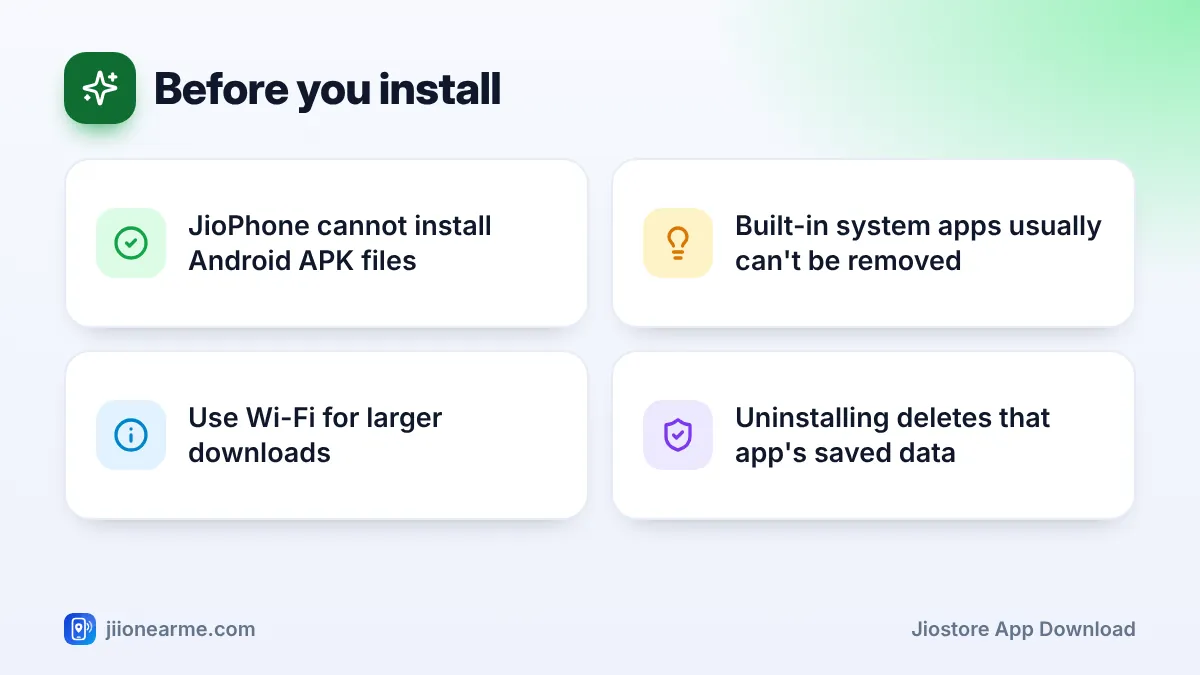
- Built-in system apps generally cannot be removed, and uninstalling an app deletes its data.
What JioStore Is and What You Can Get There
JioStore is the official app store on keypad JioPhones. It carries apps made for the phone’s KaiOS software, including popular apps such as WhatsApp and YouTube where your model supports them, along with games, news, utilities and Jio’s own services. Some Jio apps may already be installed when you buy the phone.
Apps for Android smartphones do not work on a keypad JioPhone. You cannot install APK files, and you should ignore websites or messages that claim to offer special apps for JioPhone. Sticking to JioStore keeps your phone safe from harmful software.
Before You Download: Check Data and Storage
A little preparation avoids failed downloads:
- Internet connection: JioStore needs mobile data or Wi-Fi. Wi-Fi is better for bigger apps and games, because it keeps your daily mobile data free.
- Free storage: open Settings, move to the Storage tab and see how much space is left. If space is low, remove apps you don’t use or move photos and music to a memory card.
- Software update: some apps need newer phone software. Check for updates in the Device tab of Settings before you install.
- Active plan: if you rely on mobile data, make sure your Jio plan is active and has data left. The MyJio app shows your balance.
JioStore App Download: Step-by-Step Instructions
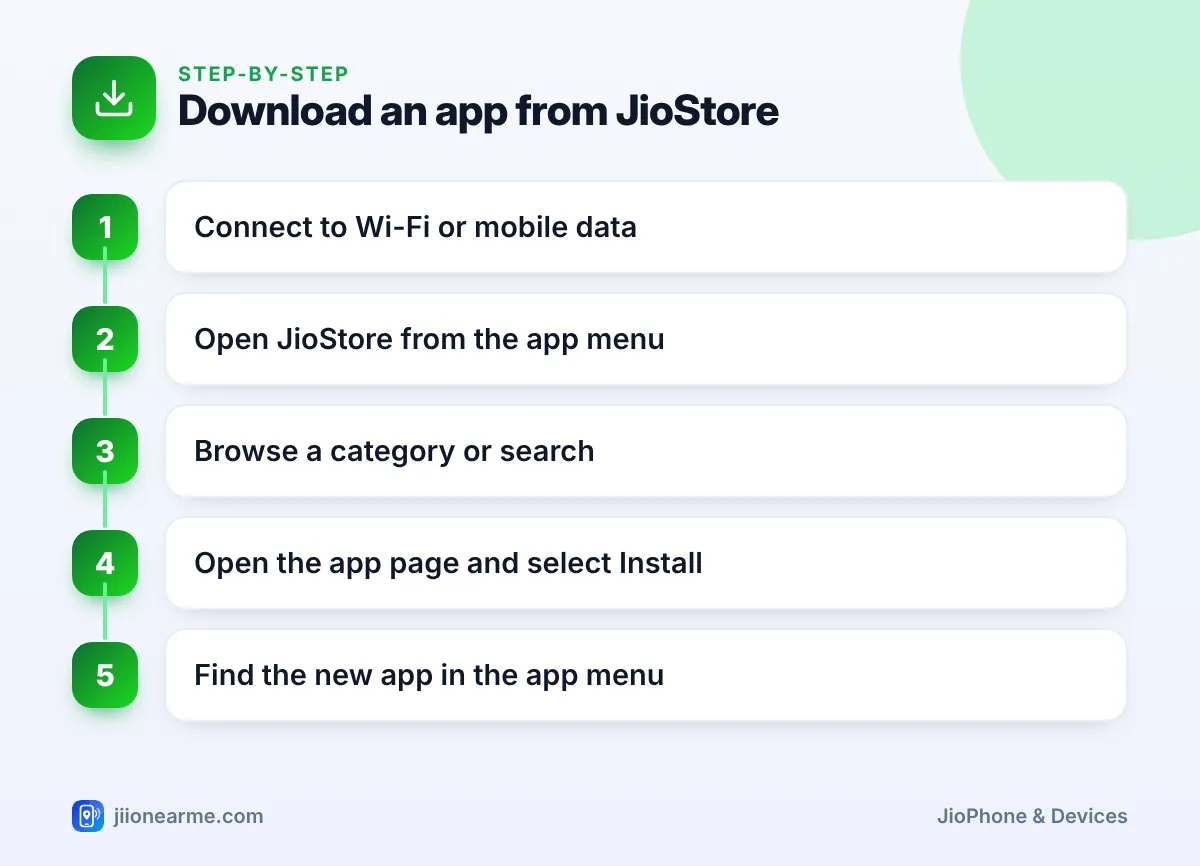
- From the home screen, press the centre key to open the app menu.
- Find JioStore and press the centre key to open it. Give it a few seconds to load.
- Press left or right on the navigation key to move between category tabs at the top, such as games or social apps. Then press up or down to scroll through the apps in that category.
- To search instead, look for a search option on the main screen or in the menu behind a soft key, and type the app’s name with the keypad.
- Highlight the app you want and press the centre key to open its page. Read the short description to make sure it is the right app.
- Select Install (on some versions it says Download). A progress bar shows how far along the download is.
- When it finishes, the app appears in your app menu, usually at the end of the list. Open it from there, or from the Open option on its JioStore page.
Allowing permissions
The first time you open some apps, they ask for permissions such as the camera, microphone or contacts. Allow only what makes sense for that app. A video app does not need your contacts, for example. You can review permissions later under the Privacy & Security tab in Settings.
Install one app at a time and open it once before installing the next. If something goes wrong, you will know exactly which app caused the problem.
Updating Apps You Already Have
App makers release updates with fixes and new features. Depending on your software version, JioStore may show available updates on an app’s page or in a separate updates section, and some apps update along with the phone’s software. If an app starts misbehaving, open its JioStore page and check whether an Update option appears.
How to Remove Apps You No Longer Need
Removing apps you don’t use frees storage and keeps the app menu tidy.
Remove an app from the app menu
- Press the centre key on the home screen to open the app menu.
- Highlight the app you want to remove.
- Press the Options soft key.
- Choose Uninstall (some versions say Delete) and confirm.
Remove an app from JioStore
Open JioStore and go to the app’s page. If your version shows an Uninstall or Remove option there, select it and confirm.
Apps you cannot remove
Built-in system apps such as Phone, Messages, Contacts and Settings cannot be removed. Some preloaded Jio apps may also be fixed. If you don’t use them, you can usually move them to the end of the app menu with the Move option.
When you uninstall an app, the data stored inside it on the phone usually goes too. For example, removing WhatsApp deletes the chats saved on the phone. Note down anything important before you uninstall.
Fixing JioStore Download Problems
| Problem | What to try |
|---|---|
| Download stuck or very slow | Check signal or switch to Wi-Fi, then restart the phone and try again |
| Not enough storage | Remove unused apps and move media to a memory card |
| App not found in JioStore | Update the phone’s software; the app may not support your model |
| JioStore will not open | Restart the phone and check that the date and time are correct |
| App opens and closes at once | Remove it, restart the phone and install it again |
Wrong date and time settings can stop secure connections from working, so check them in Settings (usually under the Personalization tab) if JioStore keeps failing. If nothing helps, call 199 from your Jio number for help with the phone and its services.
Frequently Asked Questions
Do I need internet to download apps from JioStore?
Yes. JioStore downloads apps over the internet, so you need mobile data on an active plan or a Wi-Fi connection.
Can I install Play Store apps on a keypad JioPhone?
No. Keypad JioPhones run KaiOS, which cannot install Android apps or APK files. Only apps from JioStore work on them.
Where do downloaded apps appear on JioPhone?
New apps appear in the app menu, which opens when you press the centre key on the home screen. They are usually added at the end of the list.
Can I reinstall an app I removed?
Yes. Open JioStore, find the app again and select Install. Any data the app had saved on the phone before may be gone.
Why can't I uninstall some apps?
System apps and some preloaded apps are part of the phone’s software, so they cannot be removed. You can move them to the end of the app menu instead.
Summary
JioStore keeps app management simple on a keypad JioPhone. Check your data and storage first, install apps one at a time, and allow only the permissions each app truly needs. When you stop using an app, uninstall it to free space, but save anything important inside it first.
JIo Near me is an independent guide and is not affiliated with Reliance Jio. App menus, plans and policies can change – always confirm current details in the official MyJio app or on jio.com. We will never ask for your OTP, PIN or passwords.