Data on a JioPlus family plan is shared, split or both, depending on the plan you choose. Some plans give the family a common pool, some give each add-on member a set amount, and some combine the two. Your plan details in the MyJio app show exactly how your data is set up.
Once you know the structure, keeping track is simple. Each member can check their own usage in MyJio, and the primary holder can usually see the bigger picture. This guide explains the common setups in general terms and shows how families can keep an eye on who is using what.
- JioPlus family plan data may be pooled, split per member, or a mix of both.
- The exact setup depends on your plan, so read the plan details in MyJio.
- Every member can check their own data usage by signing in to MyJio.
- The primary holder can often see a family usage summary.
- Wi-Fi at home and simple app settings stop data running out early.
The Basics of JioPlus Family Plan Data
On postpaid, data is counted over a billing cycle, usually about a month, rather than per day as on many prepaid plans. At the start of each cycle, the plan’s data allowance resets.
On a family plan, that allowance has to cover more than one person. Jio has used a few different ways to do this over time, and plans can change. So the first step is always the same: open your plan details in MyJio and read how data is described for your plan.
Look for words such as “shared”, “per member”, “add-on data” or “family data”. These tell you which of the setups below applies to you.
Common Ways Data Is Allocated
Here are the general patterns you may see. Your plan may use one of them or a mix.
| Setup | How it works | What to watch |
|---|---|---|
| Shared family pool | All members draw from one common allowance | One heavy user can use most of it |
| Fixed data per member | Each add-on gets a set amount for their own use | A member may run out while others have spare |
| Base plus add-on data | The primary’s data is topped up with extra for each add-on | Check whether the extra is shared or personal |
When the shared pool runs low
With shared data, the main risk is uneven use. If a teenager streams videos all day on mobile data, the rest of the family may find little data left near the end of the cycle.
When a member’s own data runs out
If each member has a fixed amount, one person can run out while others still have plenty. Depending on the plan terms, speed may reduce, or extra usage may be charged. Check what your plan says.
On eligible plans, phones and areas, Jio True 5G usage may be treated differently from 4G data under current offers. Check the plan details in MyJio to see how 5G usage is counted on your connection.
How to Check Data Usage for Each Member
Every member, including add-ons, can track their own data. The MyJio app is the most reliable place to do it. Menu names can differ slightly by app version.
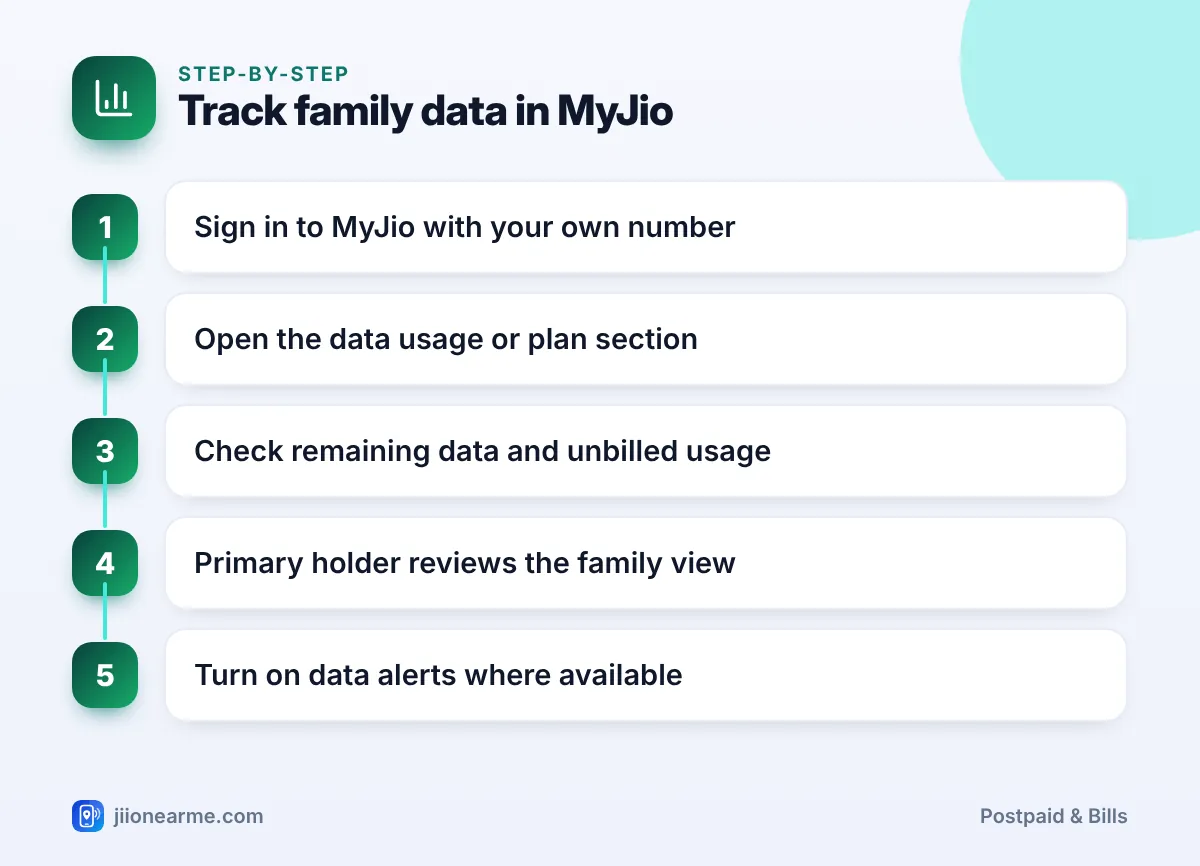
- Sign in to the MyJio app with your own Jio number.
- Open the data usage or plan section from the home screen. A data meter is often visible right away.
- Check remaining data and unbilled usage for the current billing cycle.
- If you are the primary holder, look for a family or members view that shows usage across the account, if your app offers it.
- Turn on usage alerts where available, so you get notified as data runs low.
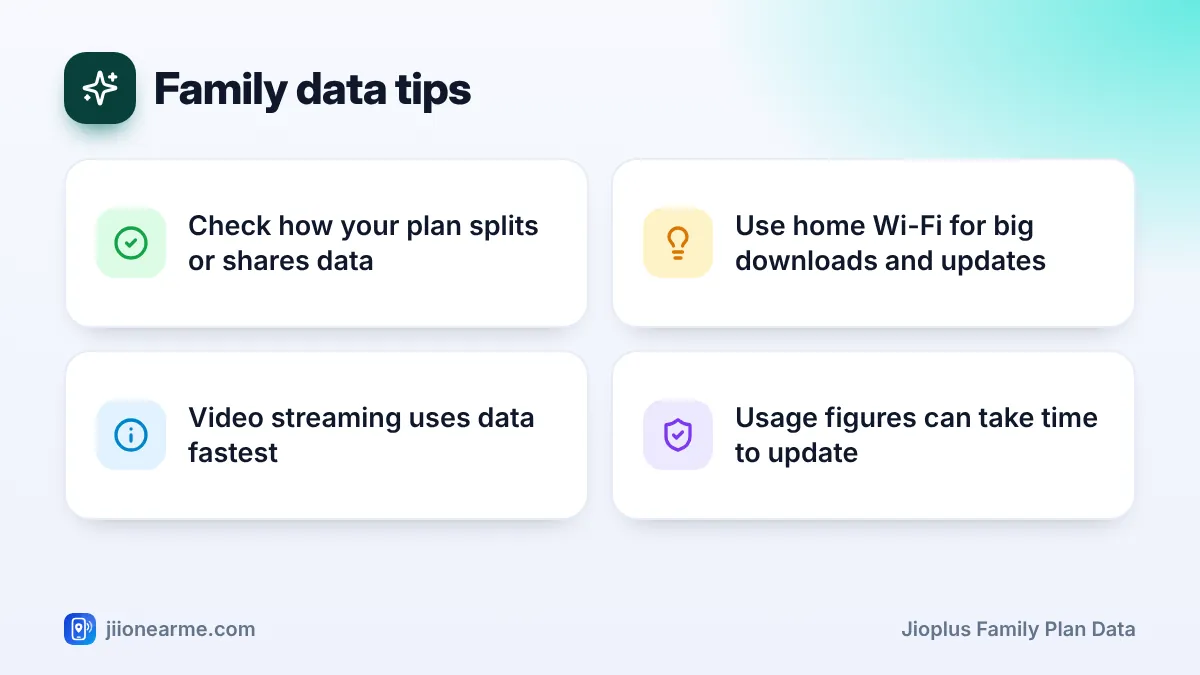
Usage figures are not always live. They can take some time to update, so a big download may not show up immediately.
Ask each member to glance at their data meter once a week. Spotting heavy use in the second week is much better than finding out in the last few days of the cycle.
Habits That Keep Family Data in Check
You do not need strict rules to manage family data. A few simple habits usually work well.
- Use Wi-Fi at home. If you have JioFiber, Jio AirFiber or any home broadband, connect every phone to it.
- Move big tasks to Wi-Fi. Set app updates, photo backups and large downloads, including JioAICloud backups, to happen only on Wi-Fi.
- Lower video quality on mobile data. Streaming apps let you choose a lower quality setting, which uses much less data.
- Turn on data saver. Android and iPhone both have settings that limit background data.
- Watch hotspot use. Sharing mobile data with a laptop or TV can use a lot of data quickly.
- Agree on fair use. For shared pools, a simple understanding about heavy streaming can avoid arguments.
What to Do If the Family Keeps Running Out
If your family often runs short of data before the cycle ends, try these steps in order:
- Find the heavy user. Ask each member to check their usage in MyJio.
- Check which apps use the most data. Phone settings show data use by app.
- Fix settings first. Auto-play videos, cloud backups and auto-updates are common culprits.
- Consider a data add-on. Postpaid users can usually buy extra data packs. Check current options in MyJio.
- Review the plan. If shortfalls happen every month, compare other family plans on jio.com or in the app.
On a family plan, any charges for extra data or packs bought by any member go to the primary holder’s bill. Agree on who can buy add-ons before someone needs one.
Frequently Asked Questions
Can one member use up the whole family's data?
On a shared pool, yes, heavy use by one person can leave less for others. Checking usage weekly and using Wi-Fi at home helps prevent this.
Can add-on members see their own data balance?
Yes. Each member can sign in to MyJio with their own number and check their usage and remaining data.
Does unused family data carry forward?
Some postpaid plans have offered data rollover, but it depends on the current plan terms. Check your plan details in MyJio to see whether rollover applies.
Why does my usage look lower in the app than I expected?
Usage data can take time to update. Check again after a few hours, and remember that the final bill is the official record.
Can the primary holder limit a member's data?
Controls depend on the plan and app features available. If there is no limit option, agree on usage rules and use data saver settings on the member’s phone.
Final Thoughts
JioPlus family plan data works in one of a few ways: a shared pool, a fixed amount per member, or a mix. Read your plan details in MyJio first, so everyone knows how their usage affects the rest of the family.
After that, weekly checks, home Wi-Fi and a few phone settings do most of the work. If the family still runs short, look at data add-ons or compare other plans in MyJio or on jio.com.
JIo Near me is an independent guide and is not affiliated with Reliance Jio. App menus, plans and policies can change – always confirm current details in the official MyJio app or on jio.com. We will never ask for your OTP, PIN or passwords.