The simplest way to give an elderly parent a reliable phone number is to get the SIM in their own name, set up the phone with only what they need and make sure the number never lapses. A little planning upfront saves many confused phone calls later.
This guide is for families helping a parent or grandparent. It covers getting the SIM, choosing and setting up the phone, saving emergency contacts, keeping the number active and protecting your parent from common scams.
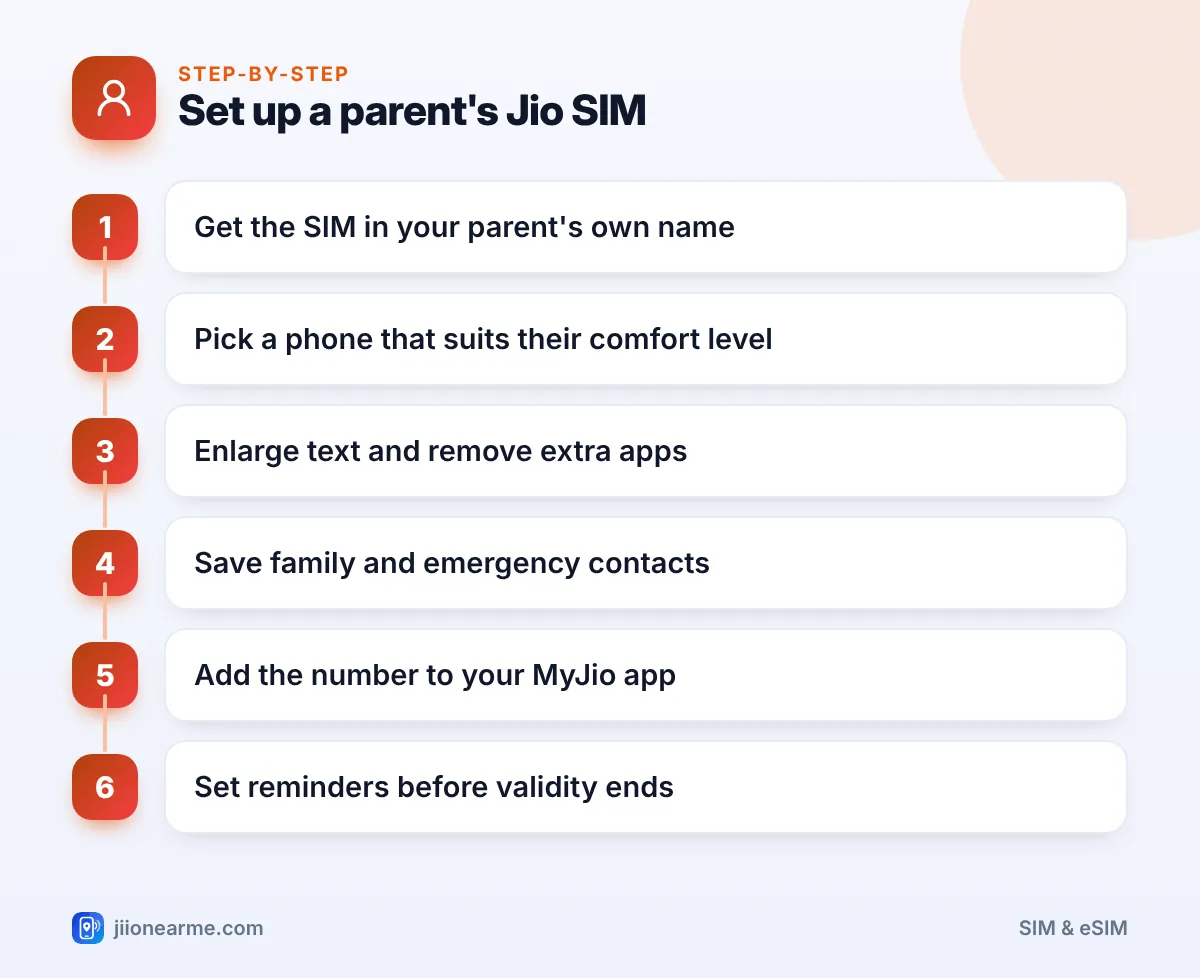
- Take the Jio SIM in your parent’s own name, so they have full control and their KYC is correct.
- Keep the phone simple: bigger text, fewer apps and favourite contacts on the home screen.
- Save emergency contacts and teach them 112, India’s emergency response number.
- Add their number to your MyJio app so you can track validity and recharge on time.
Why the SIM Should Be in Your Parent’s Own Name
It can be tempting to take the SIM in your name and hand it over. It is better to register it in your parent’s name, for a few reasons:
- Bank and pension updates often need the account holder’s own mobile number for OTPs and alerts.
- Aadhaar-linked services work more smoothly when the number belongs to the same person.
- Your own SIM count stays clean. Every connection in your name counts towards the limit on mobile connections per person.
- Ownership is clear if you ever need to replace the SIM or port the number.
Your parent will need to complete KYC in person, at a Jio Store or during a home delivery visit.
Getting a Jio SIM for Senior Citizens: KYC Tips
The fastest route is Aadhaar e-KYC, which uses a fingerprint scan. For older people, this sometimes fails because fingerprints wear thin with age.
To make the visit smooth:
- Wash and dry your parent’s hands before the scan. Try more than one finger if needed.
- Carry a backup original ID, such as a passport, voter ID or driving licence, in case the fingerprint keeps failing.
- Consider Jio’s home delivery if travel is hard. The executive completes KYC at your door. Book it on jio.com.
- If your parent already has a number on another network, keep it. Port it to Jio by sending “PORT” followed by the 10-digit number to 1900 from that phone.
Keeping your parent’s existing number through porting avoids the hassle of updating banks, pension offices, doctors and relatives with a new one.
Choosing a Phone That Suits Your Parent
The right phone depends on comfort and need, not on features.
| Parent’s comfort level | Good option | Why it works |
|---|---|---|
| Only makes calls | JioBharat or JioPhone | Physical keypad, simple menus |
| Uses video calls with family | A basic smartphone | Larger screen, easy video calling |
| Already uses UPI and apps | Their current smartphone | Familiar, nothing new to learn |
Whatever you choose, it must support 4G VoLTE or 5G, because Jio calls run on these networks.
Setting Up the Phone Simply
Spend time on the setup before you hand the phone over. Sit with your parent and do it together, so they understand what changed.
- Make text and icons bigger. On most phones, look under Settings > Display for font size and display size.
- Remove or hide apps they won’t use. Fewer icons means fewer mistakes.
- Put favourite contacts on the home screen. Most phones let you add a contact shortcut to the home screen.
- Raise the ringtone volume and turn on vibration so they don’t miss calls.
- Set a screen lock they can remember, such as a simple pattern. Write it down and keep it somewhere safe at home.
- Add their number to your MyJio app. Look for the option to link or add another Jio number. Labels can differ by app version.
Saving Emergency Contacts
In an emergency, your parent may not be able to search through contacts. Set things up so help is one or two taps away.
- Save key contacts with clear names, such as “Son Rahul” or “Dr Sharma”, not nicknames.
- Fill in emergency information. Android phones have an emergency info or safety section, and iPhones have Medical ID in the Health app. Add blood group, allergies and emergency contacts.
- Turn on Emergency SOS. Many phones can call for help or send your location when the power button is pressed several times.
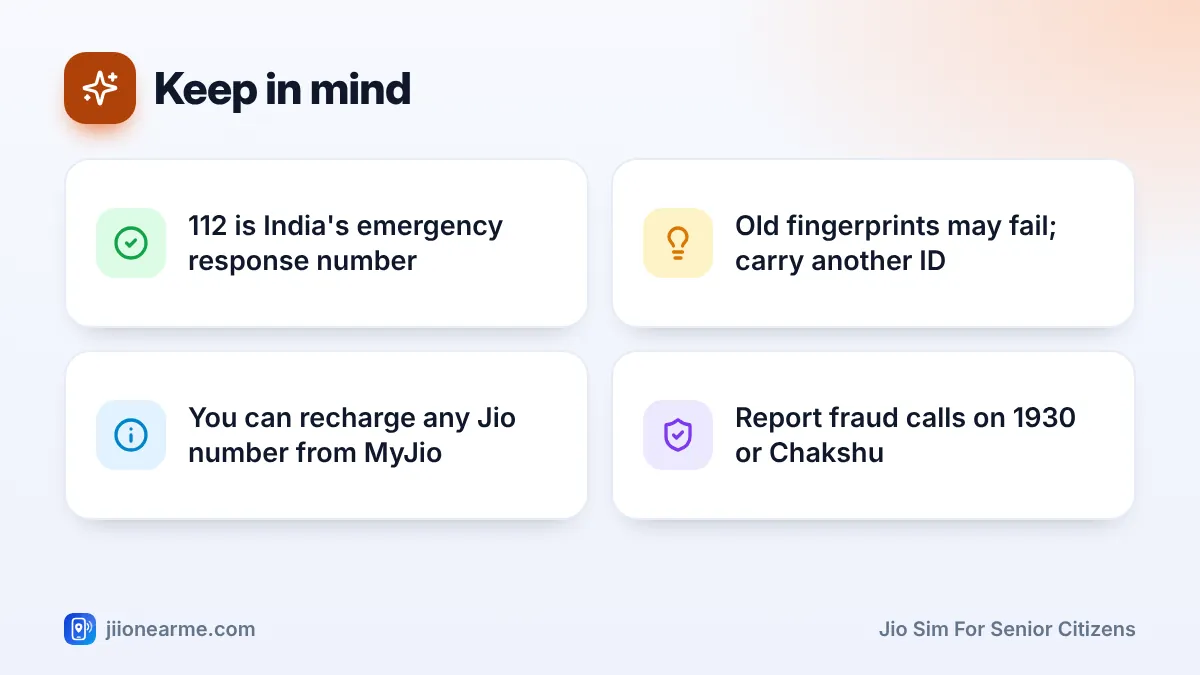
- Teach 112. It is India’s single emergency response number for police, fire and ambulance.
Keep a printed card near the phone and in your parent’s wallet with key numbers. If the phone is lost or the battery dies, the card still works.
Making Sure the Number Stays in Use
A prepaid number that isn’t recharged can lose outgoing service, and after a longer period without recharge it may be disconnected. Losing a number your parent has used for years is painful, so build a routine.
- Track validity in MyJio. Once their number is linked to your app, you can see when the plan ends.
- Recharge for them. You can recharge any Jio number from your own MyJio app or on jio.com.
- Set a calendar reminder a few days before validity ends.
- Consider postpaid. If you already use Jio postpaid, a JioPlus family plan can bring your parent’s number under your account, so there is no validity to track. Check the current options first.
Protecting Your Parent from Scams
Elderly people are frequent targets of phone fraud. Talk through these rules with your parent, and repeat them often:
- No genuine bank, Jio staff member or government officer will ask for an OTP, PIN or password on a call.
- Police and government agencies do not place people under “digital arrest” over a video call. Such calls are scams.
- Never install an app or click a link because a caller told you to.
- When in doubt, cut the call and phone a family member.
To reduce spam, register their number on the TRAI DND app or call 1909 from that number. Report fraud calls on the Chakshu facility of the Sanchar Saathi portal.
Call the national cybercrime helpline 1930 as quickly as possible, and inform the bank. Fast reporting gives the best chance of stopping the transfer.
Frequently Asked Questions
Can I take a Jio SIM in my name for my parent?
You can, but it is better in their own name. Banks, pension offices and Aadhaar services often need the account holder’s own number.
What if my parent's fingerprint fails during KYC?
Try another finger after cleaning and drying the hands. If it still fails, use another original ID such as a passport, voter ID or driving licence for digital KYC.
Can I recharge my parent's Jio number from my phone?
Yes. You can recharge any Jio number from the MyJio app or on jio.com, even if it isn’t linked to your account.
Which phone is best for an elderly person?
It depends on their needs. A keypad phone like JioBharat suits basic calling, while a simple smartphone helps with video calls to family.
How do I stop spam calls on my parent's number?
Set Do Not Disturb preferences through the TRAI DND app or by calling 1909 from their number. Report fraud calls on the Sanchar Saathi portal.
Conclusion
A Jio SIM for senior citizens works best when it is in the parent’s own name, on a phone set up for their comfort. Keep the screen simple, save emergency contacts clearly and teach them 112.
Then take charge of the background tasks yourself. Link their number in MyJio, recharge on time and talk about scams regularly. Those small habits keep your parent connected and safe.
JIo Near me is an independent guide and is not affiliated with Reliance Jio. App menus, plans and policies can change – always confirm current details in the official MyJio app or on jio.com. We will never ask for your OTP, PIN or passwords.
