
Your new Jio SIM is working. Now spend ten or fifteen minutes on a few setup tasks that protect your number and save trouble later. Many people skip these, and only notice when an OTP doesn’t arrive or a SIM gets locked.
This checklist covers the eight things worth doing in your first week. Work through them in order, tick them off, and your new number will be ready for everyday use, banking and emergencies.
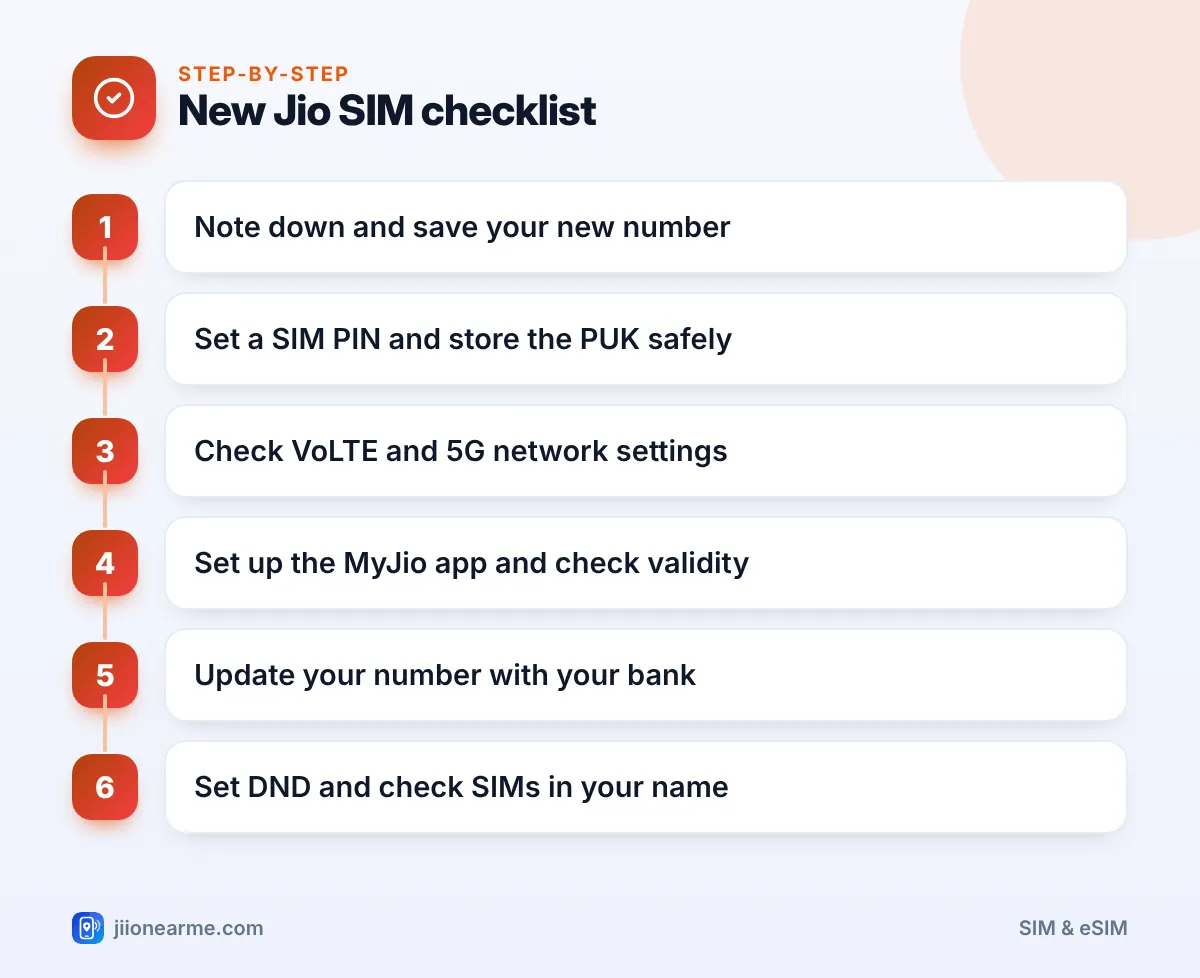
- Save your new number in your contacts and share it with family before you forget it.
- Set a SIM PIN, and keep the SIM card holder with the PUK code in a safe place.
- Check that VoLTE and the right network mode are on, so calls and 5G work properly.
- Set up MyJio, then update your new number with your bank, UPI apps and other key services.
1. Note Down and Save Your New Number
It sounds obvious, but many people don’t remember their new number for weeks. Do this first:
- Save it in your phone contacts as “My Jio number”.
- Write it down along with the SIM details from the card holder.
- Send it to close family members and anyone who may need to reach you.
If you don’t know your number, check the SIM card holder or your order confirmation. You can also call a family member and ask them to read out the number that appears.
2. Set a SIM PIN and Keep the PUK Safe
A SIM PIN stops someone from putting your SIM in another phone and using your number to receive OTPs. It asks for a PIN each time the phone restarts.
To turn it on:
- On Android, open Settings and look under Security (or Security & privacy) for SIM card lock or SIM lock.
- On iPhone, go to Settings > Mobile Data (or Mobile Service) and tap SIM PIN.
- Enter the current default PIN, then set a new PIN that only you know.
You need the SIM’s current PIN to start. If you don’t know it, check the SIM card holder or ask Jio customer care. Don’t keep guessing.
After three wrong PIN attempts, the SIM locks and asks for a PUK code. The PUK is usually on the SIM card holder. Too many wrong PUK attempts can block the SIM permanently, and you would need a replacement.
3. Check VoLTE and 5G Network Settings
Jio calls run over 4G VoLTE and 5G, so these settings matter.
- VoLTE: On Android, look under Settings > Mobile network or SIM cards for VoLTE, 4G Calling or HD Calling, and turn it on.
- Network mode: Set the preferred network type to 5G/4G automatic if your phone supports 5G, or 4G/LTE otherwise.
- Jio True 5G: You need a 5G phone and Jio 5G coverage in your area. Check your phone’s network settings for a 5G option.
- Wi-Fi Calling: Turn it on if your phone supports it. It helps where indoor signal is weak.
If data doesn’t work, check that the APN is jionet in your phone’s Access Point Names settings.
4. Set Up the MyJio App
MyJio is the easiest way to manage your new connection.
- Install MyJio from the Google Play Store or Apple App Store.
- Sign in with your new Jio number using the OTP sent to it.
- Check your current plan, data balance and validity date.
- Turn on notifications so you get reminders before your plan expires.
From here you can recharge, view usage, set up JioTunes and get support. Menus can differ slightly between app versions.
Add a calendar reminder a few days before your plan’s validity ends. A missed recharge can stop outgoing calls and OTPs at the worst possible time.
5. Update Your New Number with Your Bank
If this number will replace an old one, update it with your bank first. Your bank sends OTPs and alerts to the number on record, and you can’t easily change it once the old number stops working.
Common ways to update:
- Bank branch: Visit with your ID and fill the change request form.
- Net banking or ATM: Many banks allow updates online or at their ATMs, often with an OTP sent to the old number.
- UPI apps: After the bank updates your number, you may need to re-register your UPI apps with the new SIM in the phone.
| Service | How to update your number |
|---|---|
| Bank accounts | Branch, net banking or ATM, as your bank allows |
| UPI apps | Re-register after your bank updates the number |
| Aadhaar | Visit an Aadhaar enrolment or update centre |
| Email and social apps | Account settings, under security or phone number |
| Employer, school, insurance | Inform them directly |
Updating the mobile number linked to Aadhaar needs a visit to an Aadhaar enrolment or update centre with biometric verification. Do this if you use Aadhaar OTPs often.
6. Turn On DND to Cut Spam Calls
New numbers can start getting promotional calls and SMS quickly. Set your preferences early:
- Install the TRAI DND app and choose which categories of messages to block.
- Or call 1909 from your Jio number and follow the voice prompts.
If you get a call or message that looks like fraud, report it on the Chakshu facility of the Sanchar Saathi portal.
7. Check the Connections in Your Name
While you are on Sanchar Saathi, use the option to see mobile connections in your name. Confirm that the new Jio number appears and that there are no numbers you don’t recognise. Report any unknown number straight away.
8. Finish Your New Jio SIM Setup by Keeping the Details Safe
Finally, put the SIM card holder, your purchase details and any order SMS in one place. You will need them if you ever lose the phone, need a SIM replacement or want to port the number later.

Frequently Asked Questions
What is the default PIN of a new Jio SIM?
Check the SIM card holder or contact Jio customer care before you change it. Don’t guess, because three wrong attempts will lock the SIM.
Do I need to set up anything for 5G?
You need a 5G phone, Jio 5G coverage and the right network mode in settings. Set the preferred network type to the 5G option on your phone.
How do I update my mobile number in my bank account?
Visit your branch with your ID, or use net banking or an ATM if your bank allows it. Re-register your UPI apps after the update.
Why am I not getting OTPs on my new Jio number?
The number may not be updated with that service yet, or your plan may have expired. Check validity in MyJio and update the number in the service’s settings.
Who do I contact for help with my new Jio SIM?
Call 199 from your Jio number for queries, or 198 for complaints. You can also call Jio’s toll-free number 1800-889-9999 from any phone.
Summary
A good new Jio SIM setup takes very little time. Save your number, set a SIM PIN, check VoLTE and 5G, and get MyJio running so you can see your validity.
Then update your bank, UPI apps and Aadhaar, set your DND preferences and check the connections in your name. Do these once, and your new number will be ready for banking, OTPs and everyday use.
JIo Near me is an independent guide and is not affiliated with Reliance Jio. App menus, plans and policies can change – always confirm current details in the official MyJio app or on jio.com. We will never ask for your OTP, PIN or passwords.
