That “wedding invitation” or “traffic challan” file on WhatsApp might actually be an app that can read your OTPs. Files ending in .apk are Android app installers, and fraudsters disguise them as invites, bills, bank updates or government notices. Once installed, a malicious APK can read your SMS, steal bank OTPs and even send itself to your contacts.
The rule is simple: never install an APK file that you receive on WhatsApp, SMS or email. This article explains how the APK file scam works, how to recognise these files and what to do if one was installed by mistake.
- An APK is an Android app file; installing it gives that app access to your phone.
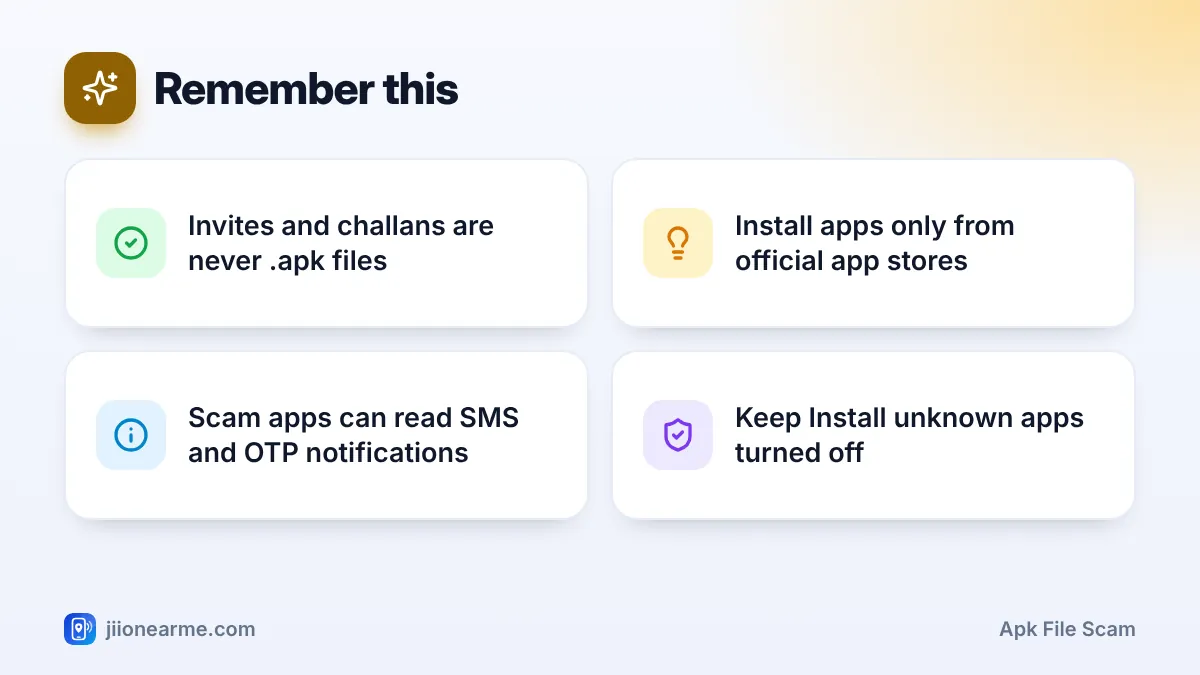
- Scam APKs are disguised as wedding invites, challans, bank updates or scheme forms.
- Once installed, they can read SMS and OTPs, show fake login screens and spread to contacts.
- Install apps only from the Google Play Store or your phone maker’s official store.
- If you installed one, go offline, remove it and call your bank immediately.
What Is an APK File and Why Is It Risky?
APK stands for Android Package Kit. It is the file format Android uses to install apps. Apps you get from the Google Play Store also install as packages, but they come through the store, which runs security checks.
When someone sends you an APK directly, nobody has checked it. If you install it, you let an unknown app run on your phone. Fraudsters use this to install malware that works quietly in the background.
iPhones cannot install APK files, but iPhone users still receive similar messages with phishing links, so the same caution applies.
How the APK File Scam Works
- The disguise: You get a WhatsApp message with a file named something like “Wedding Invitation.apk”, “RTO Challan.apk”, “Bank KYC Update.apk” or “Scheme Form.apk”. It may come from an unknown number, or from a friend whose phone is already infected.
- The push: The message creates curiosity or fear, such as “See our wedding card”, “Pay your challan today to avoid court action” or “Your bank account will be blocked”.
- The install: When you tap the file, Android warns you about installing unknown apps. The message may tell you to allow it anyway.
- The permissions: The app asks for powerful access, such as reading SMS, accessibility services, notification access or “display over other apps”.
- The theft: It reads incoming OTPs, records what you type, shows fake bank login pages and sends your data to fraudsters. It may also forward the same file to your WhatsApp contacts.
Permissions that should alarm you
| Permission | What a malicious app can do with it |
|---|---|
| Read and receive SMS | Read bank OTPs and transaction alerts |
| Accessibility service | See your screen, tap buttons and read what you type |
| Notification access | Read OTPs and messages from notifications |
| Display over other apps | Show fake login screens over your banking app |
| Device admin | Make itself hard to uninstall |
A real wedding card, challan or bank notice comes as an image, a PDF or an official website, not as an app you must install. If a file ends in .apk, delete it.
How to Recognise an APK File Scam on WhatsApp
- Check the file type. WhatsApp shows the file name and type in the chat. Look for “.apk” at the end of the name, or “APK” written under the file.
- Watch for mismatched names. An invite or challan should be a photo or PDF. An app file with that name is a disguise.
- Look at the sender. Unknown numbers, foreign country codes, or a contact who never usually sends files are warning signs.
- Notice the pressure. Threats of fines, blocked accounts or tight deadlines are meant to make you tap without thinking.
- Check with the sender. If a friend sent it, call them directly and ask. Their account may have sent it on its own.
How to Stay Protected
- Install apps only from the Google Play Store or your phone maker’s official app store.
- Keep “Install unknown apps” switched off for WhatsApp, browsers and file managers. On most Android phones, you will find it under Settings > Apps > Special app access (labels vary by brand).
- Keep Google Play Protect on. Open the Play Store, tap your profile picture and choose Play Protect.
- Turn off auto-download for documents in WhatsApp under Settings > Storage and data > Media auto-download.
- Keep your phone and apps updated so the latest security fixes are installed.
Teach family members one easy rule: if WhatsApp asks for permission to install an app, stop. No genuine invite, bill or bank notice needs that permission.
What to Do If You Installed an APK by Mistake
Act quickly, ideally within minutes.
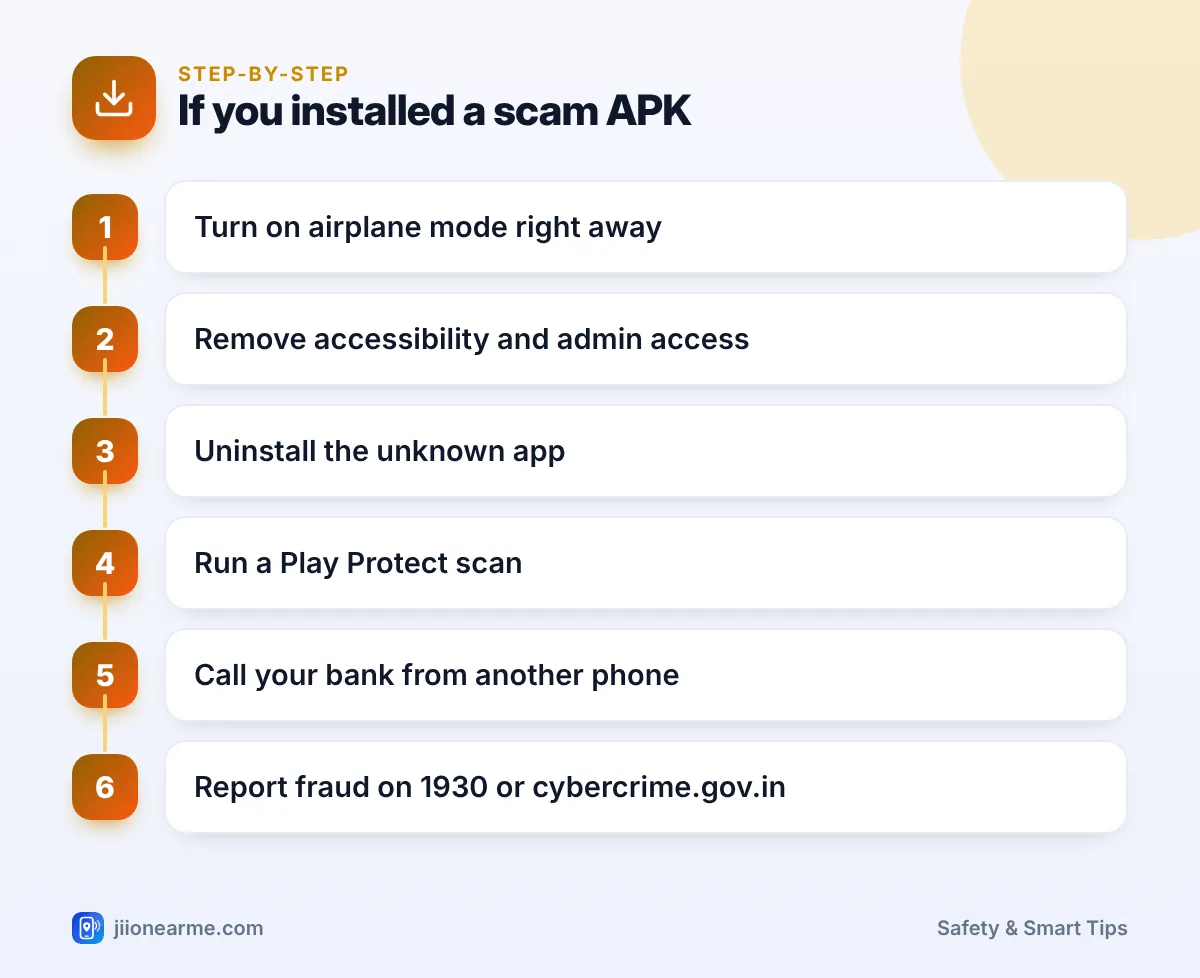
- Go offline. Turn on airplane mode, or switch off mobile data and Wi-Fi, to stop the app sending data.
- Do not open banking or UPI apps on that phone until it is clean.
- Remove special access. In Settings, check Accessibility, Device admin apps (often under Security) and Notification access, and turn off access for the suspicious app.
- Uninstall the app. Go to Settings > Apps, find the unfamiliar app (it may have a plain name or icon) and uninstall it.
- Reconnect and run a Play Protect scan to check for other harmful apps.
- Call your bank’s official helpline from another phone and ask them to block cards, net banking and UPI if needed.
- Secure your accounts from a different, safe device. Change your email and banking passwords, and in WhatsApp check Linked devices and log out of any you do not recognise.
- Report the fraud on 1930 or at cybercrime.gov.in, especially if money was taken.
If the app cannot be removed, or strange activity continues, back up your photos and documents and do a factory reset, or visit an authorised service centre.
Many scam APKs forward themselves to your contacts and groups. Send a short message to family and groups asking them not to open any file that came from your number.
Frequently Asked Questions
Can an APK harm my phone if I only download it?
Downloading alone usually does not install it, but tapping the file starts the installation. Delete the file without opening it.
Can iPhone users be affected by APK scams?
iPhones cannot install APK files. However, similar messages may carry phishing links, so iPhone users should also avoid links and files from unknown senders.
How do I know if a scam app is still on my phone?
Look in Settings > Apps for apps you do not recognise, check which apps have accessibility or device admin access, and run a Play Protect scan. Unexpected OTP SMS or messages sent without your knowledge are warning signs.
Is it safe to install APKs from websites?
It is best to install apps only from the Google Play Store or your phone maker’s official store. APK files from websites, chats or forwarded links cannot be trusted.
Where do I report an APK scam?
Report any financial loss on 1930 or at cybercrime.gov.in. You can also report the sender’s number through Chakshu on the Sanchar Saathi portal and block them on WhatsApp.
Wrapping Up
An APK file scam depends on a single tap. Treat every .apk file in a chat as dangerous, no matter who sent it or how urgent it sounds. Install apps only from official stores, keep Play Protect on, and if a mistake happens, go offline and call your bank right away.
JIo Near me is an independent guide and is not affiliated with Reliance Jio. App menus, plans and policies can change – always confirm current details in the official MyJio app or on jio.com. We will never ask for your OTP, PIN or passwords.
