
Jio signal bars rise and fall because your phone is always measuring a radio signal that changes with distance, walls, your surroundings and how busy the tower is. A change of one or two bars as you move around the house is normal. Repeated drops to zero, or calls that cut out in the same spot every day, point to something you can often improve.
This explainer covers the main reasons bars fluctuate in plain terms. It also separates the causes you can fix yourself from the ones that need Jio’s help, so you know where to spend your effort.
- Signal bars are a rough estimate drawn by your phone, not an exact measurement.
- Moving between towers, and between 4G and 5G, causes normal ups and downs.
- Concrete, metal, basements and some phone cases weaken the signal indoors.
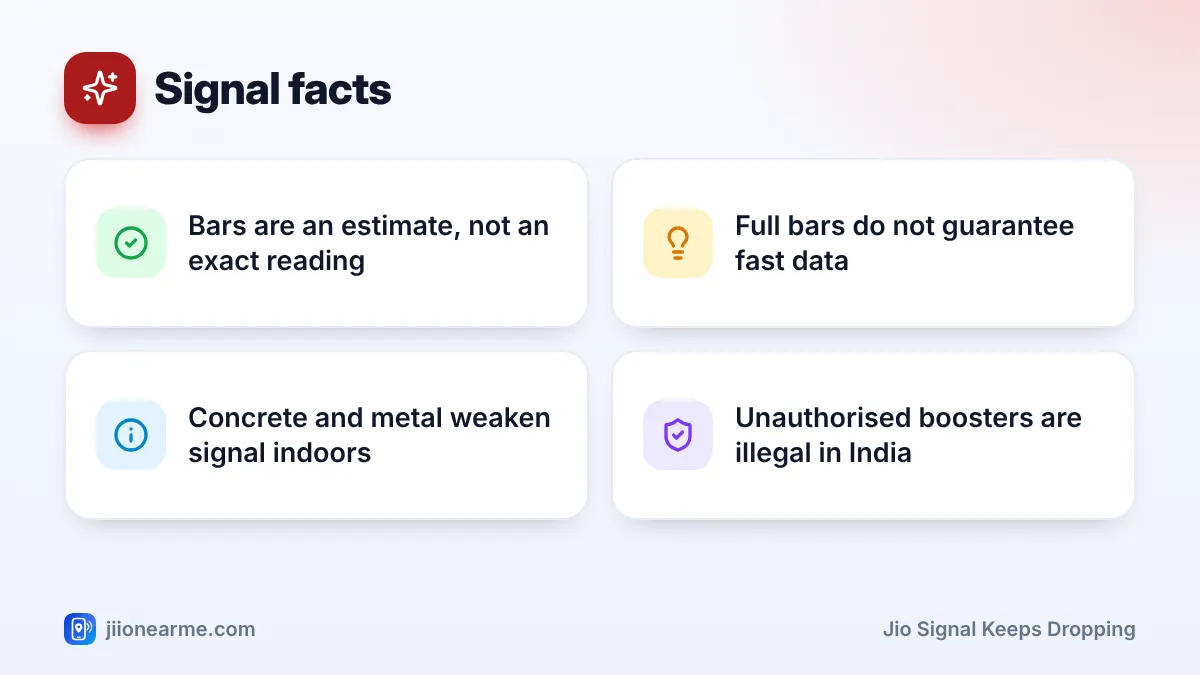
- Bars show signal strength, not how busy the tower is, so full bars can still mean slow data.
- You can fix cases, placement, settings and SIM issues. Coverage gaps need Jio.
What Signal Bars Really Show
The bars at the top of your screen are your phone’s own summary of signal strength. Each phone maker uses its own cut-off points, so two phones in the same spot can show different bars. That is why your bars may drop while a family member’s phone looks fine.
The real measurement is in dBm, a unit of signal power. It is always a negative number, and closer to zero means stronger. For example, -85 dBm is a stronger signal than -110 dBm.
On many Android phones you can see this number under Settings > About phone > Status or SIM status. Labels vary by brand. Watching this reading for a few minutes tells you more than the bars do.
Bars also don’t show signal quality or how crowded the tower is. A strong but noisy or busy signal can still give poor calls and slow data.
Why Jio Signal Keeps Dropping: The Common Causes
Tower handovers as you move
Your phone stays connected to one tower, or one section of a tower, at a time. As you walk, ride or drive, it hands over to the next one. During the switch, the bars can dip for a moment. This is normal and usually unnoticeable on calls.
Switching between 4G and 5G
At the edge of a 5G area, your phone may keep hopping between Jio 5G and 4G. Each switch can change the bar count, because the phone measures each network separately. The icon flicking between 4G and 5G is a sign of this.
Building materials and indoor spots
Radio signals weaken as they pass through walls. Thick concrete, steel frames, metal sheets, tinted or coated glass and stone all reduce signal. Basements, lifts, stairwells and inner rooms are often the weakest spots. Higher frequency signals, like the ones used for 5G speed, lose more strength through walls.
Your phone case and grip
Metal cases, cases with metal plates and some magnetic mounts can block part of the antenna. Your hand matters too. Phone antennas sit near the top and bottom edges, so holding the phone sideways for gaming can cover them.
Network congestion
At busy times, such as evenings, festivals, stations or stadiums, many people share the same tower. Your bars may look fine while calls break up and pages load slowly. Bars measure strength, not available capacity.
Terrain and weather
Hills, dense trees and long distances from the tower weaken signal. Heavy rain can have a small effect, mostly on higher frequencies. Weather alone rarely causes major drops.
What You Can Fix and What You Can’t
This table sorts the common causes by who can do something about them:
| Cause | Can you fix it? | What helps |
|---|---|---|
| Metal or magnetic case | Yes | Remove it and compare the signal |
| Thick walls or basement | Partly | Move near a window, use Wi-Fi Calling |
| Hopping between 4G and 5G | Partly | Try a 4G/LTE network mode |
| Old phone software | Yes | Install pending updates |
| Loose, dusty or damaged SIM | Yes | Reseat it, or replace it at a Jio Store |
| Far from the tower or a coverage gap | No | Report the location to Jio |
| Busy tower at peak hours | No | Use Wi-Fi at those times |
Simple Steps to Steady Your Jio Signal
Try these in order. Most take only a minute.
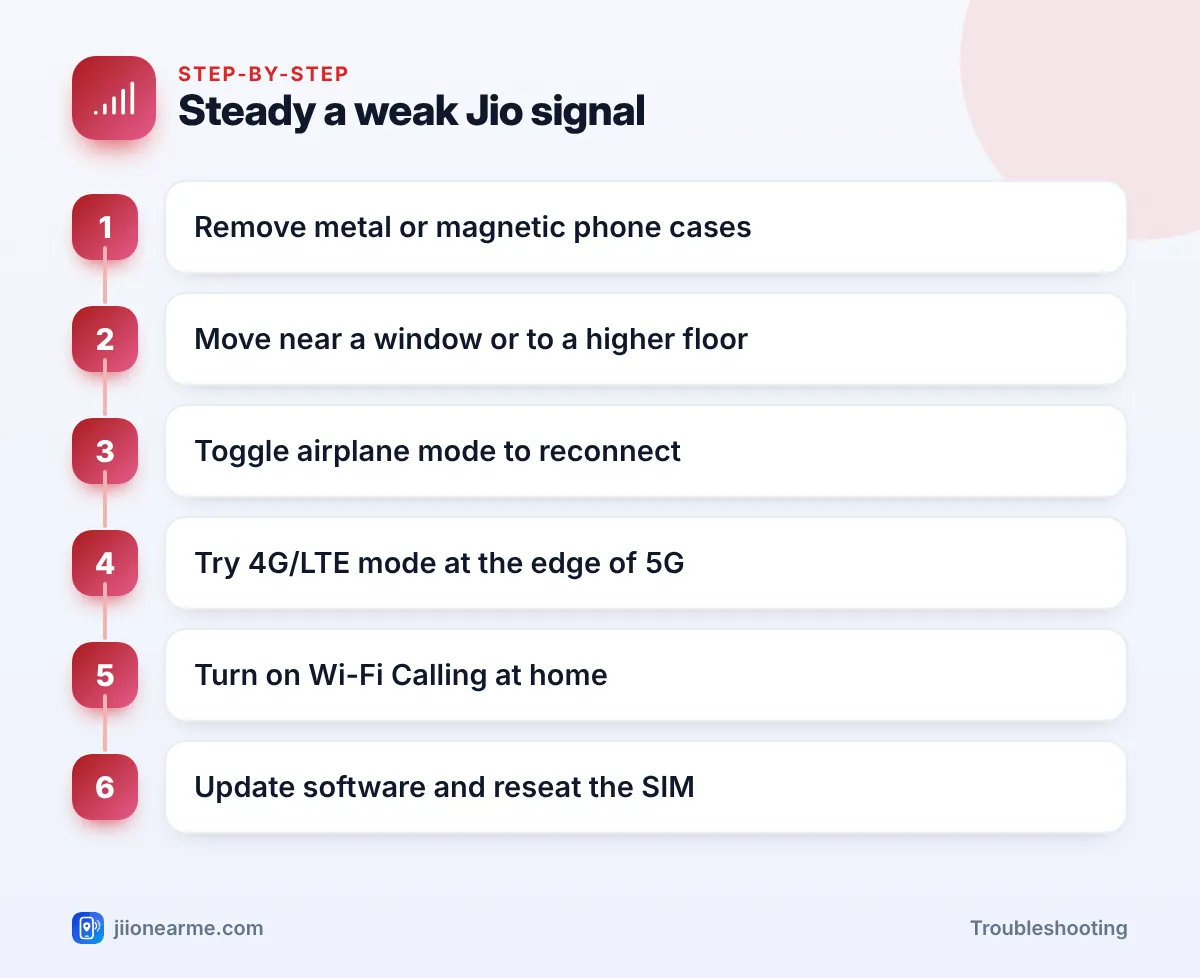
- Remove the case and check whether the bars or the dBm reading improve.
- Change your position. Move near a window, to a higher floor, or to the side of the house facing the nearest tower.
- Toggle airplane mode on for about 15 seconds, then off. This makes your phone search again and pick the best available tower.
- Try a 4G/LTE network mode if you live at the edge of a 5G area. In your Jio SIM settings, open Preferred network type and choose an LTE option. Switch back to 5G when you move to an area with strong 5G.
- Turn on Wi-Fi Calling if you have home broadband. Jio calls then use your Wi-Fi when the mobile signal is weak indoors.
- Update your phone’s software, then switch the phone off, take out the SIM, check it for dust or damage, and push it back in firmly.
If none of these helps, a network settings reset is the next step. It clears saved Wi-Fi passwords and Bluetooth pairings, so note them down first.
Note where and when the drops happen for a few days. A pattern like “only in the bedroom” or “only between 7 and 10 pm” quickly shows whether the cause is your building or a busy tower.
When to Report a Jio Signal Problem
If the signal drops in the same place every day, and other Jio phones nearby show the same problem, the cause is likely coverage or the tower, not your phone. Call 198 from your Jio number to report it, or 199 for queries. You can also use the toll-free number 1800-889-9999.
Share the exact address or landmark, the times the problem happens, which floors or rooms are affected, and the steps you have already tried. Clear details help the network team look into it.
Selling or using unauthorised mobile signal boosters or repeaters is illegal in India. They can disturb the network for everyone nearby. Use Wi-Fi Calling and report weak coverage to Jio instead.
Frequently Asked Questions
Is it normal for bars to change while my phone is on the table?
Yes. Signal changes slightly as the phone moves between tower sections, as people move around, and as the network shifts traffic. Small changes without dropped calls are nothing to worry about.
Do signal booster apps improve Jio signal?
No. An app cannot change your phone’s radio hardware or the tower’s signal. These apps mostly show readings or toggle settings you can change yourself.
Why do I have full bars but slow internet?
Bars show signal strength, not how busy the tower is. At peak times, many users share the same capacity, so speeds drop even with a strong signal.
Can a phone cover really affect signal?
Yes, if it contains metal, a metal plate or strong magnets. Plain plastic, silicone and leather cases usually make little difference.
Will a new SIM improve my signal?
Only if your current SIM is damaged or faulty. A new SIM cannot change coverage, but a replacement from a Jio Store can fix problems caused by a worn-out card.
Wrapping Up
Bars that move a little are normal. Your phone is reacting to distance, walls, towers and traffic. Focus on what you can change, such as the case, your position, the network mode, Wi-Fi Calling and software updates. If drops happen in the same place every day, report the location to Jio with clear details.
JIo Near me is an independent guide and is not affiliated with Reliance Jio. App menus, plans and policies can change – always confirm current details in the official MyJio app or on jio.com. We will never ask for your OTP, PIN or passwords.