ICCID stands for Integrated Circuit Card Identifier. It is the unique serial number of your SIM card itself, not your mobile number. On a Jio SIM, you can find it printed on the card and on the holder it came in, and many phones also show it in their settings.
Most people never need their ICCID. It does come up during SIM replacement, eSIM requests and some support calls, though. This guide explains what the number means, how it differs from your mobile number and IMEI, and where to look for it.
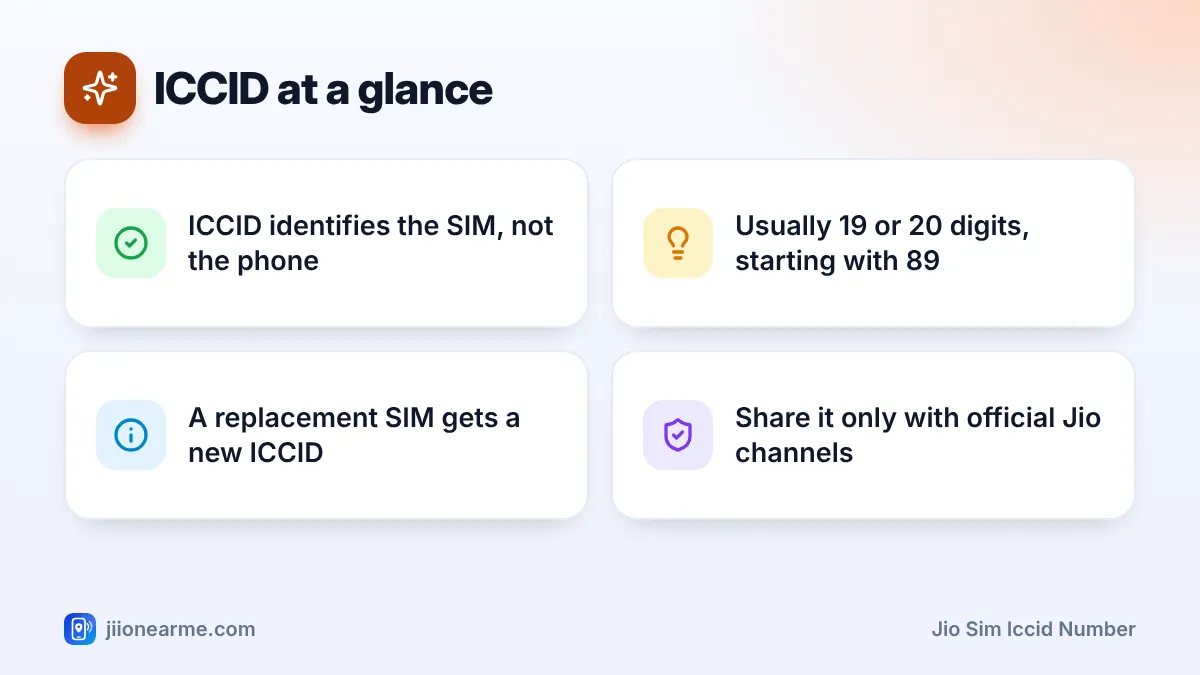
- The ICCID is the SIM card’s serial number, often called the SIM number.
- It is usually 19 or 20 digits long and starts with 89.
- Your mobile number can move to a new SIM, but each SIM has its own ICCID.
- The IMEI identifies your phone, while the ICCID identifies the SIM.
- Share your ICCID only with official Jio support, never with unknown callers.
What the Jio SIM ICCID Number Means
Every SIM card made anywhere in the world gets its own ICCID. It works like a serial number on a product, so the network can tell one card from another.
The number follows an international format. It usually begins with 89, the code for telecom cards. For SIMs issued in India, the next digits are usually 91, the country code. The rest of the digits identify the issuer and the individual card, and the last digit is a check digit used to catch typing errors.
Does a Jio eSIM have an ICCID?
Yes. An eSIM profile also has an ICCID, even though there is no plastic card. You will see it in your phone’s settings once the eSIM is installed. The eSIM chip in your phone has a separate number called the EID.
ICCID vs Mobile Number vs IMEI
People often mix up these numbers. Each one identifies something different.
| Identifier | What it identifies | Typical length | When it changes |
|---|---|---|---|
| Mobile number | Your Jio connection | 10 digits | Only if you take a new number |
| ICCID | The SIM card or eSIM profile | 19 or 20 digits | When you replace the SIM or move to eSIM |
| IMEI | Your phone | 15 digits | When you change phones |
| EID | The eSIM chip inside the phone | 32 digits | When you change phones |
Here is a simple way to think about it. Your mobile number is your account. The ICCID is the card that carries that account. The IMEI is the phone the card sits in.
That is why a SIM replacement keeps your mobile number but gives you a new ICCID. The number moves to the new card, and the old card stops working. A dual-SIM phone has two IMEIs, one for each slot, and you can see them by dialling *#06#.
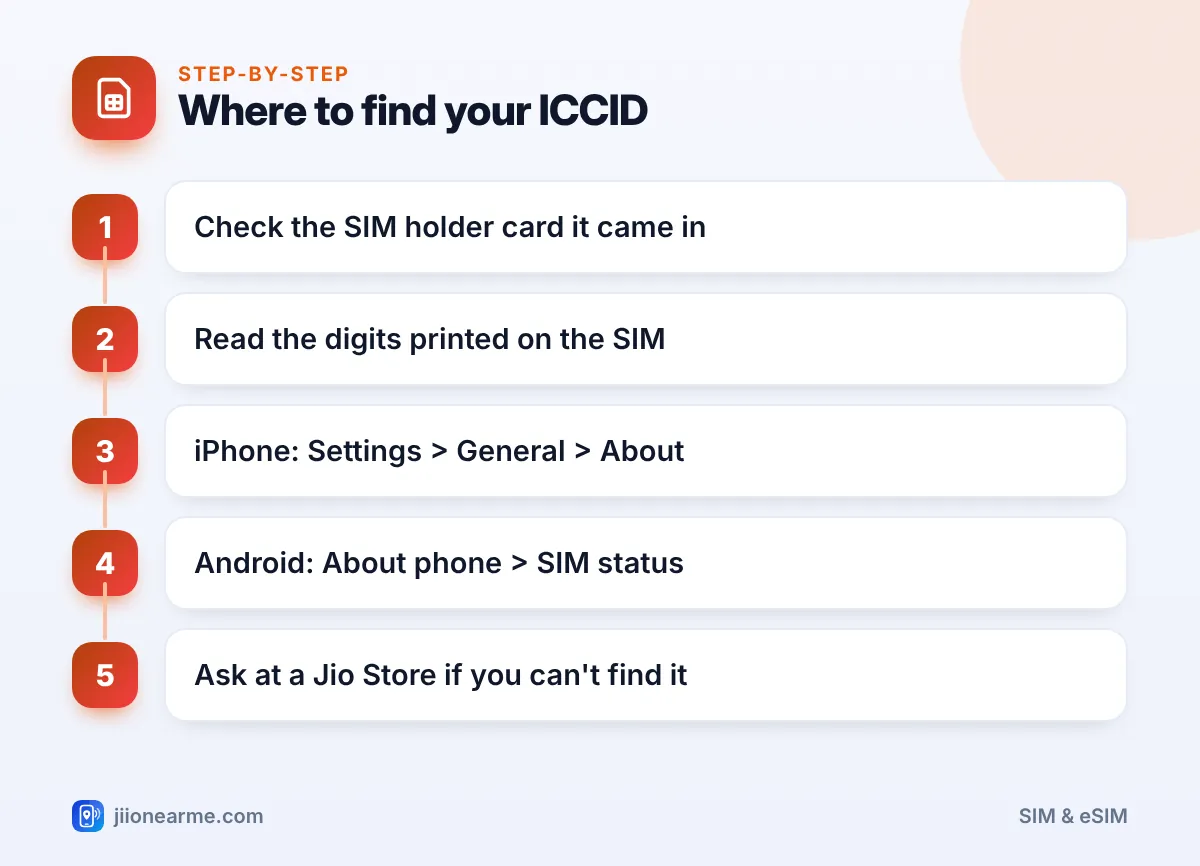
Where to Find Your Jio SIM ICCID
You can check a few places. The holder card and phone settings are usually the easiest.
- The SIM holder card. The larger plastic card your SIM came in usually shows the full ICCID, often next to a barcode.
- The SIM itself. Remove the SIM and look for tiny printed digits on the plastic side.
- iPhone settings. Open Settings > General > About and scroll to the SIM section, where ICCID is listed.
- Android settings. Open Settings > About phone and look under Status or SIM status for ICCID.
- Jio support. If you still can’t find it, a Jio Store can help after verifying your identity.
Reading the number on the SIM
On a nano SIM, there is very little space, so the print is small. Use good light, or take a clear photo and zoom in. Some SIMs show only part of the ICCID on the card, so the holder card is the better source.
Finding it in Android settings
Labels differ a lot between brands and software versions. Look for SIM status, SIM card status or Status information. On some phones, the ICCID is shown only when you tap a specific SIM. A few phones don’t show it at all, which is normal.
Keep the SIM holder card in a safe place at home, along with your purchase receipt. It has your full ICCID and can make a SIM replacement or support request quicker.
When You Might Need Your ICCID
You won’t use this number day to day. These are the situations where it is most likely to come up:
- SIM replacement: Store staff may check the ICCID of your old or new SIM while processing the change.
- Moving to an eSIM: The official conversion process may ask for SIM or device details, such as the ICCID or EID. Follow the steps Jio gives in the MyJio app or on jio.com.
- Troubleshooting: Support may ask for it to confirm which SIM is in your phone, JioFi or router.
- Data devices: In a JioFi or a 4G router, the SIM sits inside. The ICCID helps you match the card to the right device.
Is It Safe to Share Your ICCID?
The ICCID is less sensitive than an OTP, a password or your Aadhaar number. Still, treat it with care. On its own, it can’t move your number. Combined with your help, though, it can be misused.
Fraudsters sometimes call pretending to be from Jio. They ask you to send an SMS that contains SIM details to “upgrade” your SIM or move it to an eSIM. That message can transfer your number to a SIM or eSIM they control.
Do not send any SMS with your ICCID, EID or SIM details because a caller asked you to. Jio True 5G works on existing Jio SIMs, so there is no “5G SIM upgrade” to request over a call. If you suspect fraud, report it through Chakshu on the Sanchar Saathi portal.
Avoid posting photos of your SIM holder card on social media or in chat groups. If you need help, contact Jio directly on 199 from your Jio number or 1800-889-9999 from any phone.
Frequently Asked Questions
Is the ICCID the same as the SIM number?
Yes. People often call the ICCID the SIM number or SIM serial number. It is different from your 10-digit mobile number.
Does my ICCID change when I recharge?
No. Recharges only change your plan. The ICCID changes only when you get a new SIM, such as a replacement or an eSIM.
Does porting my number change the ICCID?
Yes. When you port to or from Jio, you get a new SIM from the new operator, and that SIM has its own ICCID. Your mobile number stays the same.
Is there a code to see my ICCID?
There is no code we can recommend as reliable. Check the SIM holder card, the SIM itself or your phone’s settings instead.
Why is my ICCID a different length from my friend's?
ICCIDs are usually 19 or 20 digits, depending on the format the issuer uses. Both lengths are normal.
Summary
Your Jio SIM ICCID number is the serial number of the SIM card or eSIM profile. It is not your mobile number and not your phone’s IMEI. You can find it on the SIM holder card, on the SIM itself, or in your phone’s settings.
Keep the holder card safe and share the ICCID only with official Jio support. If anyone asks you to send SIM details by SMS, treat it as a warning sign and stop.
JIo Near me is an independent guide and is not affiliated with Reliance Jio. App menus, plans and policies can change – always confirm current details in the official MyJio app or on jio.com. We will never ask for your OTP, PIN or passwords.
