A Jio eSIM is your regular Jio connection in digital form. Instead of a plastic card in a tray, your phone has a small chip built into it, and Jio sends your connection details to that chip as a downloadable profile. Your number, plan and validity stay exactly the same.
The eSIM suits some people very well and others less so. This explainer covers what an eSIM is, how a Jio eSIM gets onto your phone, and who gains the most from moving away from a physical SIM.
- An eSIM is a chip fixed inside your phone that stores a downloaded SIM profile.
- A Jio eSIM keeps your number, plan, validity and network unchanged.
- You can request one by SMS from your Jio number or at a Jio Store.
- Your phone must support eSIM, and the profile downloads over the internet.
- It is handy for dual SIM and security, but phone changes need a new profile.
What an eSIM Is (and What It Is Not)
A traditional SIM card is a small removable chip that holds the details your network uses to recognise you. An eSIM, short for embedded SIM, does the same job, but the chip is permanently fixed inside the phone. You cannot take it out.
The information that used to come printed on the plastic card now arrives as a profile, a small, secure package of data that your phone downloads and stores. Many eSIM phones can store more than one profile, though how many can be active at once depends on the model.
Each eSIM chip has its own identity number called the EID, usually 32 digits long. Jio uses the EID to create a profile that only that particular phone can install.
What an eSIM does not do is just as important:
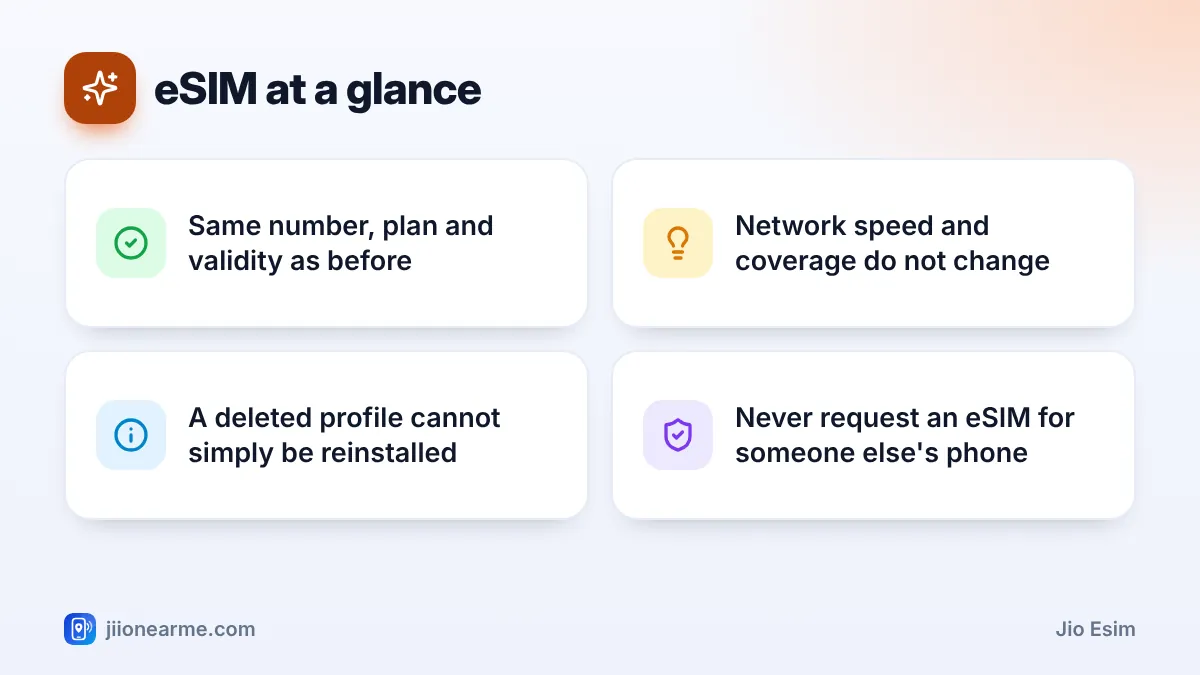
- It does not give you a different network, faster speeds or better coverage.
- It does not change your plan, recharge options or validity.
- It does not change how Jio True 5G or VoLTE calling works on your phone.
How a Jio eSIM Gets Onto Your Phone
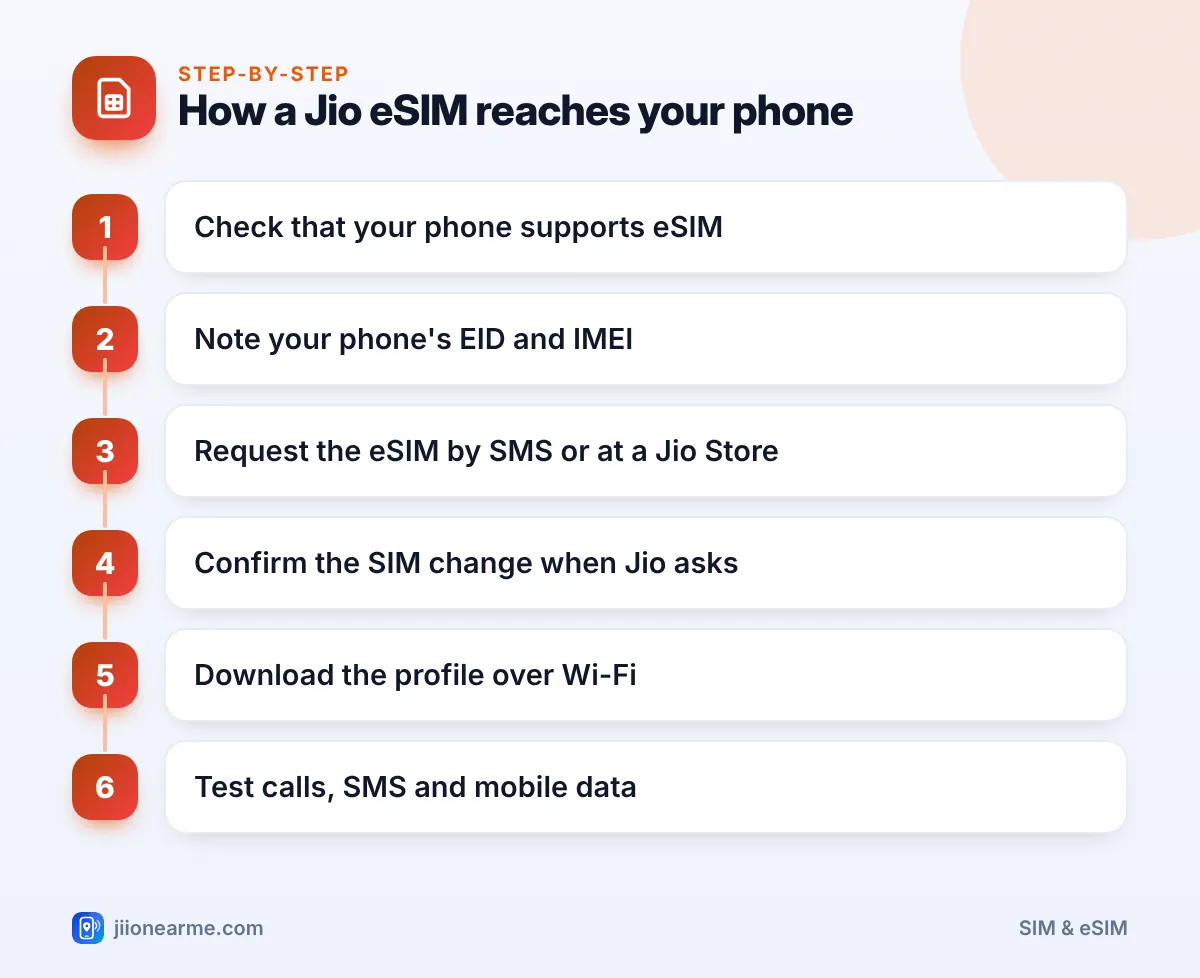
Getting a Jio eSIM is a short exchange between you, Jio and your phone. The usual process looks like this:
- Check compatibility. Your phone must support eSIM and be on Jio’s list of supported devices, which you can find on jio.com.
- Find your EID and IMEI. These are in your phone’s About settings, and dialling
*#06#shows them on most phones. - Make the request. You can send an SMS from your Jio number to 199 in the format Jio publishes, or visit a Jio Store with your original ID proof.
- Confirm the SIM change. Jio asks you to approve the change by SMS or an automated call, so only the person holding the current SIM can authorise it.
- Download the profile. Your phone fetches the profile securely from Jio over Wi-Fi or another internet connection.
- Start using it. Your old SIM stops working, and the eSIM appears in your settings as a regular line.
What the QR code does
If you get your eSIM at a Jio Store, you are usually given a QR code. The code does not contain your number. It tells your phone where to download your profile from. Once the profile is installed, the code has done its job, and it usually cannot be used again.
Jio occasionally updates the exact SMS format and confirmation steps for eSIM requests. Check the current instructions on jio.com before you start, and type each message carefully.
What Changes and What Stays the Same
Moving to a Jio eSIM changes how your connection is stored, not what it is.
| Feature | Physical SIM | Jio eSIM |
|---|---|---|
| Number, plan and validity | Stays the same | Stays the same |
| How it is installed | Insert a card in the tray | Download a profile |
| Moving to a new phone | Move the card yourself | Request a new profile from Jio |
| Can be removed if the phone is stolen | Yes | No |
| Works in any phone | Almost any phone | Only eSIM-capable phones |
Who Benefits Most From a Jio eSIM
An eSIM is most useful in these situations:
- You want two numbers on a phone with one tray. The eSIM holds your Jio line, so the tray stays free for a second SIM.
- You travel abroad often. On many phones you can keep your Jio eSIM installed while adding another line for the trip.
- You worry about SIM theft. A thief cannot pop an eSIM out and put it into another phone to receive your OTPs.
- Your phone has no SIM tray. A few newer phones have no tray at all, so an eSIM is the only option.
- You want fewer small parts to manage. There is no tiny card to lose or damage during a phone repair.
When a Plastic SIM May Still Suit You Better
A physical SIM is still the simpler choice for some people:
- You change phones often, since every move needs a fresh eSIM request.
- You use a basic phone, JioFi or a router, which usually take a physical SIM only.
- You share or lend phones in the family and like to move a SIM between handsets quickly.
- You prefer setup without SMS formats and QR codes, which can feel confusing at first.
Before you reset or sell an eSIM phone, read every on-screen option carefully. Deleting the eSIM profile does not close your number, but you will need a new profile from Jio to use the line again.
Keeping Your eSIM Safe
The confirmation step in the eSIM process exists to protect you, and fraudsters know it. A common trick is a call asking you to send an eSIM request containing a phone ID they provide, or to approve a confirmation message. Doing so moves your number to their phone.
Only send an eSIM request with the EID and IMEI of a phone you own and hold. If you receive a SIM change message you did not ask for, do not reply. Call Jio on 1800-889-9999 and report the caller through Chakshu on the Sanchar Saathi portal.
Frequently Asked Questions
Does a Jio eSIM cost more than a regular SIM?
Your recharge plans stay the same with an eSIM. If you get one at a Jio Store, ask the staff whether any fee applies at the time.
Can I use a Jio eSIM on any smartphone?
No. Your phone must have eSIM hardware and appear on Jio’s supported device list. Many recent iPhones, Samsung Galaxy and Google Pixel phones support it, but not every model does.
Will my internet be faster on an eSIM?
No. Speed and coverage depend on the network where you are and your phone’s capabilities, not on whether the SIM is physical or digital.
What happens to my plastic SIM after I switch?
It stops working once the eSIM is active. Keep it aside for a day while you test the eSIM, then cut through the chip and throw it away.
Can I switch back to a physical SIM later?
Yes. Visit a Jio Store with your original ID proof and ask for a physical SIM. The eSIM stops working once the new card is activated.
Summary
A Jio eSIM is the same Jio connection stored on a chip inside your phone instead of a plastic card. You request it, confirm the change, and your phone downloads the profile.
It is a good fit if you want dual SIM on a single-tray phone, travel often or want better protection against SIM theft. If you switch phones a lot or use devices that take only plastic SIMs, a physical SIM may still be the easier choice.
JIo Near me is an independent guide and is not affiliated with Reliance Jio. App menus, plans and policies can change – always confirm current details in the official MyJio app or on jio.com. We will never ask for your OTP, PIN or passwords.
