
To report a suspicious call, SMS or WhatsApp message to the government, open the Sanchar Saathi portal or app and choose Chakshu. Chakshu is the Department of Telecommunications (DoT) facility for reporting suspected fraud communication, such as fake KYC calls, impersonation and fake customer care numbers. It takes only a few minutes.
Below you will find what Chakshu is meant for, the details to keep ready, the step-by-step reporting process and what to expect after you submit.
- Chakshu is for reporting suspected fraud calls, SMS and WhatsApp messages, even if you lost nothing.
- You can use it on the Sanchar Saathi website or the Sanchar Saathi mobile app.
- Keep a screenshot, the sender’s number, the date and time, and a short description ready.
- If you have already lost money, call 1930 or file a complaint on cybercrime.gov.in.
- Regular marketing spam should be reported through the TRAI DND app or 1909.
What Chakshu on Sanchar Saathi Is For
Sanchar Saathi is a citizen portal run by the DoT, and Chakshu is one of its services. It lets you flag numbers and messages that look like attempts to cheat people.
Typical things to report include:
- Calls or SMS threatening to block your SIM, bank account, gas or electricity connection
- KYC update, expiry or deactivation messages from unknown numbers
- Callers posing as government officers, police, courier companies or relatives
- Fake customer care numbers
- Fake job, lottery, gift, investment or loan offers
- Messages carrying suspicious links or harmful files
- Sextortion attempts
Reports help the DoT and telecom operators spot numbers that are being misused. Action can include re-verification and disconnection of the numbers involved.
What Chakshu is not for
Chakshu is not the place to report money that has already been stolen. For financial fraud, call 1930 or file a complaint on cybercrime.gov.in. It is also not the main channel for ordinary promotional SMS or calls from businesses. For those, use the TRAI DND app or 1909.
The same portal lets you check mobile connections issued in your name and request blocking of a lost or stolen phone. These appear as separate options near Chakshu.
Details to Keep Ready Before Reporting
Collect these before you start, so your report is complete:
- A screenshot of the SMS, WhatsApp chat or call log, taken before you delete or block anything
- The sender’s number or SMS header, exactly as shown
- The date and time when you received the call or message
- The medium: call, SMS or WhatsApp
- A short description, for example “Caller claimed to be from my bank and asked for an OTP”
- Your own mobile number, which is verified with an OTP that you type into the portal or app yourself
Take a screenshot as soon as a suspicious call or message arrives. Fraudsters often delete WhatsApp messages or change their display name later, so an early screenshot is very useful.
How to Report on Chakshu Sanchar Saathi, Step by Step
Exact labels can change over time, but the flow is broadly the same on the website and the app.
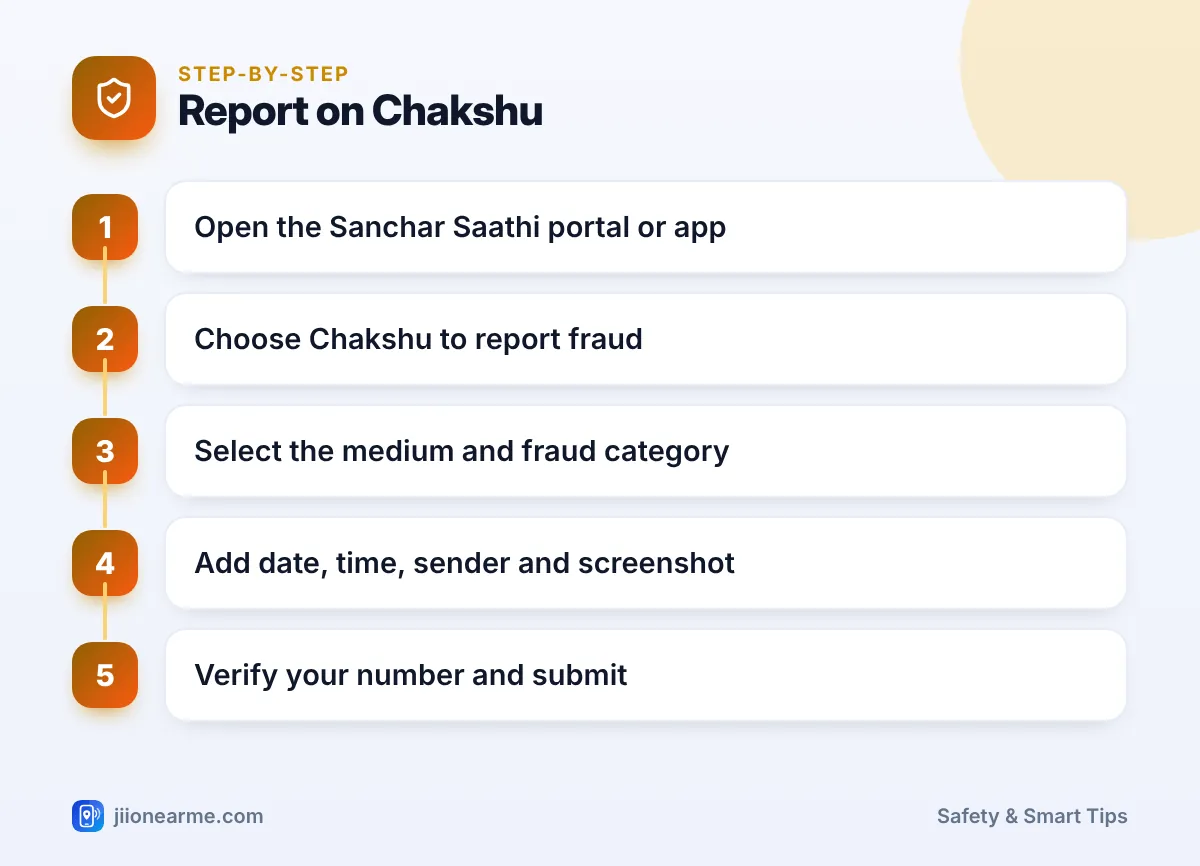
- Open Sanchar Saathi. Visit the Sanchar Saathi portal or open the Sanchar Saathi app installed from the official app store.
- Find Chakshu. On the website, look in the citizen services section for the Chakshu option to report suspected fraud communication. In the app, look for Chakshu on the main screen.
- Choose the medium. Select whether it was a call, an SMS or a WhatsApp message.
- Pick a fraud category. Choose the option closest to your case, such as KYC-related, impersonation, fake customer care or a fake offer.
- Enter the details. Add the date and time, the number or sender header, and a short description. Upload your screenshot.
- Add your details. Enter your name and mobile number. An OTP arrives on your phone. Type it into the portal or app yourself to confirm the report.
- Submit and save the confirmation. Note any reference shown on screen, or take a screenshot of the confirmation.
Reach Sanchar Saathi by typing sancharsaathi.gov.in yourself, or install the app from the official store. Never share the verification OTP with anyone who calls you about your report.
What Happens After You Report
Your report goes into the DoT’s system, where it is analysed along with reports from other citizens. If a number shows a pattern of fraud, it can be flagged for re-verification or disconnection. Related information may also be shared with banks and other agencies so they can act.
You may not receive a detailed personal update on each report. That is normal. Chakshu works best when many people report, because patterns help authorities act on numbers faster.
In the meantime:
- Block the number on your phone and in WhatsApp.
- Do not call back or reply, even to say you have reported them.
- Warn family members if the same number may contact them.
Chakshu vs Other Reporting Options
| Your situation | Where to report |
|---|---|
| Suspicious fraud call, SMS or WhatsApp, no money lost | Chakshu on Sanchar Saathi |
| Money lost through UPI, card or bank fraud | Call 1930 or file on cybercrime.gov.in |
| Regular promotional calls or SMS | TRAI DND app or 1909 |
| A complaint about your Jio service | 198 from your Jio number |
| Lost or stolen phone | Blocking option on Sanchar Saathi, plus a police complaint |
If you are unsure which option fits, start with the one that matches the biggest risk. Money lost always comes first, so call 1930 before anything else.

Frequently Asked Questions
Do I need to have lost money to report on Chakshu?
No. Chakshu is meant for suspected fraud communication, so you can report even if you did not respond or lose anything.
Can I report WhatsApp messages on Chakshu?
Yes. WhatsApp is one of the mediums you can choose, along with calls and SMS. Report the chat inside WhatsApp as well.
Is the Sanchar Saathi app official?
Yes, it is the DoT’s own app. Install it only from the official Google Play Store or Apple App Store, and check the publisher details before installing.
Will someone call me after I report?
Usually not, since reports are analysed together. Be careful if anyone calls claiming to be “following up” on your report and asks for personal details or an OTP.
What if I lost money as well?
Call 1930 right away and file a complaint on cybercrime.gov.in. You can still report the number on Chakshu too.
Final Thoughts
Reporting on Chakshu Sanchar Saathi takes a few minutes and helps get fraud numbers checked and shut down faster. Keep a screenshot, note the time and number, and report only through the official portal or app. If money is involved, call 1930 first, then report the number on Chakshu as well.
JIo Near me is an independent guide and is not affiliated with Reliance Jio. App menus, plans and policies can change – always confirm current details in the official MyJio app or on jio.com. We will never ask for your OTP, PIN or passwords.
