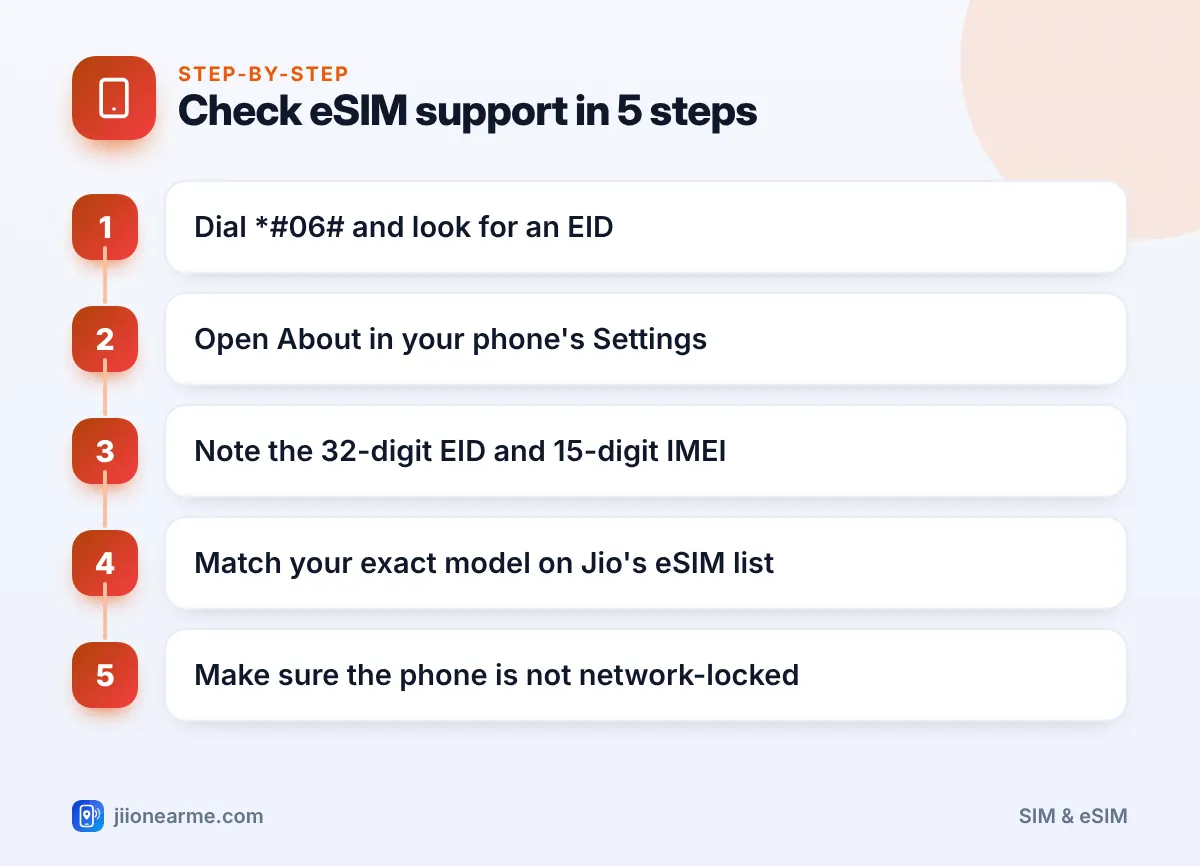
The quickest way to check whether your phone can take a Jio eSIM is to dial *#06# from the phone app. If the screen shows an EID, a 32-digit number, along with the IMEI, your phone has an eSIM chip built in. After that, confirm that your exact model appears on Jio’s eSIM device list.
This guide explains how to confirm eSIM support on iPhone and Android, where to find the EID and IMEI that a Jio eSIM request needs, and why some regional versions of popular phones have no eSIM at all.
- Dial
*#06#. If an EID appears, your phone almost certainly has eSIM hardware. - On iPhone, the EID and IMEI are under Settings > General > About.
- On Android, look under Settings > About phone, sometimes inside Status or SIM status.
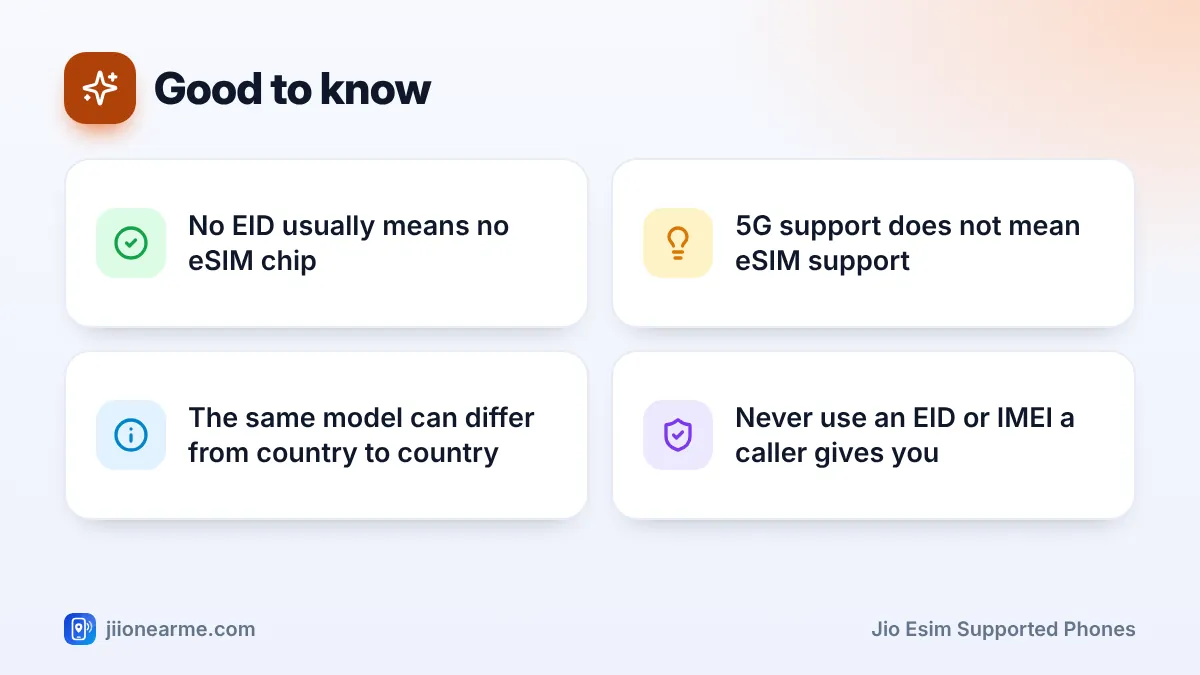
- The same phone name can have eSIM in one country and not in another, so check the exact model.
- Use your EID and IMEI only for a request you start yourself.
What an eSIM Check Actually Tells You
An eSIM is a SIM chip fixed inside the phone. Instead of inserting a plastic card, you download a Jio SIM profile onto it. For this to work, two things must be true. Your phone must have the eSIM hardware, and it must accept a profile from an Indian operator like Jio.
The EID (eSIM identifier) is the unique number of that chip. A phone without an eSIM chip has no EID. That is why finding the EID is the most reliable first test. It is also one of the two numbers Jio’s SMS-based eSIM request asks for. The other is the IMEI, which identifies the phone itself on mobile networks.
The Fastest Check: Use the Dial Code
This works on iPhones and on most Android phones.
- Open the Phone app and go to the keypad.
- Dial
*#06#. On most phones, the details appear without pressing call. - Look at the list that appears. You will see one or two IMEI numbers.
- Check whether an EID line also appears.
If you see an EID, your phone has eSIM hardware. If you see only IMEI numbers, the phone most likely has no eSIM. A few phones don’t show the EID on this screen, so if it is missing, check the settings menus below before you decide.
*#06# is a standard code that shows device identity on almost every phone. It is not a Jio code and it does not change any setting.
How to Find the EID and IMEI on an iPhone
Every iPhone from the iPhone XS, XS Max and XR onwards supports eSIM, including the iPhone SE (2nd generation) and later. The main exception is models made for mainland China, which usually have two physical SIM slots instead.
- Open Settings.
- Tap General, then About.
- Scroll down. You will see the EID and the IMEI.
- Touch and hold a number to copy it, so you don’t have to type 32 digits by hand.
On iPhones that support two lines, the About screen may list one IMEI under Physical SIM and another under Digital SIM. Note both, and use whichever one Jio’s current instructions ask for.
Take a screenshot of the About screen and zoom in to read the EID clearly. Delete the screenshot once your eSIM is set up, so device details are not left in your gallery or cloud backup.
How to Find the EID and IMEI on Android Phones
Android menus differ by brand and software version, so the labels on your phone may not match exactly. If you get stuck, type “EID” into the search bar at the top of Settings.
Samsung Galaxy
Open Settings > About phone. The IMEI appears on this screen. For the EID, tap Status information and look for EID. If no EID appears anywhere, your Galaxy model or its regional variant probably doesn’t support eSIM.
Google Pixel
Open Settings > About phone and look for EID. On some versions it sits under SIM status. Tap it to see the full number. The IMEI is listed on the same screen.
Other Android brands
Look under Settings > About phone, Status, or SIM cards & mobile networks. A phone that supports eSIM will also usually show an Add eSIM or Download SIM option in its SIM settings.
| Phone | Where to find the EID | Where to find the IMEI |
|---|---|---|
| iPhone | Settings > General > About | Same screen, or dial *#06# |
| Samsung Galaxy | About phone > Status information | About phone, or dial *#06# |
| Google Pixel | About phone (EID entry) | About phone, or dial *#06# |
| Other Android | About phone or SIM settings | About phone, or dial *#06# |
How to Confirm Your Model Is on the Jio eSIM Supported Phones List
Having an EID proves the hardware exists. Jio still needs to support your particular model. Jio keeps a list of eSIM-compatible devices on its eSIM page at jio.com. Compare your exact model name, not just the series name.
To find your exact model:
- iPhone: Settings > General > About shows the model name. Tap the model number to see a code that starts with “A”.
- Android: Settings > About phone shows the model name and model number.
Also keep your phone software up to date. Some phones have received eSIM fixes through updates, and an old version can make the profile download fail.
A phone bought from a foreign operator on contract may be locked to that network. A locked phone can refuse a Jio eSIM even though it shows an EID. Check this with the seller or the original operator before you request a Jio eSIM.
Regional Models That Lack eSIM
Phone makers often sell different versions of the same phone in different countries. The name on the box can be identical while the SIM hardware is not.
- iPhones from mainland China generally use two physical SIM slots and no eSIM.
- Android phones from Samsung and other brands sometimes have eSIM in some countries and not in others. The model number usually reveals the regional variant.
- Budget and mid-range phones sold in India often support 5G but not eSIM. These are separate features.
- Imported or grey-market phones may have eSIM but not appear on Jio’s list, or may be network-locked.
The reverse also happens. Some phones sold abroad, such as recent iPhones sold in the US, have no SIM tray and work only with eSIM. These need a working eSIM from day one, so check compatibility before you buy one overseas.
Scammers posing as Jio staff sometimes ask for your EID or IMEI, or give you an EID to use in an “eSIM upgrade”. That EID belongs to their phone. Use only the EID and IMEI from your own phone, for a request you start yourself.
What to Keep Ready Before You Request a Jio eSIM
Once you know your phone qualifies, gather these before you begin:
- Your EID (32 digits) and IMEI (15 digits), copied correctly.
- Your Jio number, active and able to send and receive SMS, if you plan to use the SMS method.
- A Wi-Fi connection, because the eSIM profile downloads over the internet and your current SIM stops working during the switch.
- Original ID proof, if you plan to get the eSIM at a Jio Store instead.
Double-check the numbers before you send anything. A single wrong digit means the request fails, or the profile cannot reach your phone.
Frequently Asked Questions
Does every 5G phone support Jio eSIM?
No. 5G and eSIM are separate features. Many 5G phones sold in India have two physical SIM slots and no eSIM chip at all.
What if my phone shows an EID but is not on Jio's list?
The eSIM might still work, but it is not guaranteed. Check the latest list on jio.com or ask at a Jio Store before converting, so you are not left without service.
Is the EID the same as the IMEI?
No. The IMEI identifies your phone on mobile networks, while the EID identifies the eSIM chip inside it. A Jio eSIM request made by SMS needs both.
Will my number or plan change if I move to an eSIM?
No. Your number, plan and validity stay the same. Only the type of SIM changes, from a plastic card to a downloaded profile.
Final Thoughts
Checking eSIM support takes less than a minute. Dial *#06# or open the About screen, look for the EID, and then match your exact model against Jio’s eSIM list.
Pay extra attention if your phone was bought abroad or is a budget model, since regional versions often differ. Once the EID, IMEI and a Wi-Fi connection are ready, you can request your Jio eSIM with confidence.
JIo Near me is an independent guide and is not affiliated with Reliance Jio. App menus, plans and policies can change – always confirm current details in the official MyJio app or on jio.com. We will never ask for your OTP, PIN or passwords.