
Missed last night’s episode or the evening news? On JioTV, open the channel, switch its schedule to an earlier day and tap the programme you want. If that channel supports catch-up, the show starts playing from the beginning, much like any video on demand.
Catch-up covers only recent programmes, and not every channel offers it. This article explains how JioTV catch up works, how to find shows from past days, which channels and shows may be missing, and what to try when a replay will not start.
- Catch-up lets you replay programmes that have already aired, within a limited window
- Open a channel, move its schedule back by a day or more and tap a past show
- The replay window and availability are set channel by channel and can change
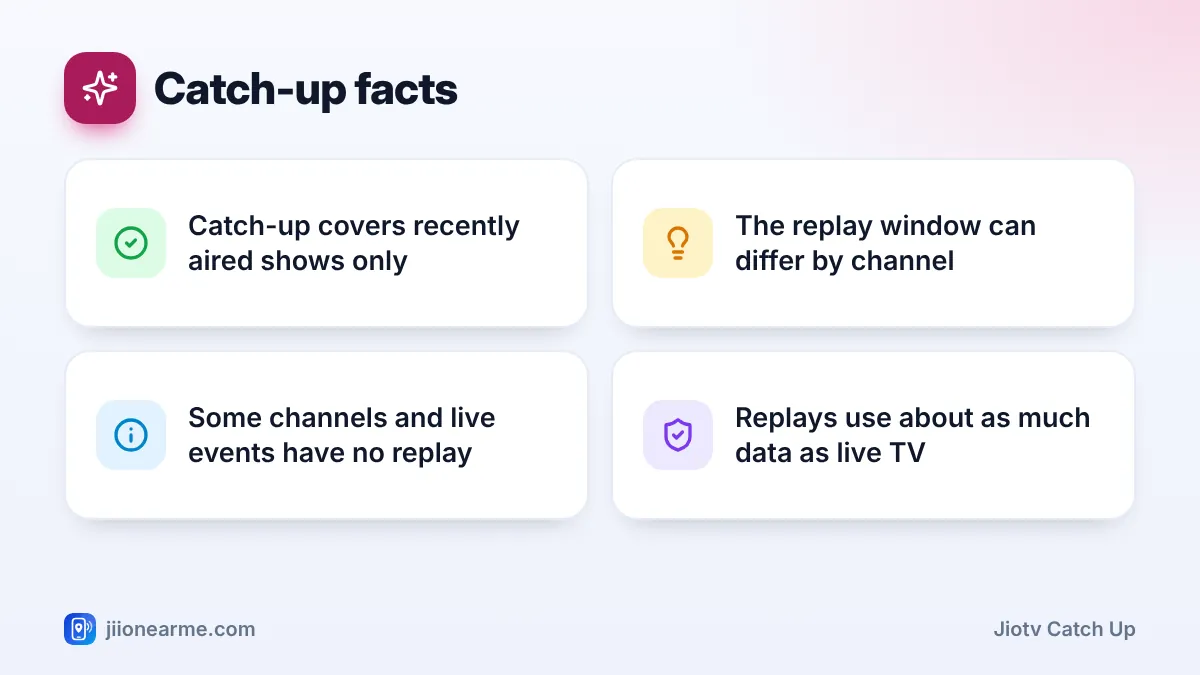
- Live sports, some films and some channels may not offer catch-up at all
What JioTV Catch-Up Means
When a channel takes part in catch-up, its recent broadcasts are kept available for a while after they air. You can then play a past programme whenever you like, instead of only watching what is on right now.
The window is often up to about a week on supported channels, but it is decided per channel and can change. Once a programme moves past that window, it drops out of the schedule.
A replay also gives you more control than live TV. You can pause, rewind or skip ahead, which is handy for long news bulletins or a serial you want to watch in parts. You still need an active Jio plan and an internet connection, since catch-up programmes stream like live channels.
How to Use JioTV Catch Up on Your Phone
These steps work on Android and iPhone. Labels may differ slightly depending on your app version.
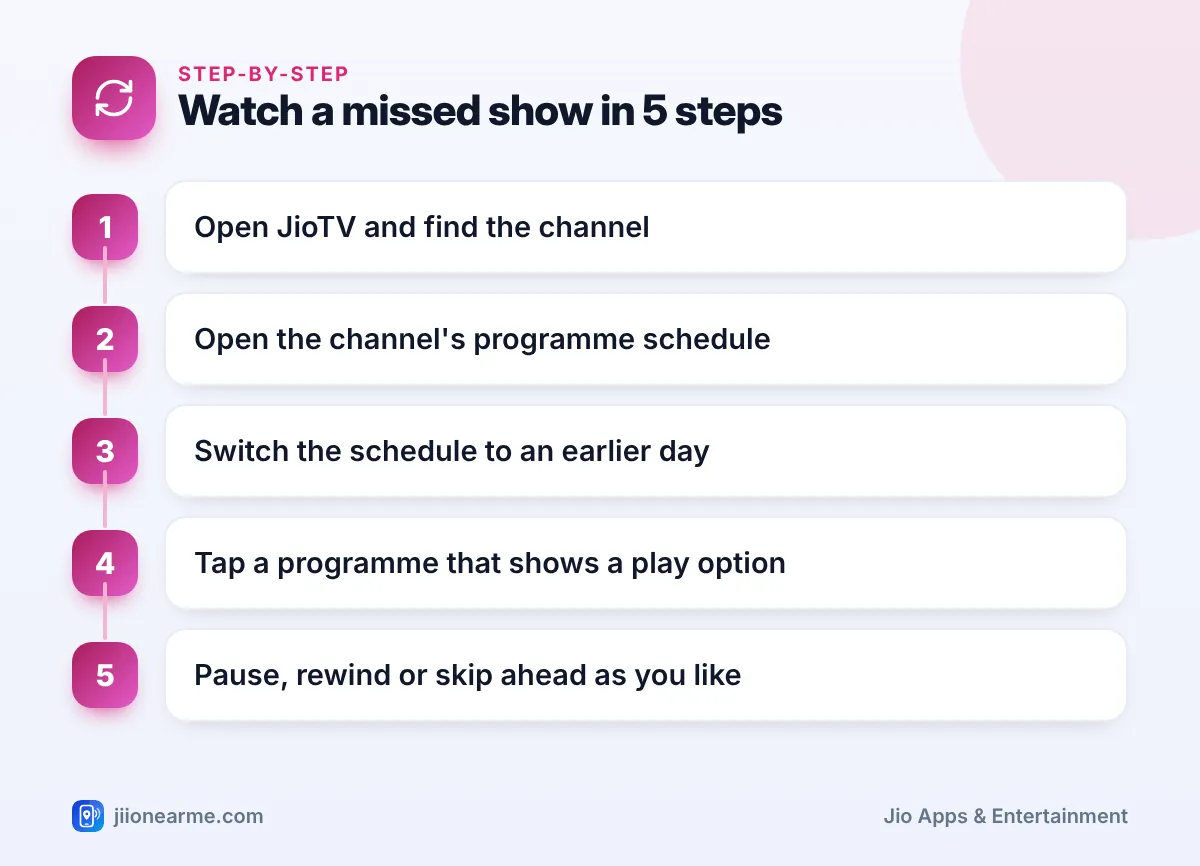
- Open the JioTV app and go to the TV or live channels section.
- Find the channel that aired your show. Scroll the list, use the search icon or apply a language or category filter.
- Tap the channel. The live stream starts playing at the top of the screen.
- Scroll below the player to see the programme schedule for today. On some versions you may need to tap a Schedule or channel info option first.
- Above the list, tap Yesterday or an earlier date to move back in time.
- Scroll to the time slot when your show aired. Programmes you can replay usually show a play icon or a catch-up label, while unavailable ones may look greyed out.
- Tap the programme. It opens in the player, and you can use the progress bar to move through it.
- To return to the live broadcast, tap the Live or Go Live button, or pick the programme that is on now.
When you do not remember the channel
Tap the search icon and type the name of the show. Results may point you to the channel that airs it, and from there you can open its schedule and look back by date. If the show airs on more than one channel, check each one, because catch-up support can differ between them.
Browsing Past Days on a Channel’s Schedule
The schedule is the easiest way to see what was on and when. Each day is listed separately, with programme names and start times shown in Indian time based on your phone’s clock.
A few habits make browsing quicker:
- Daily serials: Look at the same time slot on each day. Episodes usually air at a fixed time, so you can find the one you missed quickly.
- News channels: Bulletins often air every hour, so pick the slot closest to the update you want. Named shows, such as a prime-time debate, are listed by title.
- Repeat telecasts: Many entertainment channels show the same episode again late at night or the next afternoon. A repeat may still be available after the first airing has gone.
- Tap for details: Tapping a programme often shows a short description or episode details, so you can confirm it is the right one.
If you often miss a particular show, set a reminder for its next airing from the same schedule screen. Tap the upcoming programme and look for a bell icon or a Set Reminder option.
Which Channels and Shows May Not Offer Catch-Up
Catch-up depends on permission from the channel owner, so some content cannot be replayed. These are the most common gaps:
- Channels that do not allow it: Some broadcasters switch catch-up off for their whole channel.
- Live sports and major events: Rights for matches and award shows often limit replays, so they may not appear in catch-up or may be removed quickly.
- Movies: Films on movie channels are sometimes excluded because of licensing rules.
- Older programmes: Anything outside the replay window is no longer listed.
Availability can change at any time as agreements between JioTV and channel owners change. If a show you could replay last month is now greyed out, the channel’s settings may have changed.
| Feature | Live TV | Catch-up |
|---|---|---|
| When you watch | As the show airs | After it airs, within the window |
| Pause and skip | Limited, depends on the channel | Usually full control |
| Availability | Channels available on your plan | Only channels and shows that allow it |
| Best for | Live news, matches and events | Serials and shows you missed |
Catch-up programmes stream over the internet, just like live channels. Plan to watch them while connected to mobile data or Wi-Fi.
What to Do When a Replay Will Not Play
If a past programme refuses to start or keeps buffering, work through these checks:
- Check the date. The show may have just moved outside the replay window.
- Check your phone’s clock. Set date and time to automatic. A wrong time can make the schedule show the wrong programmes.
- Update the app. Older versions may not load schedules correctly.
- Test your connection. Switch between Wi-Fi and mobile data, or toggle Airplane mode on and off.
- Lower the video quality. Open the player settings and pick a lower level if the stream keeps pausing.
- Check your plan. Channels will not play if your Jio plan has expired. You can see your plan status in the MyJio app.
If live channels play but catch-up still fails across many channels, call 199 from your Jio number for help, or 198 to register a complaint.
Saving Data While Watching Replays
Catch-up uses about as much data as live TV at the same quality. A full-length film or a long cricket highlights package can take a big share of your daily data.
To keep usage in check, watch long replays on Wi-Fi, JioFiber or Jio AirFiber when you can. On mobile data, choose a lower quality in the player. You can check how much data you have left at any time in the MyJio app.
Frequently Asked Questions
How many days back can I watch on JioTV catch-up?
It depends on the channel. Many supported channels keep programmes for up to about a week, but some offer a shorter window, and the rules can change. The schedule shows only the days you can go back to.
Why is a programme greyed out in the schedule?
A greyed-out programme usually cannot be replayed. The channel may not allow catch-up for that show, the content may be restricted because of rights, or it may be outside the replay window.
Can I fast-forward a catch-up show?
Yes, in most cases. Drag the progress bar or use the skip buttons in the player. Some channels may limit skipping on certain content.
Does catch-up use more data than live TV?
No. At the same video quality, a replay uses about as much data as watching live. Choosing a lower quality reduces data use for both.
Can I replay a show on JioTV+ as well?
JioTV+, the big-screen service for JioFiber and Jio AirFiber homes, can also list past programmes on supported channels. The menus differ from the mobile app, so look for the schedule or past programmes in the channel’s details.
Wrapping Up
JioTV catch-up turns a missed show into a small inconvenience instead of a lost episode. Open the channel, move the schedule back a day and tap the programme you want. Keep in mind that the window is limited and that some channels or live events cannot be replayed. When in doubt, set a reminder so you catch the next airing on time.
JIo Near me is an independent guide and is not affiliated with Reliance Jio. App menus, plans and policies can change – always confirm current details in the official MyJio app or on jio.com. We will never ask for your OTP, PIN or passwords.
