If you own a GPS + Cellular Apple Watch, it can share your Jio number and make and receive calls even when your iPhone is out of reach. You set it up from the Watch app on your paired iPhone, which sends you through a short Jio verification step. After that, the watch uses its own built-in eSIM whenever the phone is not nearby.
Before you start, check that your watch model, iPhone and Jio connection are all eligible. This guide covers that checklist, the setup steps, how calls and messages work without your phone, and what to do if setup fails.
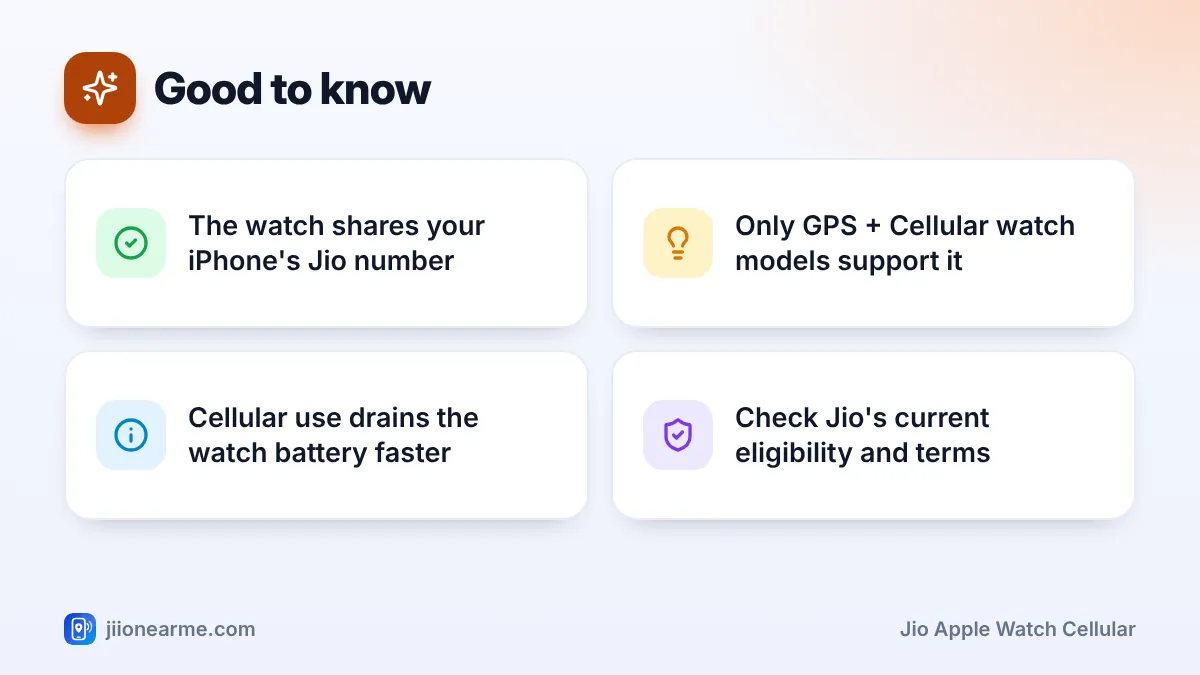
- You need a GPS + Cellular Apple Watch paired with an iPhone using your Jio number.
- Setup happens in the Watch app on the iPhone under Mobile Data or Cellular.
- The watch uses the same number as your iPhone, so callers see no difference.
- Check jio.com or the MyJio app for current eligibility, charges and plan terms.
- Cellular use on the watch drains its battery faster.
What You Need for Jio Apple Watch Cellular
Go through this list first. Most failed setups come from one of these points being missed.
- A cellular Apple Watch. Only GPS + Cellular models can connect to a mobile network. GPS-only models cannot add a plan. Check the box, or look under General > About in the Watch app for your model details.
- An iPhone with your Jio number active on it. The watch shares the number of the paired iPhone, so Jio must be the operator on that iPhone line.
- Updated software. Install the latest iOS on your iPhone and the latest watchOS on your watch.
- Jio eligibility for your connection. Jio’s support for Apple Watch cellular, and any charges or plan requirements, can differ between prepaid and postpaid. Check the current details on jio.com or in the MyJio app.
- A watch bought for the Indian market, ideally. Cellular models bought abroad may not work with Indian operators, so check before you buy one overseas.
If your iPhone has two lines, make sure you set up cellular for your Jio line. The Watch app may ask which line you want to use on the watch.
How to Set Up Jio Cellular on an Apple Watch
You can add cellular while pairing a new watch, or later from the Watch app. Keep your iPhone and watch close together, on Wi-Fi and charged.
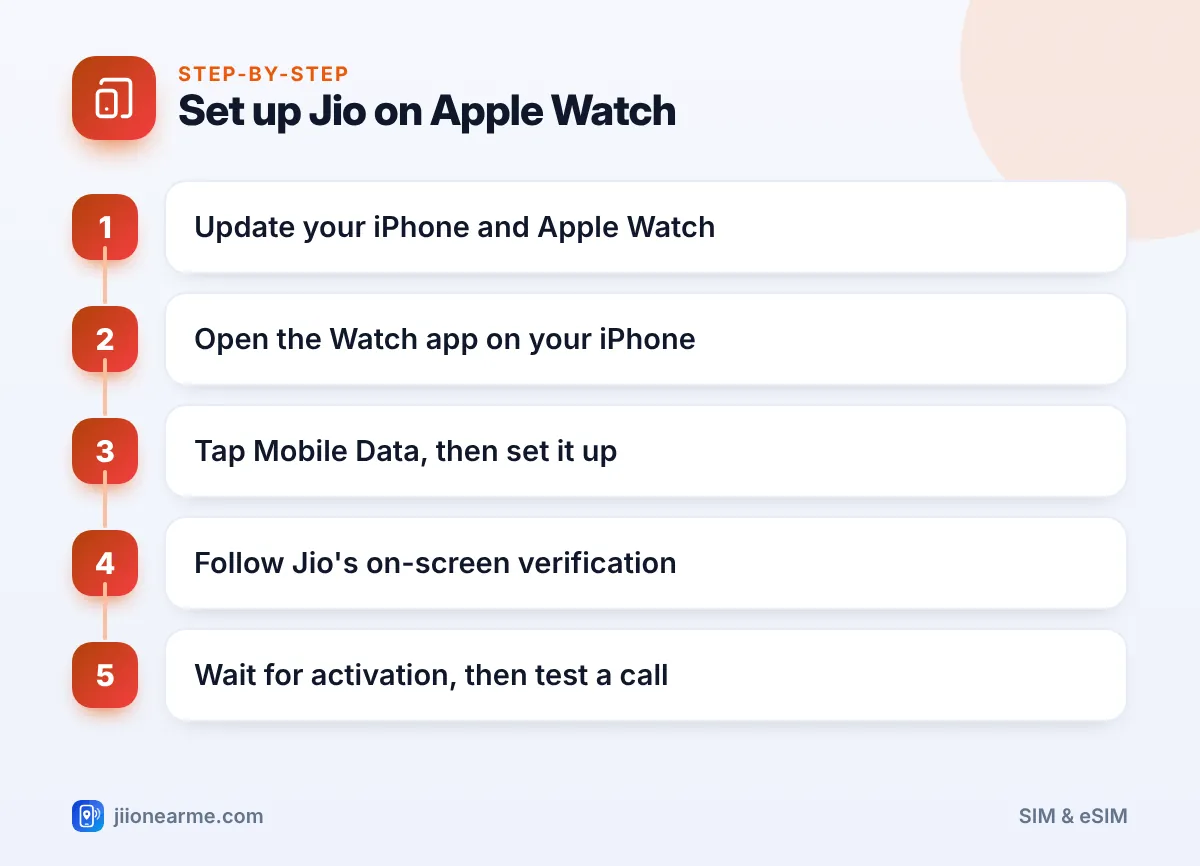
- Update everything. Install pending software updates. If your iPhone shows a carrier settings update, install that too.
- Open the Watch app on your iPhone and stay on the My Watch tab.
- Tap Mobile Data. On some versions and languages, this is labelled Cellular.
- Tap Set Up Mobile Data (or Set Up Cellular). You will be taken to Jio’s activation screen.
- Complete Jio’s verification. Follow the on-screen steps. If an OTP comes to your Jio number, type it into that screen yourself.
- Wait for activation. It can take a few minutes. The Mobile Data screen shows your Jio plan when it is ready.
- Test it. Turn off Bluetooth on your iPhone, or leave the phone in another room, and make a short call from the watch.
When the watch is using cellular, the mobile data icon in its Control Centre turns green. Signal dots next to it show how strong the connection is.
Enter any OTP directly into the setup screen. Never read it out to someone who calls offering to help activate your watch. Jio and Apple do not need you to share it over the phone.
How Calls Work Without Your iPhone Nearby
Your Apple Watch chooses the best connection on its own:
- iPhone nearby: The watch uses your iPhone’s connection, and calls ring on both devices.
- iPhone away, known Wi-Fi available: The watch can use Wi-Fi for some features, and for calls if Wi-Fi Calling is set up.
- iPhone away, no Wi-Fi: The watch switches to its own Jio cellular connection.
Whichever route it uses, the person you call sees your usual Jio number. Incoming calls to your number ring on the watch, and you can answer by tapping the green button.
Messages, data and safety
- Messages: SMS and iMessage work on the watch while it is on cellular.
- Apps and Siri: Maps, music streaming and Siri can use the watch’s mobile data.
- Emergency SOS: Press and hold the side button to call emergency services, even when your phone is at home.
Battery, Coverage and Practical Limits
Cellular is useful, but it comes with trade-offs:
- Battery drops faster when the watch relies on cellular for long periods, especially during calls or streaming.
- Signal can be weaker than on your phone, because a watch has a much smaller antenna. Indoors or in basements, calls may drop sooner.
- Roaming abroad may not be supported on the watch. Check with Jio before relying on it overseas.
For a morning run or a short errand, cellular is ideal. For a full day away from your phone, start with a charged watch and keep mobile data off on the watch when you do not need it.
Managing or Removing the Watch Plan
To remove your Jio plan from the watch, open the Watch app on your iPhone, tap Mobile Data, tap the info (i) button next to the plan and choose Remove. If you also want to stop the service on your Jio account, contact Jio on 199 or through the MyJio app.
When you unpair a watch, the iPhone asks whether to keep or remove the plan. If you plan to pair the same watch again soon, keeping it saves you a fresh setup. If you are selling or giving away the watch, remove it.
Fixing Common Setup Problems
- “Could not set up mobile data”: Update both devices, restart them and try again.
- No Jio activation screen appears: Check that Jio is active on your iPhone line and that your connection is eligible.
- Plan shows but calls fail: Restart the watch and make sure the mobile data switch on the watch is on.
If problems continue, call Jio on 199 from your Jio number or 1800-889-9999 from any phone.
Frequently Asked Questions
Does my Apple Watch get a separate Jio number?
No. The watch shares the same Jio number as your iPhone. Calls and SMS to your number can reach either device.
Can I use Jio cellular on a GPS-only Apple Watch?
No. Only GPS + Cellular models have the eSIM hardware needed for a mobile connection. GPS-only models work through your iPhone or Wi-Fi.
Is there an extra charge for Jio on Apple Watch?
Charges and eligibility can change, so check the latest details on jio.com or in the MyJio app before setting it up.
Can I receive calls if my iPhone is switched off?
Yes, as long as the watch has cellular set up and is in coverage. It will use its own connection to receive calls on your number.
Will the watch work on Jio True 5G?
That depends on your watch model. Many models use 4G LTE, so check your model’s specifications on Apple’s site.
Conclusion
Setting up Jio Apple Watch cellular takes a few minutes in the Watch app once your watch, iPhone and connection are eligible. Your watch then shares your Jio number and can handle calls, messages and data when your phone is out of reach.
Check Jio’s current terms before you begin, keep an eye on battery life, and remove the plan before you sell or hand over the watch.
JIo Near me is an independent guide and is not affiliated with Reliance Jio. App menus, plans and policies can change – always confirm current details in the official MyJio app or on jio.com. We will never ask for your OTP, PIN or passwords.