Jio DND categories group promotional calls and SMS by the type of product being sold, such as banking, real estate, education or health. If you choose Fully blocked, you stop promotional messages in every category. If you choose partial blocking, you decide category by category.
This explainer describes what each category covers, what fully blocked really means, and what DND cannot stop. It ends with a simple way to choose a sensible mix, so you keep the offers you want and lose the ones you do not.
- DND categories are set under TRAI’s rules and cover promotional calls and SMS by product type.
- Fully blocked stops promotional messages in all categories from registered telemarketers.
- Partial blocking lets you pick categories, such as keeping banking but blocking real estate.
- No category blocks OTPs, bank alerts, service messages or personal calls.
How DND Preferences Work
Under TRAI’s rules, registered businesses and telemarketers must mark each promotional call or SMS with a category. Before delivering it, the network checks your DND preference. If you have blocked that category, the message should not reach you.
You have two broad choices:
- Fully blocked: no promotional calls or SMS in any category.
- Partially blocked: you pick categories, and your preference is applied to each one.
You set this in MyJio under the DND or Do Not Disturb option in settings, by calling 1909, or through the TRAI DND app.
Jio DND Categories at a Glance
The table below lists the categories in TRAI’s framework with typical examples. MyJio may name or group them slightly differently depending on the app version.
| Category | Typical promotional messages |
|---|---|
| Banking, insurance, financial products, credit cards | Loan offers, card upgrades, insurance plans, investment schemes |
| Real estate | New housing projects, plots, flats for sale or rent |
| Education | Coaching classes, courses, admissions, online learning |
| Health | Clinics, diagnostic tests, health products, wellness offers |
| Consumer goods and automobiles | Sales on appliances, clothing, cars and two-wheelers |
| Communication, broadcasting, entertainment, IT | TV and broadband offers, apps, gadgets, events |
| Tourism and leisure | Holiday packages, hotels, travel deals |
| Food and beverages | Restaurant offers, food delivery deals, packaged food |
What Each Category Covers
Banking, Insurance and Financial Products
This covers promotional offers from banks, lenders, insurers and investment firms. Blocking it stops sales pitches for loans and cards. It does not stop your bank’s OTPs or transaction alerts, which are transactional messages.
Real Estate
This covers builders, brokers and property portals promoting new projects. It is one of the noisiest categories for many people, especially after filling in an online property form.
Education and Health
Education covers coaching centres, colleges and course providers. Health covers hospitals, clinics, labs and health products. Parents of school-age children sometimes keep education open during admission season.
Consumer Goods and Automobiles
This covers shopping offers for appliances, electronics, clothing and vehicles. Sale announcements from brands, shops and vehicle dealers usually fall here. If you often get festival sale messages, this is likely the category behind them.
Communication, Entertainment and IT
This covers offers about TV, broadband, apps, gadgets and entertainment events. Promotions from DTH services, streaming platforms, software companies and electronics stores often land here.
Tourism, Leisure, Food and Beverages
Tourism covers holiday packages, hotels and travel offers. Food and beverages covers restaurants, delivery deals and food brands.
TRAI updates its rules from time to time, and MyJio may show the categories with different names or in a different order. Follow the list on your screen, and use the descriptions here as a guide to what each one means.
What Fully Blocked Means
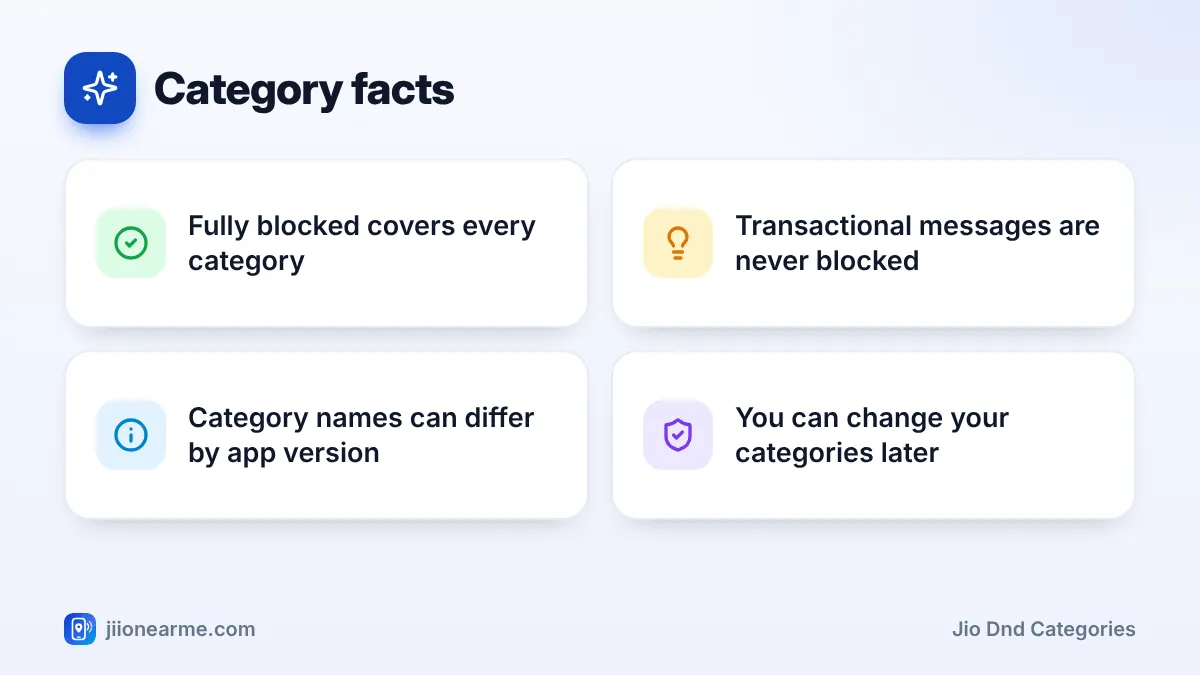
Fully blocked tells the network that you do not want promotional calls or SMS from registered telemarketers in any category. It is the strictest DND setting.
What you still receive with fully blocked:
- OTPs and bank debit or credit alerts.
- Service messages about your own accounts, orders, bookings and deliveries.
- Government alerts and public messages.
- Calls and SMS from people you know.
Some businesses may still contact you if you gave them explicit consent earlier, for example by ticking a box when signing up. Unregistered telemarketers who call from ordinary 10-digit numbers break these rules and do not check your preference, so report them through the TRAI DND app or by calling 1909.
How to Choose the Right Jio DND Categories
A few minutes of thought now saves a lot of unwanted calls later. Labels in MyJio can differ slightly by version.
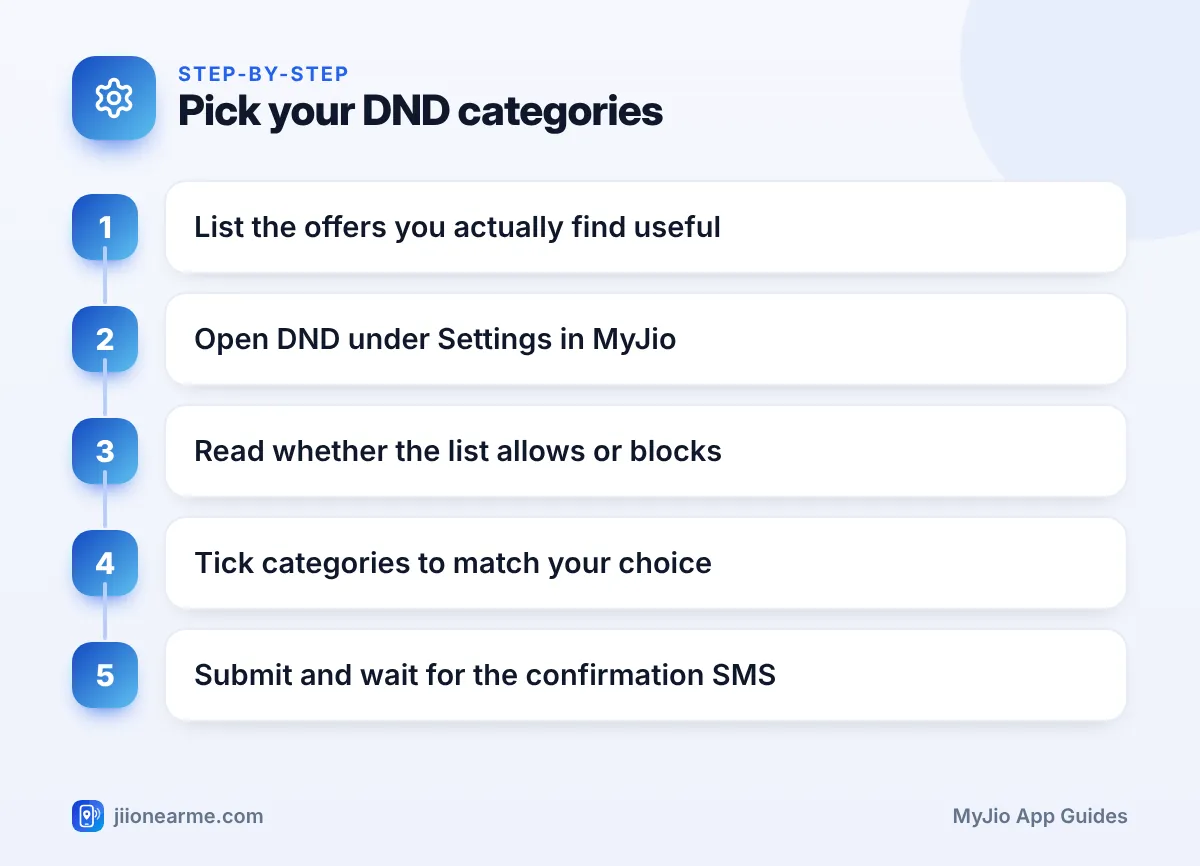
- Make a short list of promotional messages you actually find useful, if any.
- Open the MyJio app, go to the menu (☰), then Settings, and tap Do Not Disturb or DND.
- Choose the partial option if you want to keep some categories. Choose Fully blocked if you want none.
- Read the heading above the list. Check whether it asks for categories to receive or categories to block.
- Tick the categories that match your choice, based on that wording.
- Tap Submit and wait for Jio’s confirmation SMS.
If you are house hunting or choosing a college, keep that one category open for a few weeks. Once you have decided, go back to MyJio and block it again.
What DND Categories Cannot Stop
DND is useful, but it has limits. It does not cover:
- Fraud calls and messages. Report them using Chakshu on the Sanchar Saathi portal. If you have lost money, call 1930 at once.
- Messages inside apps, such as WhatsApp business chats or emails.
- Calls from unregistered telemarketers using personal numbers. Report these through the TRAI DND app or 1909.
No genuine caller needs your OTP to change your DND categories. If someone asks for one, hang up and report the number.
Frequently Asked Questions
Which category stops loan offer calls?
Loan offers fall under the banking, insurance and financial products category. Many loan calls come from unregistered numbers, so report those through the TRAI DND app or 1909.
If I block banking, will I miss my bank's OTPs?
No. OTPs and transaction alerts are transactional messages, so they are delivered even if you block the banking category or choose fully blocked.
Can I choose calls only or SMS only?
TRAI’s framework allows preferences by mode, such as calls or SMS. Whether you can set this depends on the screen you use. The TRAI DND app may offer more detailed options than MyJio.
Why do I still get offers in a category I blocked?
The change may still be applying, the sender may have your earlier consent, or the caller may be unregistered. Wait a day, then report any repeat offenders.
Summary
Jio DND categories sort promotional messages by product type. Choose fully blocked if you want no marketing at all, or pick categories if some offers are useful. Read whether the list asks what to receive or what to block, submit, and review your choice whenever your needs change.
JIo Near me is an independent guide and is not affiliated with Reliance Jio. App menus, plans and policies can change – always confirm current details in the official MyJio app or on jio.com. We will never ask for your OTP, PIN or passwords.
