DND will not block your OTPs, bank alerts or messages about your own accounts. It is designed only for promotional calls and SMS from registered telemarketers. A new or changed preference usually takes effect within 24 hours, and you can edit it in MyJio whenever you like.
This FAQ answers the doubts people usually have before turning DND on. It covers which messages still arrive, how long changes take, how to edit or remove DND later, and where DND stops being useful.
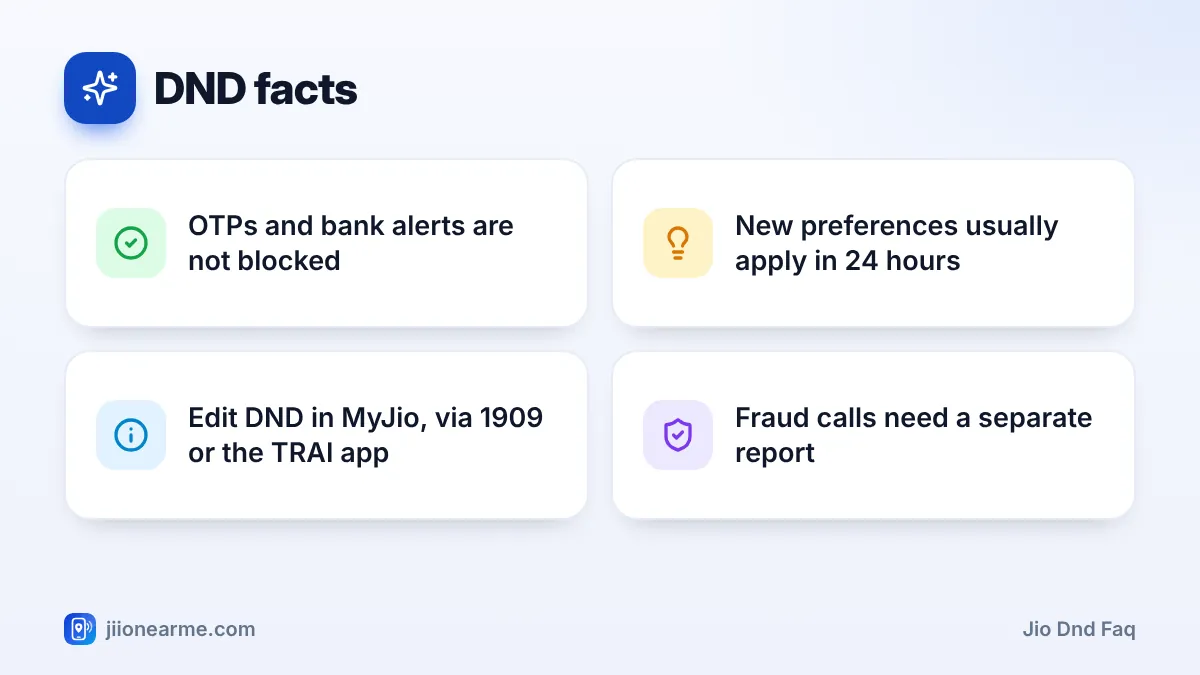
- OTPs, bank transaction alerts and service messages keep arriving with DND on.
- A new DND preference usually applies within 24 hours, and Jio confirms it by SMS.
- You can change or remove DND any time in MyJio, by calling 1909 or in the TRAI DND app.
- DND does not stop fraud calls. Report those separately on the Sanchar Saathi portal.
Jio DND FAQ: What DND Blocks and What It Lets Through
The easiest way to understand DND is by message type. Under TRAI’s rules, businesses must label their messages, and only promotional ones are filtered by your preference.
| Message type | Examples | Blocked by DND? |
|---|---|---|
| Promotional | Loan offers, sale alerts, property ads | Yes, as per your choice |
| Transactional | Bank OTPs, debit and credit alerts | No |
| Service | Delivery updates, booking confirmations, bill reminders | No |
| Government | Public alerts and official messages | No |
| Personal | Calls and SMS from people you know | No |
If you gave a business explicit consent to contact you, for example by ticking a box when you signed up, it may still be allowed to send you offers. You can usually withdraw that consent through the business itself.
OTPs and Bank Alerts With DND On
Will I still get OTPs after turning on DND?
Yes. OTPs from banks, payment apps, shopping sites and government services are transactional messages. DND does not filter them.
Will my bank still send debit and credit alerts?
Yes. Transaction alerts are not promotional, so they arrive as usual. Only your bank’s sales offers, such as loan or card upgrade pitches, are affected by your DND choice.
Will delivery and booking updates still come?
Yes. Order confirmations, delivery updates, ticket bookings and appointment reminders are service messages. They are not filtered by DND, even if you choose fully blocked.
My OTP is not arriving. Is DND the reason?
Almost never. Check your signal, look in your SMS app’s spam folder, and make sure the right SIM is selected on a dual-SIM phone. Also confirm that the sender has your correct number. If OTPs still fail, restart your phone and try again.
How Long DND Takes to Apply
How soon does DND start working?
A new preference usually takes effect within 24 hours. Jio normally sends an SMS once your preference is registered.
Why am I still getting promotional calls the next day?
The change may still be settling, especially in the first day. Calls may also come from unregistered telemarketers using ordinary mobile numbers, who do not follow DND rules. Report those through the TRAI DND app or by calling 1909.
Do I need to restart my phone after changing DND?
No. DND is applied on Jio’s network, not on your handset, so there is nothing to restart. Just wait for the confirmation SMS and give the change some time.
Keep a simple note of unwanted calls after DND is active: the number, date and time. This makes reporting through the TRAI DND app or 1909 much quicker.
Editing or Removing DND Later
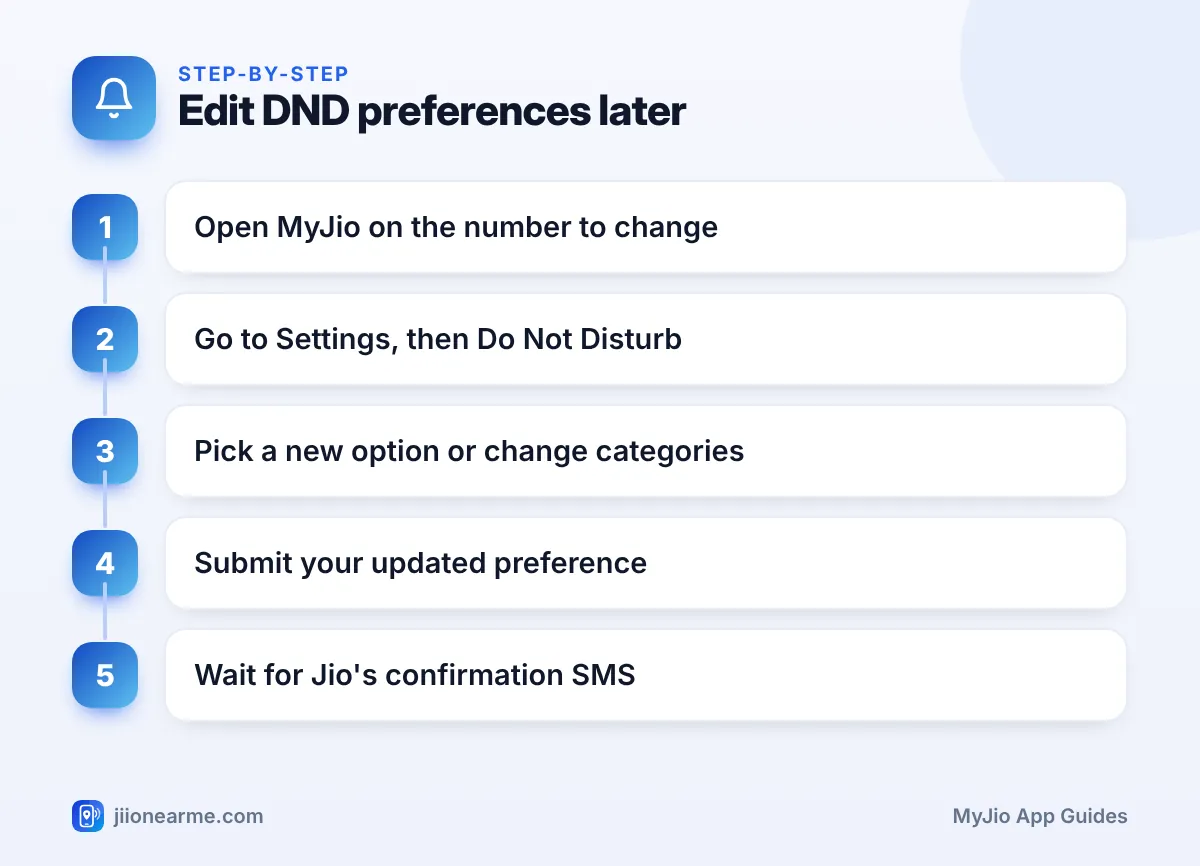
How do I change my DND preference in MyJio?
You can switch between full and partial blocking, or change categories, at any time. Labels can differ slightly by app version.
- Open the MyJio app and select the number you want to change.
- Open the menu (☰) and go to Settings. Look for Service settings if you see it.
- Tap Do Not Disturb or DND.
- Choose a different option, or change the categories you ticked earlier.
- Tap Submit or Save.
- Wait for Jio’s confirmation SMS.
Can I turn off DND completely?
Yes. On the same DND screen, look for an option to deactivate DND or allow all promotional messages. You can also call 1909 from your Jio number and follow the prompts.
Can I set DND for a family member’s number?
Yes, if their number is linked to your MyJio account. Switch to that number in MyJio and follow the same steps, or call 1909 from their phone. Do it with their agreement, since it changes which messages they receive.
Can I manage DND without MyJio?
Yes. Call 1909 from your Jio number, or use the TRAI DND app to register, change or remove your preference. The TRAI app also lets you report unwanted calls and SMS. You can find more about customer preferences on the TRAI website.
Spam, Fraud and DND
Does DND stop fraud calls?
No. Fraudsters do not follow DND rules. Report suspected fraud calls and messages through Chakshu on the Sanchar Saathi portal. If you have lost money, call the cybercrime helpline 1930 at once.
Will DND block calls from my office or my child’s school?
No. Personal and official calls are not promotional, so DND does not filter them. Only marketing calls and SMS are affected.
How can I spot a registered promotional call?
Registered telemarketers normally use numbers that start with 140 for promotional calls. If such calls continue in a category you blocked, report them.
Callers sometimes pose as Jio or TRAI staff and offer to activate DND or stop spam, then ask for an OTP. No genuine agency needs your OTP for this. Hang up and report the call.
Frequently Asked Questions
Is there a charge to register for DND?
Registering a DND preference with your operator is free. You do not need to recharge or buy anything to turn it on.
Will I still get messages from Jio about my plan?
Yes. Messages about your own account, such as recharge confirmations, plan validity and usage alerts, are service messages and continue as usual.
Does DND stay active if I change my phone?
Yes. DND is linked to your mobile number, not your handset. Moving your SIM to a new phone does not change it.
Does DND block WhatsApp business messages?
No. DND applies to regular calls and SMS on your number. Messages inside apps such as WhatsApp have their own block and report options.
Conclusion
DND in MyJio is a safe setting to turn on. OTPs, bank alerts and service messages continue, while promotional calls and SMS reduce as per your choice. Allow about a day for any change, edit your preference whenever your needs change, and report fraud separately on the Sanchar Saathi portal.
JIo Near me is an independent guide and is not affiliated with Reliance Jio. App menus, plans and policies can change – always confirm current details in the official MyJio app or on jio.com. We will never ask for your OTP, PIN or passwords.
