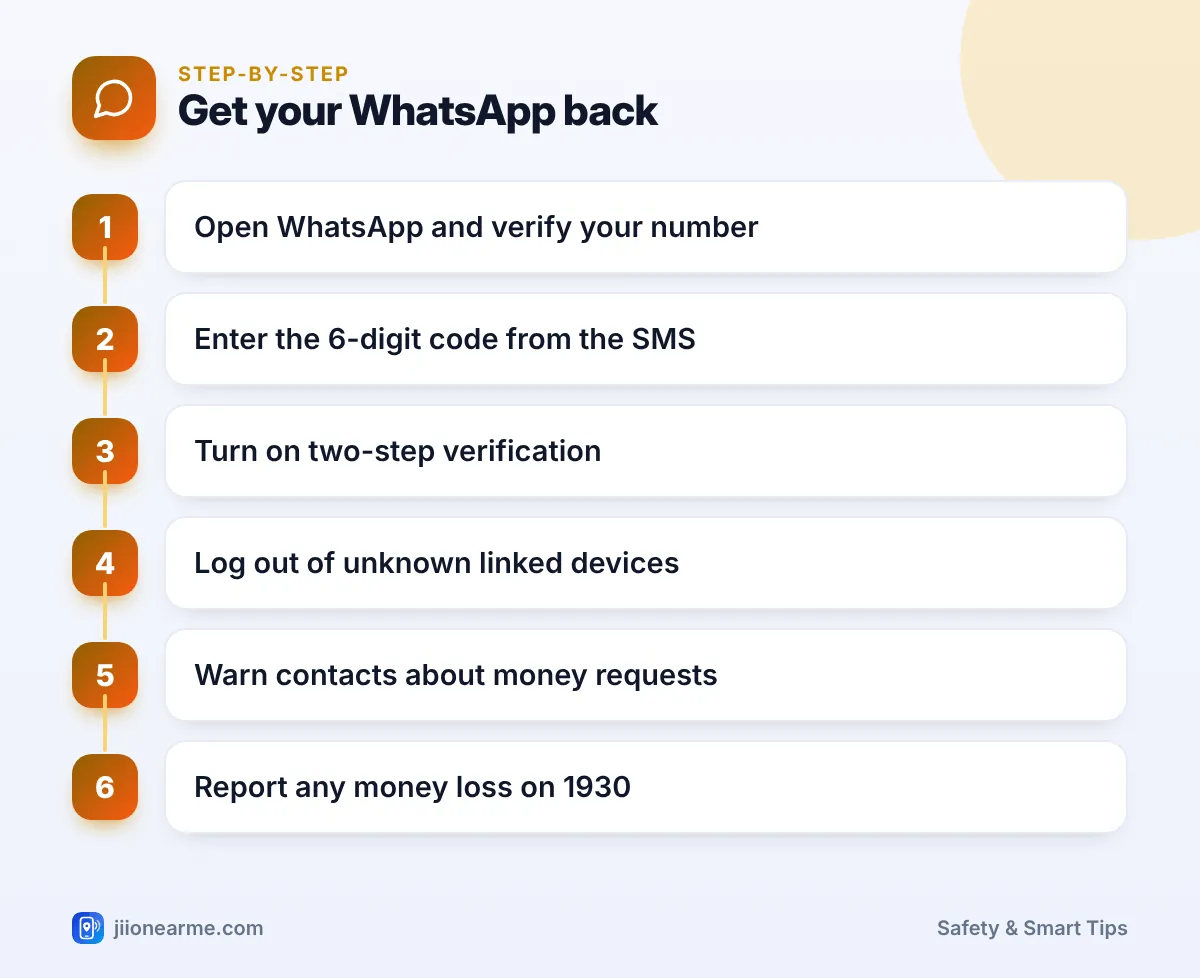
If WhatsApp on your phone suddenly says your number is now registered on another device, someone has almost certainly taken over your account. In most cases you can get it back yourself within minutes. Open WhatsApp, verify your number again with the 6-digit SMS code, and the person using your account is logged out.
What you do next matters just as much. You need to deal with any PIN the hijacker set, lock the account, and warn your friends before anyone sends money to the fraudster pretending to be you.
- WhatsApp is tied to your phone number, so as long as you have your SIM, you can re-register and push the hijacker out.
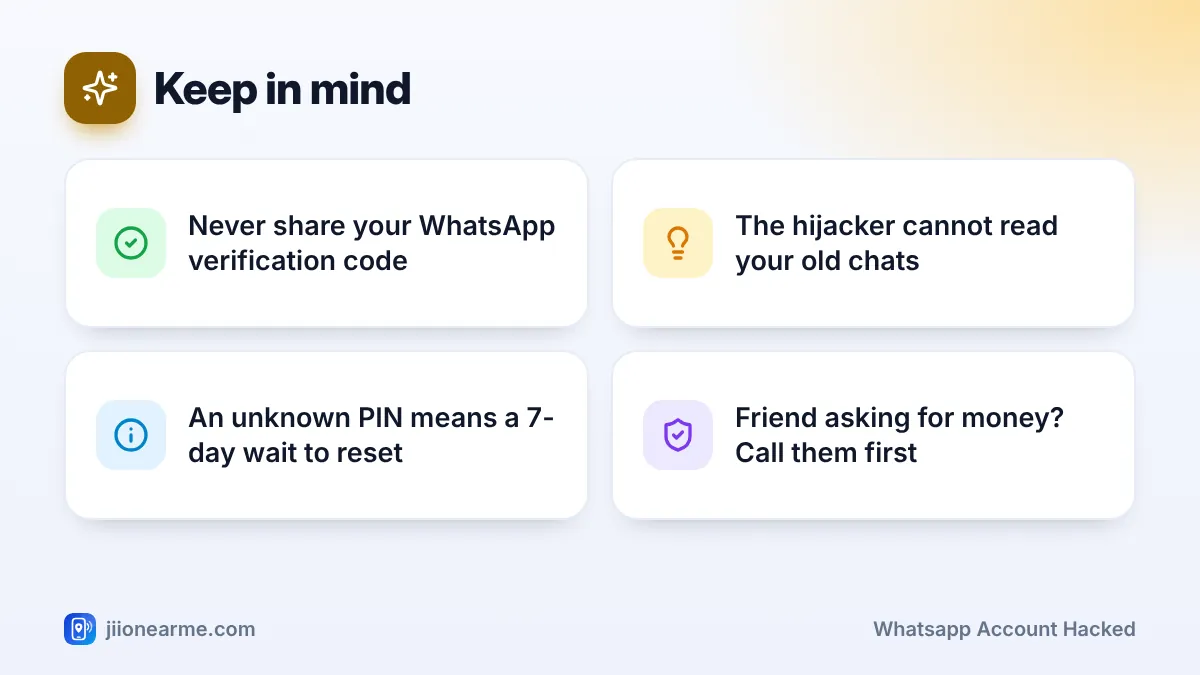
- If WhatsApp asks for a PIN you never set, the hijacker turned on two-step verification and you must wait 7 days to reset it.
- The hijacker cannot read your old chats, but they can message your contacts and groups as you.
- Warn family and groups through calls, SMS or another app straight away.
- Turn on two-step verification and never share a WhatsApp code with anyone.
How a WhatsApp Account Gets Hijacked
WhatsApp sends a 6-digit code by SMS or voice call whenever someone sets up your number on a phone. Whoever enters that code controls the account. Fraudsters cannot get the code without your help, so they trick you into sharing it.
Common tricks include:
- “I sent my code to you by mistake.” A message, often from a friend’s account that was already hijacked, asks you to forward a code you just received.
- Fake support or KYC calls. Someone posing as customer care, a bank, a delivery agent or a contest organiser asks you to “confirm” the code.
- Call forwarding tricks. A caller asks you to dial a short code to “fix” a network problem. This can forward your calls to them, so they receive WhatsApp’s voice verification call instead of you.
Once they have the code, they register your number on their phone and log you out.
What to Do Right Away If Your WhatsApp Account Is Hacked
- Keep your SIM in your phone and make sure it has signal and can receive SMS. If you use Jio prepaid, check in the MyJio app that your plan is active.
- Turn off call forwarding. Open your phone’s dialler, go to Settings > Calls (or Supplementary services) > Call forwarding, and switch off anything you did not set. Labels differ by phone brand.
- Open WhatsApp on your phone. If it has logged you out, reinstall it from the Play Store or App Store if needed.
- Enter your phone number and request the verification code.
- Type the 6-digit code you receive by SMS. If the SMS does not arrive, wait for the timer and choose Call me to get the code by voice call.
- Restore your chats from backup if you had to reinstall and WhatsApp offers it.
According to WhatsApp, the person using your account is logged out as soon as you enter the 6-digit SMS code, even if you cannot get past a PIN screen yet.
If WhatsApp asks for a PIN you never set
This means the hijacker switched on two-step verification to keep you out. You cannot guess the PIN, and repeated wrong attempts will not help. WhatsApp makes you wait 7 days before you can verify your number without it. After the wait, open WhatsApp, verify your number again and choose the option to reset the PIN.
New verification codes only come to your SIM, so the hijacker cannot log back in during this time unless someone shares a code again. Use the waiting period to warn your contacts.
If the code does not arrive
- Check that airplane mode is off and you have signal.
- If you requested codes many times, let the timer finish before asking again.
- If your SIM is lost or damaged, visit a Jio store with your original ID proof to get a replacement SIM on the same number, then verify again.
No friend, company or “customer care” ever needs the 6-digit code WhatsApp sends you. A genuine friend has no reason to ask for a code that arrived on your phone. If anyone asks for it, they are trying to take over your WhatsApp.
What the Hijacker Can and Cannot See
| Question | What usually happens |
|---|---|
| Can they read your old chats? | No. Past messages are stored on your phone, not on their device. |
| Can they see new messages? | Yes, the messages sent to you while they were logged in. |
| Can they message contacts and groups as you? | Yes. This is how money scams spread. |
| Can they stay in after you verify? | No. Entering the SMS code logs them out. |
Contact WhatsApp Support
If you cannot get back in, or your account is still being misused, contact WhatsApp directly. In the app, open Settings > Help > Contact us (on some versions it is Help and feedback). If you are stuck on the registration screen, look for a Help option in the menu there.
Explain that your account was stolen and give your number in international format, starting with +91. Avoid posting about it in public social media comments, where fake “support” accounts look for victims.
Warn Your Contacts About Fake Money Requests
Hijackers move fast. They message friends with lines like “urgent, please send money on UPI, I will return it tonight”, or ask for their WhatsApp codes to take over more accounts.
- Call close family and friends first, especially older relatives who may trust a message from your number.
- Send an SMS or post on another social app you use, saying your WhatsApp was hacked.
- Ask a trusted contact to post a warning in the groups you share.
- Once you are back in, post a short message in your groups and on your status.
“My WhatsApp was hacked. If you got any message from my number asking for money or a code, please ignore it and do not pay. Call me directly to check.”
If someone already sent money, they should call their bank immediately and report it on the national cybercrime helpline 1930 or at cybercrime.gov.in. Speed matters, because a quick report gives the best chance of the money being held.
Lock Down Your Account So It Does Not Happen Again
Once you are back in, take these steps the same day:
- Turn on two-step verification. Go to Settings > Account > Two-step verification > Turn on. Set a 6-digit PIN that is not your birth date, and add an email address so you can reset it if you forget.
- Add a passkey if your version shows Passkeys under Account.
- Check linked devices. Open Settings (or the ⋮ menu) > Linked devices and log out of any computer or browser you do not recognise.
- Turn on app lock. Look under Settings > Privacy for a fingerprint, Face ID or screen lock option.
- Limit your profile photo to My contacts under Privacy, so strangers find it harder to copy your identity.
Write your two-step PIN somewhere safe, offline. WhatsApp asks for it from time to time, and entering it regularly helps you remember it.
Frequently Asked Questions
Can I recover my WhatsApp account without my SIM card?
No. WhatsApp verifies your account by sending a code to your number. If you lost the SIM, get a replacement on the same number from a Jio store with your ID proof, then verify again.
Will I lose my chats after getting my account back?
If you did not uninstall WhatsApp, your chats usually stay on the phone. If you reinstalled, you can restore them from your Google Drive or iCloud backup, as long as you use the same account the backup was saved to.
Is it safe to share a code that a friend says they sent me by mistake?
No. This is the most common hijacking trick, and the message is often sent from your friend’s account after it was already taken over. Call your friend on a normal phone call to check.
Should I report a hijacked WhatsApp account to the police?
If money was lost or someone is threatening or harassing you, report it on 1930 or at cybercrime.gov.in. You can also report the fraud call or message through Chakshu on the Sanchar Saathi portal.
Why does WhatsApp make me wait 7 days?
The wait applies only when a two-step PIN is set and you do not know it. It stops someone who briefly gets hold of a SIM from quickly taking over a protected account.
Final Thoughts
A hijacked WhatsApp feels alarming, but your SIM is the key to getting it back. Verify your number again, wait out the 7 days if an unknown PIN blocks you, and warn your contacts straight away. Then turn on two-step verification, so a shared code alone can never take your account again.
JIo Near me is an independent guide and is not affiliated with Reliance Jio. App menus, plans and policies can change – always confirm current details in the official MyJio app or on jio.com. We will never ask for your OTP, PIN or passwords.