Before you send that PORT SMS, spend five minutes checking whether your number can actually move. A UPC is issued only if your number meets a few conditions set under TRAI’s porting rules, and the most common ones are easy to check from home.
This checklist covers those official conditions first, then the practical checks that make the switch to Jio go smoothly. Work through it in order and you are far less likely to face a rejected request or a wasted trip to the store.
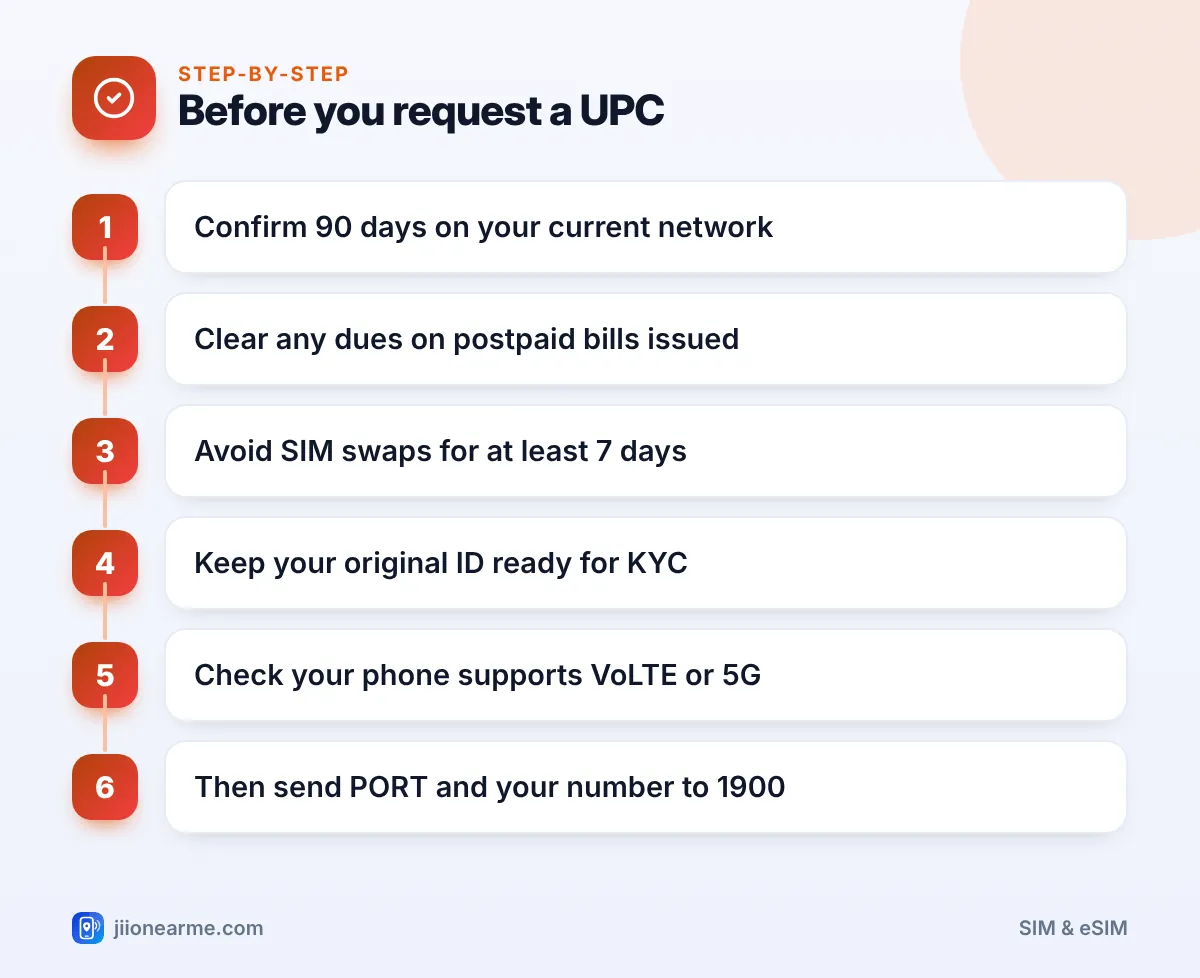
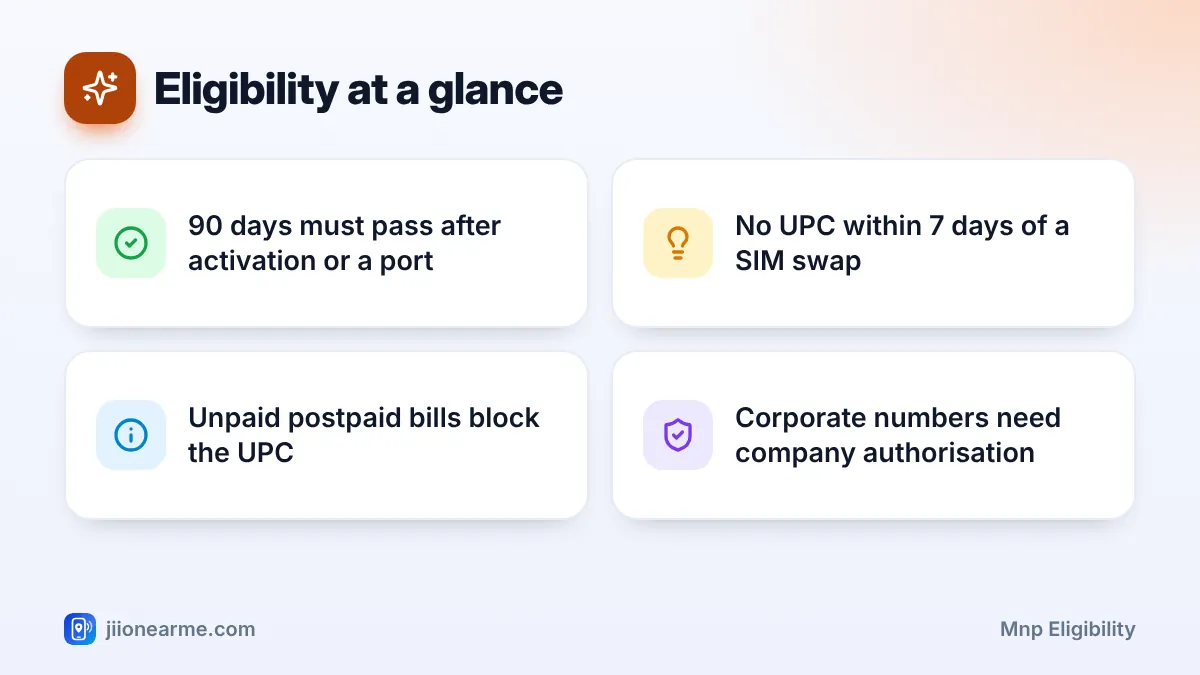
- Your number must have been on its current network for at least 90 days, counting from activation or your last port.
- Postpaid users must clear dues on bills already issued before a UPC is given.
- No UPC is issued within 7 days of a SIM swap or replacement.
- Keep your original ID ready and make sure the person who will own the number completes KYC.
The Core MNP Eligibility Rules
These are the conditions the porting system checks when you ask for a UPC. If any one fails, you usually get a rejection SMS instead of a code.
1. At least 90 days on your current network
A number must stay with an operator for at least 90 days before it can be ported again. The count starts from the date the connection was activated. If you ported this number recently, the count starts from the date that port was completed.
Not sure when your connection started? Your current operator’s app or customer care can tell you.
2. No unpaid dues on postpaid bills
If your current connection is postpaid, pay every bill that has already been issued. Outstanding dues are a standard reason for refusing a UPC. Usage after your last bill will come in a final bill after the port, which you must also pay.
3. No SIM swap or replacement in the last 7 days
If you recently got a duplicate SIM, upgraded to a new SIM, or switched to an eSIM, wait until 7 days have passed. This rule exists to stop fraudsters who get a duplicate SIM and immediately try to port the number away.
4. No pending ownership change or legal block
A number cannot be ported while a transfer of ownership is being processed. Numbers under a court order or legal restriction are also not eligible.
5. Company approval for corporate numbers
If your employer owns the connection, the port needs an authorisation letter from the company. Speak to your company’s telecom or admin team first.
Mobile Number Portability is governed by TRAI regulations, which set the 90-day period, the UPC validity and the reasons a request can be refused. You can read TRAI’s material on trai.gov.in.
Personal Checks Before You Request a UPC
Passing the official rules does not mean everything is ready. These checks help the port go through at Jio without delays.
- Your ID is original and current. Aadhaar e-KYC is the quickest. Otherwise carry an original passport, voter ID or driving licence with your photo and address.
- The right person completes KYC. The Jio connection will be registered to whoever does KYC. If the number is in a parent’s or spouse’s name and they will keep using it, they should complete KYC.
- Your details are correct. If your name or address on Aadhaar is outdated or misspelt, update it first. Fixing details after the port takes extra effort.
- Your phone works on Jio. Jio calls run over 4G VoLTE or 5G. A phone without VoLTE may show signal but fail to make calls.
- Jio signal is good where you live and work. Ask a neighbour who uses Jio, or try a friend’s Jio SIM at home for a day.
- You are within the SIM limit. If the number will be registered to you for the first time, it counts towards the limit of nine connections per person, or six in Jammu and Kashmir, Assam and the North-East.
- You know what you will lose. Unused prepaid balance and plan benefits do not move with your number. Time the port close to the end of your current pack.
- No contracts are pending. If you bought a phone on EMI or signed a contract with your current operator, check what happens if you leave.
MNP Eligibility Checklist at a Glance
Use this table as a quick final check before you send the SMS.
| Check | How to confirm | If it fails |
|---|---|---|
| 90 days on current network | Ask current operator or check its app | Wait until 90 days pass |
| Postpaid bills cleared | Check latest bill and payment receipt | Pay dues, then retry |
| No SIM swap in 7 days | Think back to any SIM replacement | Wait out the 7 days |
| No ownership change pending | Confirm with current operator | Complete or cancel the transfer |
| Corporate approval | Ask your company’s admin team | Get an authorisation letter |
| Original ID ready | Check your Aadhaar or other ID | Update details before porting |
| VoLTE or 5G phone | Check phone settings or the maker’s site | Use a compatible phone |
Once everything is ticked, send PORT followed by your 10-digit number to 1900 from that number. The UPC is valid for 4 days in most circles, so plan your Jio visit soon after.
What Happens If You Are Not Eligible
If a condition is not met, the reply to your PORT SMS usually says the request was rejected and often gives the reason. Read it carefully, because the fix depends on the cause.
- Note the reason in the SMS.
- Fix the issue, for example by paying a bill or waiting for the 7-day or 90-day period to end.
- Send the PORT SMS again once the issue is resolved.
- If the reason is unclear, call your current operator’s customer care and ask what is blocking the UPC.
Do not let a caller or “agent” send the PORT SMS for you or ask you to share the code you receive. A UPC in the wrong hands can be misused to try to hijack your number. Use only Jio Stores, authorised retailers or bookings you made yourself on jio.com.
Common Mistakes That Delay a Port
A few small slips cause most of the trouble with port requests:
- Requesting the UPC days before you can visit a store, then finding it has expired.
- Paying the bill but forgetting a small earlier amount that is still outstanding.
- Getting a replacement SIM just before porting and then hitting the 7-day block.
- Sending someone else to complete KYC when they are not the person who should own the number.
- Porting in the middle of a long prepaid pack and losing the remaining benefits.
Frequently Asked Questions
Can I port a number that is less than 90 days old?
No. You need to wait until the number has been active on its current network for 90 days. The same applies if you ported the number in the last 90 days.
Does a pending postpaid bill really stop porting?
Yes, if the dues are on a bill that has already been issued. Pay the full outstanding amount, keep the receipt and then request the UPC.
I replaced my SIM after losing my phone. When can I port?
Wait until 7 days have passed since the replacement SIM was issued. After that, you can request a UPC as usual.
Do I need a new photo or forms to port to Jio?
Usually not. KYC is done digitally at the Jio Store or during a doorstep visit, using Aadhaar e-KYC or another original ID.
Can I check my eligibility without sending the PORT SMS?
There is no separate eligibility check. Go through the conditions above, and if all are met, send the PORT SMS. The reply will either give you a UPC or explain why it cannot be issued.
Wrapping Up
MNP eligibility comes down to a short list: 90 days on your network, no unpaid postpaid bills, no recent SIM swap and no ownership or legal issue. Add a valid ID, a VoLTE phone and good Jio coverage, and you are ready.
Tick these off before you send the PORT SMS. You will save time, avoid a rejected request and keep your number safe through the switch.
JIo Near me is an independent guide and is not affiliated with Reliance Jio. App menus, plans and policies can change – always confirm current details in the official MyJio app or on jio.com. We will never ask for your OTP, PIN or passwords.