When a second caller can’t get through while you’re already on a Jio call, call waiting is usually switched off, overridden by another call setting, or limited by the way your dual-SIM phone works. You can check it and turn it on from your phone’s call settings in about a minute.
This guide shows where the setting lives on Android and iPhone, how to clear the error some phones show when you open call settings, and what to do if callers still hear a busy or not reachable message.
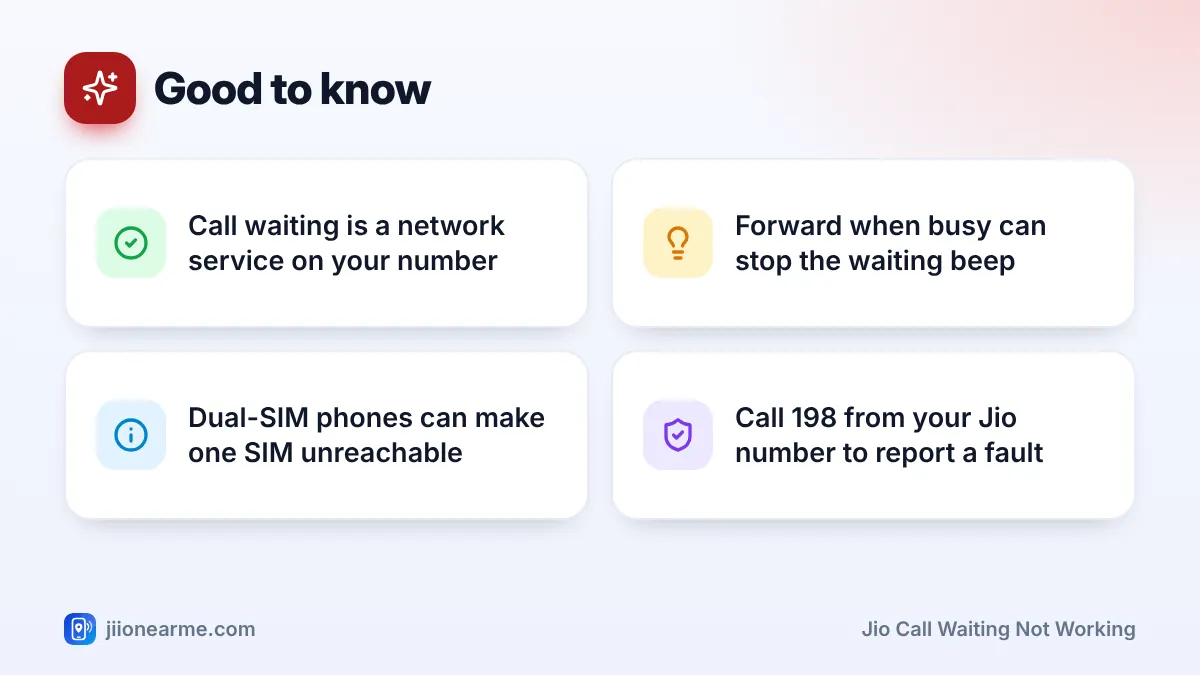
- Call waiting is controlled from your phone’s call settings, under Supplementary services, Additional settings or the Phone menu on iPhone.
- If call settings show a network error, turn on mobile data for the Jio SIM and try again.
- Call forwarding set to “when busy” can send a second caller elsewhere instead of letting them wait.
- On most dual-SIM phones, the other SIM can’t receive calls while one SIM is on a call.
- If nothing works, call 198 from your Jio number and list the steps you’ve tried.
What Call Waiting Does on a Jio Number
Call waiting lets a second person call you while you’re already talking. You hear a soft beep, and the screen shows the new caller. You can then answer and put the first call on hold, swap between the two, or reject the new call.
The feature runs on Jio’s network, not just inside your phone. When you flip the switch in settings, your phone sends a request to the network. That’s why the setting sometimes takes a few seconds to load, and why it can fail when your connection is weak.
Call waiting normally works whether your Jio call runs over VoLTE (voice over 4G), 5G or Wi-Fi calling.
How to Turn On Call Waiting on Android
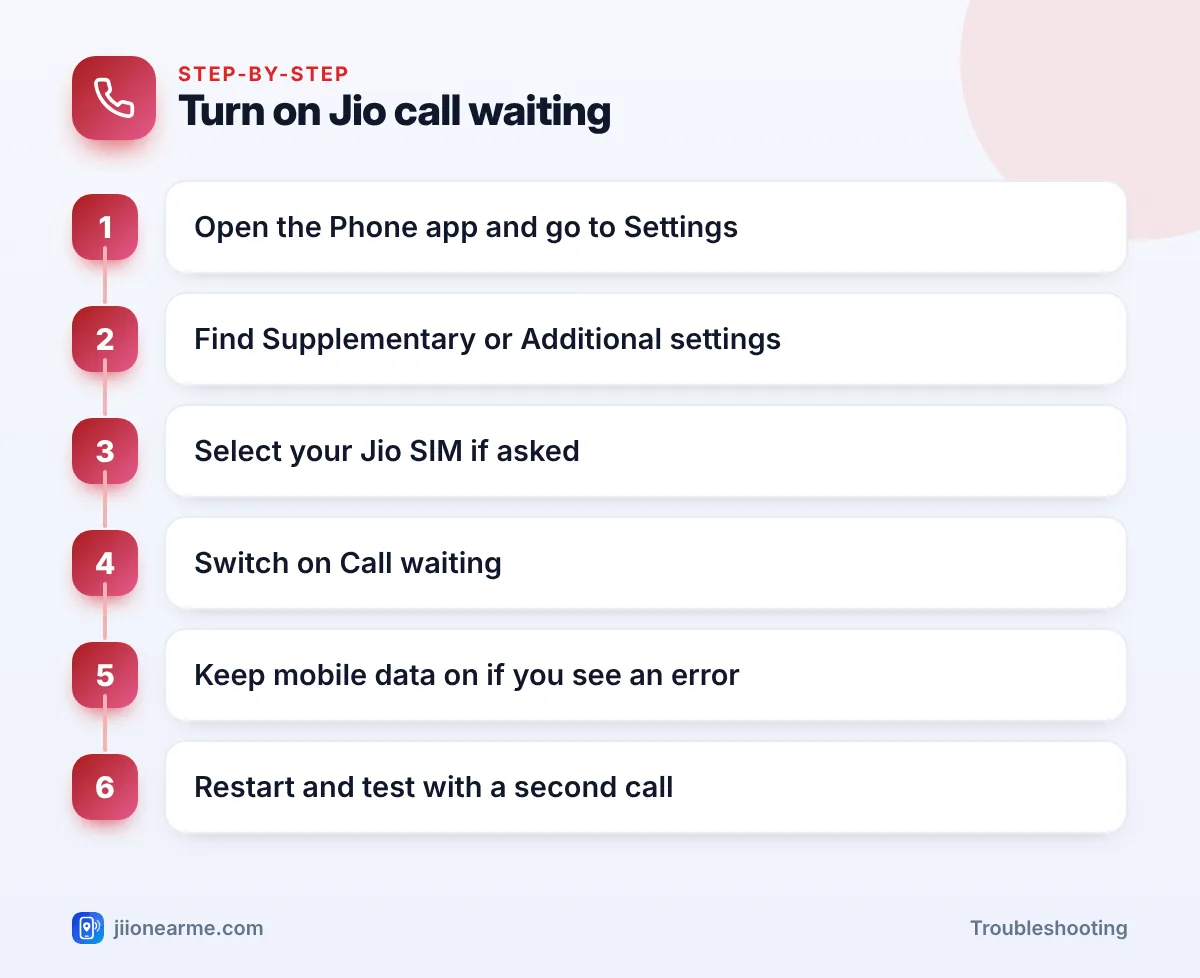
Menu names differ by brand and Android version. If you can’t find the option, type call waiting into the search bar in the Settings app.
Samsung Galaxy phones
- Open the Phone app.
- Tap the three-dot menu (⋮) and choose Settings.
- Tap Supplementary services (on some versions it sits under More call settings).
- Pick your Jio SIM if you have two SIMs.
- Switch on Call waiting.
Phones that use the Google Phone app
Pixel, Motorola and many other phones use Google’s Phone app.
- Open Phone, tap the three-dot menu (⋮), then Settings.
- Tap Calling accounts and choose your Jio SIM.
- Open Additional settings or Advanced settings.
- Turn on Call waiting.
Xiaomi, Realme, OnePlus, Vivo and Oppo
These brands often keep the option under Settings > Calls or Call settings, inside More settings or Advanced settings. Searching for “call waiting” is usually the fastest route.
How to Turn On Call Waiting on iPhone
- Open Settings.
- On recent iOS versions, tap Apps and then Phone. On older versions, tap Phone directly.
- Tap Call Waiting and turn the switch on.
If you use two lines, check that you’re changing the setting for your Jio line. The switch may spin for a few seconds while the iPhone talks to the network. Wait for it to settle before leaving the screen.
Fix the Error When Call Waiting Settings Won’t Load
Some phones show a message such as Network or SIM card error, Unexpected response from network or a prompt to turn on mobile data when you open call waiting. The exact wording varies.
On VoLTE networks like Jio, many phones read and change these settings over a data connection. Try this:
- Turn on Mobile data for your Jio SIM. On a dual-SIM phone, make the Jio SIM your data SIM for a moment.
- Turn off Wi-Fi briefly so the phone uses Jio data.
- Check that VoLTE or 4G calling is switched on in the Jio SIM’s settings.
- Turn airplane mode on for 15 seconds, then off.
- Open call settings again and switch on call waiting.
You can switch back to your usual data SIM once the setting is saved.
Also confirm that your Jio plan is active in the MyJio app. When validity has ended, call features may not respond properly until you recharge.
Jio Call Waiting Not Working Even After You Turn It On
If the switch is on but second callers still can’t reach you, what they hear is a good clue.
The second caller hears “busy”
- Call forwarding when busy is set. In the same call settings menu, open Call forwarding. If Forward when busy is on, the network sends the second caller to that number instead of letting them wait. Turn it off to test.
- You already have a call on hold. Networks usually allow one waiting call at a time, so a third caller will normally get a busy tone.
- Call barring is on. Check Call barring in the same menu and make sure incoming calls aren’t barred.
The second caller hears “not reachable” or “switched off”
- Your phone is dual SIM. Most dual-SIM phones can’t keep both SIMs active during a call. While you talk on the other SIM, your Jio SIM can’t receive calls, so callers hear an unreachable message. Some phones offer a dual-SIM reachability option that forwards calls between your SIMs. Look for it in SIM settings, and check with each operator how forwarded calls count on your plan.
- Your signal is weak. If your phone drops to no network during a call, the network can’t alert you about a second call.
Your phone doesn’t ring or beep
Check whether Do Not Disturb, a Focus mode or a call-blocking app is silencing calls. Also make sure the second number isn’t on your blocked list. Use your phone’s built-in Phone app as the default calling app while testing.
| What the second caller hears | Likely cause | What to check |
|---|---|---|
| Busy tone | Forward when busy, or another call already on hold | Call forwarding settings |
| Not reachable or switched off | Dual-SIM limits or weak signal | SIM settings and signal bars |
| Rings, but you see nothing | Silencing mode or blocked number | Do Not Disturb and block list |
Never dial a code starting with * or # just because a caller or message asks you to “fix” call waiting. Some codes turn on call forwarding and can send your calls and OTPs to a fraudster.
More Fixes to Try
- Restart your phone. A restart re-registers your SIM on the network.
- Update your phone software. Updates often include fixes for VoLTE and call features.
- Reinsert the SIM. Switch off the phone, take the SIM out, check it for dust and push it back in firmly.
- Reset network settings. On Android, look under Settings > System > Reset options. On iPhone, go to Settings > General > Transfer or Reset iPhone > Reset > Reset Network Settings. This erases saved Wi-Fi passwords, so keep them handy.
- Test in another phone. If call waiting works there, the problem is your handset.
When to Contact Jio Support
If call waiting still won’t turn on, or shows on but never works, the setting may be stuck on the network side. Call 198 for complaints or 199 for queries from your Jio number, or use the toll-free number 1800-889-9999. You can also reach support from the help section of the MyJio app.
Tell the agent your phone model, what the second caller hears and the steps you’ve already tried.
Frequently Asked Questions
Does call waiting work with Jio Wi-Fi calling?
It usually does on phones that support Jio Wi-Fi calling. If it fails only on Wi-Fi, turn Wi-Fi calling off, test on the mobile network, and update your phone software.
How do I turn call waiting off on Jio?
Go to the same call settings menu where you turned it on and switch off Call waiting. Second callers will then usually hear a busy message instead.
Can I use call waiting on both SIMs at once?
You can turn it on for each SIM separately. But on most dual-SIM phones, a call on one SIM still makes the other unreachable, so call waiting works only within the same SIM.
Does the first caller hear the waiting beep?
No. Only you hear the beep. If you answer the new call, the first caller is placed on hold until you swap back.
Why does call waiting switch off by itself?
A software update, SIM change or network reset can change call settings. Check it again after any of these, and contact Jio if it keeps happening.
Wrapping Up
Most cases of Jio call waiting not working come down to the switch being off, a settings error caused by mobile data being off, or forwarding and dual-SIM limits. Turn the setting on, check forwarding and barring, and test with a friend. If it still fails, Jio support can check your number’s settings on the network.
JIo Near me is an independent guide and is not affiliated with Reliance Jio. App menus, plans and policies can change – always confirm current details in the official MyJio app or on jio.com. We will never ask for your OTP, PIN or passwords.