There is no single best way to pay a Jio postpaid bill. UPI is the quickest for most people, cards suit those who like monthly statements, net banking works well from a laptop, and a Jio Store is handy if you prefer paying in person. The right choice depends on what you value most: speed, convenience or clean records.
This comparison looks at each official route on those three points. It also covers autopay, which can work with more than one method and takes the stress out of due dates.
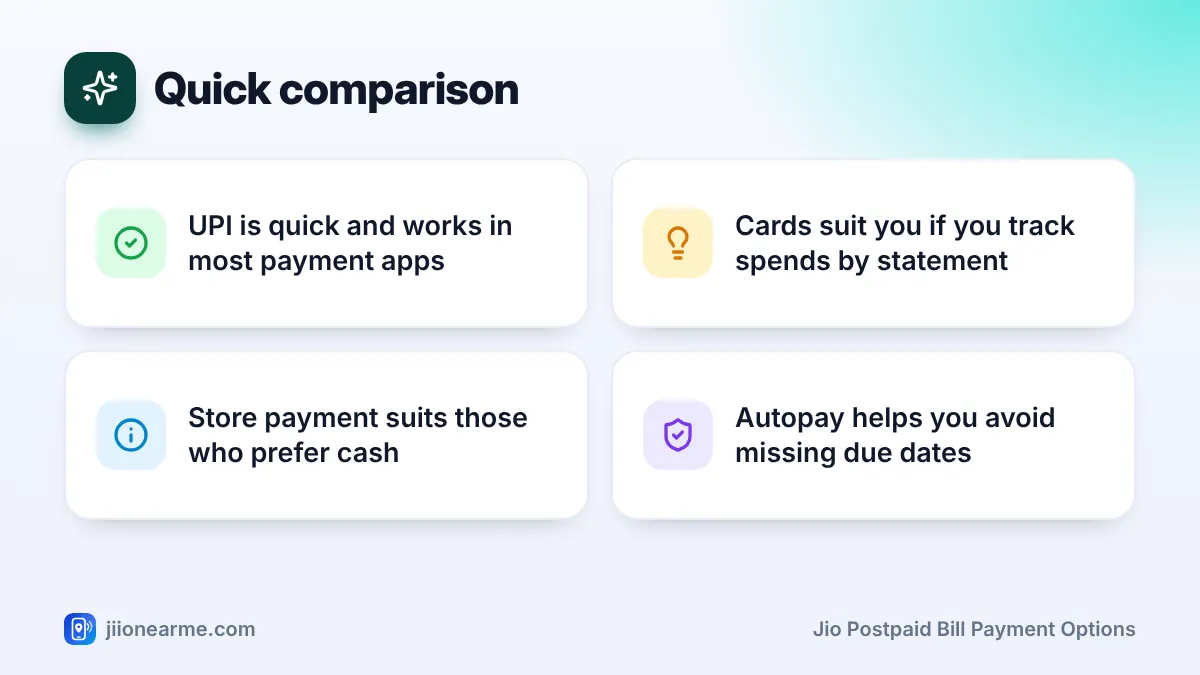
- UPI is usually the fastest and easiest option for paying from your phone.
- Debit and credit cards give clear statements, and a credit card adds a short credit period.
- Net banking suits laptop users and people who avoid cards.
- A Jio Store works for cash payers, but needs a trip and opening hours.
- Whatever you choose, always save the receipt or transaction ID.
Where You Can Pay Your Jio Postpaid Bill
Before comparing methods, it helps to know the places where you make the payment:
- MyJio app: Open the app, check your bill and tap Pay Now or Pay Bill. You then pick a method such as UPI, card or net banking.
- Jio website: Sign in or use the bill payment option on jio.com to pay with the same methods.
- UPI and payment apps: Many apps have a postpaid bill payment section where you choose Jio and enter your number.
- Jio Store or authorised retailer: Pay in person at the counter.
Paying through MyJio or jio.com keeps everything in one place, because the bill and the payment history sit side by side.
Jio Postpaid Bill Payment Options Compared
Here is how the main methods compare on everyday points.
| Method | Convenience | Typical speed | Records you get | Watch out for |
|---|---|---|---|---|
| UPI | Very high, works from any UPI app | Usually reflects quickly | Transaction ID in app, Jio SMS | Paying to the wrong UPI ID or number |
| Debit card | High, needs card details or saved card | Usually quick | Bank statement, app receipt | Card limits and OTP prompts |
| Credit card | High, adds a short credit period | Usually quick | Card statement, app receipt | Interest if the card bill is paid late |
| Net banking | Medium, easier on a laptop | Usually quick | Bank statement, app receipt | Session timeouts and bank downtime |
| Jio Store | Low, needs a visit | Usually updated at the counter | Printed or digital receipt | Store hours and queues |
Speeds can vary with bank servers and network conditions. If a payment takes longer than usual to show, check your payment history before trying again.
Pros and Cons of Each Method
UPI
UPI is the most popular choice for good reason. You can pay from MyJio or any UPI app in a few taps, and you get a transaction ID instantly. The main risk is human error, such as typing the wrong mobile number. You also need to stay alert to fake payment requests.
Debit card
A debit card takes money straight from your bank account, so there is no credit to repay later. It suits people who do not use UPI. You will usually need to enter an OTP sent by your bank, which is normal for card payments.
Credit card
A credit card lets you pay now and settle the card bill later. It is useful if you like having one monthly statement for all your expenses. Pay your card bill in full and on time, otherwise interest can cost more than any convenience you gain. Some card issuers may treat bill payments differently for rewards or fees, so read your card terms.
Net banking
Net banking suits people who manage money on a laptop or who prefer not to use cards. It takes a few more steps and your bank session can time out, but the payment shows clearly in your bank statement.
Paying at a Jio Store
Paying in person is good for people who prefer cash or want help at the counter. It needs a trip during store hours, and you must collect a receipt every time.
Autopay through MyJio, using a UPI mandate or a card, pays your bill automatically before the due date. Check each bill before the debit and keep enough balance in the linked account.
Paying and Keeping Clean Records
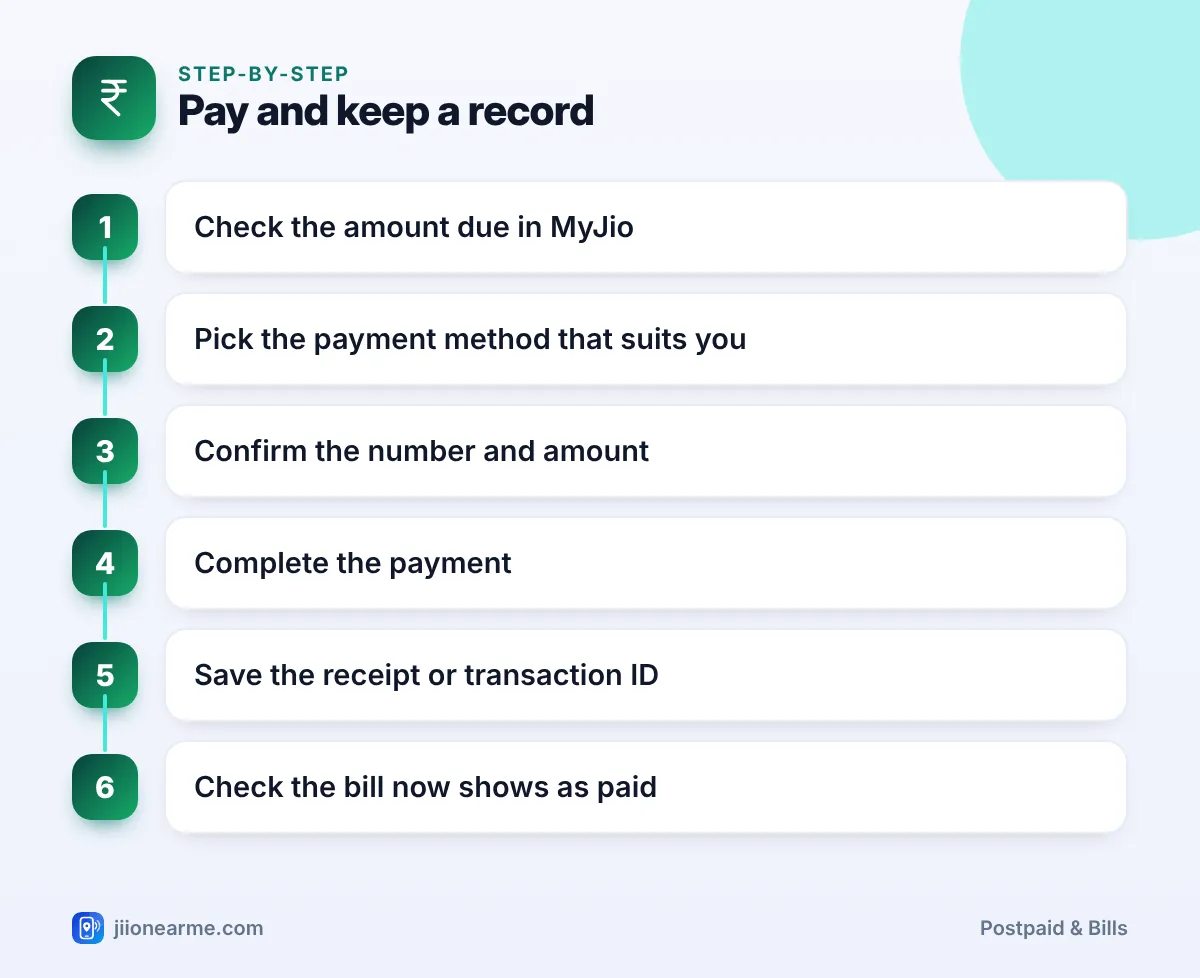
Whatever method you choose, follow the same simple routine:
- Check the amount due in MyJio or in your bill SMS or email.
- Choose your payment method based on what suits you that month.
- Confirm the number and amount on the payment screen before you pay.
- Complete the payment and wait for the success message.
- Save the receipt or transaction ID, either as a download or a screenshot.
- Check the bill status in MyJio a little later to confirm it shows as paid.
Only approve a UPI payment request that you started yourself. Be wary of anyone who sends a personal UPI ID or a payment link by SMS, WhatsApp or a call and asks you to pay your bill there. Pay only through MyJio, jio.com, a trusted payment app’s bill section or a Jio Store, and never share your UPI PIN, card OTP or banking password.
How to Choose the Right Method for You
- You want the fastest option: Use UPI in MyJio or your usual UPI app.
- You track spending by monthly statement: Use a credit or debit card, and pay the card bill in full.
- You manage money on a laptop: Use net banking on jio.com.
- You prefer cash or need help: Visit a Jio Store, and pay a few days before the due date.
- You often forget due dates: Set up autopay and add a calendar reminder to check each bill.
- You claim the bill at work: Pick a method that gives a clear receipt, and save it every month.
Frequently Asked Questions
Which Jio postpaid payment method is the fastest?
UPI and card payments through MyJio or jio.com usually reflect quickly. Store payments are also updated at the counter, but need a visit.
Is it safe to pay through third-party payment apps?
Trusted, well-known payment apps with a proper bill payment section are commonly used. Check the biller name shows Jio, confirm the number and amount, and avoid links received in messages.
Do any methods have extra charges?
Paying through Jio’s own channels usually involves no extra fee, but some third-party apps or card issuers may add a charge for certain methods. Check the final amount before you confirm.
Can I change my payment method every month?
Yes. You can choose any accepted method each time you pay. If you use autopay, update the linked method in MyJio when needed.
What should I do if money is debited but the bill shows unpaid?
Wait a little and check again, since updates can sometimes take time. If it still shows unpaid, contact Jio on 198 with your transaction ID, and raise a dispute in your payment app if needed.
Summary
For most people, UPI through MyJio is the simplest way to pay a Jio postpaid bill. Cards suit those who want a statement or a short credit period, net banking suits laptop users, and a Jio Store suits those who prefer paying in person.
Pick the method you will actually stick with, consider autopay as a backup, and save every receipt. Clean records make it easy to sort out any payment problem later.
JIo Near me is an independent guide and is not affiliated with Reliance Jio. App menus, plans and policies can change – always confirm current details in the official MyJio app or on jio.com. We will never ask for your OTP, PIN or passwords.