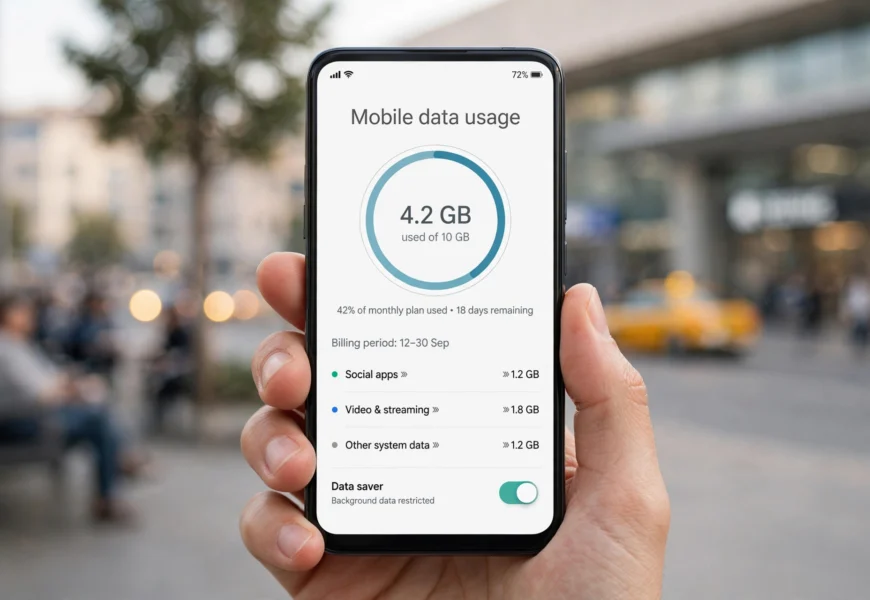
If you’re a Turkcell subscriber — whether you’re a resident of Turkey or a tourist using a Turkcell prepaid tourist SIM card — running out of mobile data unexpectedly can be frustrating, especially while navigating a new city, sharing photos, or staying in touch with family. The good news is that Turkcell, Turkey’s largest mobile network operator, offers several fast and free ways to check your remaining internet (data) balance in real time.
Quick Answer: To check your Turkcell data balance, dial *123# or *159# on your phone, or send KALAN by SMS to 2222. Both are free and instantly return your remaining internet, minutes, and SMS. For a detailed dashboard, use the Turkcell Hesabım app.
If you’re comparing telecom operators globally, the process is very similar in spirit to checking a balance on other prepaid networks — for readers coming from India, our guide on minimum recharge required to keep a Jio number active covers the equivalent process for Jio SIMs.
In this guide, you’ll learn every method to check your Turkcell data balance — from the classic USSD code to the Turkcell Hesabım app, SMS shortcodes, and the official website — along with troubleshooting tips, roaming advice, and answers to the most frequently asked questions.
Why You Should Regularly Check Your Turkcell Data Balance
Before diving into the methods, here’s why monitoring your data usage matters:
- Avoid overage charges — once your package data runs out, standard per-MB rates can apply unless you have a spending cap.
- Plan ahead while traveling — tourists relying on a Turkcell tourist SIM for maps, translation apps, and ride-hailing need to know when to top up.
- Manage shared or family lines — postpaid users on multi-line plans can track usage per number.
- Avoid slowdowns — some Turkcell packages throttle speed after the data cap is reached instead of charging extra.
Not recharging on time can also affect your line status — a concern shared across prepaid networks worldwide. If you’re curious what happens on a similar network when a recharge is missed, see what happens if you don’t recharge Jio for a comparable example.
Method 1: Check Turkcell Data Balance Using USSD Code (Fastest Method)
The USSD (dial) method is the quickest way to check your balance without needing internet access — which is ideal since your data may already be running low.
Steps:
- Open the phone (dialer) app on your device.
- Dial *123# or *159# and press the call/send button.
- A pop-up or SMS response will appear within seconds showing your remaining data, minutes, and SMS balance.
Tip: *123# is Turkcell’s general balance and package menu, while *159# is specifically used for the “remaining package” (kalan paket) query. If one doesn’t respond due to a temporary network issue, try the other.
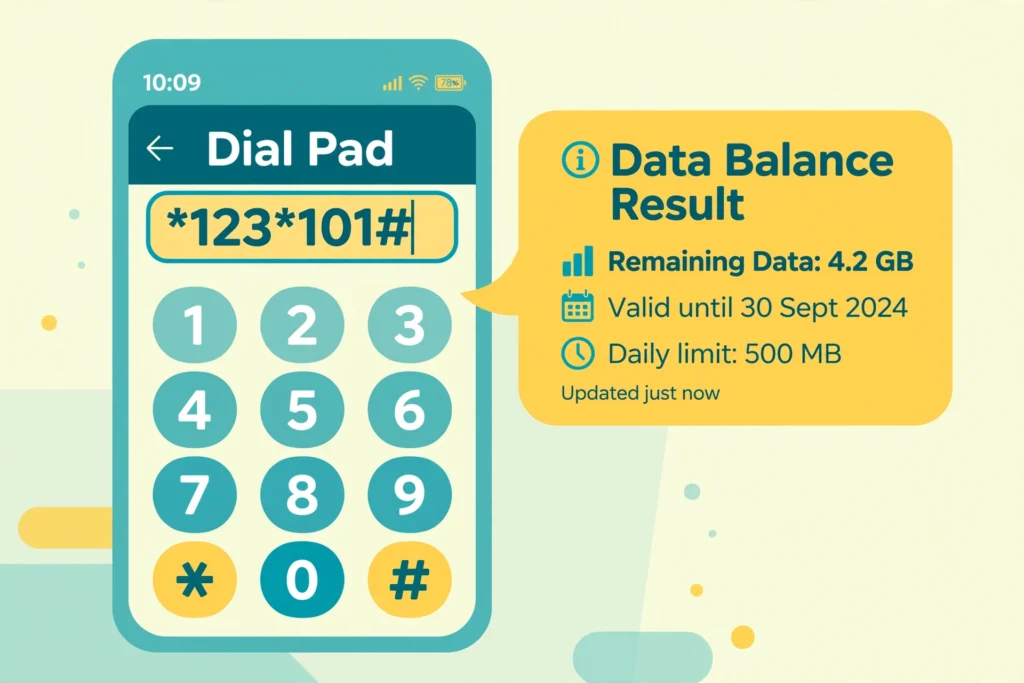
Dial *123# or *159# to instantly see your remaining Turkcell data.
Method 2: Check Turkcell Data Balance via Free SMS (KALAN)
Turkcell lets you check your remaining package details by text message, free of charge.
Steps:
- Open your messaging app.
- Type KALAN (Turkish for “remaining”) in the message body.
- Send it to 2222.
- You’ll receive a free reply SMS listing your remaining internet (GB), minutes, and SMS balance.
This method works well if you’re unsure whether USSD codes are supported on your device or SIM type, and it’s especially handy for older phones or basic devices.
Method 3: Check Data Balance with the Turkcell Hesabım App (Dijital Operatör)
For a more visual, detailed breakdown of your usage, download the Turkcell Hesabım app (also listed as “Dijital Operatör” / “Digital Operator” in some regions).
Steps:
- Download the app from the Apple App Store or Google Play Store.
- Log in with your Turkcell mobile number and password (or OTP verification).
- On the home screen, view “Kalan Kullanım” (Remaining Usage) to see your live data, minutes, and SMS balance, package renewal date, and usage history.
- From here, you can also buy extra data packages, pay bills, and manage multiple lines.
This app is the best option if you want a dashboard view rather than a one-time SMS/USSD snapshot, and it works for both prepaid (Hazır Kart) and postpaid (Faturalı) lines.
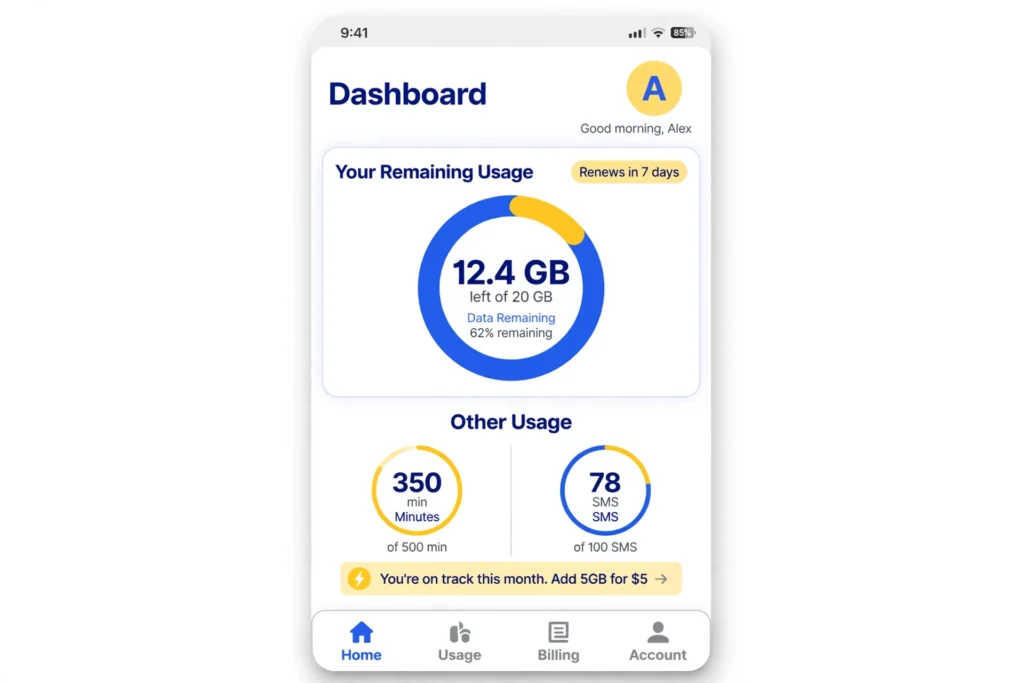
The Turkcell Hesabım app gives a full visual breakdown of your remaining package.
Method 4: Check Your Balance Online via the Turkcell Website
If you prefer checking from a computer or don’t want to install an app:
- Visit the official Turkcell website.
- Log in to “Turkcell Hesabım” (My Turkcell) using your mobile number and password.
- Navigate to the usage/package section to view your remaining internet balance, current tariff, and billing details.
This is a good backup option if your phone has no signal but you have Wi-Fi access (e.g., at a hotel or café).
Method 5: Call Turkcell Customer Services
You can also get your balance information by speaking to a representative or using the automated voice menu:
- Dial 532 from your Turkcell number (domestic).
- From abroad, dial +90 532 532 00 00.
This method is useful if you’re having trouble with USSD/SMS methods or need additional help, such as clarifying roaming charges or your billing cycle.
How Tourists Can Check Turkcell Tourist SIM Data Balance
Millions of visitors buy a Turkcell tourist SIM / Turkcell Welcome package at airports or stores when arriving in Turkey. The good news: all the methods above work the same way for tourist SIM cards, including the free KALAN to 2222 SMS and the *123# / *159# USSD codes. No local bank card or Turkish ID is required for these balance checks — they work on any active Turkcell SIM, including tourist packages.
Practical tips for tourists:
- Save the USSD code (*123#) as a phone shortcut before you land, so you’re not searching for it with low data.
- The KALAN SMS to 2222 is free even on tourist SIM cards, so it won’t eat into your data or credit.
- If your tourist SIM balance seems stuck or incorrect, visit any Turkcell Store (TİM Turkcell Store) for in-person help — they’re common in airports, malls, and city centers.
Troubleshooting: What to Do If You Can’t Check Your Balance
| Problem | Suggested Fix |
|---|---|
| USSD code shows “no response” or times out | Restart your phone, ensure you have network signal, and try again or use the KALAN SMS method instead |
| SMS to 2222 not delivered | Confirm you typed “KALAN” exactly (no extra spaces) and that your SIM is active |
| App won’t log in | Reset your password via SMS OTP, or check your internet connection |
| Balance shown seems incorrect | Wait a few minutes for real-time sync, or call 532 to confirm with a representative |
| Roaming abroad and codes don’t work | International USSD/SMS shortcuts may not function outside Turkey — use the Turkcell Hesabım app instead, or call +90 532 532 00 00 |
Frequently Asked Questions (FAQ) — Optimized for Search & AI Answer Engines
Q1: What is the USSD code to check Turkcell data balance?
A: Dial *123# or *159# from your Turkcell number and press call. You’ll receive your remaining data, minutes, and SMS balance within seconds.
Q2: How do I check my Turkcell balance by SMS?
A: Send the word KALAN as a text message to 2222. The reply is free of charge and shows your remaining internet, minutes, and SMS.
Q3: Is checking my Turkcell data balance free?
A: Yes. The USSD codes (*123#, *159#), the KALAN SMS to 2222, and the Turkcell Hesabım app are all free of charge.
Q4: Can tourists using a Turkcell SIM check their data balance the same way?
A: Yes. Tourist SIM cards use the same Turkcell network, so the USSD codes, KALAN SMS, and the Turkcell Hesabım app all work identically for tourist packages.
Q5: What app shows Turkcell data usage in real time? A: The Turkcell Hesabım app (also called Dijital Operatör), available on the App Store and Google Play, gives a full dashboard of your remaining data, minutes, and SMS.
Q6: Why does my Turkcell USSD code not work while roaming abroad?
A: USSD codes are typically limited to domestic use. While abroad, use the Turkcell Hesabım app or call +90 532 532 00 00 to check your balance.
Q7: What number do I call for Turkcell customer service?
A: Dial 532 from within Turkey, or +90 532 532 00 00 from abroad.
Authoritative Sources
- Official Turkcell Support / FAQ page: https://www.turkcell.com.tr/english-support/faq.html
- Turkcell Hesabım on the App Store: https://apps.apple.com/us/app/turkcell-hesabim/id335162906
- Turkcell Hesabım on Google Play: https://play.google.com/store/apps/details?id=com.ttech.android.onlineislem
- Turkcell official homepage: https://www.turkcell.com.tr/
Conclusion
Checking your Turkcell data balance takes less than a minute, no matter which method you choose. For a quick check, the *123# or *159# USSD code and the KALAN SMS to 2222 are the fastest and always free. For a detailed, visual breakdown — including usage history and easy top-ups — the Turkcell Hesabım app is the best long-term tool, for both residents and tourists in Turkey. Bookmark this guide so you’re never caught off guard by an empty data package again.
For more prepaid SIM and telecom guides like this one, browse our Jio Sim category on jiionearme.com.
Last verified: July 2026. Turkcell service codes and app names may be updated periodically — always confirm details on Turkcell’s official support page linked above.
