Quick Answer
To check your BSNL data balance, dial *124# from your BSNL number and press call — your remaining 4G/net data balance will appear on screen within seconds, completely free. For 2G/3G data, dial *123*10#. You can also send BAL by SMS to 123, open the BSNL Selfcare app, or call customer care at 1503 (toll-free) for a voice-guided balance check.
Introduction
BSNL (Bharat Sanchar Nigam Limited), India’s state-owned telecom operator, has seen a strong resurgence in recent years thanks to affordable plans and expanding 4G coverage. Whether you’re a long-time BSNL customer or new to the network, knowing exactly how much mobile data you have left helps you avoid unexpected slowdowns or running out of internet mid-task. This in-depth guide covers every method to check your BSNL data balance — USSD codes, SMS, the BSNL Selfcare app, the web portal, and customer care — along with troubleshooting tips and answers to common questions. If you use multiple SIMs, our guide on what happens if you don’t recharge Jio is a useful companion read, since similar validity rules apply across most Indian operators.
Why You Should Regularly Check Your BSNL Data Balance
- Avoid speed throttling — many BSNL data plans reduce speed sharply (often to 40 Kbps or similar) once your daily data limit is exhausted, rather than charging extra.
- Track your daily reset — most BSNL plans allocate data on a per-day basis, so your balance resets at midnight; checking regularly helps you understand your actual usage pattern.
- Plan recharges in advance — knowing your data and validity together helps you time your next recharge before service interruption.
- Manage multiple BSNL numbers — if you use BSNL for both a primary and secondary line, tracking each separately avoids one line running out unexpectedly.
Method 1: Check BSNL Data Balance Using USSD Codes (Fastest Method)
BSNL, unlike some private operators, uses separate codes for different data types (4G vs 2G/3G), so it helps to know which one applies to you.
Steps:
- Open the phone (dialer) app on your device.
- For 4G/net data balance, dial *124# and press call.
- For 2G/3G data balance, dial *123*10# (alternatives: *123*6# or *112# in some circles).
- Your remaining data balance will appear on screen within seconds.
Tip: BSNL’s USSD codes can vary slightly by telecom circle (state), since BSNL’s systems are managed region-wise. If one code doesn’t respond in your area, try the alternative code listed above, or fall back to the Selfcare app for a guaranteed accurate reading.
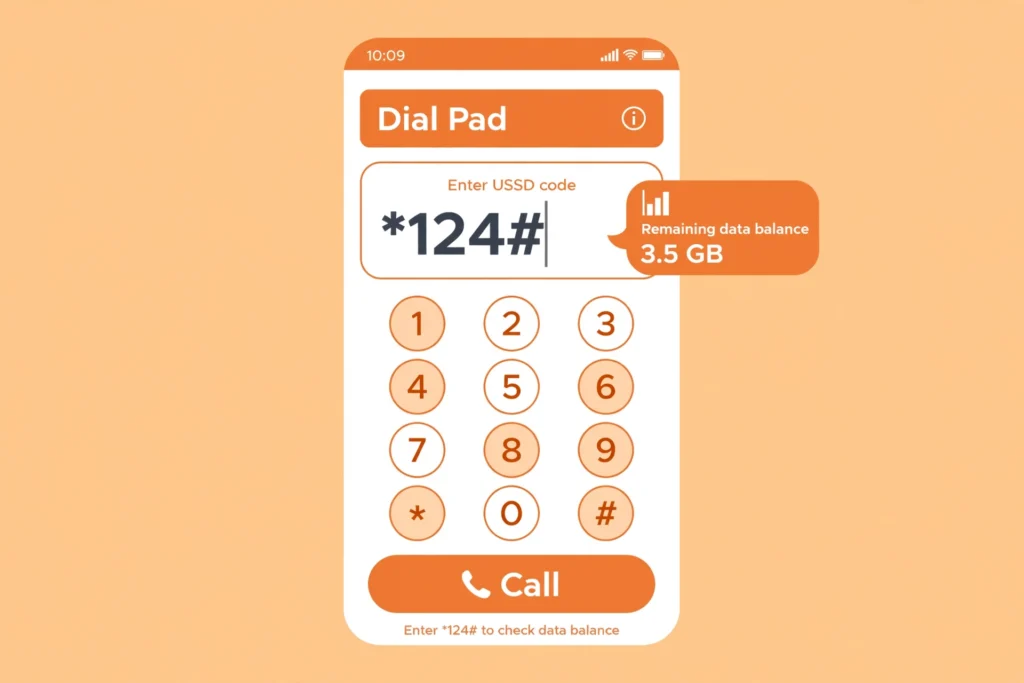
Dial *124# and press call to instantly see your remaining BSNL 4G data balance.
Method 2: Check BSNL Data Balance via SMS
If you prefer text over USSD menus, BSNL supports balance checks by SMS in most circles.
Steps:
- Open your messaging app.
- Type BAL in the message body.
- Send it to 123.
- You’ll receive a free reply SMS with your balance details, including data where available.
Some circles also support sending “MAIN BAL” to 144 as an alternative — availability can differ slightly by region, since BSNL’s SMS services are managed at the circle level.
Method 3: Check Data Balance with the BSNL Selfcare App
For a detailed, real-time breakdown of your usage, the BSNL Selfcare app is the most comprehensive self-service option.
Steps:
- Download the app from the Apple App Store or Google Play Store.
- Log in using your BSNL mobile number and the OTP sent to your phone.
- On the home dashboard, view your remaining data, validity, and current active plan in one place.
- From here, you can also recharge, view usage history, and download postpaid bills if applicable.
This is the best option if you want a visual dashboard rather than a one-time dial-code snapshot, and it works over Wi-Fi even if your mobile data has fully run out.
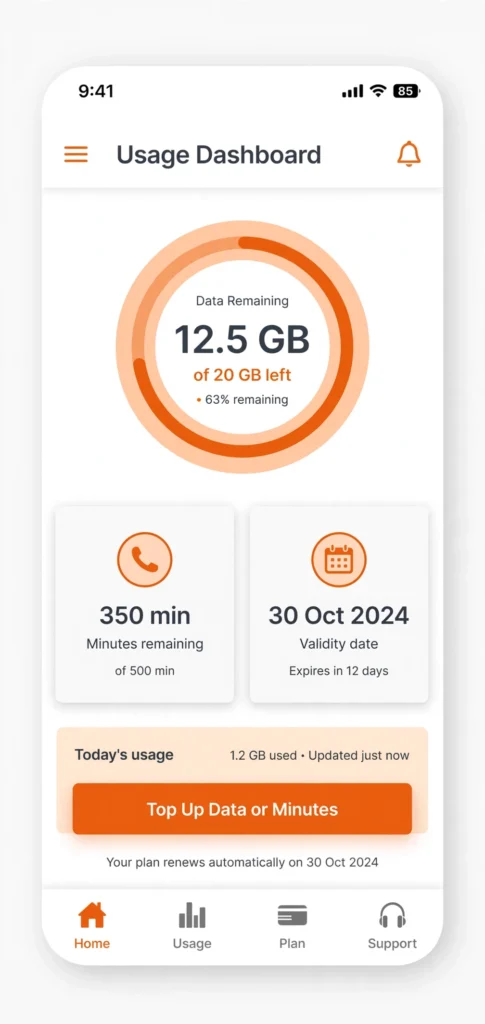
The BSNL Selfcare app gives a full visual breakdown of your remaining data and plan validity.
Method 4: Check Your Balance Online via the BSNL Selfcare Web Portal
If you’d rather check from a computer:
- Visit the official BSNL Selfcare portal.
- Log in with your registered BSNL mobile number and OTP.
- Navigate to the usage or account section to view your remaining data balance, validity, and current plan.
This is a handy backup if your phone has no signal but you have Wi-Fi access, and it’s also where postpaid customers can download detailed bills.
Method 5: Call BSNL Customer Care
You can also check your balance by speaking with a representative or using the automated IVR system:
- Dial 1503 (toll-free) from your BSNL number for general account queries.
- Alternatively, dial 1800-180-1503 from any phone.
This method is useful if USSD or SMS methods aren’t working in your specific circle, or if you need clarification about validity, plan renewal, or data rollover.
Comparing the Different Methods
| Method | Speed | Works Without Internet? | Best For |
|---|---|---|---|
| *124# (4G) / *123*10# (2G/3G) USSD | Instant | Yes | Quick checks, even with no data left |
| SMS (BAL to 123) | A few seconds | Yes | Users who prefer text over dial menus |
| BSNL Selfcare App | Fast, detailed | Only via Wi-Fi | Full usage history, recharges, bill downloads |
| BSNL Selfcare Web Portal | Fast, detailed | Only via Wi-Fi | Checking from a computer, postpaid bill downloads |
| Customer Care (1503) | 1–3 minutes | Yes | Complex queries or circle-specific issues |
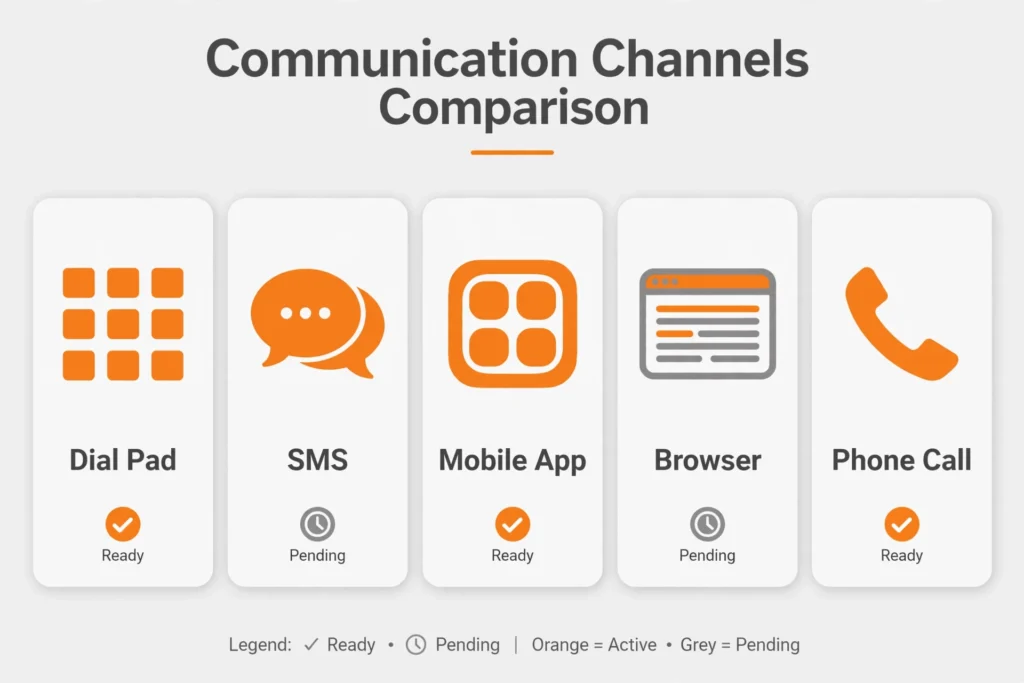
From instant USSD codes to the detailed Selfcare app, there’s a method for every BSNL user.
Understanding BSNL’s Daily Data Reset and Validity
Most BSNL prepaid plans allocate data on a per-day basis rather than as one large lump sum for the whole validity period. This means:
- Your data balance typically resets at midnight, so checking your balance at 11:59 PM versus 12:01 AM can show very different numbers even without using any data in between.
- Once your daily quota is used, speeds are usually reduced significantly (rather than data being cut off) until the next day’s reset.
- Checking validity (via *1231# or *1241#) alongside your data balance helps you understand not just how much data remains today, but how many days of service you have left overall.
Because BSNL’s systems are managed by region, exact daily data caps, reset times, and reduced-speed thresholds can vary slightly by state — checking the BSNL Selfcare app for your specific circle gives the most accurate picture.
Troubleshooting: What to Do If You Can’t Check Your Balance
| Problem | Suggested Fix |
|---|---|
| USSD code shows “no response” or times out | Restart your phone, confirm you have network signal, and try again, or use the BSNL Selfcare app instead |
| SMS not delivered or no reply received | Confirm you typed “BAL” exactly with no extra spaces; SMS balance checks can vary slightly by circle |
| App won’t log in or load | Clear the app’s cache, update to the latest version, or check your internet connection |
| Balance shown seems incorrect | Wait a few minutes for real-time sync, or call 1503 to confirm with a representative |
| Different USSD code needed for your circle | Try the alternative codes listed above (*123*6#, *112#), since BSNL codes can differ by state |
Frequently Asked Questions (FAQ) — Optimized for Search & AI Answer Engines
Q1: What is the USSD code to check BSNL data balance?
Dial *124# for 4G/net data balance, or *123*10# for 2G/3G data balance, and press call to see your remaining data on screen within seconds.
Q2: How do I check my BSNL balance by SMS?
Send BAL to 123. Some circles also support sending “MAIN BAL” to 144 as an alternative.
Q3: Is checking my BSNL data balance free?
Yes. The USSD codes, SMS, the BSNL Selfcare app, and customer care are all free of charge.
Q4: What app shows BSNL data usage in real time?
The BSNL Selfcare app, available on the App Store and Google Play, gives a full dashboard of your remaining data, validity, and current plan.
Q5: Why does the USSD code sometimes not work for BSNL?
BSNL’s USSD services are managed by telecom circle (state), so codes can occasionally vary by region. If *124# doesn’t respond, try *123*10# or the Selfcare app instead.
Q6: Does BSNL data reset daily or last for the whole validity period?
Most BSNL plans allocate data on a daily basis, resetting at midnight, rather than as one lump sum for the entire plan duration.
Q7: What number do I call for BSNL customer service?
Dial 1503 (toll-free) from your BSNL number, or 1800-180-1503 from any phone.
Conclusion
Checking your BSNL data balance takes less than a minute, whether you prefer the instant *124# USSD code, a quick SMS, or the detailed BSNL Selfcare app. Since BSNL’s data typically resets daily, checking regularly is a good habit for avoiding unexpected slowdowns. Bookmark this guide so you always know exactly where your data stands.
For more prepaid SIM guidance and comparisons across Indian operators, see our related article on what happens if you don’t recharge Jio, and browse more mobile network guides in our Jio Sim category on jiionearme.com.
For the most current codes and official support, visit BSNL’s official website, download the BSNL Selfcare app on Google Play, check plan details on the BSNL recharge portal, and see general guidance on mobile data and consumer rights from the Telecom Regulatory Authority of India (TRAI).
Last verified: July 2026. BSNL’s balance-check codes can vary by telecom circle and may be updated periodically — always confirm details on BSNL’s official website or app for your region.
