No, Jio does not block your SIM through a message that asks you to call a random mobile number or click a link to “update KYC”. Messages like this are a well-known Jio KYC update scam, and the aim is to get your OTP, bank details or remote access to your phone. The safe response is to ignore the message and check your account only through the MyJio app or official Jio support.
Below, you will see the typical wording these scammers use, the red flags that give them away, and what to do instead of clicking or calling back.
- Fake KYC messages use fear: “your SIM will be blocked today” is the most common line.
- They usually come from an ordinary 10-digit mobile number, not an official sender ID.
- Never click the link, call the number in the message or install any app they suggest.
- Check your account in the MyJio app or by calling 199 from your Jio number.
- Report the message through Chakshu on the Sanchar Saathi portal.
What a Fake Jio KYC Message Looks Like
Most of these messages follow a similar script. The exact words change, but the idea stays the same: act now or lose your number.
Common lines include:
- “Dear customer, your SIM card will be blocked within 24 hours. Your KYC documents are pending.”
- “Your Jio KYC has expired. Call our executive on this number immediately.”
- “Update your KYC now to avoid disconnection” followed by a short link.
- “Last warning: your mobile service will be suspended tonight.”
Some versions arrive as a phone call instead, often a recorded voice followed by a so-called customer care executive. Others come on WhatsApp, with a Jio logo as the profile picture to look official.
Anyone can copy a Jio logo, use the word “Jio” in a display name or create a lookalike profile. A logo, an official-sounding name or a formal tone does not make a message genuine.
Red Flags of a Jio KYC Update Scam
Check any KYC-related message against these signs. If even one matches, treat it as fake.
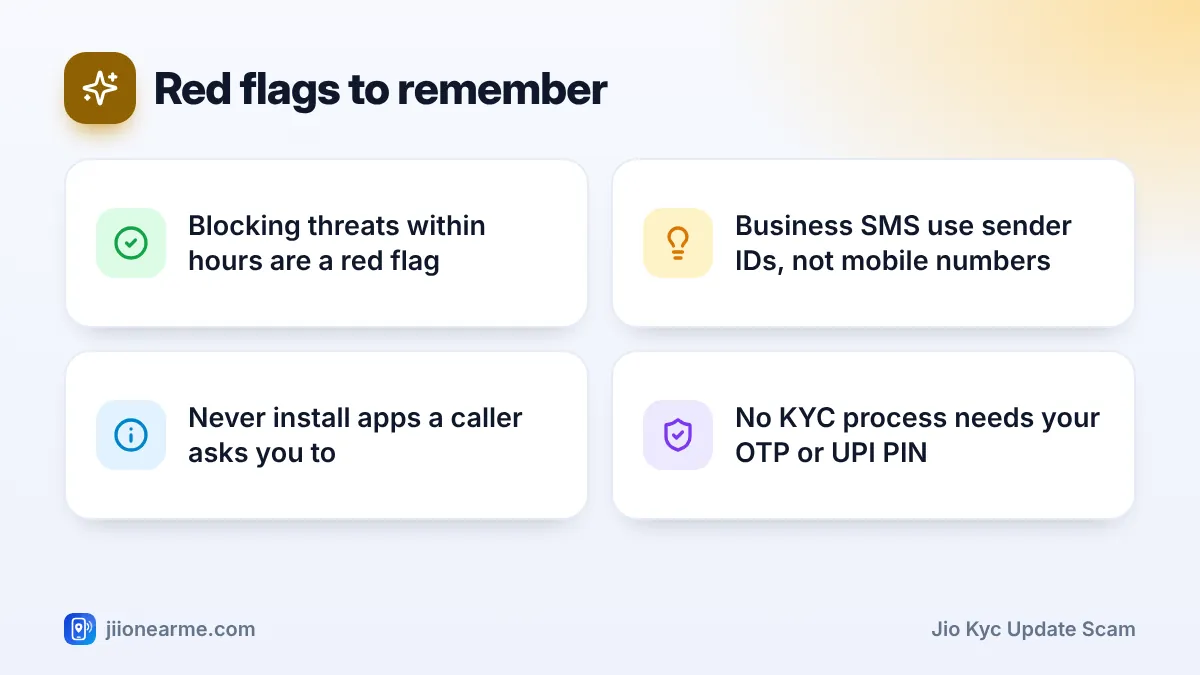
- The sender is a regular mobile number. Official business messages normally come from an alphabetic sender ID (called a header), not from a personal 10-digit number.
- There is a deadline in hours. “Today at 9:30 pm” or “within 2 hours” is a pressure tactic, so you do not stop to think.
- It asks you to call back a number. Scammers want you on the phone, where they can guide you step by step.
- The link is shortened or unfamiliar. A link that does not lead to jio.com, or that uses misspellings and extra words, is a warning sign.
- It asks for an app install. Requests to install a “support” or screen-sharing app give the fraudster control of your phone.
- It asks for a small payment. A “KYC fee” or “verification charge” through UPI is a classic trick to capture your UPI PIN.
- It asks for your OTP, Aadhaar or bank details. No genuine KYC process involves reading out an OTP to a caller.
| What the scam message says | What you should do instead |
|---|---|
| “Your SIM will be blocked in 2 hours” | Open the MyJio app and check your number’s status |
| “Call our KYC executive on this number” | Call 199 from your Jio number if you have a doubt |
| “Click this link to update KYC” | Do not click; type jio.com yourself if needed |
| “Install this app for verification” | Never install apps suggested by a caller |
| “Pay a small fee to complete KYC” | Do not pay; report the message |
How the Scam Actually Steals Money
Understanding the trap helps you avoid it. After you call or click, scammers usually try one of these routes:
- Remote access: They ask you to install a screen-sharing app “to complete verification”. Once it is installed, they can watch you type your banking password or UPI PIN.
- Fake payment: They ask you to pay a tiny amount to “activate” KYC. While you do this, they capture your card or UPI details, or trick you into approving a much larger request.
- OTP theft: They trigger an OTP and ask you to read it out “for verification”. That OTP may actually be for your bank, wallet or a SIM change.
- Data harvesting: A fake form collects your name, Aadhaar number, bank details and photos, which can be misused later for other frauds.
What to Do Instead of Clicking or Calling Back
If you get a message like this, follow these steps.
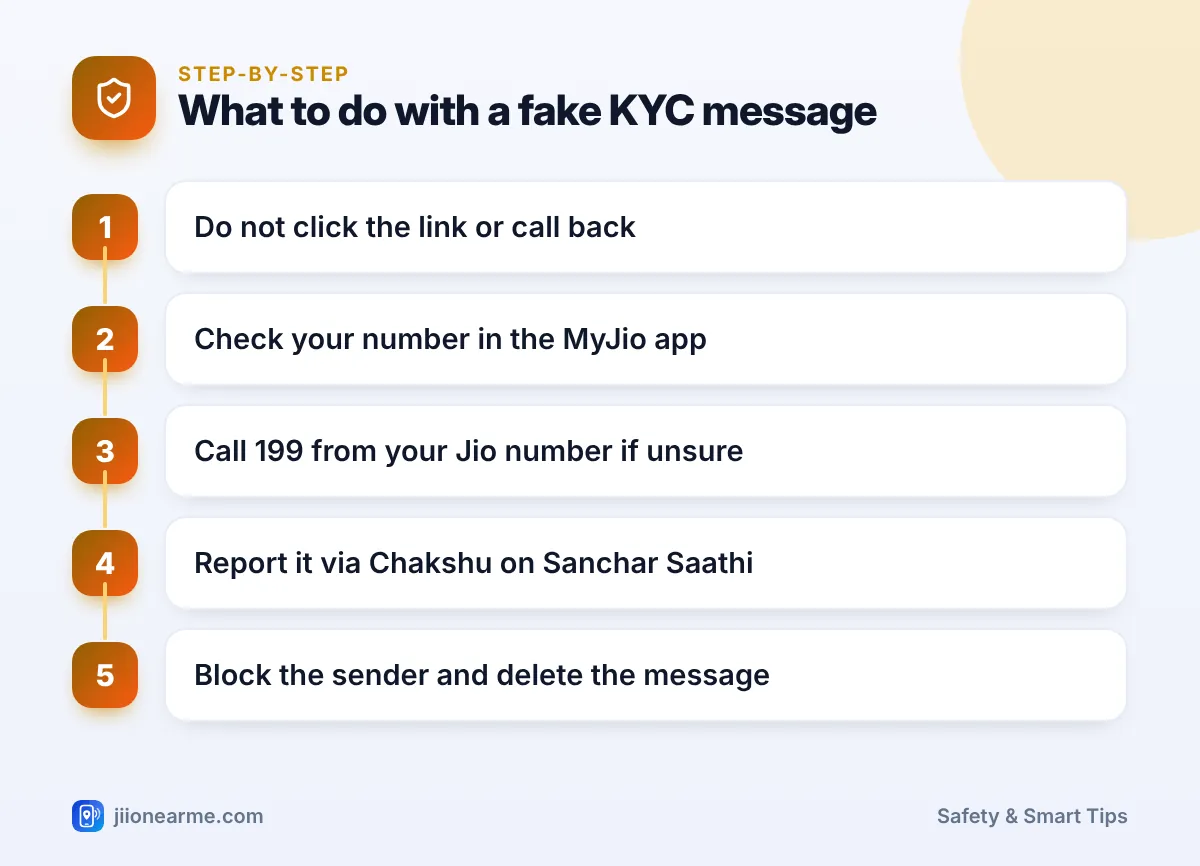
- Do not click the link or call the number. Do not reply either, as a reply confirms your number is active.
- Check your account in the MyJio app. Your plan, validity and number details are shown there.
- Call Jio support if you are unsure. Dial 199 from your Jio number for queries, or 198 for complaints. You can also use the toll-free number 1800-889-9999.
- Follow only official instructions. If Jio support ever confirms that something needs updating, follow the process they explain, such as visiting a Jio Store with your original ID.
- Report the message. Use the Chakshu facility on the Sanchar Saathi portal to report the suspicious SMS, call or WhatsApp message.
- Block and delete. Block the sender in your messaging app so they cannot contact you again from that number.
Open the MyJio app directly from your home screen, or type jio.com yourself in the browser. Never reach Jio through a link that came in an SMS or WhatsApp message you did not expect.
If You Already Clicked, Paid or Shared Details
Do not panic, but act fast.
- If you installed an app at the caller’s request, turn off mobile data and Wi-Fi, then uninstall that app.
- If you shared an OTP, UPI PIN or card details, call your bank’s official helpline immediately and ask them to block the card or UPI.
- If money was taken, call 1930 or file a complaint at cybercrime.gov.in as soon as possible.
- Change the passwords for your email and banking apps from a safe device.
- Call Jio support to check that no SIM change was requested on your number.
Fraudsters move stolen money through several accounts quickly. Reporting within the first few hours gives banks and police the best chance to stop it.
Frequently Asked Questions
Does Jio really block SIMs for incomplete KYC?
Telecom providers must follow government KYC rules, but a genuine issue is not handled through threats from a random mobile number. Check your status in the MyJio app or call 199 if you are worried.
Can I update Jio KYC through a link in an SMS?
Do not use any link that arrives in an unexpected SMS or WhatsApp message. If Jio support tells you something needs updating, follow only the official process they explain.
I replied to the message but shared nothing. Am I safe?
Most likely yes, if you did not share any OTP, PIN or details and did not install anything. Block the number, avoid further contact and stay alert to follow-up calls.
Where do I report a fake Jio KYC message?
Report it through Chakshu on the Sanchar Saathi portal. If you lost money, call 1930 or report it on cybercrime.gov.in.
Why do scammers use KYC as an excuse?
Most people know KYC is mandatory, so a message about it sounds believable. The fear of losing a mobile number makes people act without checking.
Wrapping Up
A Jio KYC update scam works only when fear makes you rush. Slow down, ignore the link and the number in the message, and check your account through the MyJio app or Jio support. Teach family members the same rule: no genuine service asks for an OTP, a PIN or a screen-sharing app to keep your SIM active.
JIo Near me is an independent guide and is not affiliated with Reliance Jio. App menus, plans and policies can change – always confirm current details in the official MyJio app or on jio.com. We will never ask for your OTP, PIN or passwords.