Need to know when you last recharged, or whether yesterday’s payment actually went through? The answer is in the Recharge history section of the MyJio app. It lists your past recharges with the date, the plan, how you paid and whether the recharge succeeded.
You can open it in under a minute from the app menu. This guide walks through the steps, explains what each part of an entry means, and covers what to do when a recharge is missing, pending or failed.
- Recharge history is in the MyJio menu, usually labelled Recharge history, My Transactions or similar.
- Each entry shows the date, plan, payment mode, transaction ID and status.
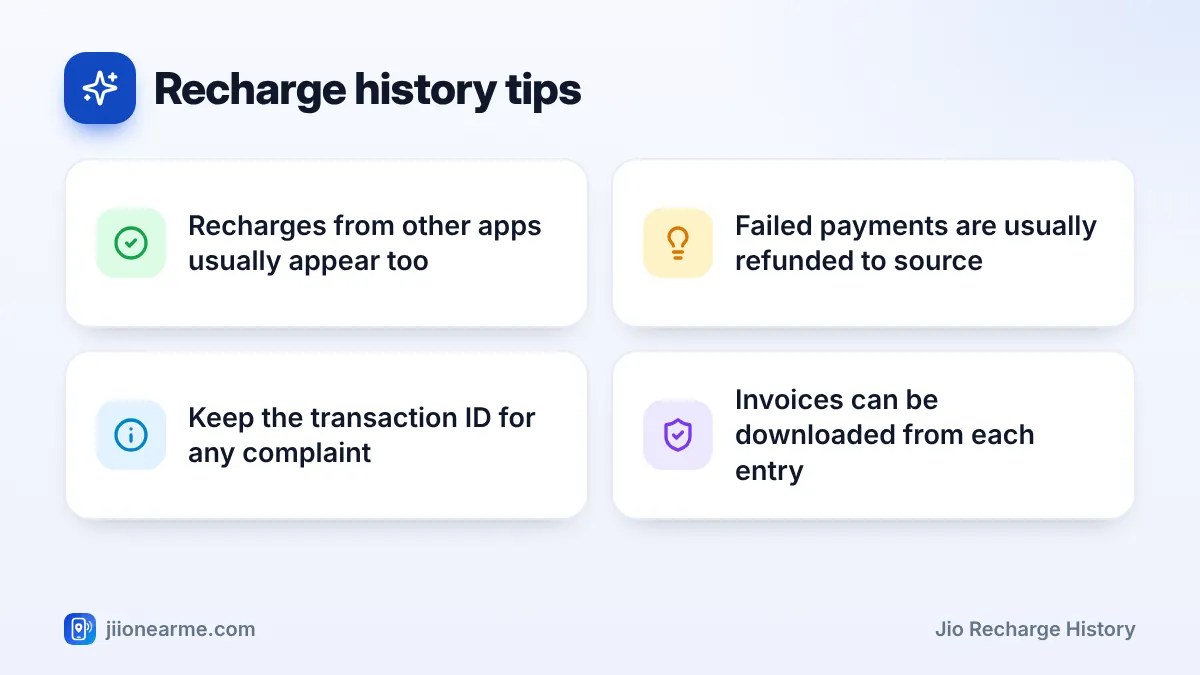
- Recharges made through other apps or a local shop usually appear here too.
- If money was deducted but the recharge failed, check the status and keep the transaction ID handy.
Why Check Your Jio Recharge History
A quick look at your history helps in many everyday situations:
- Confirming that a recharge you just paid for has gone through.
- Finding the date of your last recharge before planning the next one.
- Getting the transaction ID for a complaint or refund request.
- Downloading an invoice for office reimbursement or personal records.
- Checking whether someone else in the family has already recharged your number.
It is also the first place Jio support will ask you to check if you report a recharge problem.
How to Check Jio Recharge History in MyJio
The steps below work on both Android and iPhone. App labels can differ slightly by version, so look for similar wording if needed.
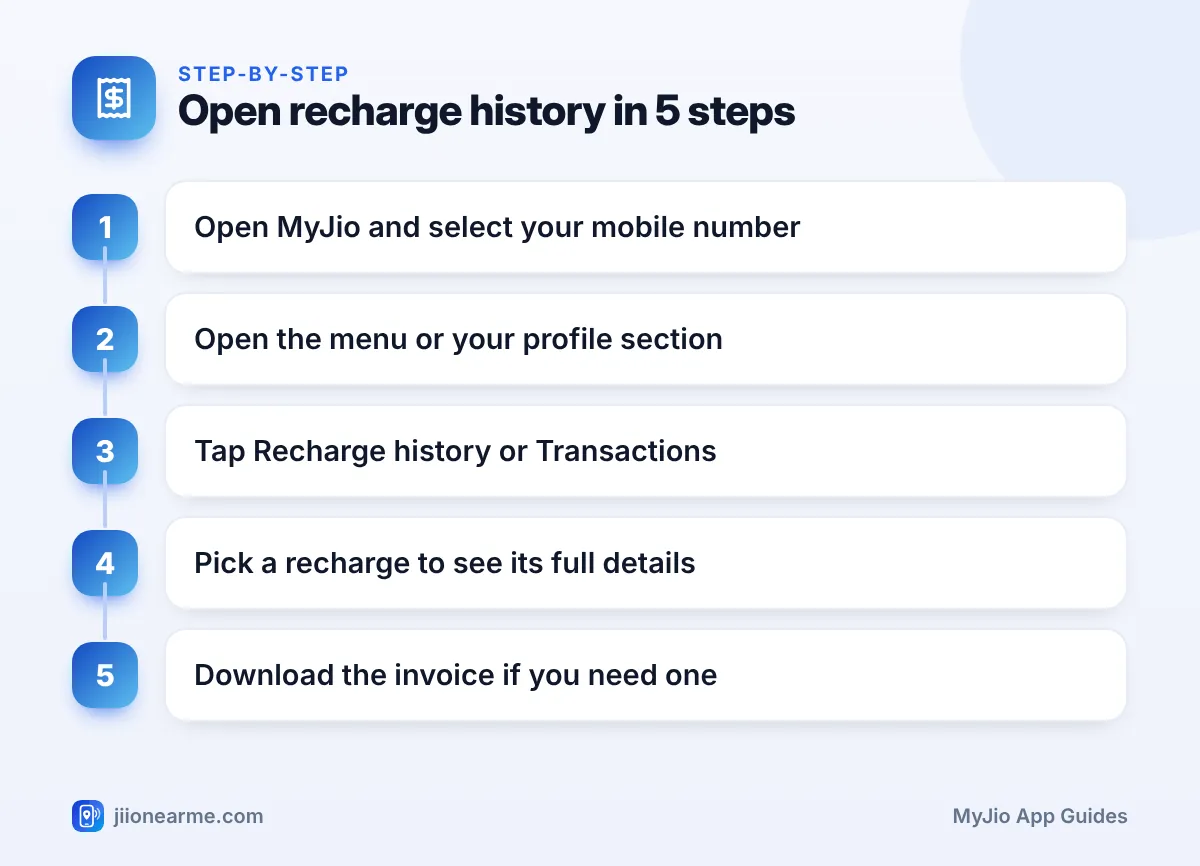
- Open the MyJio app and sign in with your Jio number and OTP if asked.
- If you have linked several accounts, select the mobile number whose history you want.
- Open the menu (☰) or tap your profile icon.
- Look for Recharge history, My Transactions or Transaction history. On some versions, it sits under a section for your mobile number.
- Scroll through the list. The most recent recharge usually appears at the top.
- Tap any entry to open its full details.
MyJio’s menu layout changes from time to time. Try using the search bar in the app, if your version has one, and type “recharge history”. Updating the app from the Play Store or App Store also helps.
What Each Recharge Entry Tells You
When you open a single recharge, you will usually see a set of details like these:
| Field | What it means |
|---|---|
| Date and time | When the recharge was made |
| Plan or pack | Which plan or add-on you bought |
| Amount | What you paid for that recharge |
| Payment mode | UPI, card, net banking, wallet or another method |
| Transaction or order ID | A unique reference for this payment |
| Status | Whether the recharge succeeded, failed or is pending |
Not every version shows all of these on the first screen. Tap the entry or a View details link to see more.
Understanding the Status
The status is the most important part of an entry when something goes wrong:
- Successful: The recharge went through, and the plan is active or queued.
- Pending: The payment is still being confirmed. This usually clears on its own.
- Failed: The recharge did not go through. If money left your account, a refund is usually started automatically.
- Refunded: The money for a failed recharge has been sent back to your payment method.
The exact words may differ in your app, but the meaning stays the same.
Recharges Made Through Other Apps or Shops
You do not have to recharge through MyJio for it to appear in your history. Recharges done through UPI apps, other payment apps, the Jio website or a local retailer usually show up too.
However, the payment details may look different. For example, the payment mode may show the name of the other platform instead of your bank. For full payment details, such as which bank account was debited, check the app or service you actually paid through.
Whenever you recharge, take a screenshot of the confirmation screen showing the transaction ID. If a recharge ever goes wrong, this ID helps both Jio support and your bank trace the payment quickly.
Fixing Common Recharge History Problems
Here is what to do in the most common situations:
- Recharge not in the list: Refresh the app and wait a few minutes. If you paid through another app, confirm the payment shows as successful there.
- Status stuck on pending: Give it some time. Pending payments usually settle as either successful or failed.
- Failed but money deducted: Note the transaction ID. Refunds usually go back to the original payment method within a few working days. Your bank or payment app can confirm when it arrives.
- Recharged the wrong number: Contact Jio support quickly, though such recharges are often hard to reverse.
- Still stuck: Call 199 from your Jio number for queries, or 198 to register a complaint.
You can also sign in on jio.com to view your account if the app is not working on your phone.
Fraudsters sometimes pose as support staff and offer to “process your refund”. Jio will never ask for your OTP, UPI PIN or card details to send money back. You never need to enter a UPI PIN to receive money. Report such fraud on the national cybercrime helpline 1930 or at cybercrime.gov.in.
Frequently Asked Questions
How far back can I see my Jio recharge history?
MyJio shows recharges for a recent period, and the exact range may vary by app version. For older records, contact Jio support.
Do recharges made through other apps show in MyJio?
Yes, they usually do. The plan and status appear in MyJio, while full payment details are available in the app you used to pay.
What should I do if my recharge shows as pending?
Wait a while and refresh the app. Most pending recharges settle on their own. If it stays pending for long, contact Jio support with the transaction ID.
Can I check recharge history for a family member's number?
Yes, if their number is linked to your MyJio account. Select their number from the account switcher and open recharge history as usual.
Can I get an invoice from my recharge history?
Yes. Open the recharge entry and look for an option to view or download the invoice. Labels may vary by app version.
Final Thoughts
Your Jio recharge history is the quickest way to confirm a payment, find your last recharge date or get a transaction ID. Open the menu in MyJio, go to Recharge history or My Transactions, and tap any entry for full details.
Keep the transaction ID for any recharge that goes wrong, never share OTPs or PINs with anyone offering a refund, and contact Jio support on 199 or 198 when a problem does not clear on its own.
JIo Near me is an independent guide and is not affiliated with Reliance Jio. App menus, plans and policies can change – always confirm current details in the official MyJio app or on jio.com. We will never ask for your OTP, PIN or passwords.
