You can see the mobile towers around your home, and whether each one meets India’s EMF (electromagnetic field) limits, on the Tarang Sanchar portal run by the Department of Telecommunications (DoT). Open it in any browser, find your area on a map and select a tower site to view its operator, technology and compliance status. Viewing this information is free.
It is a useful tool if a new tower has come up near your home, or if a neighbour has shared worrying messages about radiation. Instead of guessing, you can look at official data. This guide walks you through each step, explains what the details mean and shows how to request a measurement if you still have concerns.
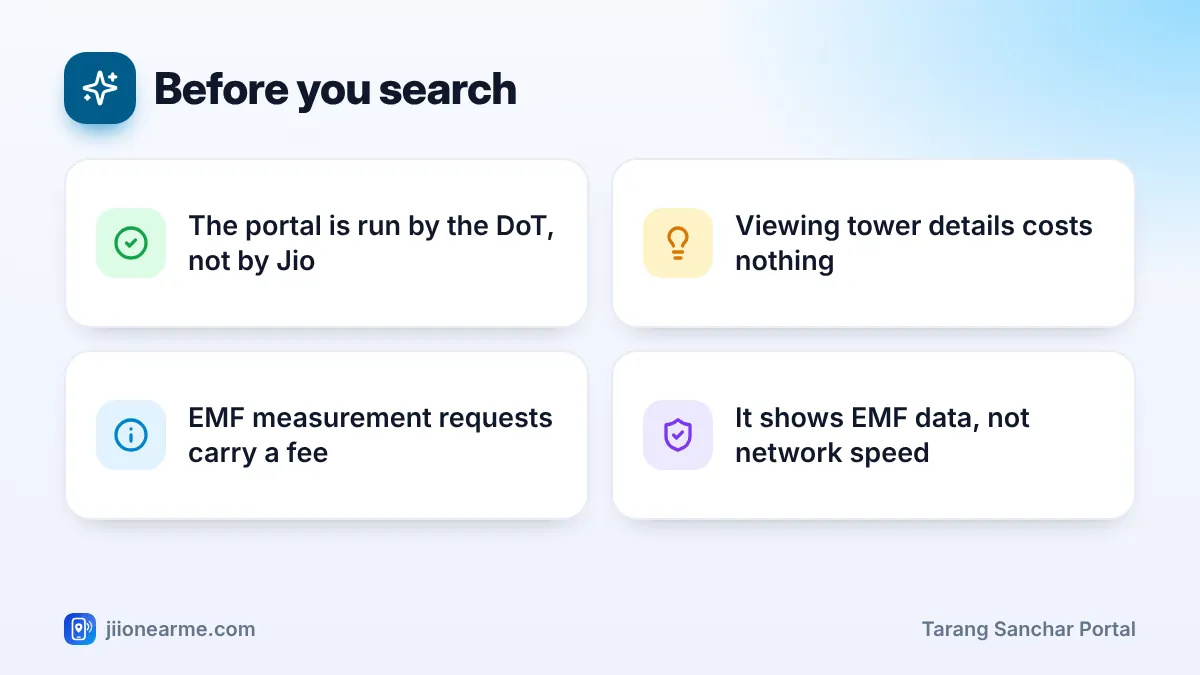
- The Tarang Sanchar portal (tarangsanchar.gov.in) is run by the DoT and covers towers from all operators.
- You can search your locality on a map and select a tower to see its details and EMF status.
- The portal may ask you to verify your details before showing site information.
- If you are still concerned, you can request an official EMF measurement for a fee.
What the Tarang Sanchar Portal Shows
The portal brings together tower data that operators submit and the results of checks by DoT field units. Typically, you can see:
- Tower sites on a map, sometimes called BTS (base transceiver station) sites.
- The operator or operators using each site.
- The technologies on the site, such as 4G or 5G.
- EMF compliance status, which shows whether the site is recorded as meeting India’s exposure limits.
- Information pages that explain EMF, India’s limits and common questions.
It does not show network speed, call quality or whether you will get 5G indoors. For Jio coverage or network issues, use the MyJio app, the Jio website or call 199 from your Jio number.
What You Need Before You Start
- A phone or computer with a web browser. A laptop makes the map easier to use, but a phone works too.
- Your address, a nearby landmark or your PIN code to locate your area.
- Possibly your name, email address and mobile number, if the portal asks you to verify before showing details.
Open the portal by typing tarangsanchar.gov.in in your browser or searching for it, and check the address before entering any details. Do not use links from unknown SMS or WhatsApp messages, and never share an OTP with anyone who calls you about towers.
How to Use the Tarang Sanchar Portal Step by Step
Website layouts change from time to time, so the labels below may differ slightly. Look for the closest matching option.
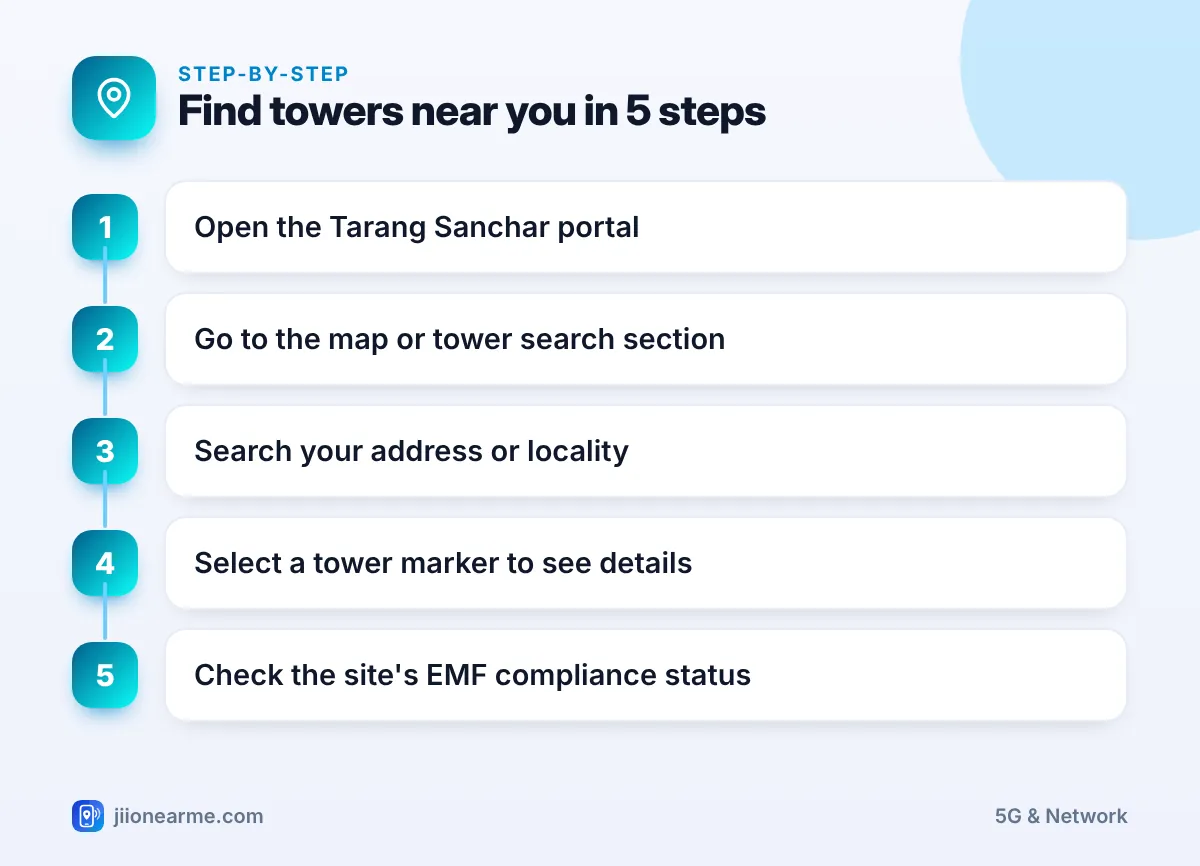
- Open your browser and go to tarangsanchar.gov.in.
- On the home page, look for the EMF Portal section or an option to view or search mobile towers on a map.
- Use the search box to enter your address, locality or landmark. You can also zoom and drag the map to your area, or allow location access if the site offers it.
- Tower markers will appear on the map around the location you chose. Zoom in to see the ones nearest to your home.
- Select a tower marker. If asked, fill in the short form and complete the verification the portal requests.
- Read the site details shown, including the operator, the technologies and the EMF compliance status.
Your phone does not always connect to the closest tower. Check two or three sites around your home to get a fuller picture of your area.
Understanding Tower Details and EMF Status
The exact fields can vary, but this table explains the common ones:
| What you see | What it means |
|---|---|
| Operator | The company or companies using the site |
| Technology | The network types on the site, such as 4G or 5G |
| Compliance status | Whether the site is recorded as meeting India’s EMF limits |
| Location marker | The approximate position of the site on the map |
A compliant status means the site is recorded as within India’s limits, which are stricter than the ICNIRP international guidelines. Operators must certify each site, and DoT field units audit sites with measuring equipment.
What if a site shows a different status?
If a site near you shows anything other than compliant, or you cannot find its status, you can raise it through the portal’s measurement request option. Avoid acting on rumours or confronting workers at the site. The DoT is the authority that checks EMF compliance.
How to Request an EMF Measurement
If you still have concerns after checking the data, the portal lets members of the public request an official measurement.
- Look for an option such as Request for EMF Measurement on the portal.
- Fill in your details and the location of the site you want measured.
- Pay the fee shown on the portal using the online payment option. Check the current amount on the portal itself.
- Note the request number so you can track the status.
- DoT field staff carry out the measurement, and the result is shared with you.
Apps that claim to measure tower radiation only read signal strength. Signal strength shows how well your phone hears the network, not your EMF exposure. Only calibrated equipment can measure EMF accurately.
Common Problems and Quick Fixes
- The map does not load: refresh the page, try another browser or switch to a computer. Government portals can be slow at busy times.
- No towers appear: zoom in closer to your locality, or move the map slightly so it reloads markers.
- Your address is not found: search for a nearby landmark, main road or your PIN code instead.
- Verification fails: check that you typed your email and mobile number correctly, then request the code again after a minute.
Frequently Asked Questions
Is the Tarang Sanchar portal free to use?
Yes. Searching the map and viewing tower details is free. Only a request for an official EMF measurement carries a fee.
Is the portal run by Jio?
No. It is run by the Department of Telecommunications, Government of India. It shows tower sites from all operators, including Jio.
Can I use the portal to check Jio 5G coverage?
Not really. The portal is about tower locations and EMF compliance. For Jio coverage or speed issues, check the MyJio app or call 199 from your Jio number.
Can I ask for a tower to be removed through the portal?
The portal is for information and EMF measurement requests. If a site is found to break the limits, the DoT takes action under its rules. Other concerns, such as building permissions, are handled by local authorities.
Conclusion
The Tarang Sanchar portal gives you official, easy-to-read information about mobile towers near your home and their EMF compliance. Search your locality, check a few nearby sites and read their status. If you still have doubts, request a measurement through the portal instead of relying on rumours or unverified apps.
JIo Near me is an independent guide and is not affiliated with Reliance Jio. App menus, plans and policies can change – always confirm current details in the official MyJio app or on jio.com. We will never ask for your OTP, PIN or passwords.
