5G does not use more data by itself. A photo, a song or an app update is exactly the same size whether you download it on 4G or 5G. What changes is how your apps behave. Streaming and social apps notice a faster connection and often pick sharper video, start autoplay sooner and preload more content, so you may use up data faster after moving to 5G.
This matters most if your plan has a daily data limit or if you watch a lot of video. The fix is simple: set quality limits inside your apps and in your phone settings. This guide shows where the extra usage comes from and exactly where to change it.
- Data size does not change with the network; app behaviour does.
- Video apps often choose higher quality on fast connections, which uses much more data.
- App updates, cloud backups and autoplay may run more freely on 5G.
- Set video quality and data saver options in each app, and track usage in the MyJio app.
Does 5G Use More Data, or Do Your Apps?
Think of your data like water in a tank and the network like a pipe. 5G is a wider pipe. The water in the tank does not change, but a wider pipe lets you empty it much faster.
Most video apps use adaptive streaming. They measure your connection speed and pick a video quality to match. On a slow connection, they choose lower resolution to avoid buffering. On a fast 5G connection, they may jump to high definition, and high-definition video uses many times more data than standard quality.
So when people say “5G ate my data”, the real cause is usually higher-quality video, not the network itself.
Where the Extra Data Use Comes From
- Video streaming: JioHotstar, YouTube, Netflix and similar apps may raise resolution automatically on a fast connection.
- Short videos and reels: Instagram, YouTube Shorts and similar feeds preload upcoming videos. On a fast connection, they may load more of them, in higher quality.
- Video calls: WhatsApp, Google Meet and JioMeet calls can switch to sharper video when the connection allows.
- App updates and backups: some phones allow automatic updates, photo backups and cloud sync over mobile data when you are on 5G.
- Photo and video backup: apps such as JioAICloud or Google Photos can upload your gallery over mobile data if their backup setting allows it. Set backup to Wi-Fi only if your plan has a daily limit.
- Hotspot: a laptop connected to your phone’s hotspot may download large system updates in the background.
None of these are problems in themselves. They simply mean a faster connection gives apps room to use more data unless you set limits.
How to Set Video Quality Limits in Popular Apps
Menu names change between app versions, so use these steps as a guide. If you cannot find an option, open the app’s Settings and look for words such as “data”, “quality” or “video”.
- YouTube: tap your profile picture, open Settings > Video quality preferences and choose Data saver for mobile networks.
- JioHotstar: open your profile or My Space, find the video quality or download quality settings and pick a lower quality for mobile data.
- Netflix: open App Settings > Mobile Data Usage and choose Save Data.
- Instagram: go to Settings > Data usage and media quality and turn on Use less mobile data (called Data saver on some versions).
- WhatsApp: open Settings > Storage and data, set Media auto-download on mobile data to photos only or no media, and turn on Use less data for calls if you see it.
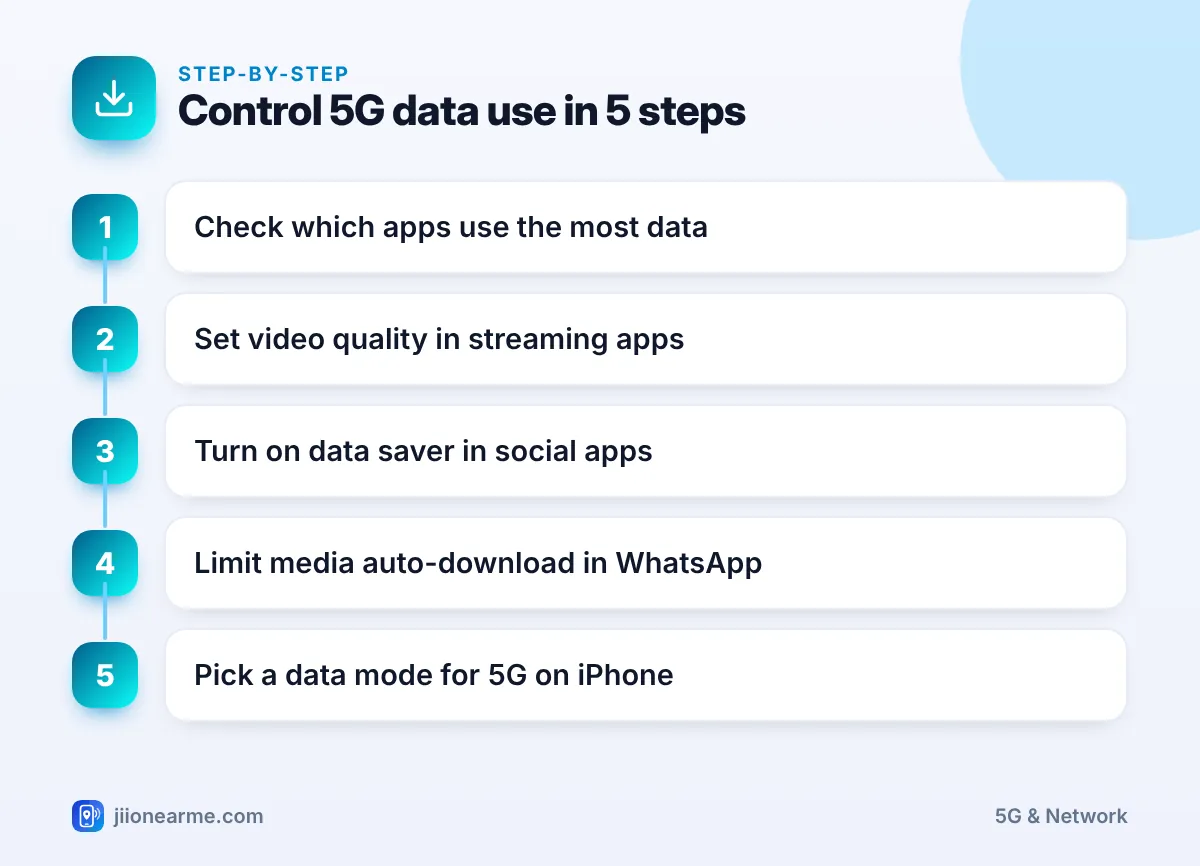
Most apps remember your choice. Spend ten minutes setting quality limits in the apps you use most, and your daily data will last noticeably longer.
Phone Settings That Control 5G Data
On iPhone
Go to Settings > Mobile Service (or Mobile Data) > Mobile Data Options > Data Mode. You will usually see three choices:
| Data Mode | What it does |
|---|---|
| Allow More Data on 5G | Allows higher-quality video and FaceTime on 5G, plus things like automatic updates and iCloud backups over mobile data |
| Standard | Allows automatic updates and background tasks on mobile data, but keeps video and FaceTime at standard quality |
| Low Data Mode | Pauses automatic updates and background tasks to reduce data use |
If your plan has a daily limit, Standard or Low Data Mode is the safer choice. Use Allow More Data on 5G only if you are comfortable with higher usage.
On Android
- Turn on Data Saver from Settings > Network & internet (on Samsung, Connections > Data usage). It stops most apps from using data in the background.
- Open the data usage screen in Settings to see which apps use the most mobile data. The exact path varies by brand.
- In the Google Play Store, tap your profile picture, open Settings > Network preferences and set Auto-update apps to Over Wi-Fi only.
When a laptop uses your phone’s hotspot, it may treat the connection like home broadband and download big updates. Many laptops let you mark a network as a metered connection to reduce this. Turn the hotspot off when you finish.
Track Your Data Use on Jio
The MyJio app shows how much data you have used and how much is left in your plan. Open the app, check the data meter on the home screen and look at usage history for day-wise details. Usage can take a little time to update, so check again later if a number looks off.
Your plan decides how much 5G data you get and whether a daily limit applies. These terms change from time to time, so check your current plan in the MyJio app or on jio.com instead of relying on old screenshots.

Frequently Asked Questions
Does 5G use more data than 4G for the same video?
No. The same video at the same quality uses the same data on both networks. The difference appears when an app picks a higher quality because 5G is faster.
Why did my data finish faster after I got 5G?
Most likely, your video apps are streaming in higher quality, or updates and backups are running over mobile data. Set quality limits and check app-wise usage in your phone settings.
Is it safe to keep Data Saver on all the time?
Yes. Data Saver only limits background data. Some apps may refresh less often until you open them, but nothing breaks.
Should I switch to 4G just to save data?
You can, since apps may pick lower quality on a slower connection. But setting quality limits inside your apps is a better fix, because you keep 5G speed for everything else.
Wrapping Up
5G itself does not make your data disappear faster. Your apps do, by using the extra speed for sharper video and more background activity. Set video quality limits in the apps you use most, choose a sensible data mode on your phone and glance at usage in the MyJio app now and then. That way you get 5G speed without surprises at the end of the day.
JIo Near me is an independent guide and is not affiliated with Reliance Jio. App menus, plans and policies can change – always confirm current details in the official MyJio app or on jio.com. We will never ask for your OTP, PIN or passwords.
