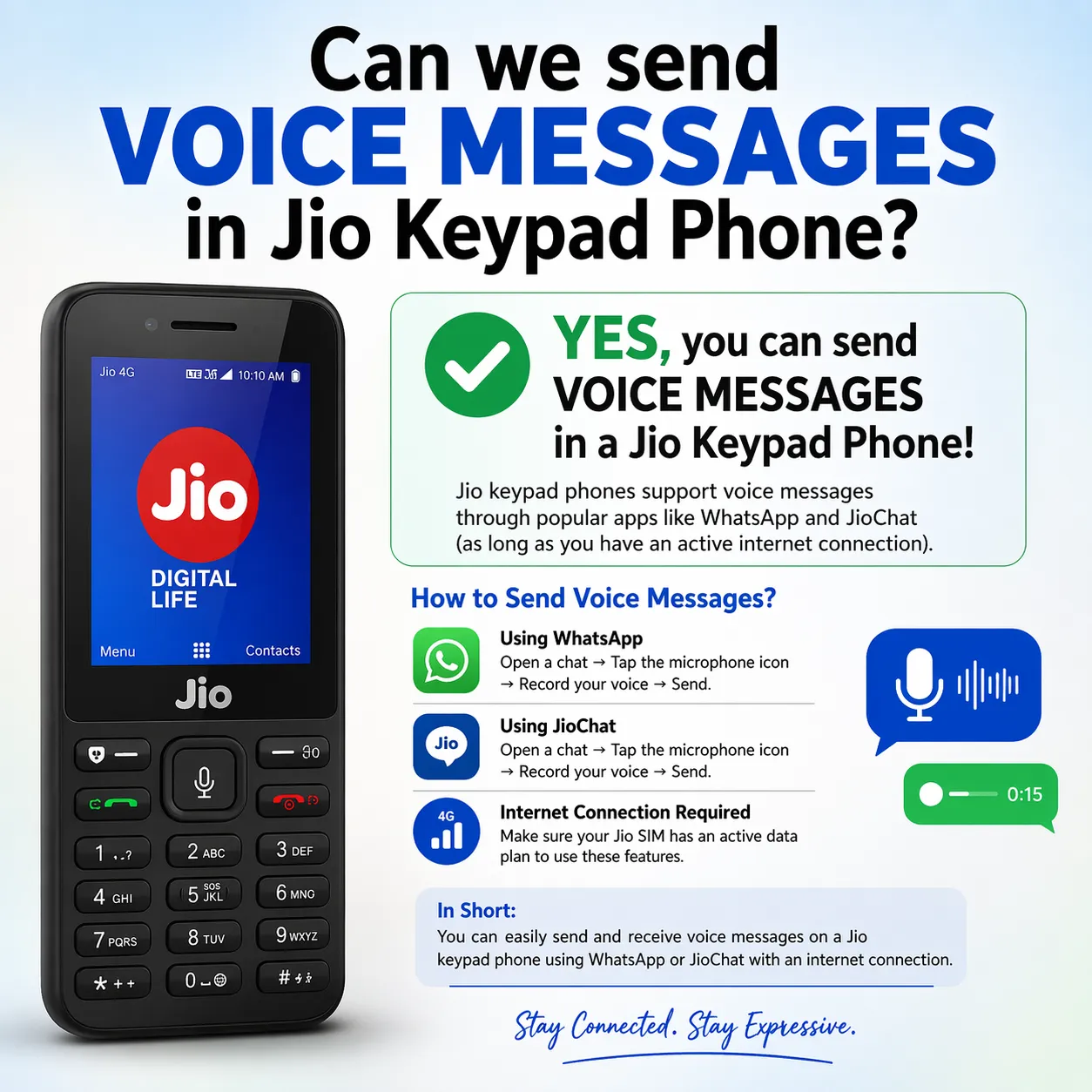
You’re holding your simple Jio keypad phone — the reliable button phone with a big keypad, long battery life, and that classic flip or bar design many elders and budget users still love. Typing long messages feels tedious, especially in regional languages or when your hands are busy. So the natural question arises: Can you just speak and send a voice message instead of typing?
The short and practical answer is Yes, you can send voice messages on most Jio keypad phones, but it depends on the exact model and the app you use. Pure traditional feature phones without smart capabilities are limited to regular SMS and voice calls. However, JioPhone series (JioPhone, JioPhone 2, JioPhone Prima, and similar 4G smart feature phones running KaiOS or Jio’s platform) fully support voice messaging through dedicated apps.
Here’s everything you need to know, explained simply.
1. On Official JioPhone (Smart Keypad Phones)
These are not dumb old keypad phones — they are 4G smart feature phones with access to Jio apps and a small app store.
Best Ways to Send Voice Messages:
- WhatsApp on JioPhone WhatsApp is officially available on JioPhone models. You can record and send voice notes just like on a smartphone. How: Open a chat → Look for the microphone icon (usually at the bottom) → Press and hold to record → Release to send. It supports end-to-end encryption, and many users find it surprisingly smooth even on the limited keypad navigation.
- JioChat App (Jio’s own messaging app) JioChat is pre-installed or easily downloadable on JioPhones. It allows you to send voice notes directly. Steps: Open JioChat → Go to a chat → Tap and hold the microphone icon → Record your message → Release to send. You can also send photos, stickers, and make free HD voice/video calls within the app.
- JioMessages or Unified Messaging Some Jio keypad models come with an all-in-one Messages app that combines SMS and richer chat features. In newer updates, it supports voice and video messages in RCS-enabled chats (when both sides have compatible apps).
- Hello Jio Voice Assistant Many JioPhones have a dedicated voice button or “Hello Jio” assistant. You can speak commands like “Send message to [name]” and dictate the content. While this is more for composing text via voice, it reduces typing effort significantly.
Also read: Can i install jio voice call from airtel network?
2. On Regular (Non-Smart) Jio Keypad Phones
If you’re using a basic 4G VoLTE keypad phone from brands like Nokia, Lava, Itel, or other models that only accept a Jio SIM but don’t run KaiOS or have JioStore:
- Native voice messaging? No direct “voice note” like WhatsApp. You can only send regular text SMS using the keypad.
- Workarounds:
- Use Jio4GVoice / JioCall app if the phone supports limited apps (rare on pure keypad models).
- For voice communication, stick to normal voice calls or video calls (if supported).
- Some users switch to WhatsApp by using a smartphone alongside, but that defeats the purpose of a single keypad device.
Most basic keypad phones prioritize calls and SMS. If voice messaging is important, upgrading to a JioPhone series makes a huge difference.
Step-by-Step: How to Send Voice Message on JioPhone (Most Common Method)
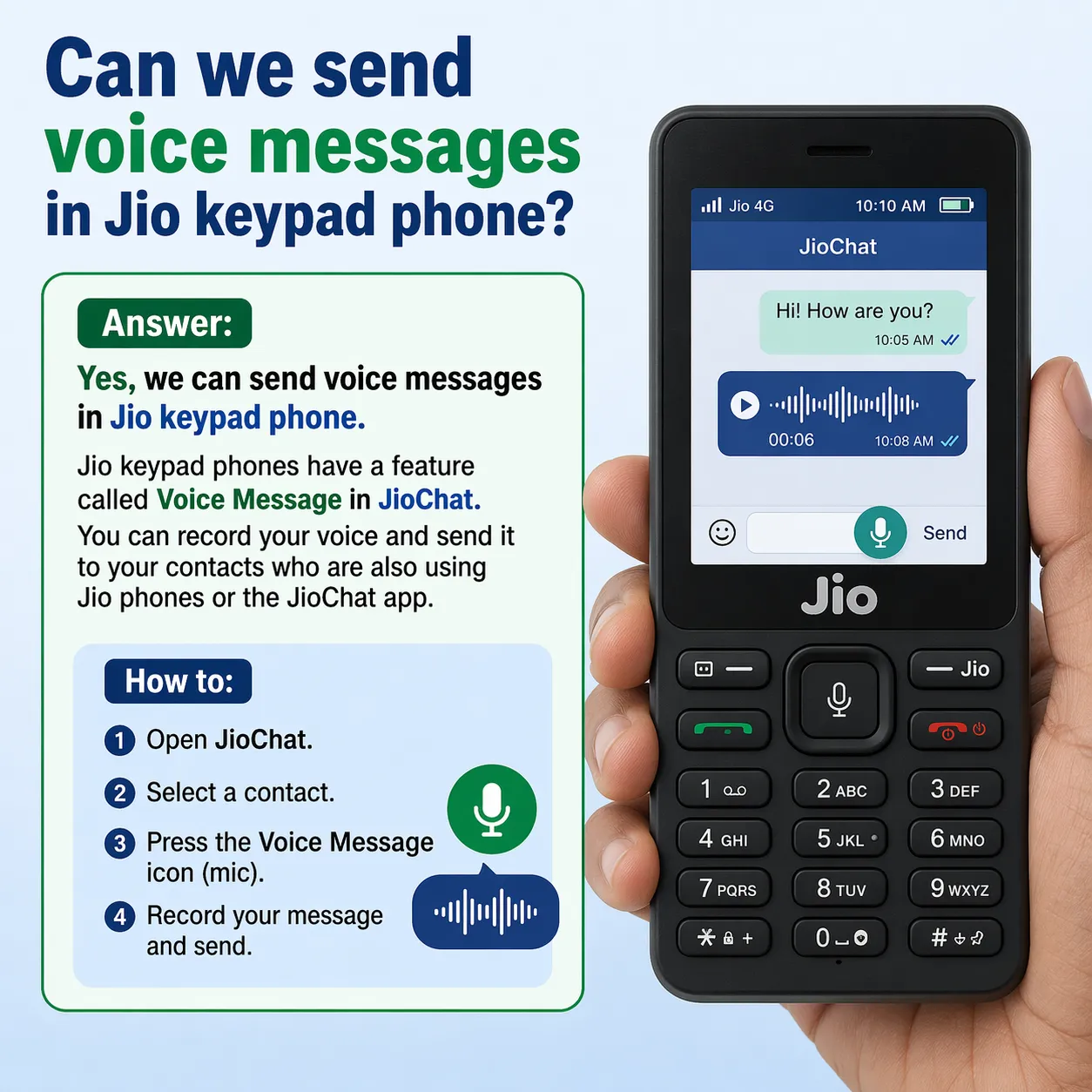
- Ensure your JioPhone has internet (4G data active — Jio plans usually include plenty).
- Open WhatsApp or JioChat from the menu (use the navigation pad and center key).
- Select or search for the contact.
- In the chat screen, find the microphone icon.
- Press and hold the microphone (or select it with the keypad) while speaking clearly.
- Release when done — the voice message sends automatically.
- You can listen to received voice messages by pressing the play button.
Tip: Speak close to the microphone in a quiet place for clear audio. Voice messages save data compared to long calls and feel more personal.
Real-Life User Experience
Many grandparents and small-town users love this feature. One common story: An elderly father in a village uses his JioPhone to send short voice notes to his son in the city — no more struggling with Hindi typing on small keys. The son replies with voice too, keeping the connection warm and effortless.
Battery life remains excellent even with occasional voice messaging, and data usage is low for short clips.
Honest Limitations
- Navigation is slower than a touchscreen — you use the D-pad and soft keys.
- Not all basic keypad phones support these apps.
- Voice messages work best when the receiver also has WhatsApp or JioChat.
- In very low network areas, recording might fail; fall back to SMS.
- App updates come slower on feature phones, but core voice note functionality has been stable since 2018–2019 and continues in 2026.
Final Verdict
Yes — you can comfortably send voice messages on a Jio keypad phone, especially if it’s a JioPhone or any model that supports WhatsApp and JioChat. It turns your simple button phone into a more expressive communication tool without needing to type everything.
If your current keypad phone feels too limited, check the JioStore for updates or consider the latest JioPhone models — they are still affordable and designed exactly for users who want simplicity plus modern features like voice notes.
No more long typing sessions. Just press, speak from the heart, and send. Your family will appreciate hearing your voice instead of reading cold text.
Also read: How to Activate Voicemail on Jio: 5 Methods
