Voicemail is a great addition that enables you to stay connected even when you cannot pick up your phone because the caller would leave a message that you can attend to at a later stage. In India, whereye Reliance Jio has taken the telecom market with its large-scale 4G and 5G services, most of the people want to use voicemail services with their Jio SIMs. But as of August 27, 2025 Jio does not even provide a carrier based voicemail service, as a result of technical and commercial disputes, as has been confirmed by various sources, including direct enquiry of Jio customer care. Although this is so, there exist other means and devices that can be employed by the users to have the voicemail like service. At least five ways to obtain voicemail features on Jio are encountered in the following article, accompanied by visual representations and proper connections to the official Jio sources. The challenges will also be discussed and we will shed some light on the confusion as well and attempt to do so in around 900 words.
Method 1: Check for Jio’s Official Voicemail Service
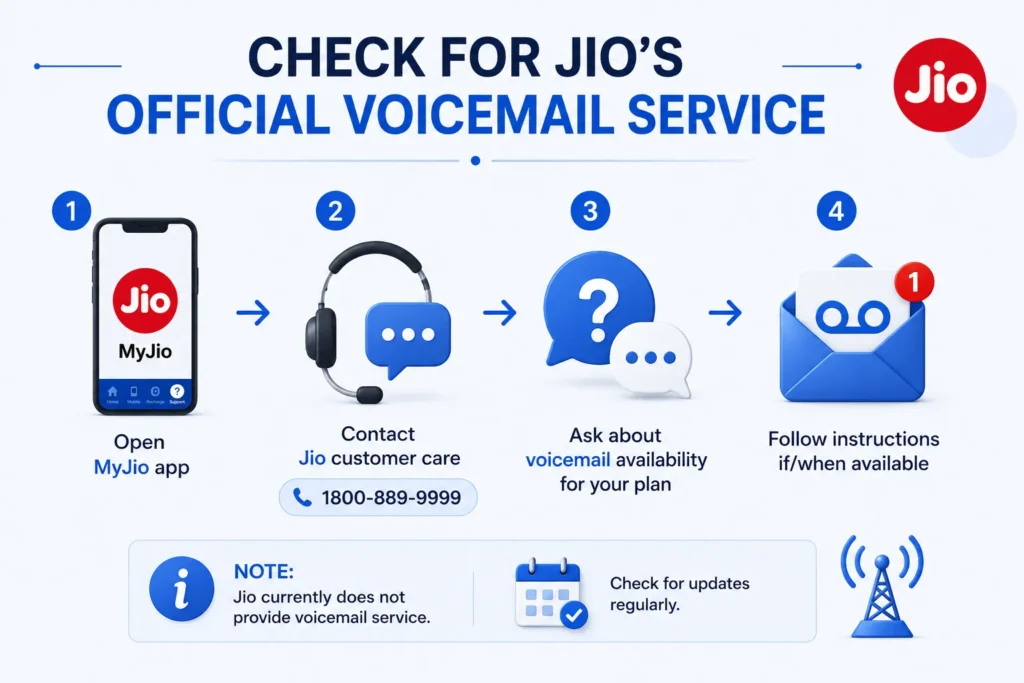
Although Jio currently does not provide a voicemail service, it’s worth checking for updates, as telecom features evolve rapidly. Visit the official Jio website or contact Jio customer care via the MyJio app to inquire about voicemail availability. Some users have reported sporadic voicemail functionality, possibly during beta tests, as noted in discussions on platforms like Reddit. To check:
-
Open the MyJio app or dial Jio customer care at 1800-889-9999.
-
Ask about voicemail activation for your prepaid or postpaid plan.
-
If available, follow the provided instructions, which may involve setting a PIN and recording a greeting.
Visual Representation: Imagine a screenshot of the MyJio app’s “Help & Support” section, showing a chat with customer care asking, “Is voicemail available for my Jio number?” The response might confirm its unavailability or provide new activation steps if recently introduced.
This method is speculative since Jio explicitly stated in 2024 that voicemail is not supported. However, with Jio’s ongoing innovations, such as JioAirFiber, checking periodically is prudent.
Method 2: Enable iPhone’s Live Voicemail (iOS 17 or Later)
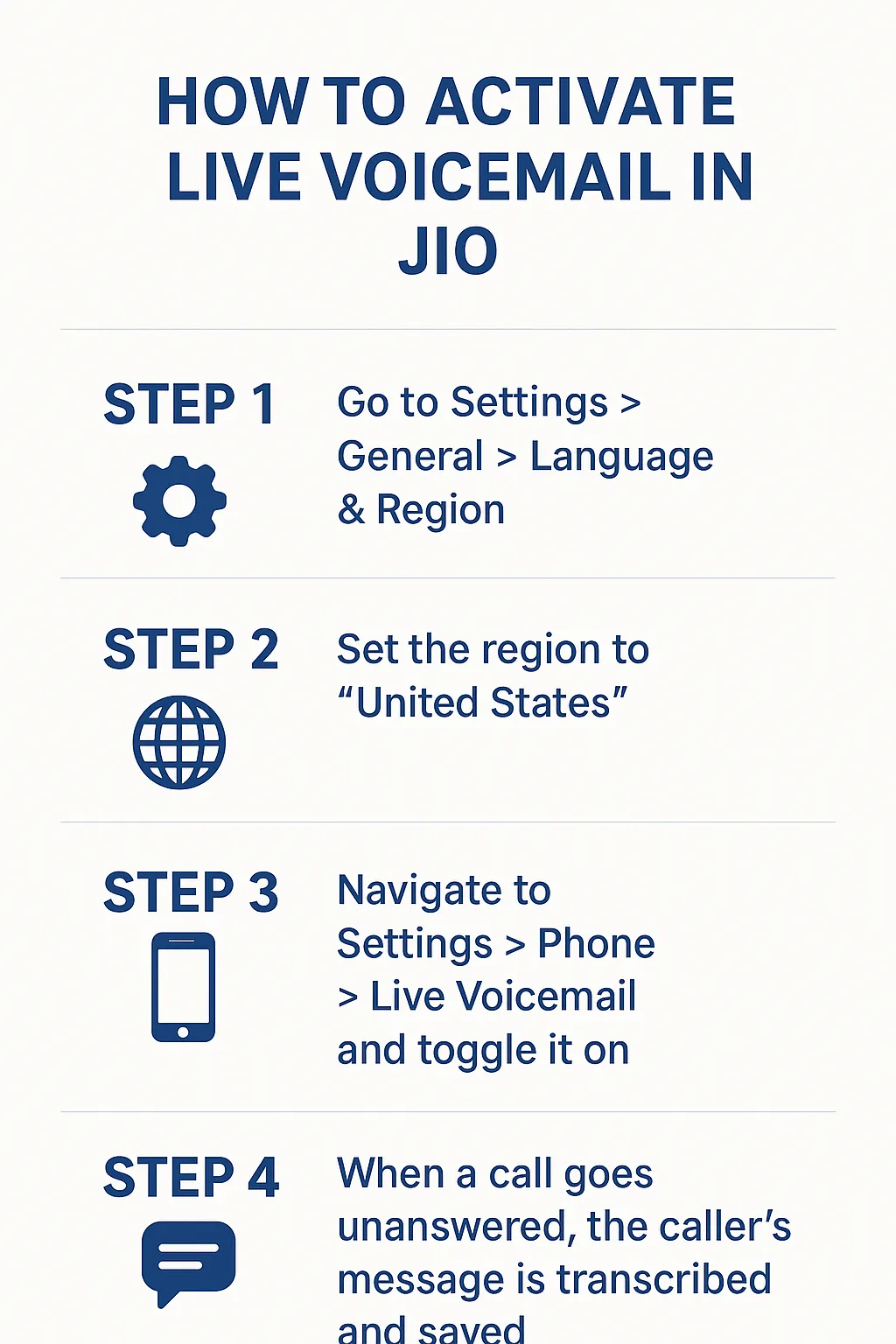
For iPhone users on Jio, Apple’s Live Voicemail, introduced in iOS 17, offers a device-based solution that doesn’t rely on carrier support. This feature transcribes voicemails in real-time, displaying them in the Phone app. Note that Live Voicemail may require changing your iPhone’s region to the USA or Canada, as it’s not officially supported in India.
Steps:
-
Go to Settings > General > Language & Region.
-
Set the region to “United States.”
-
Navigate to Settings > Phone > Live Voicemail and toggle it on.
-
When a call goes unanswered, the caller’s message is transcribed and saved.
This method works independently of Jio’s network but requires an iPhone running iOS 17 or later. Data charges may apply for transcription processing. Check Jio’s data plans to ensure sufficient data.
Method 3: Use Google Voice as a Voicemail Alternative
Google Voice provides a robust voicemail system that can be linked to your Jio number, offering a workaround for Jio’s lack of carrier voicemail. Google Voice allows you to set up a virtual number for voicemails, which can be accessed via the Google Voice app or website.
Steps:
-
Sign up for a Google Voice account at voice.google.com.
-
Link your Jio number or select a new Google Voice number.
-
Configure voicemail settings, including a greeting and PIN.
-
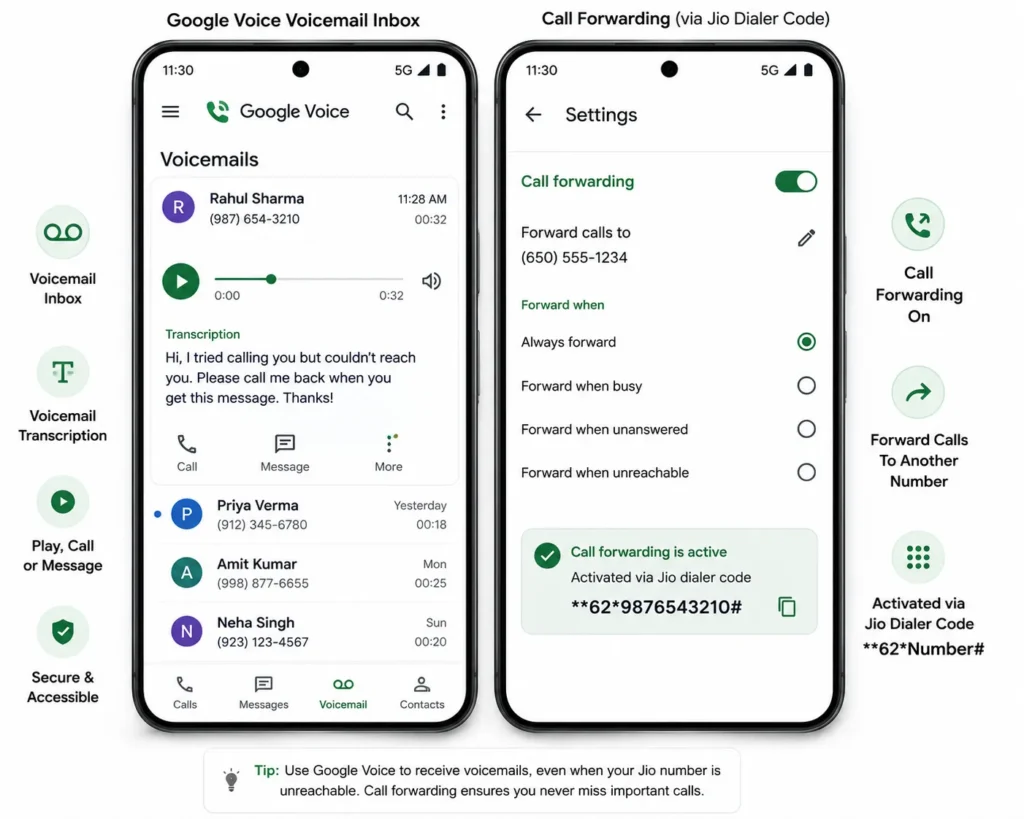
Forward unanswered Jio calls to your Google Voice number using Jio’s call forwarding feature (401).
Visual Representation: Envision a Google Voice app screenshot showing a voicemail inbox with a transcribed message from a caller, alongside settings for call forwarding activated via Jio’s dialer code.
This method is reliable but requires internet access and may involve international call forwarding charges. Verify costs with Jio’s support.
Also check our article on How to keep jio sim active without recharge?
Method 4: Utilize WhatsApp Voicemail Feature
WhatsApp, owned by Meta, offers a voicemail-like feature for missed calls within the app, integrated with Jio’s data services. If a WhatsApp call is missed, callers can leave a voice message, which acts as a voicemail alternative.
Steps:
-
Ensure WhatsApp is updated via the JioMart Digital app store or Google Play.
-
When a WhatsApp call is missed, the caller sees options: “Call Again,” “Cancel,” or “Voice Message.”
-
Instruct callers to select “Voice Message” to record a message.
-
Access these messages in your WhatsApp chat with the caller.
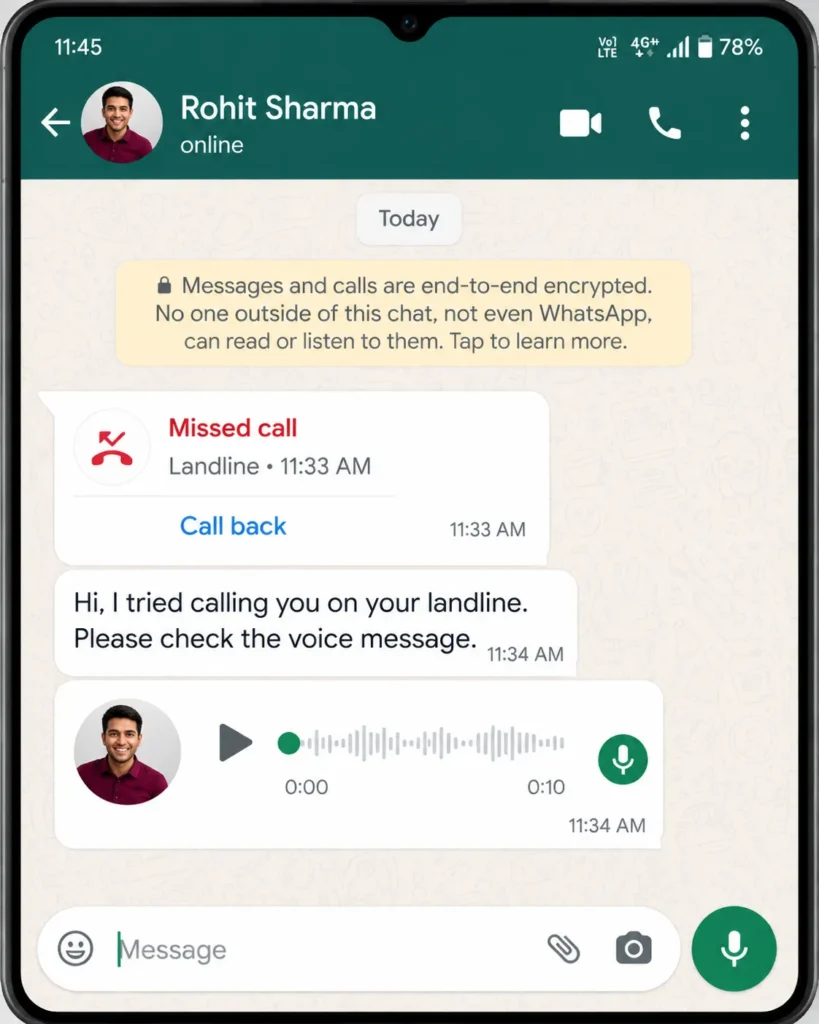
This method is free with Jio’s data plans but limited to WhatsApp contacts. It’s ideal for users already active on WhatsApp, leveraging Jio’s unlimited data plans.
Method 5: Third-Party Voicemail Apps
Several third-party apps, like YouMail or Visual Voicemail, offer voicemail services that can work with Jio numbers. These apps provide virtual numbers or integrate with your existing number to manage voicemails.
Steps:
-
Download YouMail from Google Play or the App Store.
-
Sign up and link your Jio number.
-
Set up a greeting and PIN as prompted.
-
Configure call forwarding to the app’s assigned number using Jio’s call settings.
-
Access voicemails via the app’s interface.
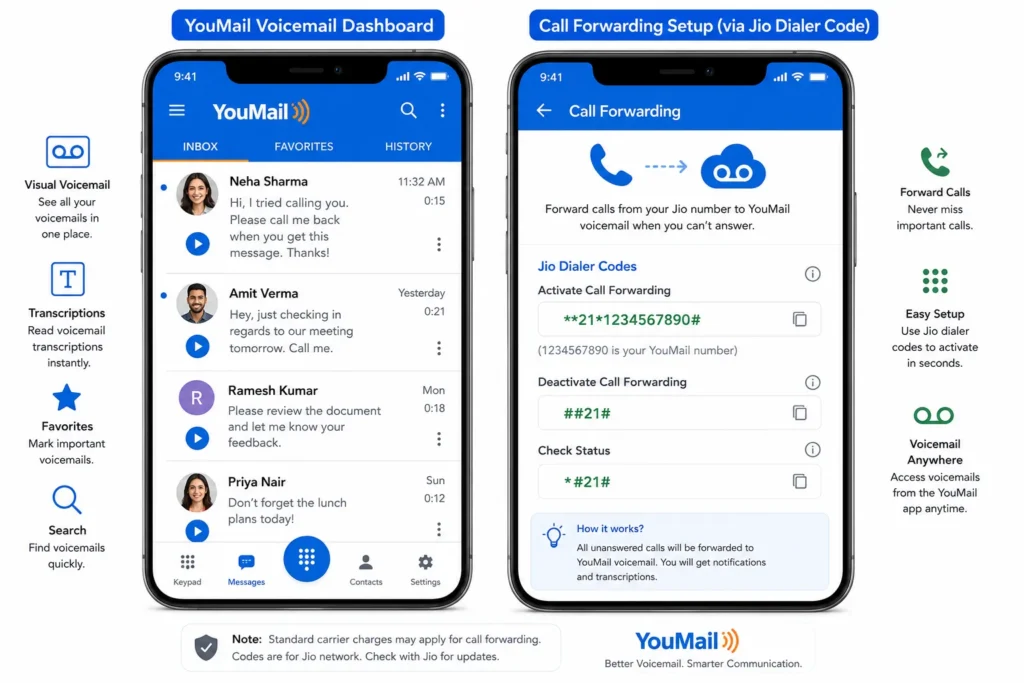
These apps may require subscriptions or data usage, so review Jio’s data tariffs before use. They’re effective but depend on internet connectivity.
Challenges and Considerations
The primary challenge is Jio’s lack of native voicemail support, forcing reliance on device or third-party solutions. iPhone’s Live Voicemail may not work without region changes, and Google Voice or third-party apps involve setup complexity and potential costs. WhatsApp voicemail is limited to app users, reducing its universality. Additionally, call forwarding may incur charges, and rural Jio users might face connectivity issues for app-based solutions. Always verify compatibility with your device and plan via Jio’s support portal.
Conclusion
Activating voicemail on Jio requires creative workarounds due to the absence of a carrier-provided service. By checking Jio’s official channels, using iPhone’s Live Voicemail, leveraging Google Voice, utilizing WhatsApp’s voice messages, or installing third-party apps like YouMail, users can achieve voicemail functionality. Each method has unique advantages Philosophical, from Apple’s seamless integration to WhatsApp’s accessibility. Visual representations, like app screenshots or dialer codes, clarify the setup process. Stay updated via Jio’s official site for potential voicemail rollouts, and explore these methods to stay connected effortlessly.

Great work, its really help me thank you buddy.