
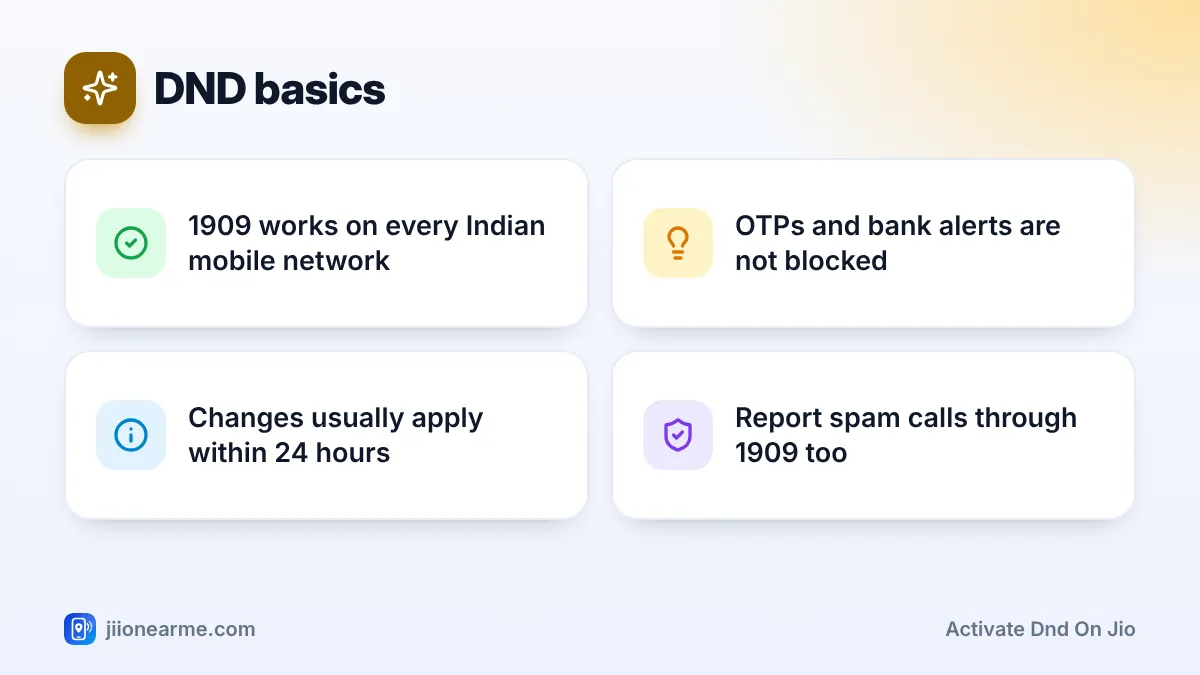
You don’t need to open any app to switch on Do Not Disturb (DND) for your Jio number. Call 1909 from that number and follow the voice menu, or send a short SMS to 1909, and your preference is registered under TRAI’s rules. You get a confirmation SMS, and the block usually starts working within 24 hours.
This guide covers both methods, explains when to pick full or partial blocking, and shows how to check that your choice has been applied. It also explains what to do if sales calls keep coming afterwards.
- 1909 is the common DND short code for all mobile operators in India, including Jio.
- Calling 1909 is the easiest way to choose full or partial blocking, because the menu guides you.
- An SMS to 1909 is quick for full blocking, but keywords can change, so watch for the reply.
- OTPs, bank alerts, service messages and personal calls are not affected by DND.
What 1909 Is and How DND Works
1909 is a short code set up under TRAI’s rules for commercial communication. Every operator in India uses it to register DND preferences and to accept complaints about unwanted promotional calls and SMS.
When you register a preference, registered telemarketers must respect it before sending promotional calls or messages to your number. You can choose:
- Full blocking: no promotional calls or SMS in any category.
- Partial blocking: you choose categories such as banking, real estate, education or health.
DND is only for promotional communication. Your OTPs, bank debit and credit alerts, delivery updates, government messages and calls from people you know continue as normal.
Method 1: Activate DND on Jio by Calling 1909
Calling is the most beginner-friendly method because the voice menu explains each option.
- Open your phone’s dialler. On a dual-SIM phone, choose the Jio SIM you want to protect.
- Dial 1909 and wait for the recorded menu.
- Pick your language when asked.
- Choose the option to register or change your DND preference.
- Select full blocking, or choose the categories you want as the menu reads them out.
- Confirm your choice when prompted.
- Wait for an SMS confirming that your request has been registered.
If the menu is busy or the call drops, try again later in the day. Menu wording and option numbers can change, so listen carefully rather than pressing keys from memory.
Method 2: Activate DND by Sending an SMS to 1909
SMS is handy if you prefer not to sit through a voice menu.
- Open your messaging app and start a new message to 1909. Make sure it goes from your Jio SIM.
- For full blocking, type FULLY BLOCK and send it. Some older guides mention START 0 for the same purpose.
- Wait for a reply from the network confirming your request, or explaining the current format.
- Keep the confirmation SMS until the preference becomes active.
For partial blocking, calling 1909 or using the MyJio app is usually simpler, because the categories are listed for you and you do not need to remember category numbers.

TRAI and operators update the formats from time to time. If your SMS gets an error reply or no confirmation within a day, call 1909 instead, or open MyJio, go to the menu (☰), then Settings, and look for Do Not Disturb or DND.
Which method should you use?
| Method | Good for | Partial blocking | Needs internet |
|---|---|---|---|
| Call 1909 | Beginners and older family members | Yes, menu-guided | No |
| SMS to 1909 | Quick full blocking | Possible, but harder | No |
| MyJio app | Seeing and editing your choice on screen | Yes, tick categories | Yes |
| TRAI DND app | Setting DND and filing complaints | Yes | Yes |
How to Confirm Your DND Preference Is Active
After you call or send the SMS, check in three ways:
- Read the confirmation SMS. It shows that your request has been received and may mention the preference you chose.
- Give it 24 hours. Promotional calls during this window do not mean the request failed.
- Check it on screen. Open the DND section in MyJio or the TRAI DND app, sign in with your number and see which preference is shown.
If nothing has changed after a day and you never received a confirmation SMS, repeat the request by calling 1909. If it still fails, call Jio customer care on 199 from your Jio number.
Setting DND for an elderly parent? Do it from their phone by calling 1909 with them, and choose full blocking. Their OTPs and bank alerts will still arrive, but far fewer sales calls will.
Changing or Removing DND Later
Your preference is not permanent. You might want to allow education offers during admission season or property offers while house hunting.
- To change categories, call 1909 and choose the option to change your preference, or edit it in MyJio.
- To remove DND, call 1909 and choose the option to deregister, or switch it off in MyJio.
- After any change, wait up to 24 hours and look out for the confirmation SMS.
If Sales Calls Still Come After DND
Some unwanted calls slip through even after DND is active. Common reasons:
- The change is still applying. Wait the full 24 hours.
- You gave consent earlier. A business may still contact you if you ticked a box allowing it. Ask that business to remove your consent.
- The caller is unregistered. Many sales calls come from ordinary 10-digit numbers that ignore DND rules.
Report unregistered telemarketers by calling 1909 or through the TRAI DND app. Give the caller’s number, the date and time, and a short description of what they were selling. Report soon after the call, as complaints have a time limit.
Calls asking for OTPs, threatening arrest or offering fake KYC updates are fraud. Report them through Chakshu on the Sanchar Saathi portal, and call 1930 at once if you have lost money.
Frequently Asked Questions
How long does DND take to start working on Jio?
Your preference usually takes effect within 24 hours of registration. You will normally get a confirmation SMS when the request is accepted.
Will DND stop my OTPs and bank SMS?
No. OTPs, transaction alerts and service messages are not promotional, so they are delivered even when you choose full blocking.
Can I activate DND for someone else's number?
The request must come from the number you want to protect. For a family member, call or send the SMS from their phone, with their permission.
Does DND stop spam on WhatsApp?
No. DND covers promotional calls and SMS on your mobile number. For WhatsApp, block and report the sender inside the app.
Summary
To activate DND on Jio without an app, call 1909 from your Jio SIM and follow the menu, or send an SMS for full blocking. Wait for the confirmation, give it a day to apply, and check your preference in MyJio or the TRAI DND app. Report any unregistered callers who keep ringing.
JIo Near me is an independent guide and is not affiliated with Reliance Jio. App menus, plans and policies can change – always confirm current details in the official MyJio app or on jio.com. We will never ask for your OTP, PIN or passwords.
