You can turn on Do Not Disturb (DND) for your Jio number in a few taps from the MyJio app. Open the menu, go to settings, find the DND option, choose full or partial blocking and submit. The change usually applies within a day, and important messages such as OTPs and bank alerts keep coming.
This guide walks you through each step, helps you pick between full and partial blocking, and shows how to check that DND is working. It also explains what to do if promotional calls continue after DND is active.
- In MyJio, open the menu (☰), go to Settings and look for Do Not Disturb or DND.
- Choose Fully blocked to stop all promotional calls and SMS, or select categories for partial blocking.
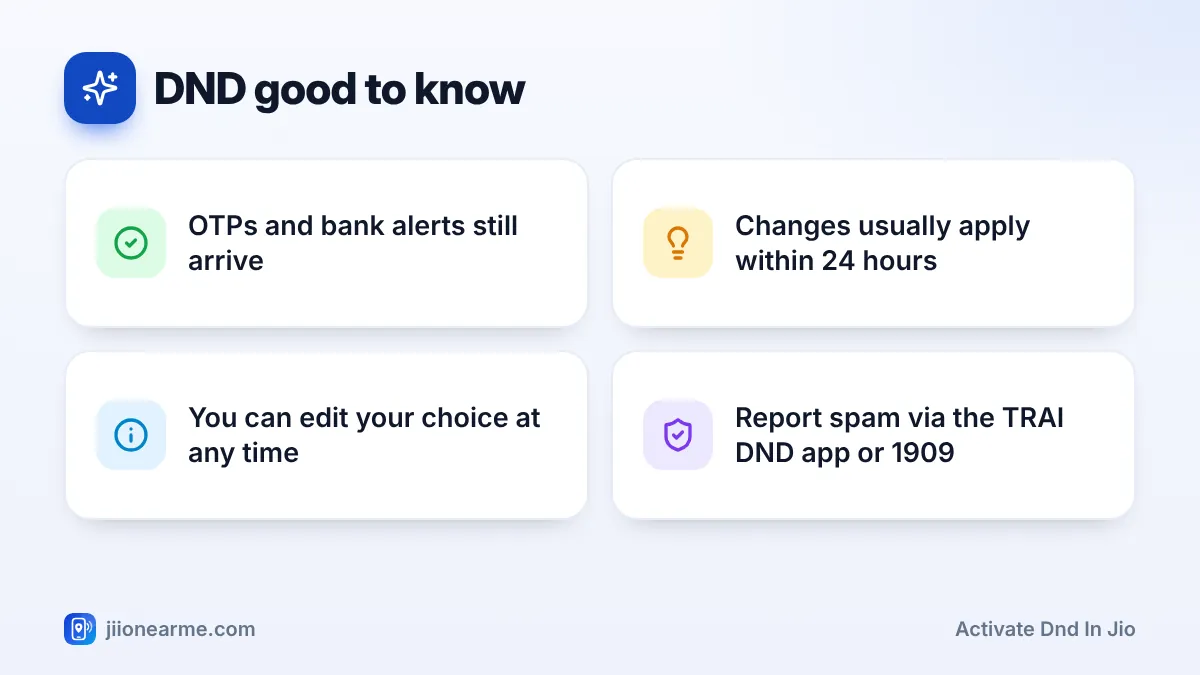
- OTPs, bank alerts and service messages are not blocked by DND.
- You can also set DND by calling 1909 or using the TRAI DND app.
What DND Does on Your Jio Number
DND is a preference you register with your operator under TRAI’s rules. It tells registered telemarketers that you do not want promotional calls or SMS, either at all or for certain types of products.
DND is meant for marketing messages. It does not stop:
- Transactional messages, such as OTPs and debit or credit alerts from your bank.
- Service messages, such as delivery updates, booking confirmations and messages about your own accounts.
- Government messages and alerts.
- Personal calls and SMS from people you know.
It also cannot fully stop calls from fraudsters or unregistered telemarketers who use ordinary mobile numbers. Those need to be reported, which is covered further below.
Before You Turn On DND
Check these points first:
- Select the right number. If several numbers are linked in MyJio, switch to the one you want to protect.
- Update MyJio. Older app versions may place the setting elsewhere.
- Decide how strict you want to be. Full blocking stops all promotional calls and SMS. Partial blocking lets you keep some categories you find useful.
How to Activate DND in Jio Using MyJio
The labels below can differ slightly between app versions, but the flow is usually similar on Android and iPhone.
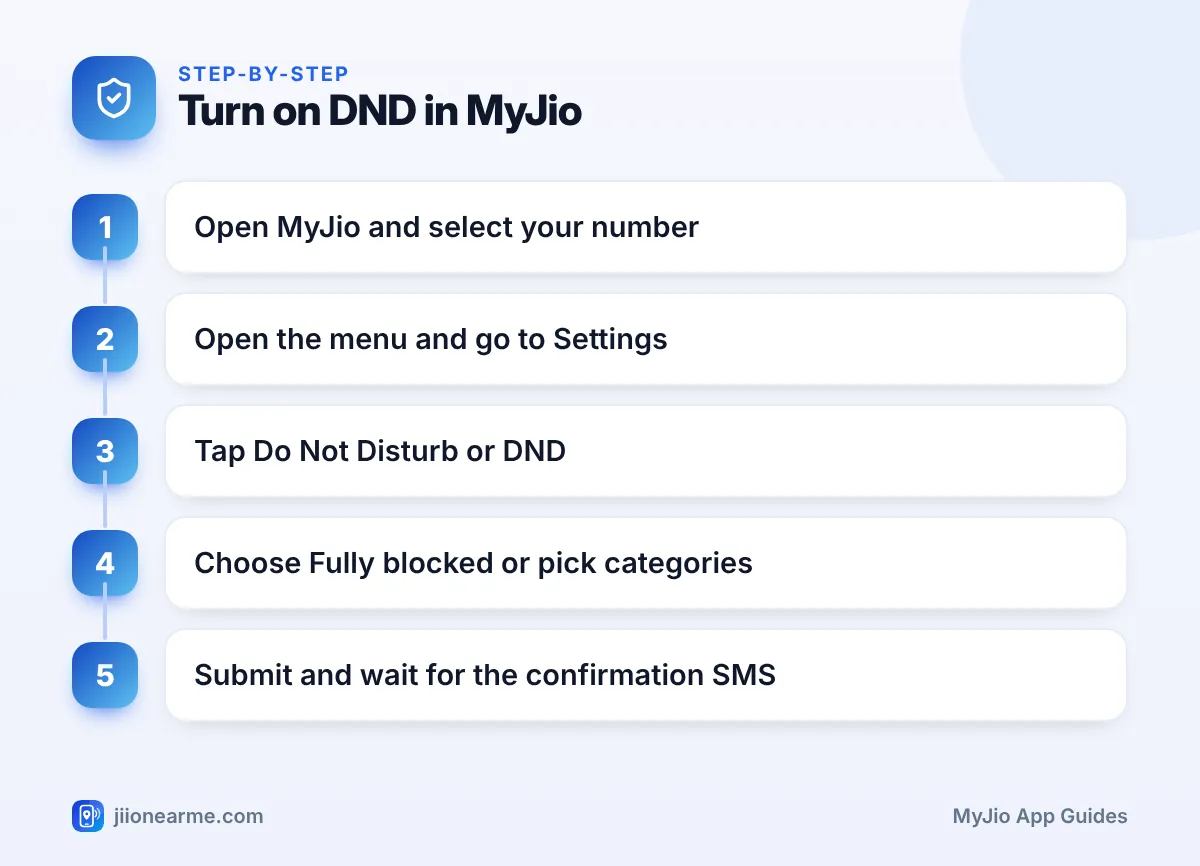
- Open the MyJio app and check that the correct number is shown at the top.
- Open the menu (☰) or tap your profile icon.
- Go to Settings. On some versions, look for Service settings inside it.
- Tap Do Not Disturb or DND.
- Choose Fully blocked to stop all promotional calls and SMS, or choose the partial option to select categories.
- If you chose partial blocking, tick the categories as the screen asks.
- Tap Submit, Save or Confirm.
- Wait for an SMS from Jio confirming that your preference has been registered.
Try the search bar at the top of MyJio and type “DND” or “Do Not Disturb”. Menu names change between app versions, and search is often the quickest way to reach the setting.
Choosing Full or Partial Blocking
Here is how the two options compare:
| Option | What it does | Good for |
|---|---|---|
| Fully blocked | Blocks promotional calls and SMS in all categories | People who want no marketing at all |
| Partially blocked | Lets you choose categories | People who want some offers, such as from banks |
| No DND | All promotional messages allowed | People who want every offer |
With partial blocking, read the heading above the category list carefully. Depending on the app version, the screen may ask which categories you want to receive or which you want to block. Tick boxes based on that wording, not on guesswork.
If you are setting DND for elderly parents, full blocking is usually the simpler choice. They will still get OTPs, bank alerts and messages about their own accounts, but far fewer sales calls.
How to Confirm DND Is Active
After you submit, check in three ways:
- Read the SMS. Jio usually sends a message confirming the preference you chose.
- Reopen the DND screen in MyJio. Your chosen option should now appear as selected.
- Give it time. The preference usually takes effect within 24 hours. Promotional calls during that window do not mean it has failed.
Over the next few days, you should notice fewer promotional calls and SMS. Some messages may still come from businesses you have dealt with before, as they may treat them as service updates or rely on your earlier consent.
Other Ways to Set DND
If MyJio is not handy, you have two other official options:
- Call 1909 from your Jio number and follow the voice prompts to choose your preference.
- Use the TRAI DND app from the Play Store or App Store. It lets you register preferences and report unwanted calls and SMS.
You can read more about customer preferences on the TRAI website.
If Promotional Calls Keep Coming
Some unwanted calls may continue even after DND is active. Here is what to do:
- Wait for the change to settle. Give it at least a day after the confirmation SMS.
- Check the type of caller. Registered telemarketers normally use numbers that start with 140 for promotional calls. Sales calls from regular 10-digit mobile numbers often come from unregistered telemarketers.
- Report unwanted commercial calls and SMS through the TRAI DND app or by calling 1909. Note the number, date and time.
- Report fraud separately. For suspected fraud calls or messages, use Chakshu on the Sanchar Saathi portal. If you have lost money, call the cybercrime helpline 1930 straight away.
Some fraudsters pretend to help you activate DND or stop spam and then ask for an OTP or a payment. Jio and TRAI will never ask for your OTP to set DND. End the call and report it.
Frequently Asked Questions
Will DND stop OTPs from my bank?
No. OTPs and bank transaction alerts are transactional messages, so they keep arriving with DND on.
How long does DND take to start working?
It usually takes effect within 24 hours of your request. Jio normally confirms your preference by SMS.
Can I change or turn off DND later?
Yes. Go back to the DND screen in MyJio, change your choice and submit again. You can also call 1909 or use the TRAI DND app.
Does DND block calls from unknown personal numbers?
No. DND covers promotional calls and SMS from registered telemarketers. Calls from ordinary numbers may still come, so report unwanted ones through the TRAI DND app or 1909.
Final Thoughts
To activate DND in Jio, open MyJio, go to Settings, choose Do Not Disturb, pick full or partial blocking and submit. Wait for the confirmation SMS and allow up to a day for the change to apply. Keep reporting persistent spam through the TRAI DND app or 1909, and never share an OTP with anyone who calls about DND.
JIo Near me is an independent guide and is not affiliated with Reliance Jio. App menus, plans and policies can change – always confirm current details in the official MyJio app or on jio.com. We will never ask for your OTP, PIN or passwords.
