To get a new Jio postpaid connection, apply through an official route: the Jio website, the MyJio app where the option is offered, or a Jio Store. You choose a JioPlus plan, complete KYC with an accepted ID, and your SIM is activated after verification.
Postpaid involves a few choices that prepaid does not, such as a credit limit, a possible security deposit and how you will pay your bill. This guide covers the application steps, those postpaid choices and what to expect before your first bill.
- Apply only through jio.com, the MyJio app or a Jio Store.
- Keep an accepted ID ready for KYC, which is required for every new connection.
- Decide between an individual and a family JioPlus plan before you apply.
- Ask about the security deposit and credit limit, and set up autopay early.
- Your first bill may cover only part of a month, depending on your activation date.
What You Need Before You Apply
Every new mobile connection in India needs identity verification. Keep these ready:
- A valid ID. Aadhaar is commonly used for eKYC. Other accepted documents may work, especially at a Jio Store.
- A current address. Needed for SIM delivery or your account records.
- An alternate contact number. Useful for delivery updates and verification messages.
- An email address. Postpaid bills are easier to manage when they arrive by email.
- A payment method. UPI, a debit or credit card, or net banking for any deposit or upfront charges.
There is also a limit on how many mobile connections can be registered in one person’s name. You can see the connections linked to your ID on the Sanchar Saathi portal.
Official Ways to Apply for a New Jio Postpaid Connection
Choose the route that suits you. The steps and screen labels may vary slightly over time.
Apply online on jio.com
- Visit the Jio website and open the postpaid or JioPlus section.
- Browse the current plans and choose an individual or family plan.
- Enter your name, contact number and delivery address.
- Pick a convenient slot for SIM delivery if asked.
- On delivery, complete KYC with your original ID as guided by the Jio executive.
- Insert the SIM and wait for the activation SMS.
Apply through the MyJio app
If you already use MyJio for another Jio number, look for an option to get a new connection or SIM on the home screen or in the menu (☰). Labels differ by app version. Choose postpaid, select a plan and follow the steps. If you do not see a postpaid option, use the website or a store instead.
Apply at a Jio Store
Visit a Jio Store with your original ID. Staff can explain the current plans, complete KYC on the spot and hand over the SIM. A store visit is useful if you want to set up a family plan for several people at once.
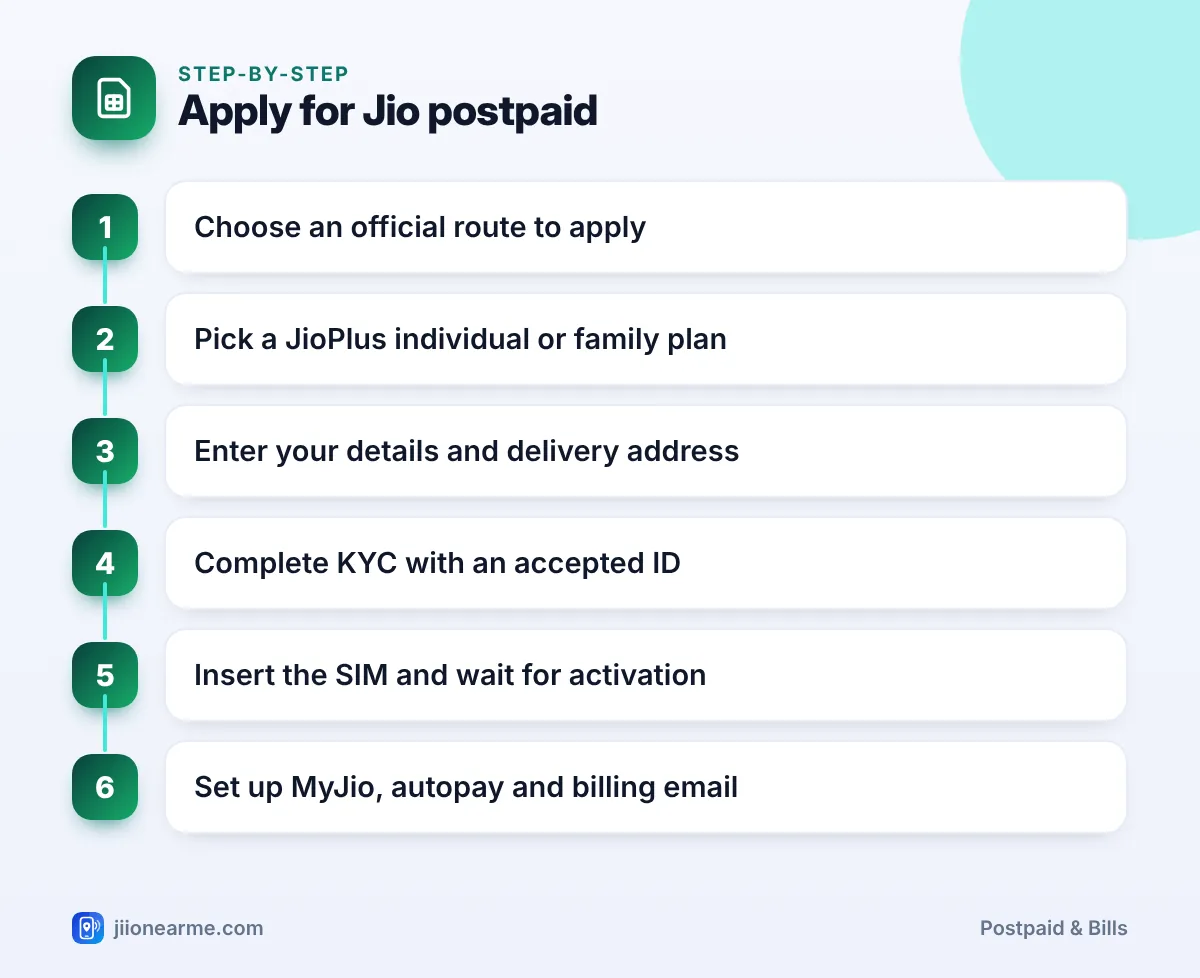
Complete KYC only through the official process at delivery or at the store. Never share an OTP, Aadhaar details or passwords with anyone who calls you about your new connection.
Postpaid Choices You Will Make
Postpaid is not just a SIM and a plan. These choices affect your bills from day one.
| Choice | What it means | Simple tip |
|---|---|---|
| Individual or family plan | One number, or a primary number with add-on members | Pick family if you pay for others’ phones |
| Plan size | Monthly data, calls and other benefits | Match your normal month, not your heaviest |
| Security deposit | A refundable amount some accounts may need | Ask before you confirm |
| Credit limit | Maximum charges allowed before payment | Know it so services do not pause |
| Payment method | Manual payment or autopay | Autopay reduces missed due dates |
| Bill delivery | Bill in MyJio and by email | Add an email you check often |
If you are unsure about plan size, start with a plan close to your current use. You can usually change your postpaid plan later.
Bringing Your Existing Number to Jio Postpaid
You do not always need a new number. If you use another operator today, you can port your number to Jio postpaid through mobile number portability (MNP).
- Send an SMS saying PORT followed by your 10-digit number to 1900 from that number.
- You will receive a Unique Porting Code (UPC) by SMS.
- Apply for Jio postpaid online or at a Jio Store, choose to port, and share the UPC during the process.
- Complete KYC, then wait for the port to finish.
If you are already a Jio prepaid user, you do not need to port. You can switch the same number from prepaid to postpaid instead.
If your current connection with another operator is postpaid, clear its pending bills before you request a port. Unpaid dues can cause the port request to be rejected.
What Happens Before Your First Bill
Once your new Jio postpaid connection is active, a few things happen in the background. Knowing them helps you avoid surprises.
- Activation and welcome messages. You receive SMS updates once your SIM is active. Restart your phone if services do not start right away.
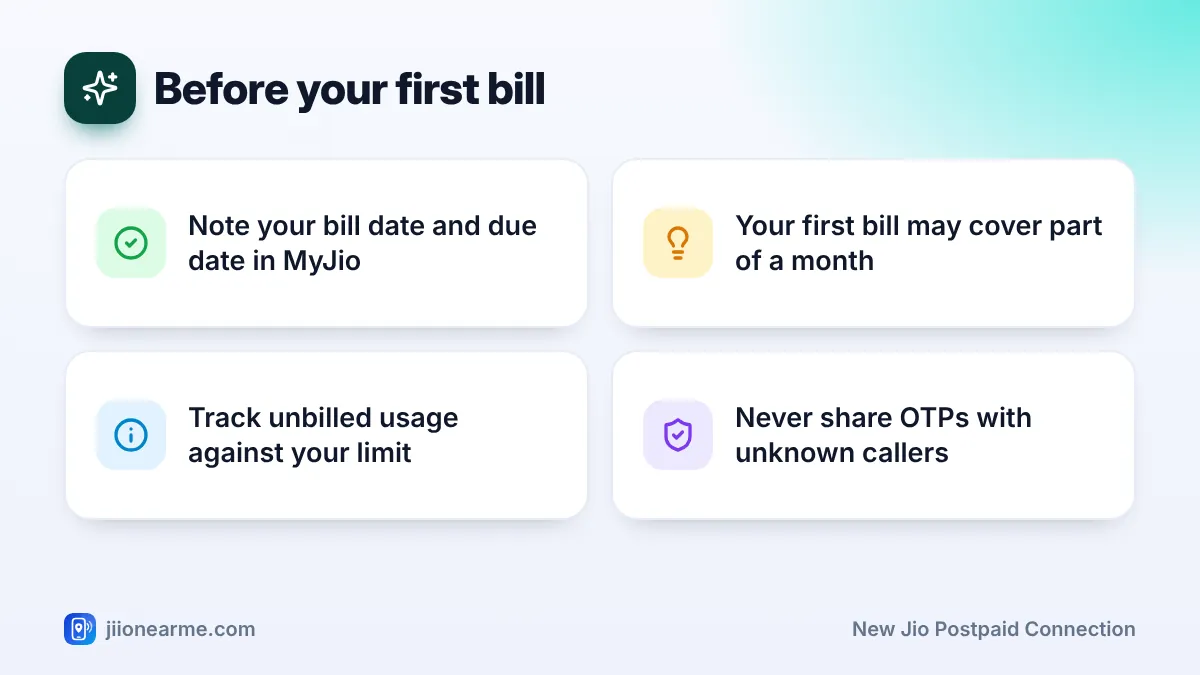
- Your billing cycle is set. Your account gets a bill date. Bills are generated on that date each month, with a due date some days later.
- Your first bill may be partial. If you activate mid-cycle, the first bill may cover only part of a month, plus any one-time items.
- Unbilled usage builds up. The MyJio app shows your unbilled usage. Keep an eye on it against your credit limit.
Set up the basics in your first week
- Download MyJio and sign in with your new number.
- Check your plan, bill date and credit limit in the account details.
- Add or confirm your billing email.
- Set up autopay through MyJio, a UPI autopay mandate or a card.
- If you chose a family plan, add your family members’ numbers as add-on members.
Write down your bill date and due date once they appear in MyJio. Paying a few days before the due date leaves time for the payment to reflect.
Frequently Asked Questions
How long does a new Jio postpaid connection take to activate?
It depends on KYC verification and the route you used. You will usually receive an SMS once your connection is active.
Can I get home delivery for a postpaid SIM?
Home delivery is often available when you apply on jio.com. Availability can vary by location, and a store visit is always an option.
Is a security deposit compulsory?
Not for everyone. It depends on the plan, payment method and eligibility, and you will be told before you confirm.
Can I choose a family plan at the start?
Yes. You can pick a JioPlus family plan when you apply and add family members as add-on members later, up to the plan’s limit.
Who do I contact if my SIM is not activated?
Call 199 for queries or 198 for complaints from a Jio number, or call the toll-free number 1800-889-9999.
Conclusion
Applying for a new Jio postpaid connection is mostly about choosing well. Use an official route, keep your ID ready, and decide on the plan type, deposit and payment method before you confirm.
Once the SIM is active, note your bill date, set up autopay and watch your unbilled usage in MyJio. That simple routine keeps your first bill, and every bill after it, free of surprises.
JIo Near me is an independent guide and is not affiliated with Reliance Jio. App menus, plans and policies can change – always confirm current details in the official MyJio app or on jio.com. We will never ask for your OTP, PIN or passwords.