For almost everyone, automatic network selection is the right choice. Leave it on, and your phone finds Jio and registers on it by itself, wherever you are in India. Manual network selection is a troubleshooting and travel tool, useful in a few specific situations but easy to forget once you turn it on.
The setting usually sits in your SIM menu under Network operators or Choose network. It looks important, which is why many people wonder whether changing it will improve signal. It will not do that on its own. This article compares the two modes, explains when manual selection helps and shows how to use it safely.
- Automatic selection lets your phone pick and register on the right network by itself.
- Manual selection locks your SIM to one network you choose from a list.
- In India, a Jio SIM can only register on Jio. Choosing another operator will fail.
- Manual mode can help abroad, in border areas and while diagnosing no service problems.
- Always switch back to automatic when you are done, or you may lose service later.
What Network Selection Does on Your Phone
Your SIM card carries a code for its home network. When you switch on the phone, it scans for nearby networks and asks to register on one. With automatic selection, the phone follows rules from your SIM and picks Jio, or a partner network when you travel abroad.
With manual selection, you tell the phone exactly which network to use. The phone stays with that choice even if you move somewhere it does not work. That stickiness is the main risk.
This setting is different from the preferred network type, which decides between 5G, 4G and older technologies. Network selection decides which operator you connect to.
Automatic vs Manual Network Selection Compared
| Point | Automatic selection | Manual selection |
|---|---|---|
| Who chooses the network | Your phone, using SIM rules | You, from a list |
| Effort | None | You must search and pick |
| After you travel | Adapts on its own | Stays locked to your choice |
| Best for | Daily use in India | Roaming issues, border areas, testing |
| Risk | Very low | No service if the chosen network is unavailable |
In everyday use, automatic and manual selection of Jio give the same signal. Both connect to the same Jio towers, and the phone still moves between Jio towers on its own in manual mode. Manual mode does not give you a stronger signal or faster speed.
When Manual Network Selection Is Useful
There are a few real situations where picking a network yourself makes sense.
While roaming abroad
With an active Jio international roaming pack, your phone connects to a partner network in the other country. Sometimes automatic selection latches onto a network that is not supported, so data or calls fail. Choosing a supported partner manually can fix this. Check the partner networks for that country on the official Jio website before you travel.
Near international borders
In some border areas, your phone may pick up a neighbouring country’s network. That can cause unexpected roaming. Selecting Jio manually keeps you on the Indian network while you are there.
When diagnosing no service
If your phone shows No service, a manual search shows which networks your phone can actually see. If Jio appears in the list, the phone hardware is likely fine and the issue may be with your SIM, plan or area. If no networks appear at all, the problem may be the phone or a very weak signal spot.
If you pick another Indian operator from the list, your phone will usually show Registration failed, Unable to connect or No service. A Jio SIM can only register on Jio within India. Emergency calls may still work.
When You Should Avoid Manual Selection
Manual mode causes more problems than it solves in most cases. Avoid it when:
- You are simply facing a weak signal at home. Manual selection will not boost it.
- You are about to travel abroad. A phone locked to Jio may not switch to a roaming partner.
- You are coming back to India. A phone locked to a foreign partner may show no service at home.
- Someone else uses the phone and may not know the setting was changed.
How to Use Manual Network Selection on Android and iPhone
Labels change between brands and software versions, but the steps follow the same pattern.
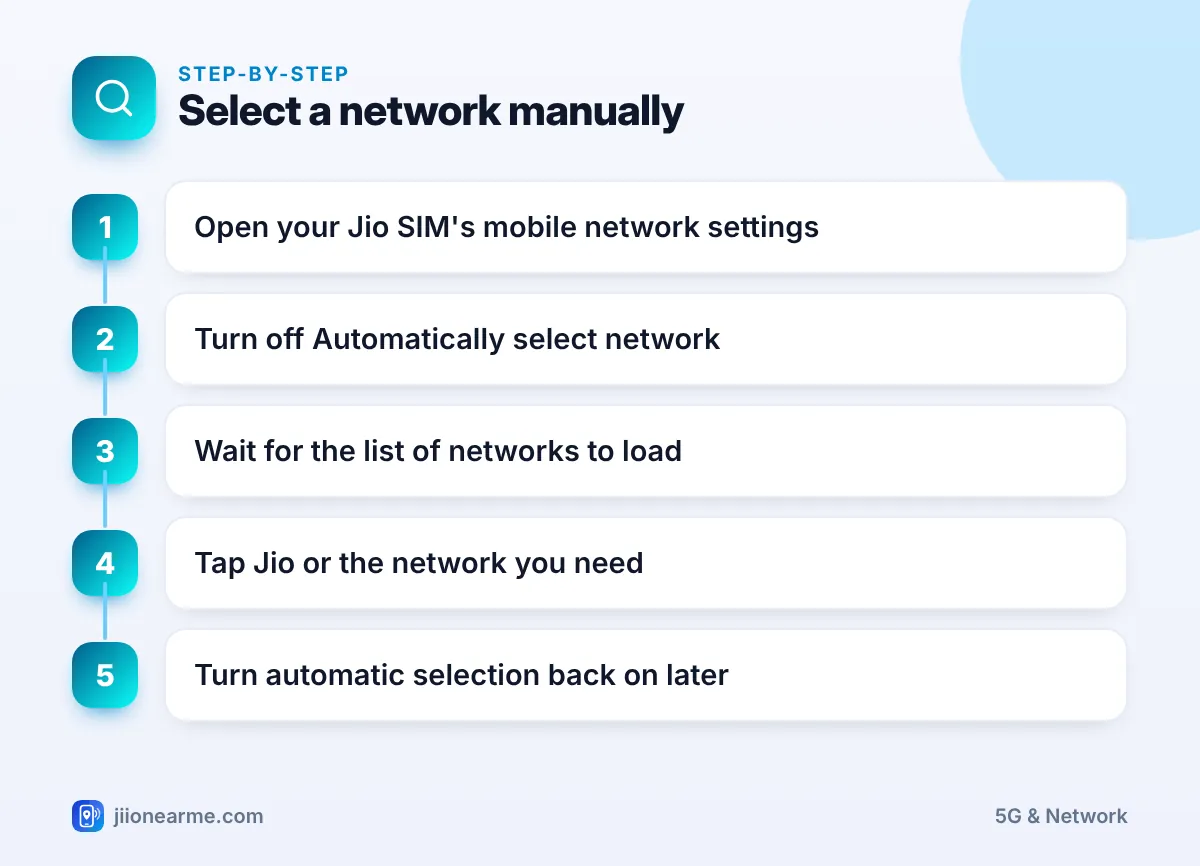
Android phones
- Open Settings and go to Network & internet, Connections or Mobile network.
- Select your Jio SIM. On Samsung, tap Mobile networks and then Network operators.
- Turn off Automatically select network or Select automatically.
- Wait while the phone searches. This can take a minute or two, and your signal may drop briefly.
- Tap the network you need from the list, such as Jio or a roaming partner.
- When you no longer need it, turn the automatic option back on.
Some phones show networks with names like “Jio 4G” or “Jio True 5G”, while others show only a number code. Pick the entry that matches what you need.
iPhone
- Open Settings > Mobile Service (or Mobile Data on some versions).
- Select your Jio line if you use two SIMs.
- Tap Network Selection.
- Turn off Automatic and wait for the list to load.
- Tap the network you want, then turn Automatic back on when done.
If you do not see Network Selection, your iPhone or SIM may not offer it in that location. That is normal.
If you select a network manually during a trip, set a phone reminder for your return date. Many no service problems after travel come from a forgotten manual setting.
What the Common Messages Mean
When you choose a network manually, you may see one of these messages:
- Registration failed or Unable to connect: The network refused your SIM. Choose Jio, a supported partner, or switch back to automatic.
- Searching for a long time: Your signal may be weak. Move near a window or outdoors and try again.
- No networks found: Restart the phone, check that the SIM is seated properly and try again.
- Emergency calls only: You can reach emergency services but not make normal calls.
If automatic selection is on, the SIM is fine and you still have no service, call Jio’s toll-free number 1800-889-9999 from another phone, or visit a Jio Store with your SIM and ID.
Frequently Asked Questions
Should I keep network selection on automatic?
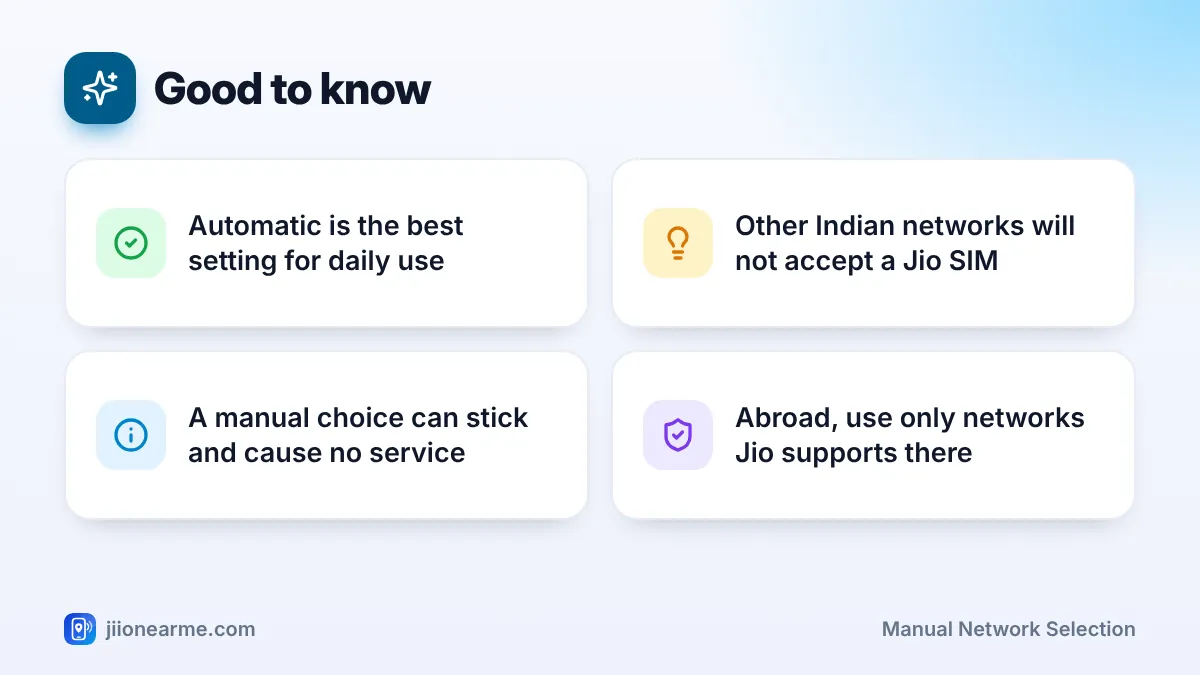
Yes, for daily use. Automatic selection handles everything for you, including travel within India and abroad.
Will manual network selection improve my Jio signal?
No. Selecting Jio manually connects you to the same Jio towers as automatic mode. Signal depends on your location, walls and network load.
Why does my phone take so long to search for networks?
The phone has to scan many frequencies across 4G and 5G. A full search can take a minute or two, especially indoors.
Can I use another operator's network with my Jio SIM in India?
No. A Jio SIM can only register on Jio within India, apart from emergency calls. Choosing another operator will show an error.
My phone shows no service after a trip. What should I check first?
Open the network selection menu and turn automatic selection back on. Then restart the phone and wait a minute for it to register on Jio.
Conclusion
Manual network selection is a handy tool for roaming problems, border areas and diagnosing no service, but it does not improve everyday signal. Keep automatic selection on in normal life, use manual mode only for a clear reason, and switch back as soon as you are done.
JIo Near me is an independent guide and is not affiliated with Reliance Jio. App menus, plans and policies can change – always confirm current details in the official MyJio app or on jio.com. We will never ask for your OTP, PIN or passwords.
