If your phone is lost or stolen, you can block it through CEIR so the handset stops working on every mobile network in India. You file a police complaint, then submit a blocking request on the Sanchar Saathi portal with the phone’s IMEI number, the complaint details and your ID proof. If the phone turns up later, the request ID you receive lets you unblock it.
This guide lists the details to gather, walks through the request form and explains how tracking and unblocking work. It also covers the separate step of blocking your SIM, which many people forget.
- CEIR is a Department of Telecommunications (DoT) system that can block a handset by its IMEI number across all Indian networks.
- You need a police complaint number, the IMEI, your ID proof and a mobile number for OTP.
- Submit the request under the lost or stolen handset option on sancharsaathi.gov.in and save the request ID.
- Blocking the handset does not block your SIM, so contact Jio separately.
What CEIR Is and What Blocking Does
CEIR stands for Central Equipment Identity Register. It is a DoT database linked to the IMEI numbers of mobile handsets. Every phone has a unique IMEI, and dual-SIM phones usually have two.
When you block a phone through CEIR, mobile networks refuse service to that IMEI. Even if someone removes your SIM and puts in a new one, the phone cannot make calls, send SMS or use mobile data on any Indian network. If someone tries to use the blocked handset, the system can also help the police trace it.
There are limits, though. Blocking does not erase your data, and the phone may still connect to Wi-Fi. That is why you should also use your phone’s own remote lock and erase tools.
Details and Documents You Need Before You Start
Keep these ready so you can finish the form in one sitting:
- Police complaint: the complaint or FIR number, the police station name, and a copy of the complaint to upload. Many states let you file a lost-item report online.
- IMEI number(s): both IMEIs if your phone is dual-SIM.
- Phone details: brand, model and the mobile numbers used in it.
- Purchase invoice: upload it if you have it.
- ID proof: such as Aadhaar, PAN, voter ID, passport or driving licence.
- A working mobile number for OTP: your restored number on a replacement SIM, or another number you use.
- Loss details: the date, place, state and district where the phone was lost.
Where to find your IMEI if the phone is gone
| Source | What to look for |
|---|---|
| Phone box | Sticker on the side or back showing IMEI 1 and IMEI 2 |
| Purchase invoice | Many shops print the IMEI on the bill |
| Google account | Device details in Google’s Find My Device may show it |
| Apple account | On another Apple device, your account’s device list may show it |
Write down your IMEI today. Dial *#06# on your phone and the IMEI appears on screen. Save a screenshot somewhere other than the phone, such as your email or a family member’s phone.
Steps to Block Lost Phone Through CEIR on Sanchar Saathi
The portal’s labels can change a little over time, but the request usually follows this order.
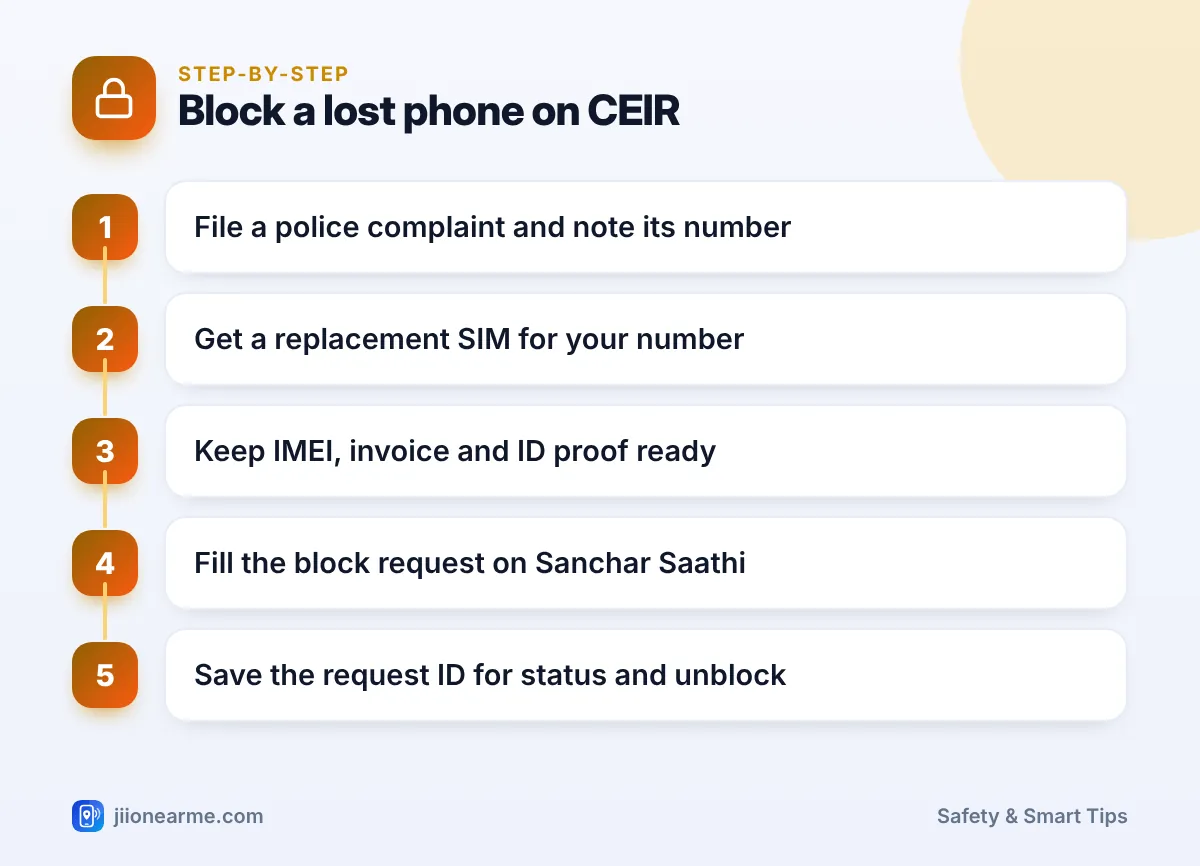
- Open the Sanchar Saathi portal in a browser, or use the official Sanchar Saathi app.
- In the Citizen Centric Services section, choose the option to block your lost or stolen mobile handset.
- Fill in the device details: mobile number(s), IMEI number(s), brand and model. Upload the invoice if asked.
- Fill in the loss details: date and place of loss, state, district, police station and complaint number. Upload the complaint copy.
- Fill in the owner details: name, address, ID proof type and number, and email. Upload the ID proof.
- Enter the mobile number for the OTP, request the OTP, and enter it yourself on the portal.
- Accept the declaration and submit the form.
- Note the request ID shown on screen and in the SMS you receive. You need it for status checks and unblocking.
Check every digit before you submit. A wrong IMEI could affect someone else’s phone, and the form includes a declaration that your details are true. Only the owner should file a blocking request.
Tracking Your Request After Submission
Once the request is accepted, the IMEI is usually blocked fairly quickly. You can check progress at any time:
- Open Sanchar Saathi and go to the same lost or stolen handset section.
- Choose the option to check request status.
- Enter your request ID and submit.
If the phone is used with any SIM after blocking, the information can reach the police handling your case. Do not try to track down or confront anyone yourself. Share any update with the police station where you filed the complaint.
How to Unblock Your Phone After It Is Found
If you get your phone back, you can restore it on mobile networks.
- Tell the police station where you filed the complaint that the phone has been recovered.
- Open Sanchar Saathi and go to the lost or stolen handset section.
- Choose the option to unblock a found mobile.
- Enter your request ID, your mobile number and the reason for unblocking.
- Verify with the OTP and submit.
After the request is processed, the phone should work normally again with a SIM. If it was recovered by the police, they may guide you through this step.
CEIR blocks mobile network use, not Wi-Fi. On Android, use Google’s Find My Device, and on iPhone, use Apple’s Find My, to lock the phone, show a contact message or erase it remotely.
Don’t Forget to Block Your SIM Separately
Blocking the handset does not stop your SIM. Anyone holding it could receive your OTPs on another phone. Act quickly:
- Suspend your Jio SIM by calling Jio’s toll-free number 1800-889-9999, or 199 from another Jio number.
- Get a replacement SIM for the same number at a Jio Store with your original ID proof.
- Secure your accounts: change your email and banking passwords, and check UPI apps for unknown activity.
- Tell your bank if banking apps were on the phone, so they can watch for unusual transactions.

Frequently Asked Questions
Can I block my phone on CEIR without a police complaint?
No. The request asks for a police complaint number and a copy of the complaint. File a report at your local police station, or through your state police’s online portal if it offers one.
Will blocking erase the data on my phone?
No. CEIR only stops the handset from using mobile networks. To protect your data, lock or erase the phone through Find My Device on Android or Find My on iPhone.
What if I don't know my IMEI number?
Check the phone box, the purchase invoice, or your Google or Apple account’s device details. If none of these work, ask the shop where you bought the phone whether its billing records show the IMEI.
Can I unblock the phone if I find it later?
Yes. Use the unblock option for a found mobile on Sanchar Saathi with your request ID and an OTP. Inform the police station that handled your complaint as well.
Do I need to be a Jio user to use CEIR?
No. CEIR is run by DoT and covers handsets on all Indian networks. Jio only comes into it when you block and replace your Jio SIM.
Wrapping Up
Losing a phone is stressful, but a quick response limits the damage. File a police complaint, block the SIM with Jio, submit the CEIR request on Sanchar Saathi and keep the request ID safe. Most importantly, note your IMEI now, before you ever need it.
JIo Near me is an independent guide and is not affiliated with Reliance Jio. App menus, plans and policies can change – always confirm current details in the official MyJio app or on jio.com. We will never ask for your OTP, PIN or passwords.
