Jio AirFiber is booked much like any other Jio service, with one important extra step: Jio must confirm that its 5G signal is strong enough at your address. You submit a request on jio.com, in the MyJio app or at a Jio store, Jio checks coverage for your location, and then a team calls to fix an installation slot.
Because AirFiber does not need a fibre cable from the street, it is a practical choice for homes where JioFiber has not reached yet. This guide explains the booking steps, how the coverage and address check works and how the installation appointment is scheduled. Plans and charges change, so check the latest details on jio.com or in the MyJio app before you pay.
- You can book Jio AirFiber on jio.com, in the MyJio app or at a Jio store.
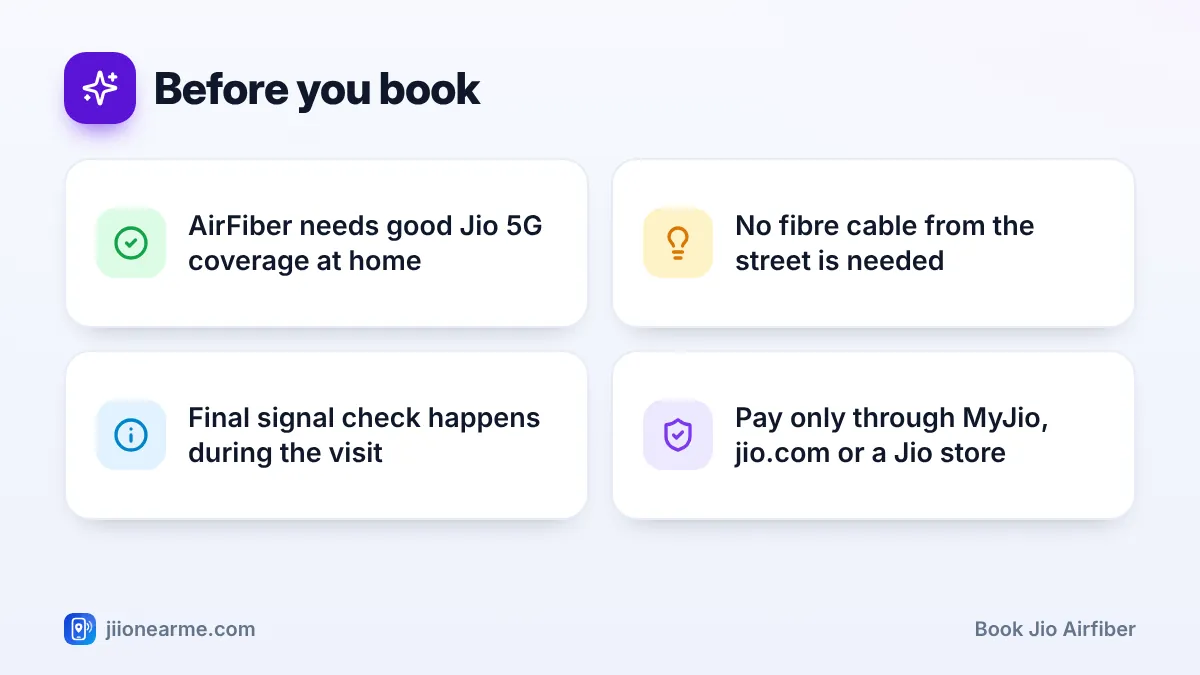
- Jio first checks 5G coverage for your address, then confirms the signal on site.
- The installation slot is fixed by phone or SMS after the booking is accepted.
- Keep a spot for the outdoor unit and a power point indoors ready before the visit.
Is Jio AirFiber Right for Your Home?
AirFiber delivers home broadband over Jio’s 5G network. An outdoor unit on your wall, balcony or terrace picks up the signal and passes it to an indoor Wi-Fi unit. JioFiber, by contrast, brings a physical optical fibre cable all the way to your router.
The table below shows how the two compare at the booking stage.
| Point | Jio AirFiber | JioFiber |
|---|---|---|
| How it reaches your home | 5G wireless signal to an outdoor unit | Optical fibre cable to your router |
| What decides availability | Jio 5G coverage at your address | Fibre network near your building |
| Cable work outside | Short cable from outdoor unit to indoors | Fibre cable from the nearest distribution point |
| Best suited for | Areas without fibre, quick setups | Areas where fibre is already laid |
If JioFiber is available at your address, compare both before deciding. If it is not, AirFiber is often the quicker way to get a home connection.
How to Book Jio AirFiber Online
You can book Jio AirFiber from the website or the app in a few minutes. Screen labels can differ slightly by app version or website update, but the steps are broadly the same.
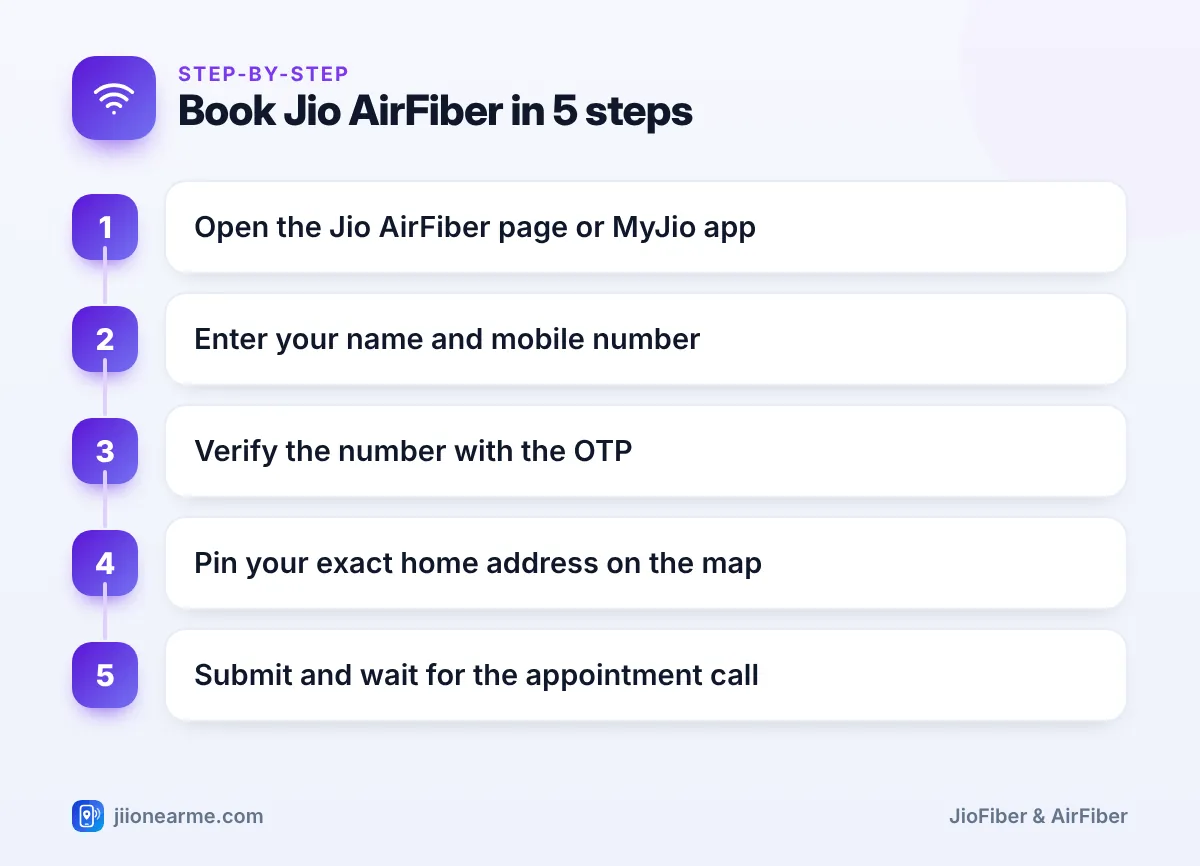
- Open jio.com and go to the Jio AirFiber page, or open the MyJio app and look for an AirFiber or home broadband option on the home screen or in the menu (☰).
- Tap Book now or a similarly named button.
- Enter your name and the mobile number you want Jio to contact.
- Type the OTP you receive by SMS into the website or app yourself to verify the number.
- Search for your locality and drag the map pin onto your exact building.
- Add your flat or house number, floor, building or society name, landmark and PIN code.
- If the form asks you to pick a plan, choose one or skip to decide later, where allowed.
- Submit the request and save the confirmation SMS or reference number.
If you prefer help in person, visit a Jio store with your ID and address proof. Staff can register the booking and answer questions about plans and the set-up.
Mention your floor correctly. Coverage can differ between the ground floor and a higher floor, and the installation team uses this to plan where the outdoor unit can go.
How the 5G Coverage and Address Check Works
The coverage check happens in two stages, which is why a booking is not a guarantee of service.
The online check
When you submit your address, Jio compares it with its 5G network in that area. If the location is not covered yet, you may see a message saying the service is unavailable, or you may be asked to register interest. If it appears covered, the request moves forward.
The on-site check
The final confirmation usually happens when the technician visits. They measure the 5G signal at possible mounting spots, such as an outer wall, a balcony railing or the terrace, and pick the one with the most stable reading. Tall buildings, trees and thick walls close to your home can affect this.
A rough hint you can use: if your Jio 5G phone regularly shows a 5G signal at home, especially near windows or on the balcony, coverage is likely. It is not a guarantee, because the outdoor unit is placed and aimed differently from a phone in your hand.
If the signal is too weak at every possible spot, the installation may not go ahead. Ask the team about other mounting locations on your building, or register interest in JioFiber for your address.
How the Installation Appointment Gets Scheduled
Once the online check passes, the local Jio team takes over. Here is what typically follows:
- A call or SMS from Jio to confirm your address and booking details.
- Slot selection, where you pick a date and time that suits you. Keep your phone reachable so you do not miss this call.
- Verification (KYC), completed with your identity and address proof through official Jio channels, often during or just before the visit.
- Payment, if any applies to your plan, made only through MyJio, jio.com or a Jio store.
- The installation visit, where the outdoor unit is mounted, connected to the indoor Wi-Fi unit and activated.
Before the visit, decide where the indoor Wi-Fi unit will sit and make sure there is a working power socket nearby. If the outdoor unit may go on the terrace or an outer wall of a shared building, get permission from your society or landlord in advance.
Jio will not ask you to pay a “booking fee” to a personal UPI ID or bank account, or to share an OTP over a call. If this happens, stop and report the number through Chakshu on the Sanchar Saathi portal. If you have lost money, call 1930 immediately.
Tracking, Rescheduling or Cancelling Your Booking
After booking, you can usually see the request status in the MyJio app. If you need to change the slot, use the option in the app if it is shown, or call 199 from a Jio number. The Jio toll-free number 1800-889-9999 also works for queries.
If you change your mind before installation, contact customer care to cancel instead of simply ignoring the calls. If you have already paid any amount, ask how and when it will be refunded under the current terms.
Frequently Asked Questions
Can I book Jio AirFiber if my area has no JioFiber?
Yes. AirFiber does not depend on a fibre cable to your building. It needs good Jio 5G coverage at your address, which Jio checks after you book.
Do I need a 5G phone to book Jio AirFiber?
No. You only need a mobile number that can receive the OTP and calls from Jio. Your phone’s 5G signal is only a rough hint about coverage at home.
How soon is AirFiber installed after booking?
It varies by city and the local team’s schedule. Jio usually calls to fix a slot after the booking is accepted, and you can follow up using your reference number if you hear nothing.
What happens if the technician finds a weak signal?
They will try other mounting spots on your building. If none gives a stable signal, the installation may not proceed, and you can ask about refunds or register interest in JioFiber.
Can I book AirFiber for a rented home?
Yes, but get your landlord’s permission first, because the outdoor unit is fixed to an outer wall, balcony or terrace. In a society building, the management may also need to approve it.
Wrapping Up
To book Jio AirFiber, you need an accurate address, a reachable phone and a quick look at your home for an outdoor spot and an indoor power point. Book only through official channels, keep your reference number safe and let the technician confirm the signal before any equipment is fixed.
JIo Near me is an independent guide and is not affiliated with Reliance Jio. App menus, plans and policies can change – always confirm current details in the official MyJio app or on jio.com. We will never ask for your OTP, PIN or passwords.
