Never dial a code that a stranger reads out to you on a call, even if they sound polite and official. In a call forwarding scam, that code switches on call forwarding to the fraudster’s number, so calls meant for you, including OTP calls from banks and apps, ring on their phone instead.
This article explains how the trick works, why the caller usually pretends to be a delivery agent or telecom executive, and how to check and cancel call forwarding on your phone in a few minutes.
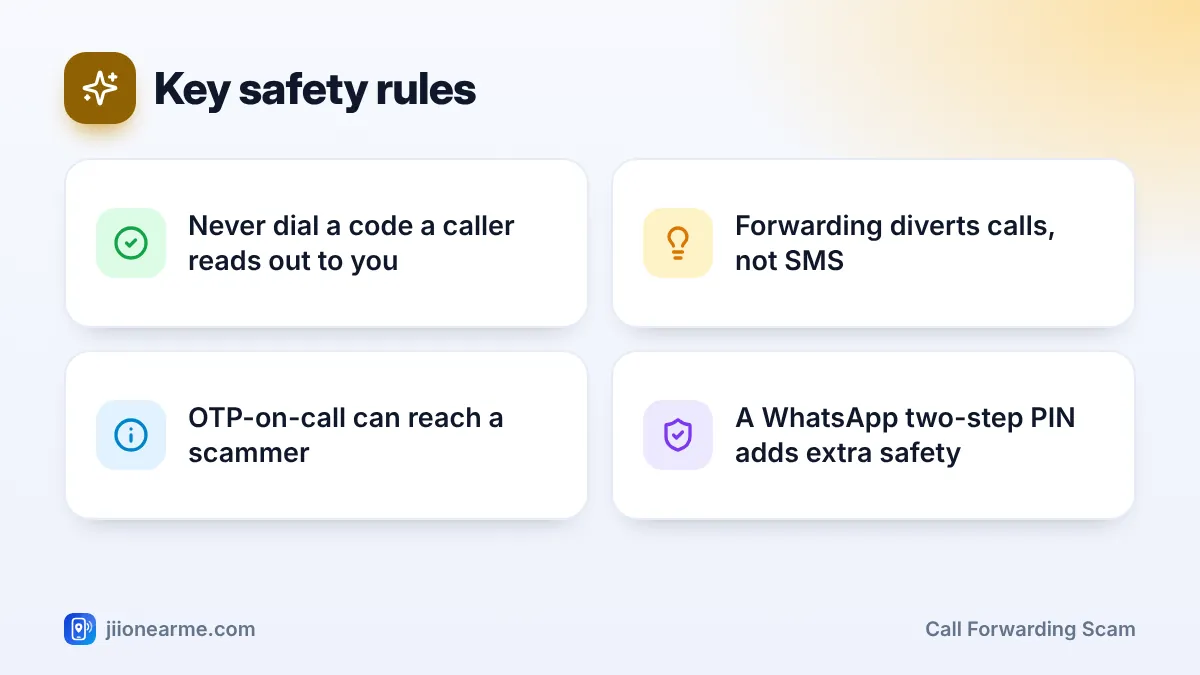
- Codes starting with * or # can change settings on your number, including call forwarding.
- Once forwarding is on, OTP calls and verification calls can go to the scammer.
- Delivery agents and telecom staff never need you to dial a code to confirm anything.
- You can check forwarding in your phone’s call settings and turn it off.
- If you dialled a code, cancel forwarding and alert your bank quickly.
How the Call Forwarding Scam Works
The scam is simple, and that is why it works.
- The setup call: Someone calls saying they are a courier agent with a parcel for you, or a Jio executive fixing a “network problem” or a “5G upgrade”.
- The request: They ask you to dial a code to “confirm the delivery address”, “reschedule the parcel” or “activate the upgrade”. The code usually starts with * or # and includes a mobile number.
- The switch: When you dial it, call forwarding to that mobile number is switched on. You may see a short message on the screen, which most people ignore.
- The takeover: Now, when anyone calls your number, the call goes to the fraudster instead.
Why forwarded calls matter so much
Many services can read out an OTP through a voice call, or verify your number with an automated call. WhatsApp and other apps can also send a verification code by call. If your calls are forwarded, the fraudster can request these calls, hear the codes and take over your accounts.
They can also receive calls from your friends and relatives, pretend to be you, and ask them for money.
Call forwarding diverts voice calls, not SMS. This is why fraudsters choose the “get OTP on call” option or verification by call. Your text messages still reach your phone, so watch for unexpected OTP SMS too.
Codes You Should Be Careful About
Codes that change network settings are called service codes. They are useful, but they can be misused. On many networks, codes such as 401 or *21 followed by a mobile number switch on call forwarding. Exact codes vary by network and can change, so do not try to memorise them. Follow one simple rule instead.
Do not dial any code that contains someone else’s mobile number, and do not dial codes given to you by a caller.
| Who calls you | What they say | What is really happening |
|---|---|---|
| “Courier agent” | Dial this code to confirm delivery | Your calls get forwarded to them |
| “Jio executive” | Dial this code to fix your network or get 5G | Your calls get forwarded to them |
| “Bank official” | Dial this code to stop a suspicious payment | Your OTP calls get forwarded to them |
A courier company does not need you to dial a code with a mobile number in it to deliver a parcel. Jio staff also do not need you to dial a forwarding code to fix your network.
How to Check and Cancel Call Forwarding
Check this now, even if you think you are safe. It takes less than two minutes.
On Android phones
- Open the Phone (dialler) app.
- Tap the three-dot menu (⋮) and choose Settings.
- Look for Calls, Calling accounts or Supplementary services, then select your Jio SIM.
- Open Call forwarding and check each option: always forward, when busy, when unanswered and when unreachable.
- If any option shows a number you do not recognise, turn it off or choose Disable.
Menu names differ by brand and Android version, so you may need to look around a little.
On iPhone
- Open Settings.
- Go to Phone. On newer iOS versions, it may be under Apps > Phone.
- Tap Call Forwarding and turn it off if it is on.
This screen may not show every type of forwarding, so call Jio support if you still have a doubt.
Using a cancel code
On many networks, dialling ##002# cancels all types of call forwarding. This code may not work on every network or phone, so confirm the result in your phone settings or by calling 199 from your Jio number.

What to Do If You Already Dialled a Code
Act quickly. The fraudster may already be requesting OTP calls.
- Cancel forwarding using your phone settings, as shown above.
- Call Jio support on 199 (queries) or 198 (complaints) from your Jio number, and ask them to confirm that no forwarding is active.
- Call your bank’s official helpline and tell them your calls may have been diverted. Ask them to block or watch your accounts.
- Check WhatsApp and other apps. If you are logged out of WhatsApp, register your number again and turn on two-step verification.
- Warn close contacts that someone may call them pretending to be you.
- Report the fraud on 1930 or at cybercrime.gov.in if money was lost, and report the caller’s number through Chakshu on the Sanchar Saathi portal.
Turn on two-step verification in WhatsApp (Settings > Account > Two-step verification). Even if someone hears your verification code, they will also need your PIN to register your account.
Signs Your Calls May Be Forwarded
- You suddenly stop getting calls, but people say your phone rang or someone else answered.
- You see a forwarding icon or a “call forwarding active” message on your screen.
- You receive OTP SMS or login alerts you did not request.
- Friends say “you” called them asking for money.
Frequently Asked Questions
Can a scammer read my SMS through call forwarding?
No. Call forwarding diverts calls only. However, they can still request OTPs by voice call, and those calls will reach them while forwarding is on.
Are all codes that start with * or # dangerous?
No. Many codes are harmless and only show information. The risk is with codes that change settings, especially ones that include another person’s mobile number. If a caller gives you a code, do not dial it.
How do I know if call forwarding is active on my Jio number?
Check the call forwarding option in your phone’s call settings. If you are unsure, call 199 from your Jio number and ask support to check.
Would a courier company ask me to dial a code?
Courier companies do not need you to dial codes with a mobile number in them. If your parcel has an issue, check its status in the app or website where you placed the order.
Should I report the caller?
Yes. Report the number through Chakshu on the Sanchar Saathi portal, and call 1930 if any money was lost.
Final Thoughts
The call forwarding scam needs just one action from you: dialling the code. Once you know that no courier, bank or telecom executive needs you to dial a code with a mobile number in it, the scam fails. Check your forwarding settings today, turn on WhatsApp two-step verification, and explain this rule to your family.
JIo Near me is an independent guide and is not affiliated with Reliance Jio. App menus, plans and policies can change – always confirm current details in the official MyJio app or on jio.com. We will never ask for your OTP, PIN or passwords.
