How you cancel JioHotstar depends entirely on where you paid for it. If you subscribed on the JioHotstar website or app, cancel from your account’s subscription page. If you paid through Google Play or the Apple App Store, cancel from that store, and if you set up UPI Autopay, also check the mandate in your UPI app.
Cancelling usually stops only future renewals. You can normally keep watching until the end of the period you have already paid for. This guide shows where to cancel for each payment method, what to do if JioHotstar came with your Jio plan and what to expect afterwards.
- Cancel in the same place where you paid: JioHotstar account, Google Play, App Store or UPI app
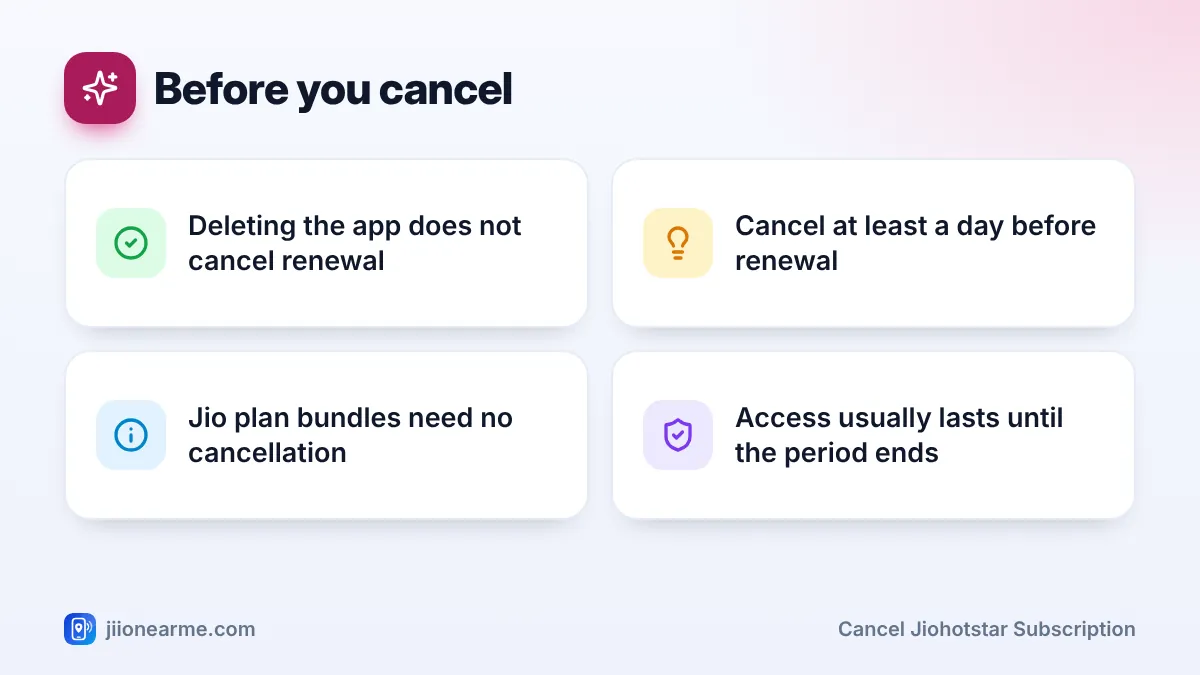
- Uninstalling the app does not stop auto-renewal
- Cancel at least a day before the renewal date to avoid another charge
- JioHotstar access that came with a Jio plan does not auto-renew on its own, so there is nothing to cancel
First, Find Out How You Paid
Before you look for a cancel button, work out how the subscription was bought. Your payment confirmation email, SMS or bank statement usually tells you. The merchant name on the debit often shows Google, Apple or the streaming service itself.
| How you subscribed | Where to cancel |
|---|---|
| JioHotstar website or app, paid by card or UPI | Subscription page in your JioHotstar account |
| Google Play billing on Android | Google Play Store, Payments and subscriptions |
| Apple App Store on iPhone or iPad | iPhone Settings, then Subscriptions |
| UPI Autopay mandate | Autopay section in your UPI app |
| Included with a Jio plan | No cancellation needed; it ends with the benefit |
If you are not sure, check the app stores first. Subscriptions billed through Google Play or Apple appear in those stores’ subscription lists.
Cancel JioHotstar Subscription Plans Bought on the Website or App
If you paid JioHotstar directly with a card or UPI, follow these steps. Labels can differ slightly between app versions.
- Open the JioHotstar app or website and sign in with the number that holds the subscription.
- Go to My Space and open the settings, account or subscription area.
- Look for your current plan and an option such as Manage subscription, Cancel auto-renew or Cancel subscription.
- Tap it and confirm the cancellation.
- Check that the page now shows the plan will not renew, along with the date access ends.
- Save any confirmation email or SMS for your records.
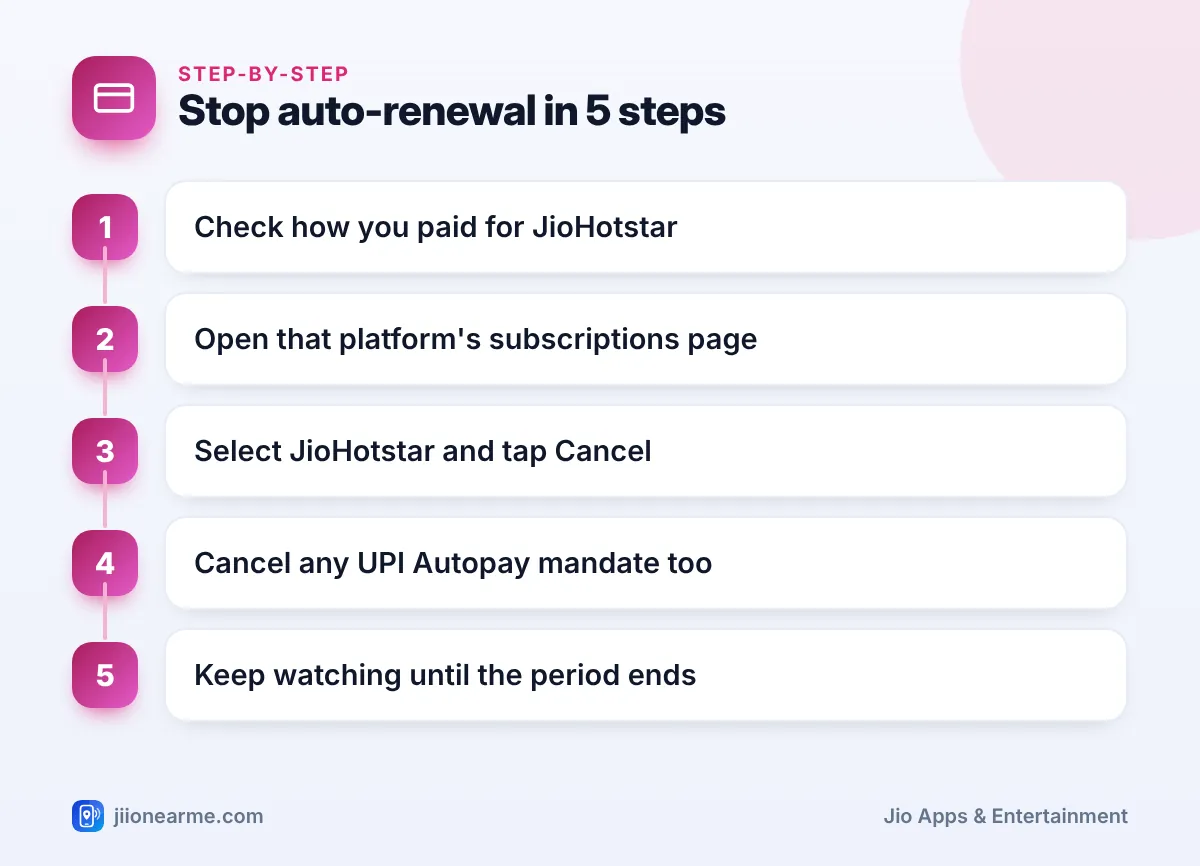
If you do not see a cancel option, your subscription may be billed through an app store or a UPI mandate. Check those sections below.
JioHotstar updates its app and website often. If a button is not named exactly as above, look for anything mentioning subscription, membership, plan or auto-renew in your account area.
Cancel Through Google Play on Android
Subscriptions billed by Google Play must be cancelled in the Play Store.
- Open the Google Play Store on your phone.
- Tap your profile picture at the top right.
- Tap Payments and subscriptions, then Subscriptions.
- Select JioHotstar from the list.
- Tap Cancel subscription and follow the prompts.
Make sure you are using the same Google account that paid for the subscription. If you have more than one Google account, switch accounts from the profile picture and check each one.
Cancel Through the Apple App Store
For subscriptions billed by Apple on an iPhone or iPad:
- Open the Settings app.
- Tap your name at the top.
- Tap Subscriptions.
- Select JioHotstar.
- Tap Cancel Subscription and confirm.
Apple advises cancelling at least 24 hours before the renewal date to avoid another charge. If JioHotstar is not in the list, it was probably billed some other way.
Stop UPI Autopay or Card Auto-Debit
If you subscribed with UPI Autopay, a mandate in your UPI app allows the recurring debit. Cancelling in JioHotstar should stop future charges, but checking the mandate gives you full control.
- Open the UPI app you used to pay.
- Find the Autopay or mandates section. It is usually in your profile or payments settings.
- Select the JioHotstar mandate.
- Choose to pause or cancel it and confirm with your UPI PIN.
For card payments, recurring debits work through a standing instruction. You can manage these in your bank’s app or by contacting your bank.
Cancelling a subscription never requires you to share a UPI PIN, card details or an OTP with anyone. If a caller claiming to be from JioHotstar or your bank asks for them, it is a scam. Report fraud to the national cybercrime helpline 1930 or at cybercrime.gov.in.
If JioHotstar Came With Your Jio Plan
When JioHotstar access is part of a Jio prepaid recharge, postpaid plan, JioFiber or Jio AirFiber plan, there is no separate renewal on the JioHotstar side. The benefit simply ends when the plan’s benefit period ends.
To stop getting it, recharge a plan that does not include JioHotstar next time. For postpaid or broadband plans, check your plan details in the MyJio app, or call 199 from your Jio number if you are unsure what your plan includes.
What Happens After You Cancel
Here is what you can usually expect:
- Access continues until the end of the period you already paid for. The subscription page shows the end date.
- No partial refunds are usually given for unused days, but refund rules depend on the terms and, for app store purchases, on Google’s or Apple’s policies.
- Your account stays. Profiles and watchlists remain, so you can resubscribe later.
- Downloads stop playing once the subscription ends.
Set a reminder a few days before your renewal date when you first subscribe. That gives you time to decide whether to keep JioHotstar or cancel without rushing.
Frequently Asked Questions
Will deleting the JioHotstar app cancel my subscription?
No. Uninstalling only removes the app from your phone. Renewal continues until you cancel it on the platform where you paid.
Can I cancel JioHotstar and still watch until my plan ends?
Usually yes. Cancelling stops the next renewal, and you keep access until the current paid period ends.
Will I get a refund if I cancel midway?
Refunds for unused days are not usually given. For purchases through Google Play or the App Store, you can request a refund through their own process, but approval depends on their policy.
I was charged after cancelling. What should I do?
Check that you cancelled on the right platform and with the right account, and that no UPI Autopay mandate is still active. Then contact JioHotstar help through the app, or the store that billed you.
How do I stop JioHotstar from a Jio recharge?
There is nothing to cancel. The access ends with the plan’s benefit. Simply choose a plan without JioHotstar on your next recharge.
Conclusion
To cancel a JioHotstar subscription, start by finding out where you paid, then cancel there: your JioHotstar account, Google Play, the App Store or your UPI app. Do it at least a day before renewal, keep the confirmation and enjoy the days you have already paid for. If your access came with a Jio plan, there is nothing to cancel at all.
JIo Near me is an independent guide and is not affiliated with Reliance Jio. App menus, plans and policies can change – always confirm current details in the official MyJio app or on jio.com. We will never ask for your OTP, PIN or passwords.
