The quickest way to know whether your phone supports Jio True 5G is to open its mobile network settings and look for a 5G option. If there is none, even after a software update, your phone is almost certainly 4G only. If there is one, check two more things: support for Jio’s 5G bands (mainly n78 and n28) and support for standalone (SA) 5G.
Those extra checks matter because Jio runs a standalone 5G network. Some phones sold as “5G” do not support every band or SA mode, so they may show 5G in the menu but never connect to Jio 5G. This guide shows each check in plain steps.
- No 5G option in network settings, even after updating, usually means the phone is 4G only.
- Check the official spec sheet for 5G bands n78 and n28.
- Jio True 5G is standalone (SA) 5G, so the phone must support SA mode.
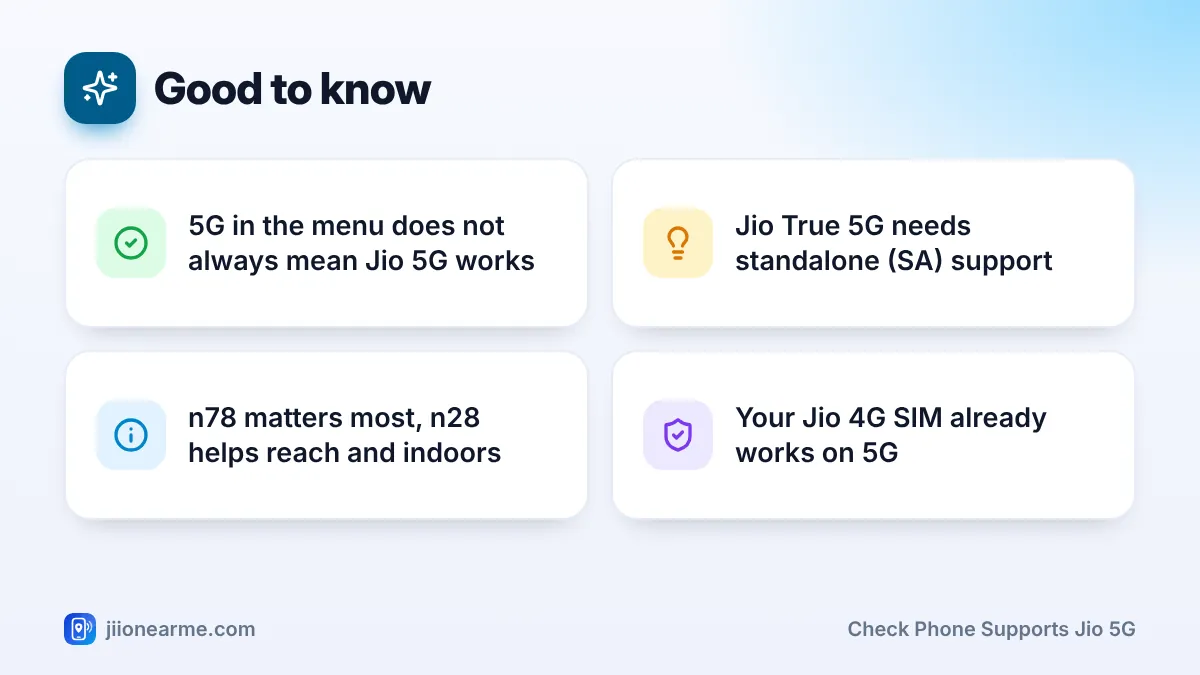
- Your SIM is not the issue: any Jio 4G SIM works on 5G.
What Jio True 5G Needs From Your Phone
Your phone has to meet four conditions to use Jio 5G:
- A 5G modem. The phone must have 5G hardware. This cannot be added by software.
- Jio’s 5G bands. Jio mainly uses n78 (the 3.5 GHz mid band) and n28 (the 700 MHz low band).
- Standalone (SA) 5G support. Jio True 5G runs on a standalone network rather than on top of 4G.
- Up-to-date software. Many phones received Jio SA 5G support through system updates after launch.
Coverage in your area and your active plan also affect whether you get 5G, but they are not about the phone. You can check plan terms in the MyJio app or on jio.com.
How to Check If Your Phone Supports Jio 5G
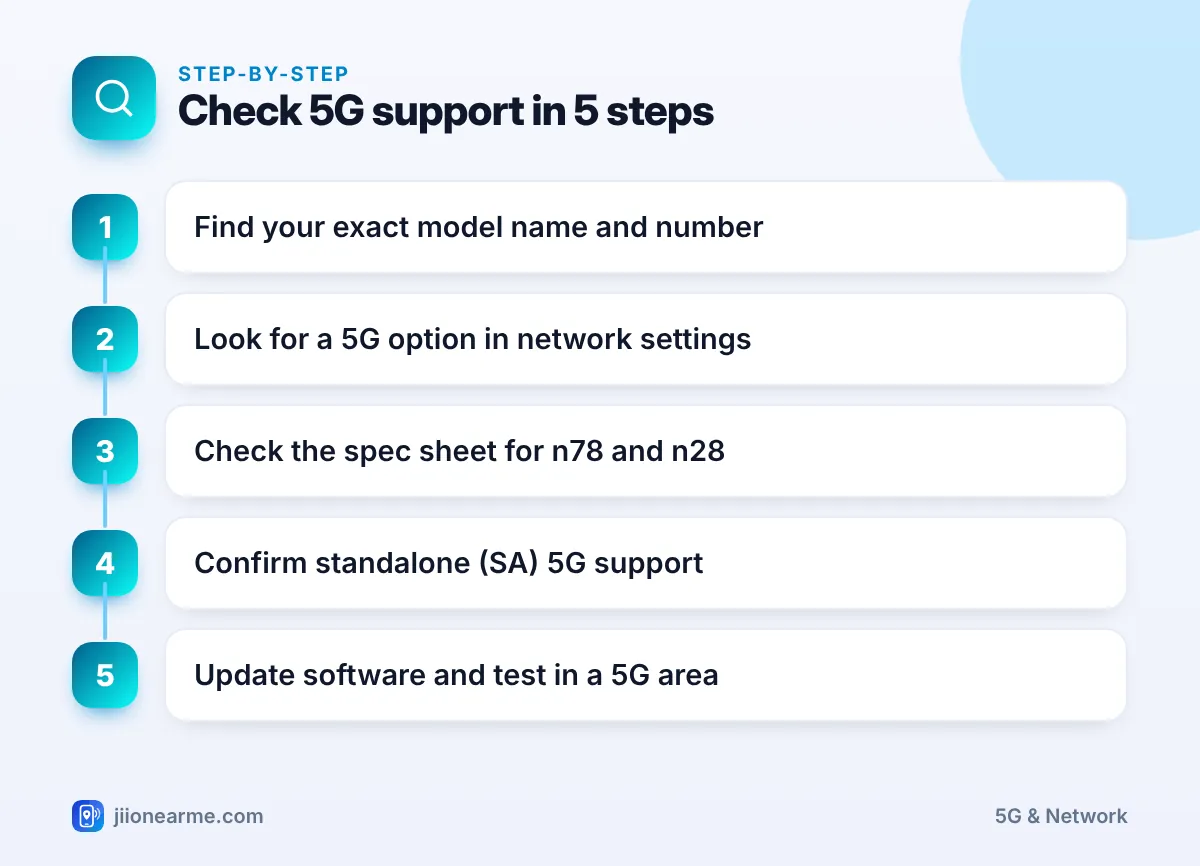
Here is the full process in short. Each step is explained in the sections below.
- Find your exact model name and model number.
- Look for a 5G option in your network settings.
- Check the official spec sheet for bands n78 and n28.
- Confirm the phone supports standalone (SA) 5G.
- Install the latest software update and test in a Jio 5G area.
Find your exact model
- Android: Open Settings > About phone. Note the Model name and, if shown, the Model number.
- iPhone: Open Settings > General > About and check Model Name.
The model number matters because some phones come in both 4G and 5G versions under nearly the same name.
Check the Network Type Menu
This is the fastest test and needs no internet search.
On Android: Open Settings and go to your SIM or mobile network settings. The menu may be called Network & internet, Connections, Mobile network or SIM cards & mobile networks. Tap your Jio SIM and open Preferred network type or Network mode. Look for any option containing 5G.
On iPhone: Open Settings > Mobile Service (or Mobile Data) > Mobile Data Options > Voice & Data. A 5G-capable iPhone shows 5G Auto and 5G On. iPhone 12 series and newer, and the iPhone SE (3rd generation), support 5G.
If you see no 5G option, install the latest software update and check again. If it is still missing, the phone is most likely 4G only.
On Android, tap the search icon at the top of Settings and type “5G” or “network type”. It finds the right menu quickly, whatever your phone brand.
Read the Spec Sheet for Jio’s 5G Bands
A 5G option in settings proves the phone has a 5G modem. It does not prove the phone supports the bands Jio uses. For that, check the official specifications.
- Search for your model on the manufacturer’s official website.
- Open the Specifications or Tech specs page.
- Find the Network or Connectivity section.
- Look at the list of 5G bands, often written like “5G NR: n1/n3/n5/n28/n40/n77/n78”.
- Check that n78 and n28 are listed.
n78 is the most important, as it carries most of Jio’s 5G speed. n28 travels further and helps indoors. A phone with n78 but not n28 can still use Jio 5G, but it may fall back to 4G more often inside buildings.
While you are there, check the 4G bands. Jio 4G mainly uses LTE bands 3, 5 and 40, so a phone that lists all three will also work well when 5G is not available.
Confirm Standalone (SA) 5G Support
This is the check most people skip. Jio True 5G is a standalone network, so the phone must support SA mode, not only NSA (non-standalone).
- Look for “SA/NSA” or “SA and NSA” in the network section of the spec sheet.
- If SA is not mentioned, check the brand’s support pages or update notes for Jio 5G or SA support.
- Install the latest software update. Many brands added SA support for Indian networks through updates.
If your phone shows 5G on a different network, that does not confirm Jio 5G support. Networks that use non-standalone 5G can work on phones that lack SA support.
What Your Results Mean
| What you found | What it means | What to do |
|---|---|---|
| No 5G option, even after updating | Phone is 4G only | Keep using Jio 4G, or plan a 5G phone later |
| 5G option, n78 and SA supported | Phone should work with Jio 5G | Select 5G and test in a coverage area |
| 5G option, but no n78 listed | Jio 5G may not connect in most places | Check with the brand before relying on it |
| 5G option, SA support unclear | May need an update | Update software, then test again |
If everything checks out but you never see 5G in an area with Jio coverage, call 199 from your Jio number for help.
Frequently Asked Questions
My phone says 5G on the box. Will it work with Jio 5G?
Most 5G phones sold in India in recent years do. Still, check the spec sheet for n78 and SA support, because some early 5G models and imported versions differ.
Do I need a new SIM to use Jio 5G?
No. Every Jio 4G SIM and Jio eSIM works on Jio True 5G. Only the phone and coverage decide whether you connect.
Can a software update add 5G to a 4G phone?
No. Updates can add SA support or new band support to a phone that already has 5G hardware. They cannot turn a 4G-only phone into a 5G phone.
What if my phone supports n78 but not n28?
You can still use Jio 5G where n78 coverage is good. Indoors or at the edge of coverage, the phone may switch to 4G more often.
Where can I find my phone's 5G bands if the website is unclear?
Check the user manual, the support section of the brand’s website or the brand’s official customer care. Avoid relying on unofficial spec sites alone, as they can contain errors.
Final Thoughts
Checking Jio 5G support takes a few minutes. Look for the 5G option in settings, confirm n78 and n28 on the official spec sheet and make sure the phone supports standalone 5G. If all three check out and your software is current, your phone is ready for Jio True 5G whenever you are in coverage.
JIo Near me is an independent guide and is not affiliated with Reliance Jio. App menus, plans and policies can change – always confirm current details in the official MyJio app or on jio.com. We will never ask for your OTP, PIN or passwords.
