
You can convert a physical Jio SIM to an eSIM without visiting a store. The request is made by SMS from your Jio number: you send your phone’s EID and IMEI, confirm the SIM change when Jio asks, and then install the eSIM profile. Most of the process is simply waiting, which can take a few hours.
This guide explains each message, the confirmation and verification stage, and what your phone shows while you wait. Jio can change its message formats, so compare these steps with the current eSIM instructions on jio.com before you start.
- Confirm your phone supports eSIM and note its EID and IMEI first.
- The request goes by SMS to 199 from the Jio number you want to convert.
- Jio asks you to confirm the SIM change before anything happens.
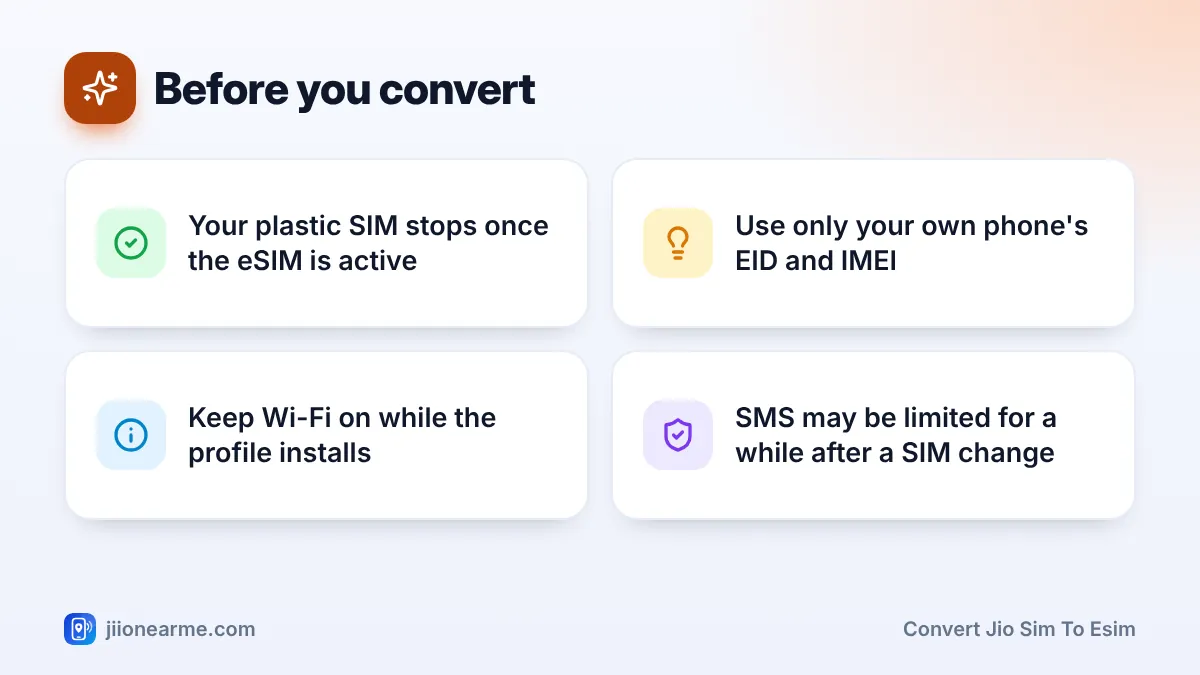
- Your plastic SIM stops working once the eSIM is activated, so keep Wi-Fi handy.
- Never send these messages because a caller asked you to.
What You Need Before You Start
Get these ready so the process doesn’t stall halfway:
- An eSIM-capable phone that appears on Jio’s eSIM device list.
- The EID and IMEI of that phone. On iPhone, find them under Settings > General > About. On Android, look under Settings > About phone. Dialling
*#06#also shows them on most phones. - Your Jio SIM in the phone, active and able to send and receive SMS.
- A Wi-Fi connection, because the eSIM profile downloads over the internet.
- Updated phone software, which avoids many download errors.
Pick a quiet time. Don’t start the switch just before travel or when you are expecting important OTPs, because there will be a gap when neither SIM works.
Dual-SIM phones have two IMEI numbers. Use the one that Jio’s current instructions specify for your phone. On many iPhones, the About screen lists them under Physical SIM and Digital SIM.
How to Convert Jio SIM to eSIM by SMS
These steps follow the SMS method Jio publishes on its website. Type each message carefully, with a single space between parts and without the angle brackets.
- Send the eSIM request. From your Jio number, send an SMS to 199 in this format:
GETESIM <32-digit EID> <15-digit IMEI>. - Wait for Jio’s reply. You should receive an SMS with a long eSIM number and details of the eSIM profile. Keep this message.
- Send the SIM change request. Send another SMS to 199 in this format:
SIMCHG <eSIM number>, using the number from Jio’s reply. - Confirm when asked. Jio then sends a confirmation request, often after a gap of a couple of hours. Reply exactly as that SMS instructs. Jio may also place an automated verification call to your number. Follow its prompts only if you started the request yourself.
- Wait for activation. Once the change is confirmed, your plastic SIM stops working and the eSIM is prepared for your phone.
- Install the eSIM profile. Connect to Wi-Fi and follow the prompt on your phone, or add the eSIM from your SIM settings.
- Test your line. Make a call, send an SMS and open a website on mobile data with Wi-Fi turned off.

If the GETESIM message gets an error reply, check the EID and IMEI digit by digit. Most failures come from a typing mistake or an extra space.
What Happens During Confirmation and Verification
The confirmation stage protects you. It reaches your current SIM, so only the person holding that SIM can approve the switch. This is why fraudsters try to talk people into replying to these messages for them.
Here is what to expect:
- A confirmation SMS that asks you to reply to approve the SIM change.
- Possibly an automated call on your Jio number asking you to confirm with a key press.
- A message that the SIM change is in progress once you have confirmed.
If you don’t confirm in time, the request may lapse. You can start again from the first SMS, or visit a Jio Store with your original ID.
If you get a SIM change or eSIM confirmation message that you did not ask for, do not reply and do not forward it. Contact Jio on 1800-889-9999 or 199, and report any suspicious caller through Chakshu on the Sanchar Saathi portal.
What to Expect While You Wait for the eSIM Profile
The waiting period confuses many people, because your phone may show no signal at all for a while. This table shows the usual stages.
| Stage | What you see | What to do |
|---|---|---|
| After the GETESIM message | SMS with your eSIM number | Send the SIMCHG message |
| After the SIMCHG message | Nothing for a while | Keep the phone on with the SIM inside |
| Confirmation | SMS or call asking you to confirm | Confirm as instructed |
| After confirmation | Plastic SIM shows “No service” | Stay on Wi-Fi and wait for the profile |
| After installing | Jio network name on the eSIM line | Run your call, SMS and data tests |
After the switch, SMS services may be limited for a short period as a security measure, which is common after any SIM change. Some UPI apps may also ask you to verify your number again because the SIM has changed. This is normal.
Installing the Profile on iPhone and Android
iPhone
When the eSIM is ready, many iPhones show a notification such as Jio Cellular Plan Ready to Be Installed. Tap it and follow the prompts. If you miss it, open Settings > Mobile Service (called Mobile Data or Cellular on some versions) and look for the plan or an Add eSIM option. Then label the line and choose your default line for calls and data.
Android
On Samsung Galaxy phones, open Settings > Connections > SIM manager and tap Add eSIM (older versions say Add mobile plan). On Google Pixel, go to Settings > Network & internet > SIMs and add a SIM. The phone may find the Jio plan on its own. If Jio has given you a QR code, choose the option to scan it.
After the eSIM works, remove the old plastic SIM from the tray and keep it aside until you are sure everything is fine. It no longer carries your number, so cut it up before you throw it away.
Common Problems and How to Fix Them
- No reply to the first SMS: Check that you sent it from your Jio number, to 199, with the correct EID and IMEI. Wait a while before resending.
- Device not supported: Your model may not be on Jio’s list. Check jio.com or ask at a Jio Store.
- Plastic SIM stopped but no eSIM yet: Stay connected to Wi-Fi, restart the phone and check the SIM settings for a pending plan.
- Profile download fails: Try a different Wi-Fi network and update your phone software.
If you are stuck without service, call Jio’s toll-free number 1800-889-9999 from another phone, or visit a Jio Store with your original ID proof. Do not delete a half-installed profile unless support tells you to.
Frequently Asked Questions
How long does it take to convert a Jio SIM to an eSIM?
It often finishes within a few hours of your first SMS, but it can take longer. Much of that time is the wait before the confirmation request arrives.
Will my number, plan or balance change?
No. Your number, plan and validity stay the same. Only the SIM type changes from a plastic card to a downloaded profile.
Can I convert to eSIM without using SMS?
Yes. You can visit a Jio Store with your original ID proof. The staff verify your identity and help you set up the eSIM, usually with a QR code.
Can I go back to a plastic SIM later?
Yes. Visit a Jio Store with your original ID proof and ask for a physical SIM. The eSIM stops working once the new card is active.
Should I send the SMS for someone else's phone?
No. Use only the EID and IMEI of a phone you own and hold, and only for your own number. Anyone asking you to use their device details is likely trying to take over your number.
Wrapping Up
To convert a Jio SIM to an eSIM by SMS, you need your EID, your IMEI, a working Jio SIM and a little patience. Send the request, confirm it when Jio asks, and install the profile over Wi-Fi.
Run a quick call, SMS and data test once the eSIM is live. If anything goes wrong, Jio’s toll-free number and the nearest Jio Store can sort it out with your original ID.
JIo Near me is an independent guide and is not affiliated with Reliance Jio. App menus, plans and policies can change – always confirm current details in the official MyJio app or on jio.com. We will never ask for your OTP, PIN or passwords.
