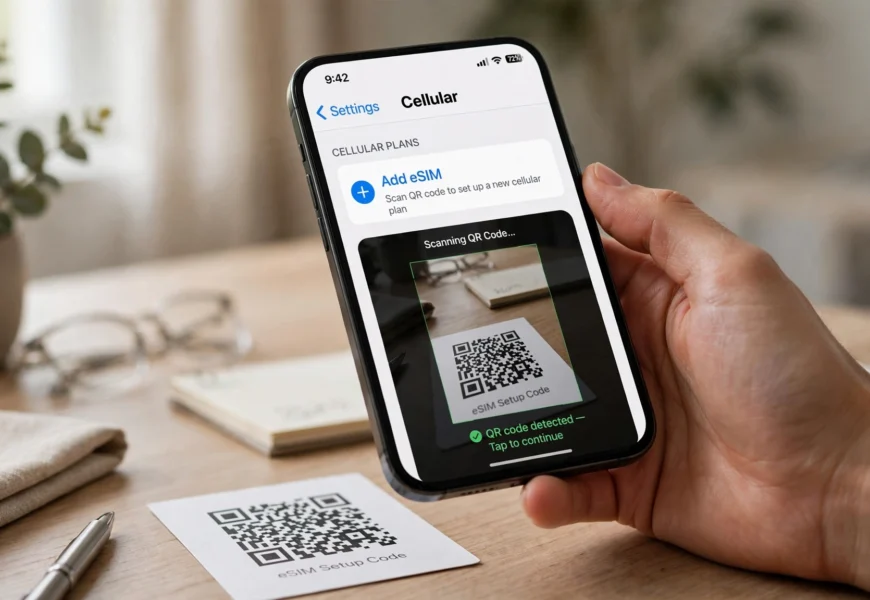
Yes, Lebara offers eSIM in the UK. Lebara began rolling out eSIM support in October 2025, running on Vodafone’s network the same way its physical SIMs do. Initial availability was limited to new customers on eSIM-compatible iPhones (starting with iPhone Air), but Lebara has confirmed it’s expanding eSIM support to more devices and to existing customers throughout 2026. To get one, sign up for a new Lebara plan online and select the eSIM option at checkout if your device qualifies.
Introduction
For a long time, Lebara was one of the few well-known UK mobile networks without eSIM support — a gap that stood out given that its host network, Vodafone, and most other major MVNOs (giffgaff, Voxi, Talkmobile) had already rolled it out. That changed in October 2025, when Lebara confirmed it had begun a phased eSIM rollout. This guide explains exactly what’s available now, which devices qualify, and how to activate a Lebara eSIM step by step. If you’re also deciding which network your Lebara line runs on, our guide on what network Lebara uses in the UK covers that in detail.
Is Lebara eSIM Available Right Now?
Yes — but with some limits worth knowing before you commit:
- Lebara’s eSIM rollout started in October 2025, later than most competing UK networks.
- At launch, eSIM was offered only to new customers signing up for a plan, and only on select eSIM-compatible iPhones (starting with iPhone Air).
- Lebara has stated it plans to expand eSIM availability to more devices and to existing customers over the course of 2026.
- Because the rollout is phased, availability can vary — if you don’t see an eSIM option at checkout, it may not yet apply to your device.
If you’re unsure whether your specific model qualifies, check directly during Lebara’s online sign-up flow, since the option only appears for supported phones.
How to Get a Lebara eSIM
- Check device compatibility — most eSIM-capable phones (recent iPhones, many Samsung Galaxy and Google Pixel models) can use an eSIM, but Lebara’s rollout has so far prioritized specific iPhone models.
- Sign up for a new Lebara plan through the Lebara website or app.
- Select “eSIM” instead of physical SIM during checkout — this option only appears if your device is currently supported.
- Scan the QR code Lebara provides, either shown on-screen after sign-up or sent to your email.
- Install the eSIM profile — on your phone, go to Settings > Cellular/Mobile Data > Add eSIM (or “Add Mobile Plan”), then scan the code.
- Confirm activation — your phone will connect to the Vodafone-based network Lebara runs on, and you’ll receive a welcome text confirming your new number.
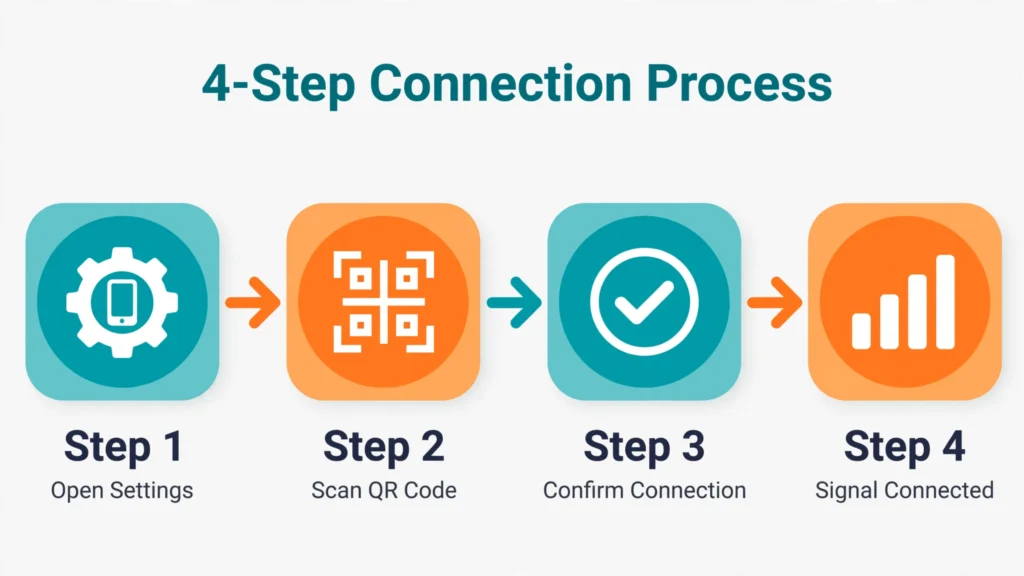
Getting a Lebara eSIM up and running takes just a few minutes on a supported device.
Lebara eSIM vs Physical SIM: Which Should You Choose?
| Factor | Lebara eSIM | Lebara Physical SIM |
|---|---|---|
| Setup speed | Instant, no delivery wait | Requires postal delivery or in-store pickup |
| Device support | Limited to select eSIM-compatible phones (expanding) | Works on any phone with a SIM tray |
| Switching networks | Can often add/remove digitally | Requires physically swapping the card |
| Availability (as of 2026) | New customers on supported iPhones only, expanding | Available to all customers |
| Best for | Users with a very recent, supported iPhone who want instant activation | Anyone with an older phone, Android device, or who wants guaranteed compatibility |
Since eSIM availability is still expanding, most existing Lebara customers and Android users will currently need to stick with a physical SIM. If you already have a Lebara SIM and want to check what it’s using data-wise, see our guide on how to check your Lebara data balance.
Why Lebara’s eSIM Rollout Took Longer Than Competitors
Lebara operates as an MVNO (Mobile Virtual Network Operator) running on Vodafone UK’s infrastructure. According to reporting from UK telecoms outlets, Lebara’s eSIM rollout was delayed relative to competitors partly due to backend integration work with its host network before it could reliably support digital SIM profiles at scale. Vodafone itself, along with EE and O2, had already offered eSIM for several years before Lebara’s October 2025 launch.
Frequently Asked Questions
Does Lebara offer eSIM in the UK?
Yes, since October 2025, though initial availability is limited to new customers on select eSIM-compatible iPhones, with wider rollout expected through 2026.
Can I switch my existing Lebara physical SIM to an eSIM?
At launch, eSIM was limited to new customers signing up for a plan. Lebara has said it intends to extend eSIM access to existing customers, so check your account or the Lebara app for updates.
What phones support Lebara eSIM?
Initial support began with the iPhone Air, with Lebara planning to expand to other eSIM-compatible devices over time. Check at checkout to see if your specific model is currently supported.
Is Lebara eSIM free?
There’s no extra fee specifically for choosing an eSIM over a physical SIM — you pay for the plan you select, the same as you would with a physical card.
What network does the Lebara eSIM run on?
The same network as Lebara’s physical SIMs — Vodafone’s UK network — since Lebara is a Vodafone-based MVNO.
Conclusion
Lebara has finally caught up with most of the UK market by introducing eSIM support, though the rollout is still expanding as of 2026 and currently favors new customers with specific eSIM-compatible iPhones. If your device isn’t yet supported, a physical SIM remains a fully reliable option on the same Vodafone-powered network. Once you’re set up, check out our guides on activating a Lebara SIM card and more mobile network tips in the Jio Sim category on jiionearme.com.
For the latest details on device compatibility, visit Lebara’s official eSIM help page or check availability directly on the Lebara UK website. You can also read more on the Vodafone UK network that Lebara operates on, and see general eSIM guidance from Ofcom, the UK’s communications regulator.
