Quick Answer
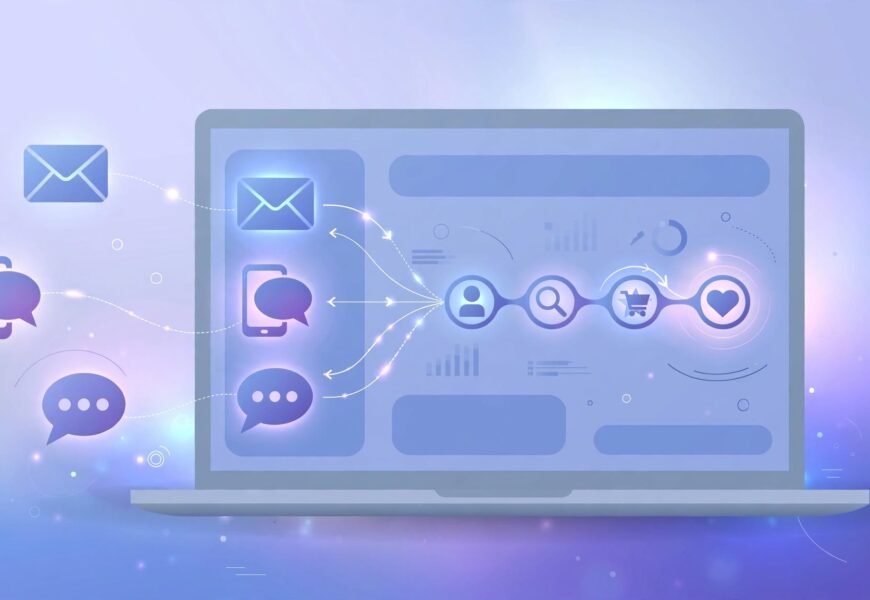
dotdigital.com is the website of Dotdigital, a London-founded omnichannel marketing automation and customer engagement platform that combines email, SMS, chat, onsite messaging and a built-in customer data layer. It suits mid-market and enterprise ecommerce, retail and B2C brands that have outgrown basic newsletter tools. It is not the cheapest option, and pricing is largely quote-based, so budget and onboarding time deserve attention before you sign.
Introduction
Email alone no longer wins customers. Shoppers expect a brand to remember what they browsed, message them at the right moment and stop sending offers that do not fit. That is the gap that platforms like dotdigital.com try to close.
If you are comparing marketing automation tools, this in-depth review of dotdigital.com explains what the platform does, how its pricing works in practice, where it is strong, where it falls short and which alternatives deserve a look. We also answer the questions buyers ask most, so you can shortlist faster and avoid expensive mistakes.
How We Reviewed This Platform (EEAT Note)
This review is built from the vendor’s public product pages, documentation and pricing information, plus independent industry context available in October 2026. Features, limits and prices change, so always confirm details on the official dotdigital.com website before buying. Where we mention numbers or plan names, treat them as a starting point for your own demo questions, not as a quote.
What Is dotdigital.com?
dotdigital.com is the home of Dotdigital, a marketing automation company that began as an email service provider called dotmailer and has since grown into an omnichannel engagement platform. The parent company is publicly listed in London, which gives buyers a level of financial transparency that many smaller tools cannot offer.
In simple terms, the platform lets you collect customer data, segment audiences, build automated journeys and send messages across several channels from one dashboard. It is especially known for its strong ecommerce integrations and its flexible automation canvas.
Key Features
1. Omnichannel messaging. You can run email, SMS, push, web messaging and chat-style campaigns, and you can combine channels inside one automated journey. For example, a customer who ignores an abandoned-cart email can receive a text a few hours later.
2. Automation canvas. The visual builder supports triggers, wait steps, splits and exit rules. Marketers can create welcome series, post-purchase flows, win-back journeys and birthday campaigns without writing code.
3. Customer data and segmentation. Dotdigital includes a customer data layer that unifies purchase history, browsing behaviour and preferences. Segments update as the data changes, which keeps campaigns relevant. Our explainer on what a customer data platform is shows why this matters.
4. Ecommerce integrations. Native connections exist for major commerce platforms such as Shopify, Adobe Commerce (Magento) and BigCommerce, along with CRM links to tools like Salesforce and Microsoft Dynamics. Product recommendations and dynamic content can pull directly from your catalogue.
5. AI-assisted tools. The platform offers AI-supported features for content, subject lines and send-time optimisation. Treat these as productivity aids, not a replacement for testing.
6. Reporting. Dashboards show opens, clicks, revenue attribution and journey performance, so teams can see which flows actually earn money.
Benefits of Using dotdigital.com
- One place for many channels. Instead of stitching together separate email and SMS tools, you manage them together.
- Strong for retail and ecommerce. The dotdigital.com integrations and dynamic content blocks are built around product data and purchase behaviour.
- Scales with complexity. Teams can start with simple automations and add segmentation, data feeds and multi-step journeys later.
- Professional services and support. Onboarding, strategy help and technical support are part of the offering, which helps teams without a large in-house martech staff.
- Compliance awareness. Consent capture and preference management tools support GDPR-style requirements. For a primer, read the official GDPR overview.
Cons and Limitations
- Pricing is not fully public. Much of the cost depends on contacts, channels and add-ons, so you must request a quote.
- Learning curve. The automation canvas is powerful, but new users may need training to use it well.
- Overkill for tiny lists. A small blog or local shop may not need what dotdigital.com offers.
- SMS and messaging costs add up. Credits and country rates can change the total bill.
Pricing: What to Expect
Dotdigital uses tiered plans and quote-based pricing instead of a single flat price. The final figure usually depends on your contact volume, the channels you activate, data features and support level. Before comparing the cost of dotdigital.com with other tools, ask for a written breakdown covering:
- Monthly or annual platform fee and contract length
- Included email sends and any overage rate
- SMS or messaging credits and per-country rates
- Onboarding, training and migration fees
- Cost of extra users, sandboxes or data features
Comparison Table
| Platform | Best for | Pricing style | Strength |
|---|---|---|---|
| Dotdigital | Mid-market ecommerce and retail | Quote-based tiers | Omnichannel journeys with ecommerce depth |
| Braze | Large consumer apps and brands | Custom | Real-time cross-channel engagement |
| Insider One | Global retail and personalisation | Custom | Unified personalisation and CDP |
| Emailchef | Small and medium businesses | Contact-based tiers | Simple email and automation |
Why Choose dotdigital.com?
Choose dotdigital.com if you run an online store or a multi-channel B2C business and you want automation that grows with you. It makes the most sense when you already have a catalogue, regular customer data and a team that can build journeys. If your needs are limited to a monthly newsletter, a lighter tool such as Emailchef or an all-in-one builder like systeme.io will usually be cheaper and faster to set up.
Who Should Avoid It
Solo creators, hobby blogs and very early startups with a few hundred subscribers will likely not use enough features to justify the cost and setup effort. Large enterprises needing app-first, real-time engagement at massive scale may also want to compare it with Braze.
Tips Before You Buy
- Ask for a live demo using your own data structure, not a generic example.
- Request customer references in your industry.
- Check data migration support if you are moving from another platform.
- Confirm contract terms, renewal rules and the process for exporting your data.
- Run a small pilot journey, such as an abandoned-cart flow, and measure revenue before expanding.
Conclusion
Our verdict: dotdigital.com is a solid, mature platform for brands that want email, SMS and data-driven automation under one roof. Its biggest strengths are ecommerce integrations, flexible journeys and hands-on support. Its biggest drawbacks are opaque pricing and a setup effort that small teams may not need. Shortlist it if you are growing past entry-level tools, and compare it with Braze and Insider One before you commit.
Frequently Asked Questions
Q: What is dotdigital.com used for?
A: It is used for marketing automation: building email, SMS and multi-channel campaigns, segmenting customers and tracking revenue from automated journeys.
Q: Is dotdigital.com suitable for small businesses?
A: It can work for growing small businesses that sell online and want automation, but very small lists may find lighter tools cheaper and simpler.
Q: Does Dotdigital offer a free plan?
A: Pricing is mostly quote-based and tiered. Check the official pricing page for any trial or entry option available today.
Q: Which ecommerce platforms does it integrate with?
A: It connects with major platforms such as Shopify, Adobe Commerce (Magento) and BigCommerce, plus CRM tools like Salesforce.
Q: Is Dotdigital GDPR compliant?
A: The platform provides consent and preference tools that support GDPR-style compliance, but your business remains responsible for how it collects and uses data.
Q: What are the best alternatives?
A: Popular alternatives include Braze, Insider One and Emailchef, depending on budget and scale.
