How can someone take over your mobile number without touching your phone? With an eSIM, they only need you to approve one request or forward one message. An eSIM scam tricks you into helping a fraudster move your number onto an eSIM in their phone, after which your calls and OTPs go to them.
eSIMs are now common on newer phones, and fraudsters have started using them too. This article explains the steps scammers follow, the messages you should never forward or reply to, and what to do if your signal suddenly disappears.
- An eSIM is a digital SIM, and your number can be moved to another phone through an activation request.
- Scammers pose as Jio staff and push an “eSIM upgrade” or “5G SIM upgrade”.
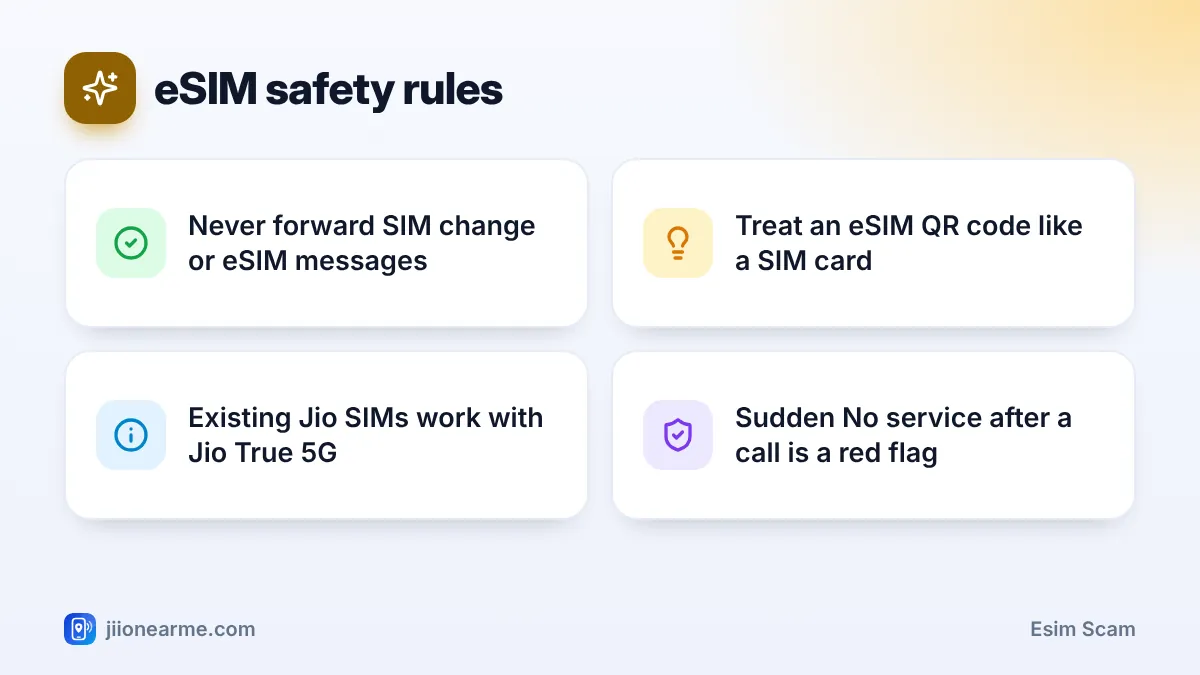
- Never forward or reply to SIM change or eSIM messages that you did not start.
- A sudden “No service” with no clear reason can mean your number has been moved.
- Contact Jio from another phone and alert your bank immediately.
What Is an eSIM and Why Scammers Target It
An eSIM is a SIM built into your phone. Instead of inserting a plastic card, you download a SIM profile, usually by scanning a QR code or completing an activation process with your operator. Jio eSIM works on supported phones and is handy because there is no card to lose or damage.
That same convenience is what fraudsters misuse. Moving a number to an eSIM involves a request and a confirmation step. If a scammer can get you to start or confirm a request meant for their device, your number moves to their phone, and your own SIM or eSIM stops working.
How an eSIM Scam Works, Step by Step
- The call: Someone claiming to be from Jio says your SIM is outdated, needs a 5G upgrade, or will be blocked unless you switch to eSIM.
- The instructions: They ask you to send an SMS with certain words and numbers to an official Jio number, or to share a message you received. The device details they give you actually belong to their phone, not yours.
- The confirmation: You then receive a message asking you to confirm the SIM change. The caller tells you to reply to confirm it or to forward the message to them. Some ask for an eSIM QR code or activation details sent to your email.
- The switch: Once the change is confirmed, your number is activated on the fraudster’s eSIM. Your phone shows “No service”.
- The theft: The fraudster now receives your OTPs and uses them to get into your bank accounts, UPI apps and email.
Never forward, screenshot or read out any message about a SIM change, SIM replacement, eSIM activation or eSIM QR code. Never reply to confirm a SIM change that you did not start yourself.
Common Lines Used in an eSIM Scam
| What the caller says | Why it is a trap |
|---|---|
| “Your SIM will stop working unless you switch to eSIM today.” | Creates panic so you follow instructions quickly |
| “Send this SMS so we can activate 5G on your number.” | The SMS starts a SIM change to their device |
| “You will get a message. Just reply to confirm.” | Your reply approves the switch |
| “Forward the QR code we emailed you.” | The QR code lets them download your eSIM |
| “Don’t worry if your network goes off for a few hours.” | Buys them time to empty your accounts |
Warning Signs That Your Number Has Been Moved
- Your phone suddenly shows No service, SIM not provisioned or Emergency calls only, and a restart does not help.
- You recently got a call about an eSIM or 5G upgrade, followed by messages about a SIM change.
- Bank OTPs and transaction alerts stop arriving.
- You get email alerts about password changes or new logins that you did not make.
If network loss follows a suspicious call, do not wait to see if it comes back. Treat it as an emergency.
What to Do If Your Number Stops Getting Signal
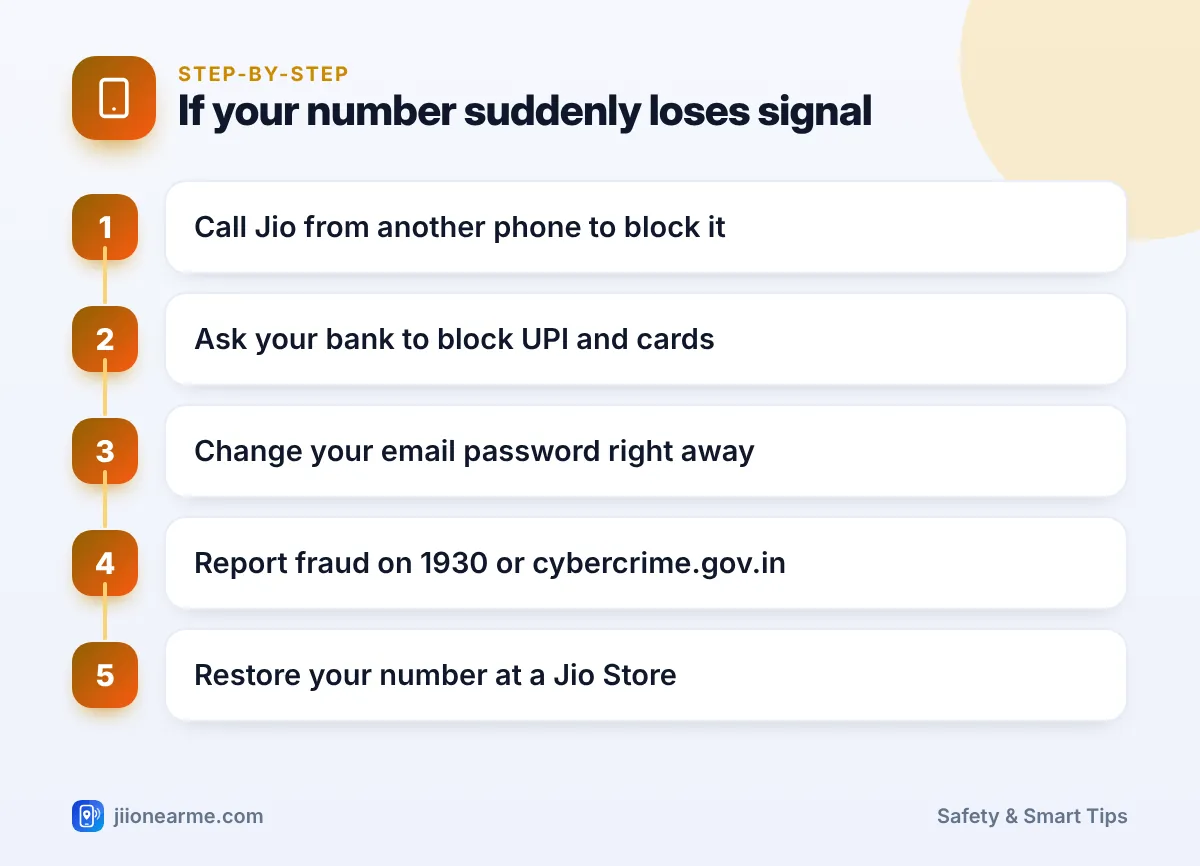
- Contact Jio from another phone. Call the toll-free number 1800-889-9999, or 198 from another Jio number. Explain that your SIM stopped working and you suspect an unauthorised eSIM change. Ask them to block the number.
- Call your bank’s official helpline and ask them to block net banking, UPI and cards linked to the number.
- Secure your email. From another device, change your email password and sign out of other sessions, because password reset links often go to email.
- Report the fraud on 1930 or at cybercrime.gov.in, especially if money has moved.
- Visit a Jio Store with your original ID proof to restore your number on a SIM or eSIM that you control.
- Report the caller’s number through Chakshu on the Sanchar Saathi portal.
If you genuinely want to switch to eSIM, start the process yourself using the steps on jio.com or at a Jio Store. Never do it during a call that someone else started.
How to Protect Yourself From eSIM Fraud
- Ignore unexpected upgrade calls. Jio True 5G works with existing Jio SIMs on supported 5G phones, so a call saying you must change your SIM for 5G is a red flag.
- Keep your email secure. Use a strong password and two-step verification, since SIM-related details and reset links may reach your email.
- Lock your phone and apps. Use a screen lock and app PINs for banking and UPI.
- Check connections in your name on the Sanchar Saathi portal from time to time.
- Talk to your family. Older relatives are frequent targets of “upgrade” calls, so explain the warning signs to them.
An eSIM itself is not unsafe. The risk comes from being tricked into approving a change. Physical SIM users can be targeted in a similar way through a duplicate SIM request.
Frequently Asked Questions
Can someone move my number to an eSIM without my approval?
The eSIM change process includes confirmation steps, which is why scammers try to trick you into completing them. Fraudsters may also try forged documents, so if your number stops working suddenly, contact Jio quickly.
Do I need an eSIM for Jio 5G?
No. Jio True 5G works with existing Jio SIMs on supported 5G phones. Treat any call saying otherwise with suspicion.
What should I do with an eSIM QR code?
Treat it like a SIM card in your hand. Never share it, forward it or send a photo of it to anyone, and scan it only on your own phone.
Does this scam affect both iPhone and Android users?
Yes. The scam depends on tricking you, not on your phone model. Anyone with a mobile number can be targeted, whatever phone they use.
Where do I report an eSIM scam call?
Report the caller through Chakshu on the Sanchar Saathi portal. If money was taken, call 1930 or file a complaint at cybercrime.gov.in.
Wrapping Up
An eSIM scam turns a normal, useful process against you. Your best defence is one firm rule: never start, confirm or forward a SIM or eSIM change because someone on a call told you to. If your signal vanishes suddenly, act fast and contact Jio and your bank from another phone.
JIo Near me is an independent guide and is not affiliated with Reliance Jio. App menus, plans and policies can change – always confirm current details in the official MyJio app or on jio.com. We will never ask for your OTP, PIN or passwords.
