
Straight Talk Auto-Refill is a convenient feature that automatically charges your registered payment method and renews your service plan every 30 days (or on your chosen cycle). However, if you want to switch plans, pause service, or avoid recurring charges, canceling Auto-Refill is straightforward — as long as you do it before your renewal date.
Important: Canceling Auto-Refill does NOT cancel your current active plan. Your service will continue until the end of the current 30-day cycle. After that, you’ll need to manually add a plan or let the service expire.
Methods to Cancel Auto-Refill (All Working in 2025)
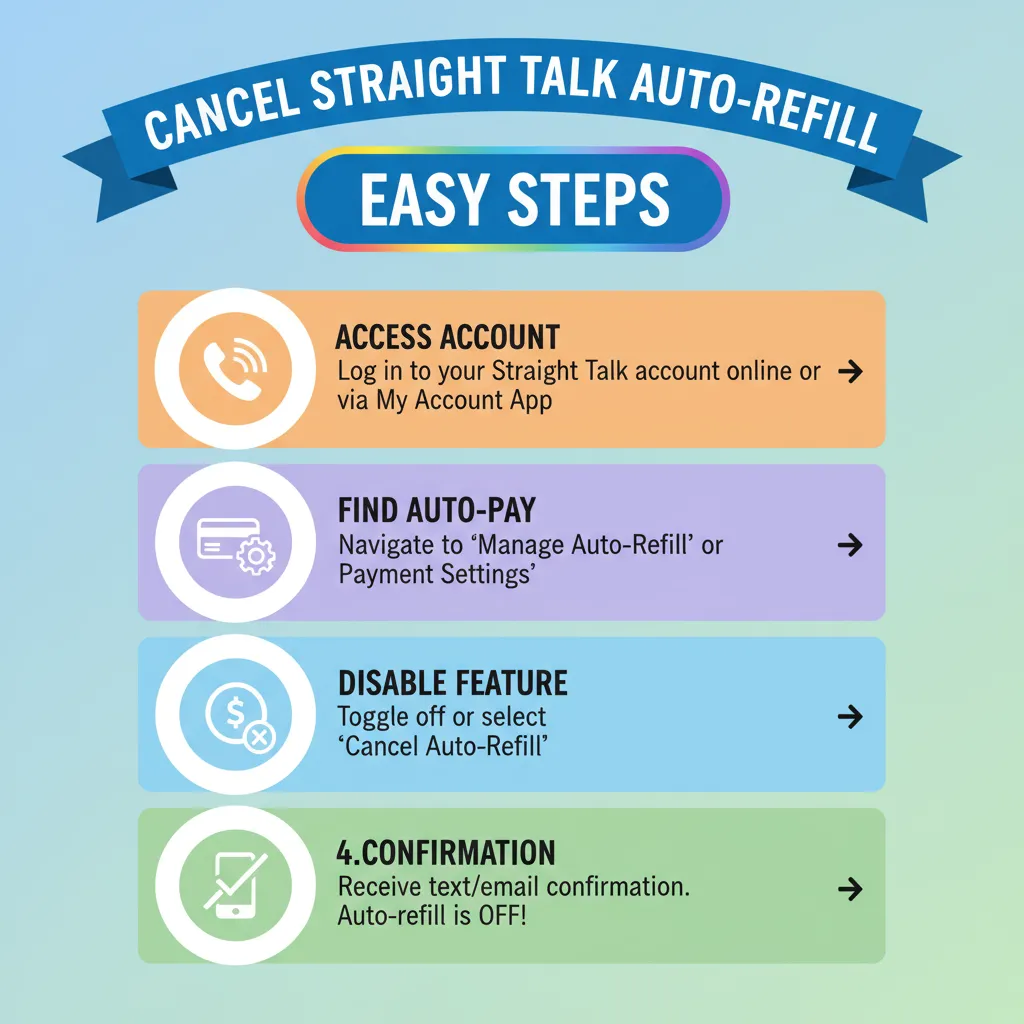
Method 1: Online Account (Recommended – Fastest)
- Go to www.straighttalk.com and click “My Account” (top right).
- Log in using your phone number and PIN (or create one if you don’t have it).
- Once logged in, go to “My Services” or “Plan” tab.
- Look for “Auto-Refill” or “Manage Auto-Refill”.
- Toggle OFF the Auto-Refill switch or click “Turn Off Auto-Refill”.
- Confirm the cancellation.
- You’ll receive a confirmation email and/or text.
Tip: Do this at least 24–48 hours before your renewal date to avoid being charged.
Method 2: Straight Talk Mobile App
- Download the Straight Talk My Account app (iOS or Android).
- Log in with your phone number and PIN.
- Tap “Menu” → “My Plan”.
- Find “Auto-Refill” and tap “Manage”.
- Select “Turn Off Auto-Refill” and confirm.
Method 3: Text Message (Quick SMS Method)
Send a text with the keyword:
STOP AUTOto 611611
You’ll get a reply confirming Auto-Refill is turned off.
Works instantly | No login needed | Available 24/7
Method 4: Call Customer Service
- Dial 1-877-430-2355 (Straight Talk Support)
- Say “Cancel Auto-Refill” when prompted by the automated system.
- Or press 0 to speak with a representative.
- Provide your phone number and account PIN.
- Request immediate cancellation of Auto-Refill.
Best for users without online access or those needing confirmation.
Method 5: Live Chat (Website)
- Visit straighttalk.com → Scroll down → Click “Chat with Us”.
- Type: “I want to cancel Auto-Refill”.
- Agent will verify your account and disable it in real time.
What Happens After Cancellation?
| Status | Details |
|---|---|
| Current Plan | Remains active until the end of the 30-day cycle. |
| Future Billing | No automatic charge on renewal date. |
| Service After Cycle | Expires unless you manually add a new plan. |
| Refunds | No refund for current month; only unused reserve days may be credited in rare cases. |
Pro Tips to Avoid Issues
- Cancel 2–3 days early — Processing delays can cause accidental charges.
- Remove saved payment method (optional): After canceling, go to Payment Methods and delete your card.
- Set a calendar reminder if you plan to re-enroll later.
- Keep confirmation — Screenshot or save the email/text for proof.
Need to Re-Enable Auto-Refill Later?
Just log back in and toggle it ON, or text START AUTO to 611611.
Official Straight Talk Support Links:
- Account Login: myaccount.straighttalk.com
- Help Center: straighttalk.com/support
- SMS Commands: Text HELP to 611611
Done! Your Auto-Refill is now canceled — no more surprise charges. If you have any issues, reply to this and I’ll help troubleshoot.
Also check our article on “How long does pending remote fulfillment take straight talk?“
