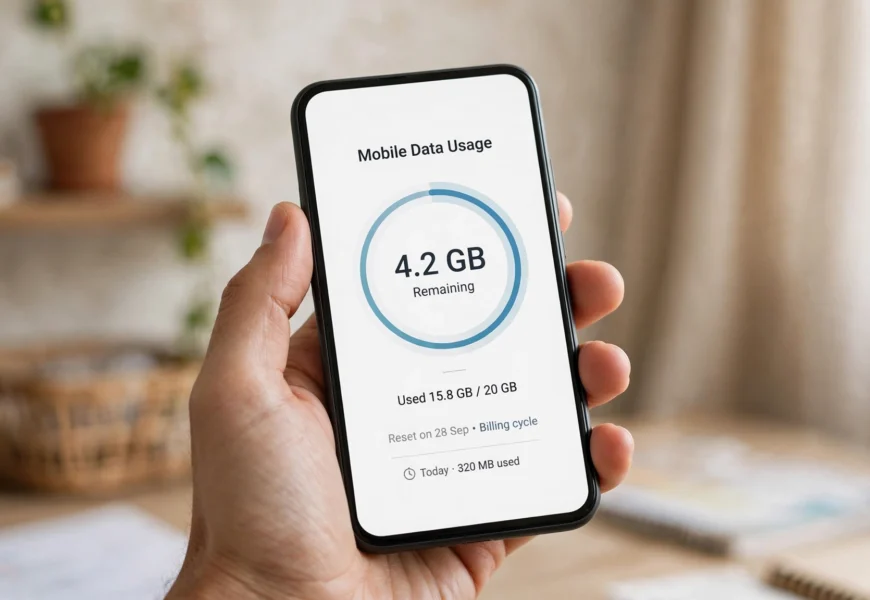
To check your Airtel data balance, dial *121# from your Airtel number and press call — you’ll see your remaining data, validity, and current plan details on screen within seconds, completely free. You can also open the Airtel Thanks app for a detailed usage breakdown, send an SMS to check your balance, or call 121 for a voice (IVR) summary. If one method doesn’t respond, the Airtel Thanks app is the most reliable fallback since it works over Wi-Fi even when your mobile data has fully run out.
Introduction
Running out of mobile data at the wrong moment — mid-download, mid-video call, or right when you need Google Maps — is one of the most common frustrations for prepaid and postpaid users alike. Airtel, one of India’s largest telecom operators, makes it easy to avoid that surprise by offering several free ways to check your remaining data balance in real time, whether you’re a light user or someone who burns through gigabytes daily.
In this in-depth guide, you’ll learn every method to check your Airtel data balance — from the classic *121# USSD code to the Airtel Thanks app, SMS shortcuts, the official website, and customer care — along with troubleshooting tips and answers to the most frequently asked questions. If you’re comparing this process across operators, our guide on the minimum recharge required to keep a Jio number active covers a similar concept for Jio users, and it’s worth a read if you use both networks.
Why You Should Regularly Check Your Airtel Data Balance
Before diving into the methods, here’s why keeping an eye on your data matters:
- Avoid sudden disconnection — once your data pack is exhausted, speeds can drop drastically or stop working altogether unless you have an active add-on.
- Plan ahead for heavy usage days — video calls, downloads, and navigation apps consume data quickly, and knowing your balance helps you pace usage.
- Track Fair Usage Policy (FUP) limits — on unlimited plans, Airtel applies FUP caps after which speeds are throttled, so checking your balance helps you anticipate slowdowns.
- Manage family or multi-SIM plans — postpaid and family-share users can track usage per number to avoid one line eating the shared pool.
Method 1: Check Airtel Data Balance Using the USSD Code (Fastest Method)
The USSD (dial) method is the quickest way to check your balance, and it works even if your phone has no internet access — which is exactly when you need it most.
Steps:
- Open the phone (dialer) app on your device.
- Dial *121# and press the call/send button.
- A menu will appear with options like “My Account,” “Current Usage,” and “Data Services.”
- Select the relevant option to view your remaining data, minutes, and validity.
You can also try *123#, which some Airtel circles use specifically to check plan validity and recharge details alongside your balance.
Tip: *121# is Airtel’s long-standing “My Airtel” USSD menu and remains the most widely used balance-check code across India. If it’s slow to respond, it’s often due to network congestion rather than an actual fault — simply wait a few seconds and retry.
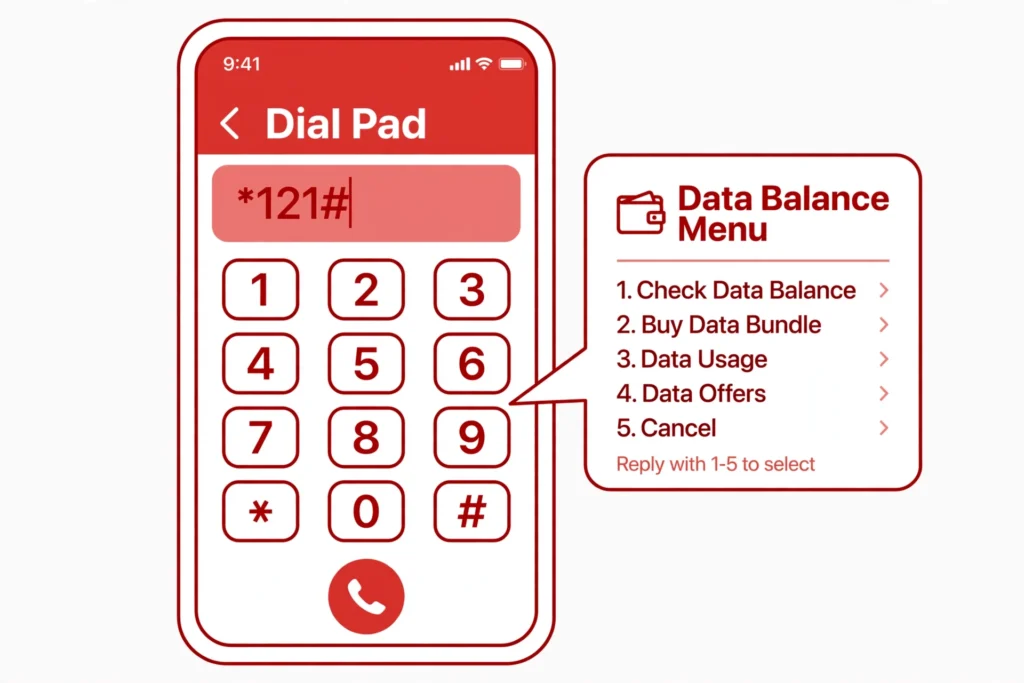
Dial *121# and press call to instantly see your remaining Airtel data.
Method 2: Check Airtel Data Balance via SMS
If you’d rather not navigate a USSD menu, Airtel also allows a balance check by text message on many circles.
Steps:
- Open your messaging app.
- Type DATA BAL or DATA USE in the message body.
- Send it to 121.
- You’ll typically receive a free reply SMS showing your remaining data balance and validity.
Availability of specific SMS keywords can vary slightly by telecom circle, so if one keyword doesn’t return a response, the USSD or app methods are more consistently reliable nationwide.
Method 3: Check Data Balance with the Airtel Thanks App
For the most detailed, visual breakdown of your usage, the Airtel Thanks app is Airtel’s flagship self-service tool and the most comprehensive option available.
Steps:
- Download the app from the Apple App Store or Google Play Store.
- Enter your Airtel mobile number and verify with the OTP sent to your phone.
- On the home screen, tap Services at the bottom to see your Current Usage, including your main data balance, bonus data, and validity.
- From here, you can also recharge, buy add-on data packs, pay bills, and manage multiple connections.
This app is the best option if you want a dashboard view with usage history rather than a one-time snapshot, and it works over Wi-Fi even if your mobile data has completely run out.
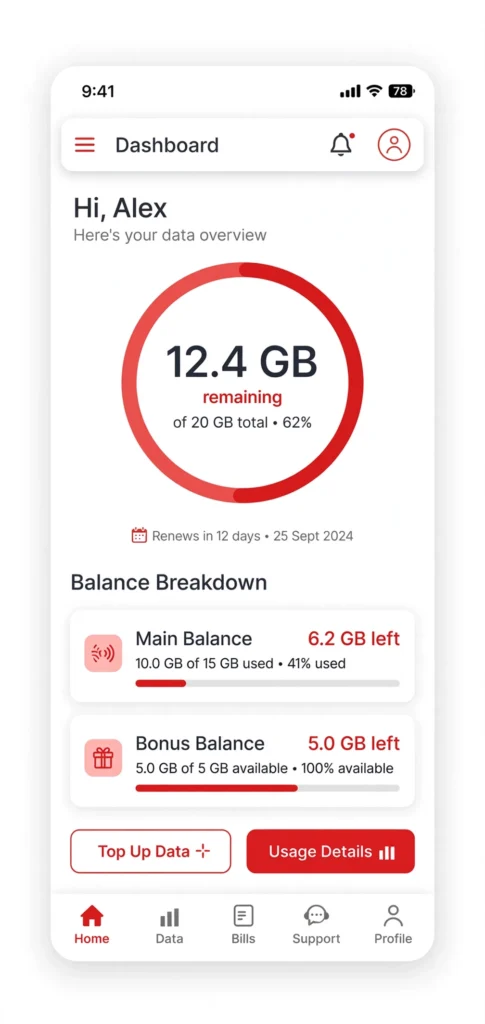
The Airtel Thanks app gives a full visual breakdown of your remaining data, including bonus balances.
Method 4: Check Your Balance Online via the Airtel Website
If you prefer checking from a computer or don’t want to install an app:
- Visit the official Airtel website.
- Log in to your account using your registered mobile number and OTP.
- Navigate to the account or usage section to view your remaining data balance, current plan, and validity.
This is a useful backup option if your phone has no signal but you have Wi-Fi access.
Method 5: Call Airtel Customer Care
You can also get your balance information by speaking to a representative or using the automated voice (IVR) menu:
- Dial 121 from your Airtel number (toll-free for account-related queries).
- Follow the IVR prompts to reach the balance and usage section.
This method is useful if you’re having trouble with USSD or SMS methods, or want clarification on your specific plan’s data allowance and validity.
Comparing the Different Methods
| Method | Speed | Works Without Internet? | Best For |
|---|---|---|---|
| *121# USSD Code | Instant | Yes | Quick checks, even with no data left |
| SMS (DATA BAL to 121) | A few seconds | Yes | Users who prefer text over dial menus |
| Airtel Thanks App | Fast, detailed | Only via Wi-Fi | Full usage history, recharges, add-ons |
| Airtel Website | Fast, detailed | Only via Wi-Fi | Checking from a computer |
| Customer Care (121 call) | 1–3 minutes | Yes | Complex queries or plan clarifications |
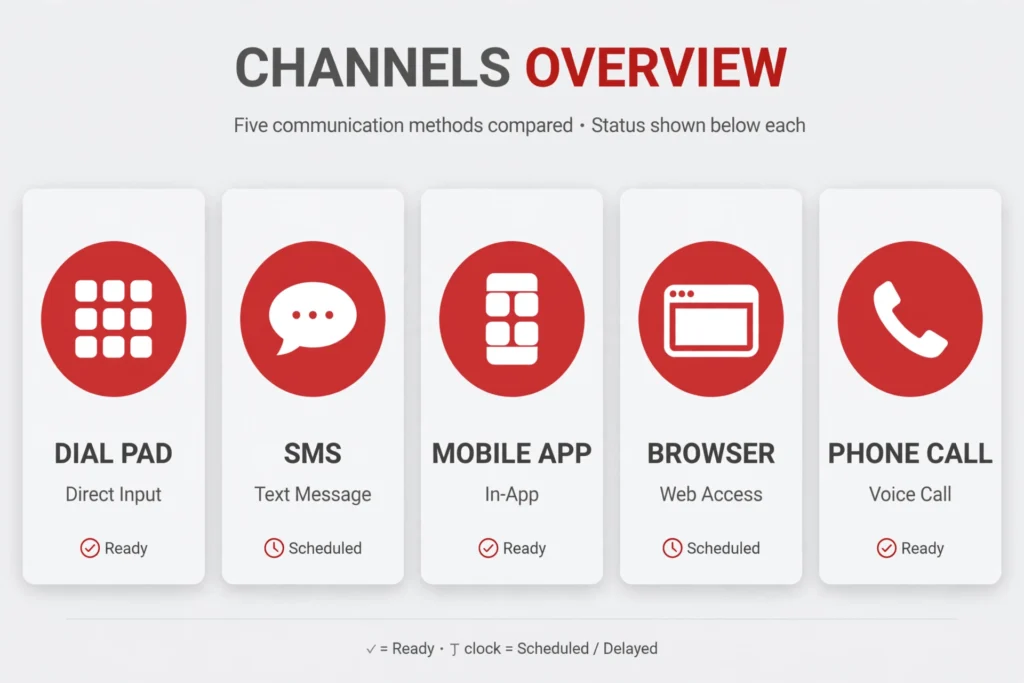
From instant USSD codes to the detailed Airtel Thanks app, there’s a method for every situation.
Understanding Fair Usage Policy (FUP) and Your Data Balance
Many Airtel unlimited data plans come with a Fair Usage Policy (FUP) — a daily or monthly high-speed data cap, after which speeds are reduced (commonly to 64 Kbps or 1 Mbps depending on the plan) rather than being cut off entirely. When checking your balance via the Airtel Thanks app, you’ll typically see:
- Main data balance — your primary high-speed data allowance for the day or billing cycle.
- Bonus/extra data — any promotional or loyalty data added to your account.
- FUP status — whether you’ve crossed your daily high-speed limit, and what speed applies afterward.
Understanding this distinction helps explain why your internet might feel slower even when the app shows “unlimited data” remaining — you may simply have crossed the FUP threshold for the day.
Troubleshooting: What to Do If You Can’t Check Your Balance
| Problem | Suggested Fix |
|---|---|
| USSD code shows “no response” or times out | Restart your phone, ensure you have network signal, and try again, or use the Airtel Thanks app instead |
| SMS not delivered or no reply received | Confirm you typed the keyword exactly and that your SIM is active; SMS balance checks aren’t available in every circle |
| App won’t log in or load | Clear the app’s cache, ensure you’re on the latest version from the app store, or check your internet connection |
| Balance shown seems incorrect | Wait a few minutes for real-time sync across systems, or call 121 to confirm with a representative |
| SIM is new and not yet fully registered | Wait a short while after activation before retrying any balance-check method |
Frequently Asked Questions (FAQ) — Optimized for Search & AI Answer Engines
Q1: What is the USSD code to check Airtel data balance?
Dial *121# from your Airtel number and press call. You’ll receive a menu showing your remaining data, validity, and current plan within seconds.
Q2: How do I check my Airtel balance by SMS?
Send DATA BAL or DATA USE to 121. Note that SMS-based checks aren’t uniformly available across every telecom circle, so the USSD code or app are more reliable if SMS doesn’t work.
Q3: Is checking my Airtel data balance free?
Yes. The USSD codes, SMS, the Airtel Thanks app, and customer care are all free of charge.
Q4: What app shows Airtel data usage in real time?
The Airtel Thanks app, available on the App Store and Google Play, gives a full dashboard of your remaining data, bonus balance, and FUP status.
*Q5: Why does 121# sometimes take longer to respond? This is usually due to temporary network congestion rather than an issue with your SIM. Waiting a few minutes and retrying, or switching to the Airtel Thanks app, usually resolves it.
Q6: Does Airtel data balance checking work for postpaid users too?
Yes, both prepaid and postpaid users can check their data balance using *121#, the Airtel Thanks app, or by calling 121.
Q7: What number do I call for Airtel customer service? Dial 121 from your Airtel number for account queries, or 198 for complaints related to Airtel services.
Conclusion
Checking your Airtel data balance takes less than a minute, no matter which method you choose. For a quick check, the *121# USSD code is the fastest and always free. For a detailed, visual breakdown — including bonus data, FUP status, and usage history — the Airtel Thanks app is the best long-term tool. Bookmark this guide so you’re never caught off guard by an empty data pack again.
For more prepaid SIM and telecom guides like this one — including what happens if you miss a recharge — see our related article on what happens if you don’t recharge Jio, and browse more mobile network guides in our Jio Sim category on jiionearme.com.
For the most current codes and official support, visit Airtel India’s official help page, download the Airtel Thanks app on Google Play, check plan details on the Airtel recharge portal, and see general guidance on mobile data and consumer rights from the Telecom Regulatory Authority of India (TRAI).
Last verified: July 2026. Airtel’s balance-check codes and app features may be updated periodically — always confirm details on Airtel’s official website or app.
