At home, a good Wi-Fi connection is usually the better choice for long video sessions, big downloads and saving battery, while Jio 5G is a handy backup when Wi-Fi is slow, crowded or out of reach. Neither is always faster. The right choice depends on your router, your 5G signal indoors and your plan’s data terms.
Many people simply leave both switched on and let the phone decide. That works most of the time, but a few settings make the handover smarter. This comparison weighs speed, stability, data use, battery and calling, then gives simple rules for common situations.
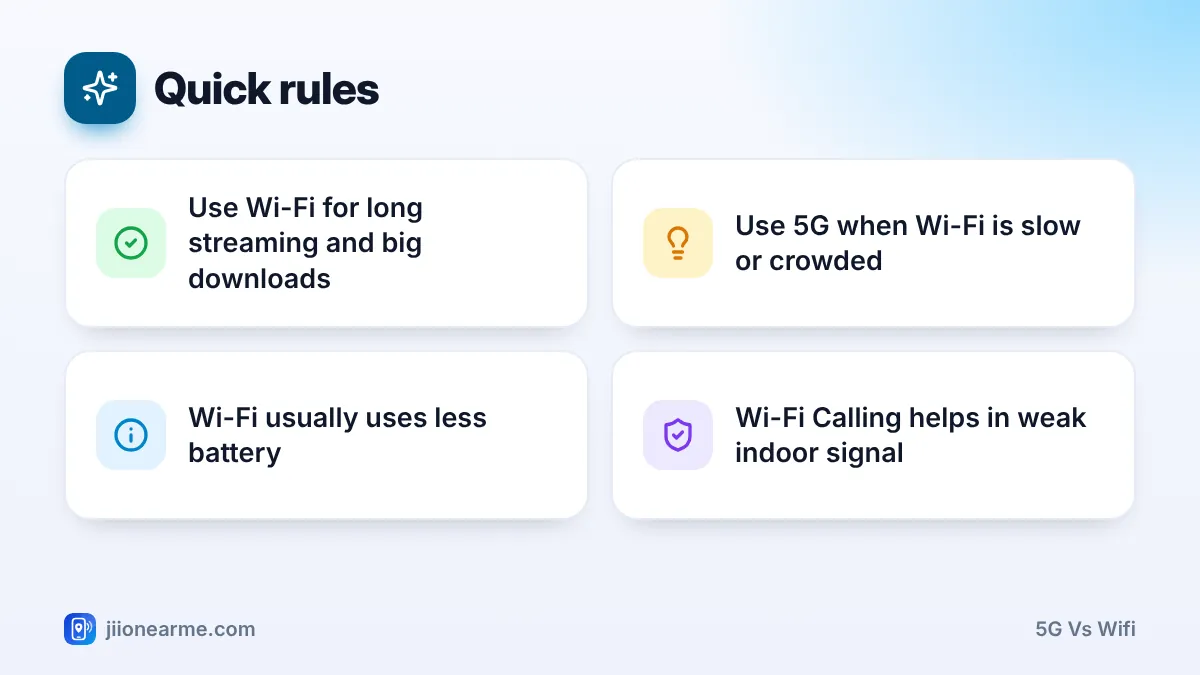
- Wi-Fi from a home broadband connection, such as JioFiber or Jio AirFiber, is usually more stable indoors and does not use your mobile data.
- 5G can be faster than a weak or crowded Wi-Fi network, especially far from the router.
- Wi-Fi generally uses less phone battery, particularly when your 5G signal indoors is weak.
- Turn on Wi-Fi Calling so calls stay clear even when mobile signal is poor inside your home.
5G vs Wi-Fi: Side-by-Side Comparison
| Factor | Home Wi-Fi | Jio 5G |
|---|---|---|
| Speed | Depends on your broadband plan, router and distance | Depends on 5G signal, band and crowding |
| Stability indoors | Usually steady near the router | Can drop indoors on mid-band 5G |
| Data use | Uses your broadband allowance | Uses your mobile plan’s data |
| Battery | Usually lower drain | Higher drain in weak signal |
| Calls | Clear with Wi-Fi Calling | Normal calls, may move to 4G during calls |
| Works away from home | No | Yes, where coverage exists |
The table shows why there is no single winner. Wi-Fi wins on stability, battery and data at home. 5G wins on reach and as a backup when Wi-Fi struggles.
Speed and Stability
When Wi-Fi is faster
A fibre connection reaches your home by cable, so it is not affected by how many people stand near a tower. Close to a good router, Wi-Fi often gives steady speed for streaming, video calls and downloads.
Most home routers broadcast on two bands:
- 5 GHz Wi-Fi is faster but has a shorter range and weakens through walls.
- 2.4 GHz Wi-Fi reaches further but is slower and more crowded, as many devices and neighbours use it.
When 5G is faster
5G can beat Wi-Fi when you are far from the router, when many family members are streaming at once or when your broadband plan has a lower speed. If you have strong 5G near a window, it may outperform weak Wi-Fi in a back room.
Run a speed test on Wi-Fi, then turn Wi-Fi off and test on 5G in the same spot. Repeat in your bedroom, living room and work corner. You will quickly see which connection works best where.
Data Use and Your Plan
Mobile plans often come with daily or monthly data limits. Home broadband plans usually include a much larger allowance. Check the exact terms of both in the MyJio app or on jio.com.
So for heavy tasks, Wi-Fi is the sensible default:
- Streaming movies and live sports in high quality.
- Backing up photos and videos to JioAICloud or other cloud services.
- Downloading app updates, games and large files.
- Long video calls for work or classes.
Save 5G for when you are away from home, or when Wi-Fi fails. If your plan includes generous 5G data, you have more freedom, but Wi-Fi still helps your battery.
Battery and Calling Quality
Battery
Wi-Fi from a nearby router usually uses less power than mobile data. This matters most when your 5G signal indoors is weak, because the phone then works harder to stay connected. Staying on Wi-Fi at home lets the mobile modem rest.
Calling with Wi-Fi Calling
If calls break up inside your home, turn on Wi-Fi Calling. Jio supports it on compatible phones, and calls then go over your Wi-Fi connection when mobile signal is weak.
- Android: open your SIM or mobile network settings, or the Phone app’s Settings > Calls, and turn on Wi-Fi Calling. Labels vary by brand.
- iPhone: go to Settings > Mobile Service (or Phone) > Wi-Fi Calling and switch it on.
Your number and call charges stay as per your plan. Wi-Fi Calling needs a working internet connection, so it stops if your router loses power.
How to Set Up Smart Switching at Home
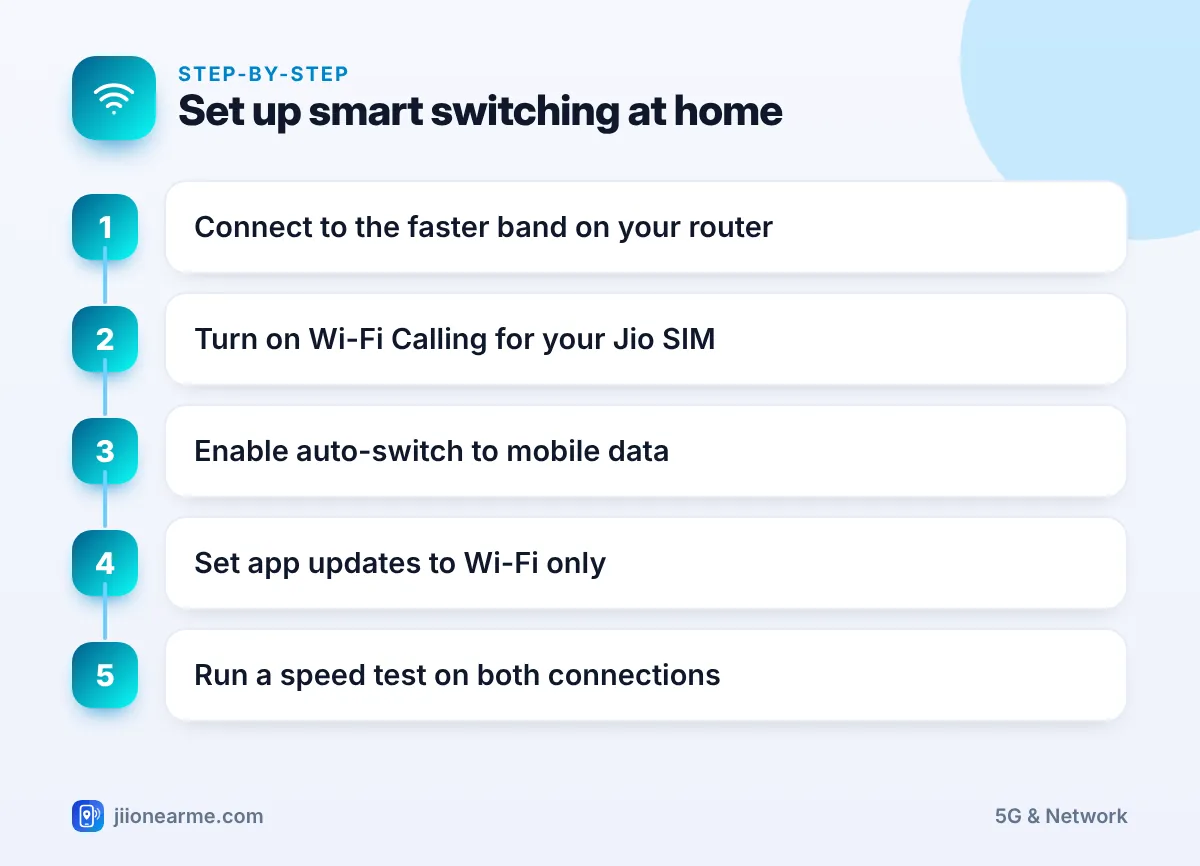
These settings help your phone choose the better connection on its own:
- Connect to your home Wi-Fi. If your router shows two network names, try the 5 GHz one in rooms close to the router.
- Turn on Wi-Fi Calling for your Jio SIM.
- Turn on auto-switching. On many Android phones, look for Switch to mobile data automatically or Intelligent Wi-Fi in Wi-Fi settings. On iPhone, turn on Wi-Fi Assist at the bottom of the Mobile Service (or Mobile Data) screen.
- In the Google Play Store or App Store settings, set app updates to download over Wi-Fi only.
- Run speed tests on both connections in the rooms you use most.
Home Wi-Fi with a strong password is fine for banking and payments. On public Wi-Fi at cafes, stations or hotels, prefer 5G or 4G for anything sensitive, and never enter OTPs or passwords on pop-up login pages you do not trust.
Auto-switching uses some mobile data when Wi-Fi is weak. If your plan has a tight daily limit, keep an eye on usage in the MyJio app for the first few days.
Frequently Asked Questions
Should I turn off mobile data when I am on Wi-Fi?
You do not need to. Phones use Wi-Fi first when it is connected. Keeping mobile data on lets your phone switch over smoothly if Wi-Fi drops.
Why is my phone using 5G even though Wi-Fi is connected?
Auto-switch features like Wi-Fi Assist or Switch to mobile data automatically move you to mobile data when Wi-Fi is weak or has no internet. Turn them off if you want to stay on Wi-Fi at all times.
Is 5G safer than public Wi-Fi?
For sensitive tasks like payments, mobile data is generally the safer choice compared with open public Wi-Fi. Your own home Wi-Fi with a strong password is fine.
Can I use my phone's 5G hotspot instead of home broadband?
You can for short periods, but it uses your mobile data and drains battery. For daily household use, a home broadband connection is more practical.
Final Thoughts
For most homes, the simple rule works: use Wi-Fi for heavy and long tasks, and let 5G cover you when Wi-Fi is weak or you step outside. Turn on Wi-Fi Calling, enable smart switching and test both connections in the rooms you use most. Then let your phone do the rest.
JIo Near me is an independent guide and is not affiliated with Reliance Jio. App menus, plans and policies can change – always confirm current details in the official MyJio app or on jio.com. We will never ask for your OTP, PIN or passwords.
