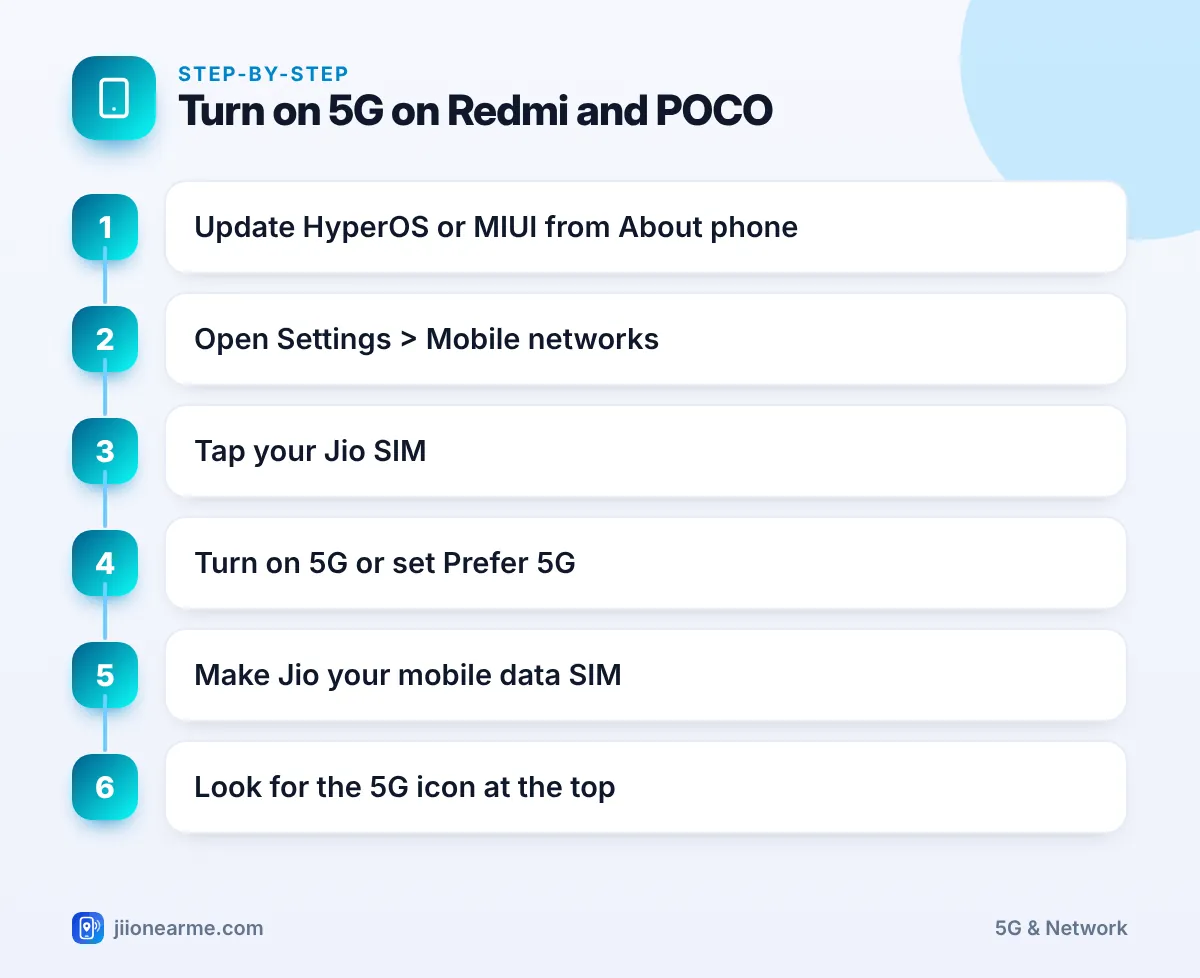
Xiaomi, Redmi and POCO phones keep the 5G setting inside the SIM menu. Open Settings > Mobile networks (or SIM cards & mobile networks), tap your Jio SIM and either turn on the 5G switch or set Preferred network type to Prefer 5G. Your current Jio SIM works on 5G, so you do not need a new one.
The exact labels depend on whether your phone runs HyperOS or the older MIUI, and on your model. This guide covers both, along with the update check, the dual SIM rule that trips up many users and simple ways to confirm the connection.
- The 5G option sits in the SIM settings under Mobile networks or SIM cards & mobile networks.
- Install the latest HyperOS or MIUI update first, as many models received Jio 5G support that way.
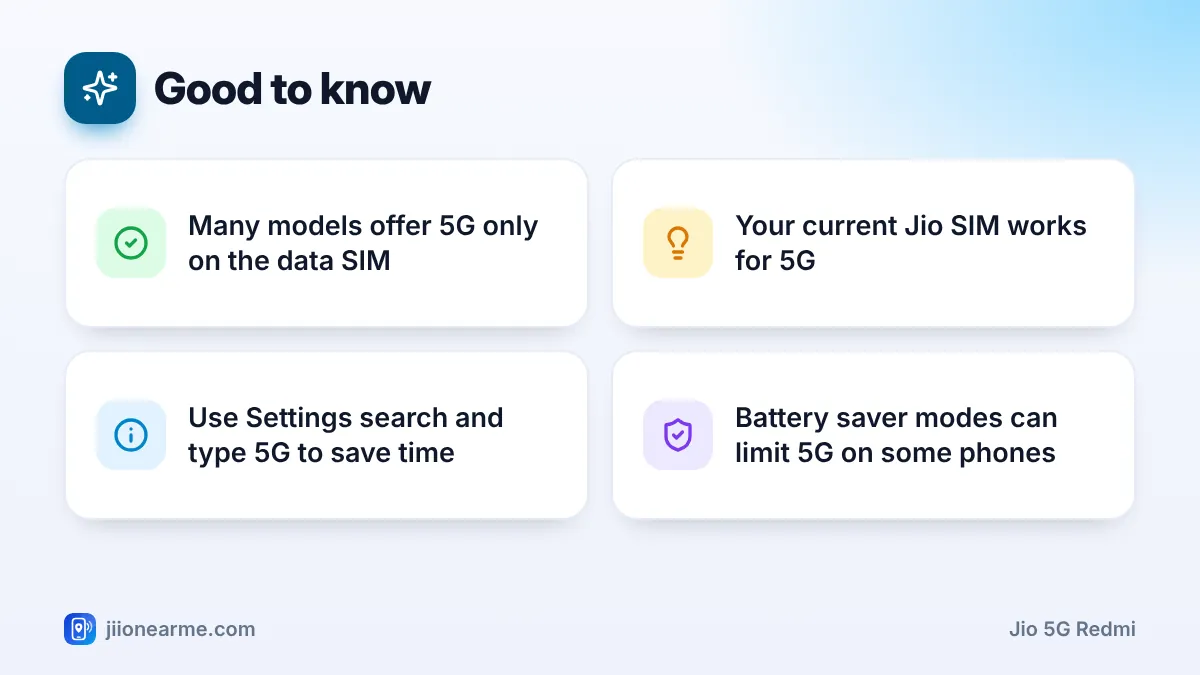
- On most dual SIM models, 5G works only on the SIM chosen for mobile data.
- Confirm with the 5G icon and a speed test, and check battery saver if 5G disappears.
Check That Your Phone Supports 5G
Xiaomi sells both 4G and 5G versions of many phones. A model with “5G” in its name, such as many Redmi Note and POCO models, has a 5G modem. Models without it are usually 4G only.
To confirm:
- Open Settings > About phone and note the model name.
- Look up the model on Xiaomi’s official website and open its specifications.
- Under network bands, look for 5G bands n78 and n28, which Jio uses.
Some early 5G phones support fewer bands. Jio True 5G also runs as standalone (SA) 5G, and most recent Xiaomi phones sold in India support it, often after a software update.
If your phone turns out to be a 4G-only model, no setting will add 5G. It will keep working on Jio 4G with VoLTE calls, and you can plan for a 5G-capable phone when you next upgrade.
Update HyperOS or MIUI First
A missing 5G option is often fixed by a simple update.
- Connect to Wi-Fi and keep the phone charged.
- Open Settings > About phone.
- Tap the HyperOS or MIUI version card.
- Tap Check for updates and install anything available.
- Restart the phone after the update.
Only update through this menu. Do not download system files from unknown websites or forums.
Jio 5G Redmi, Xiaomi and POCO Settings: How to Turn It On
First, find out which software you have. Open Settings > About phone and look at the version card. It will say HyperOS on most newer phones and MIUI on older ones. Then follow the matching path below. If your labels differ slightly, look for the closest match.
| Item | HyperOS | MIUI |
|---|---|---|
| Main menu | Mobile networks (or SIM cards & mobile networks) | SIM cards & mobile networks |
| 5G control | Preferred network type > Prefer 5G, or a 5G switch | 5G switch, or Preferred network type > Prefer 5G |
| Data SIM choice | Default settings for mobile data | Default settings for mobile data |
On HyperOS
- Open Settings.
- Tap Mobile networks (on some versions, SIM cards & mobile networks).
- Tap your Jio SIM under the SIM cards section.
- Tap Preferred network type and select Prefer 5G. Some versions show a 5G switch instead, so turn it on.
- Go back to the home screen and check the status bar.
On MIUI
- Open Settings > SIM cards & mobile networks.
- Tap your Jio SIM.
- Turn on the 5G switch, or open Preferred network type and choose Prefer 5G.
- Return to the home screen.
Open Settings, tap the search bar at the top and type “5G” or “preferred network”. The phone will jump straight to the right screen, whatever your software version.
Make Jio the Mobile Data SIM
This is the step most people miss. On most Xiaomi, Redmi and POCO phones, 5G is available only on the default data SIM. If your other network handles data, the 5G option for Jio may be greyed out or missing.
- Open Settings > SIM cards & mobile networks (or Mobile networks).
- Under default settings, find Mobile data or Data.
- Select your Jio SIM.
- Go back into the Jio SIM settings and turn on 5G again.
You can still use your other SIM for calls and SMS. Only mobile data moves to Jio.
How to Verify a Jio 5G Connection
After the change, confirm that you are actually on 5G:
- Status bar icon: 5G near the signal bars means a 5G connection. 4G means you are on Jio 4G at that moment.
- SIM status: In Settings > About phone, look for a status or SIM status section. The data network type may show NR, the technical name for 5G radio. The exact path varies by model.
- Speed test: Test in two or three places, such as near a window and outdoors. 5G signals weaken through walls.
On some phones, battery saver or ultra battery saver modes limit 5G to save power. If 5G vanishes when battery saver is on, that is likely the reason. Turn it off when you need 5G speeds.
Troubleshooting: 5G Option Missing or Not Connecting
Try these steps one at a time:
- Turn Airplane mode on for 10 seconds, then off.
- Restart the phone.
- Check for updates again, since updates can arrive in stages.
- Make sure Jio is the mobile data SIM and 5G is on for that SIM.
- Check your plan in the MyJio app, as 5G data access can depend on the active plan.
- Reset Wi-Fi, mobile network and Bluetooth settings from the reset options in Settings. You will need to re-enter Wi-Fi passwords.
If you are sure your area has Jio 5G and nothing works, call 199 from your Jio number for queries or 198 to register a complaint.
Frequently Asked Questions
Why is the 5G option greyed out on my Redmi phone?
Usually because Jio is not set as the mobile data SIM. Many Redmi and POCO models allow 5G only on the data SIM, so switch data to Jio and try again.
Do I need to buy a new SIM for Jio 5G?
No. Your existing Jio 4G SIM or Jio eSIM works on Jio True 5G. A compatible phone, current software and coverage are what matter.
What is the difference between Prefer 5G and Prefer 4G?
Prefer 5G lets the phone use Jio 5G where available and 4G elsewhere. Prefer 4G keeps the phone on Jio 4G even in 5G areas.
Is it safe to use apps that claim to force 5G?
It is better to avoid them. They can change hidden radio settings and cause call or data problems. The built-in SIM setting is enough.
Why does my phone switch between 5G and 4G?
The phone picks the best available network based on signal. Indoors or at the edge of coverage, it may move to 4G to keep you connected.
Wrapping Up
On Xiaomi, Redmi and POCO phones, Jio 5G is usually one setting away: turn on 5G or choose Prefer 5G for your Jio SIM. Update the software first, make Jio the mobile data SIM and check for the 5G icon. If it still does not appear, the troubleshooting steps above cover the most common causes.
JIo Near me is an independent guide and is not affiliated with Reliance Jio. App menus, plans and policies can change – always confirm current details in the official MyJio app or on jio.com. We will never ask for your OTP, PIN or passwords.
