Jio’s APN (Access Point Name) is jionet, and almost every Android phone adds it automatically when you insert a Jio SIM. You only need to touch Jio APN settings if mobile data stops working because the entry was deleted, edited or never created.
The fix is usually quick. First try Reset to default on the Access Point Names screen. If no Jio entry appears after that, add a new APN with the name Jio and the APN jionet, save it and select it. This guide explains each field you will see, so you know what to fill in and what to leave alone.
- The correct APN for Jio mobile data is jionet. Most phones set it up automatically.
- Always try Reset to default before adding an APN by hand.
- When adding manually, fill in only the name and APN, and leave most other fields blank.
- After saving, tap the circle next to the Jio APN to make it the active profile.
- A correct APN cannot fix an expired plan, used-up data or a network outage.
What an APN Does on Your Jio SIM
An APN is like an address label for your mobile data. When you turn on data, your phone sends this name to the network. Jio’s system reads it and connects you to the right gateway for internet access.
If the APN is missing or spelt wrong, the phone may show full signal and a 4G or 5G icon, yet nothing loads. That is the typical sign of an APN problem. Calls and SMS usually keep working, because they do not rely on the internet APN in the same way.
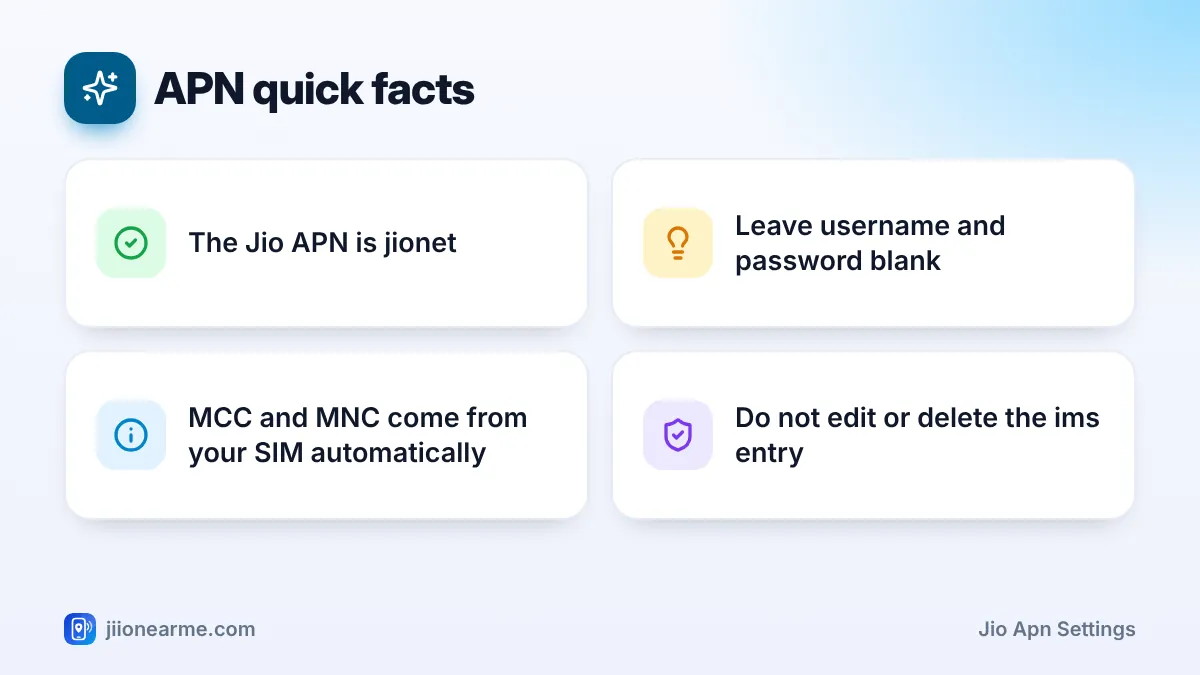
Your phone may also list an entry named ims or IMS. This one is used for VoLTE calling. Do not edit or delete it, even if it looks unfamiliar.
Correct Jio APN Settings, Field by Field
The Access Point Names screen shows many fields. Most of them should stay empty for Jio. Here is what each one means and what to use.
| Field | What it means | What to use for Jio |
|---|---|---|
| Name | A label you see in the list | Jio (any name works) |
| APN | The gateway your phone asks for | jionet |
| Proxy and Port | Old web proxy settings | Leave blank (Not set) |
| Username and Password | Login for private networks | Leave blank (Not set) |
| Server | Rarely used | Leave blank (Not set) |
| MMSC, MMS proxy, MMS port | Picture message settings | Leave as the phone sets them |
| MCC and MNC | Country and network codes | Filled from your SIM, do not change |
| Authentication type | Login method | None |
| APN type | What the APN is used for | default (some phones show default,supl) |
| APN protocol | Internet address version | IPv4/IPv6 |
| APN roaming protocol | Address version while roaming | IPv4/IPv6 |
| Bearer, MVNO type | Advanced options | Leave unchanged |
The MCC for Jio is 405, one of the mobile country codes used in India. The MNC differs by telecom circle, so let the phone fill it in from your SIM instead of typing a value you found online.
Forums and videos often share long APN settings with extra values. Wrong entries can block data completely. No APN setting can give you extra data, higher speed or free internet, so ignore any post that claims otherwise.
First Try: Reset APN to Default
Resetting removes any edited or broken entries and rebuilds the correct ones from your SIM and phone software. It is safer than typing values yourself.
- Open the Access Point Names screen for your Jio SIM (paths are listed below).
- Tap the three-dot menu (⋮) in the top corner.
- Choose Reset to default and confirm.
- Wait a few seconds for the list to reload, then check that a Jio entry with jionet is selected.
If a Jio entry now appears and is selected, turn mobile data off and on and test a website. If the list stays empty, add the APN manually.
How to Add Jio APN Settings Manually
Labels and positions differ slightly between brands and Android versions, but the steps are the same in spirit.
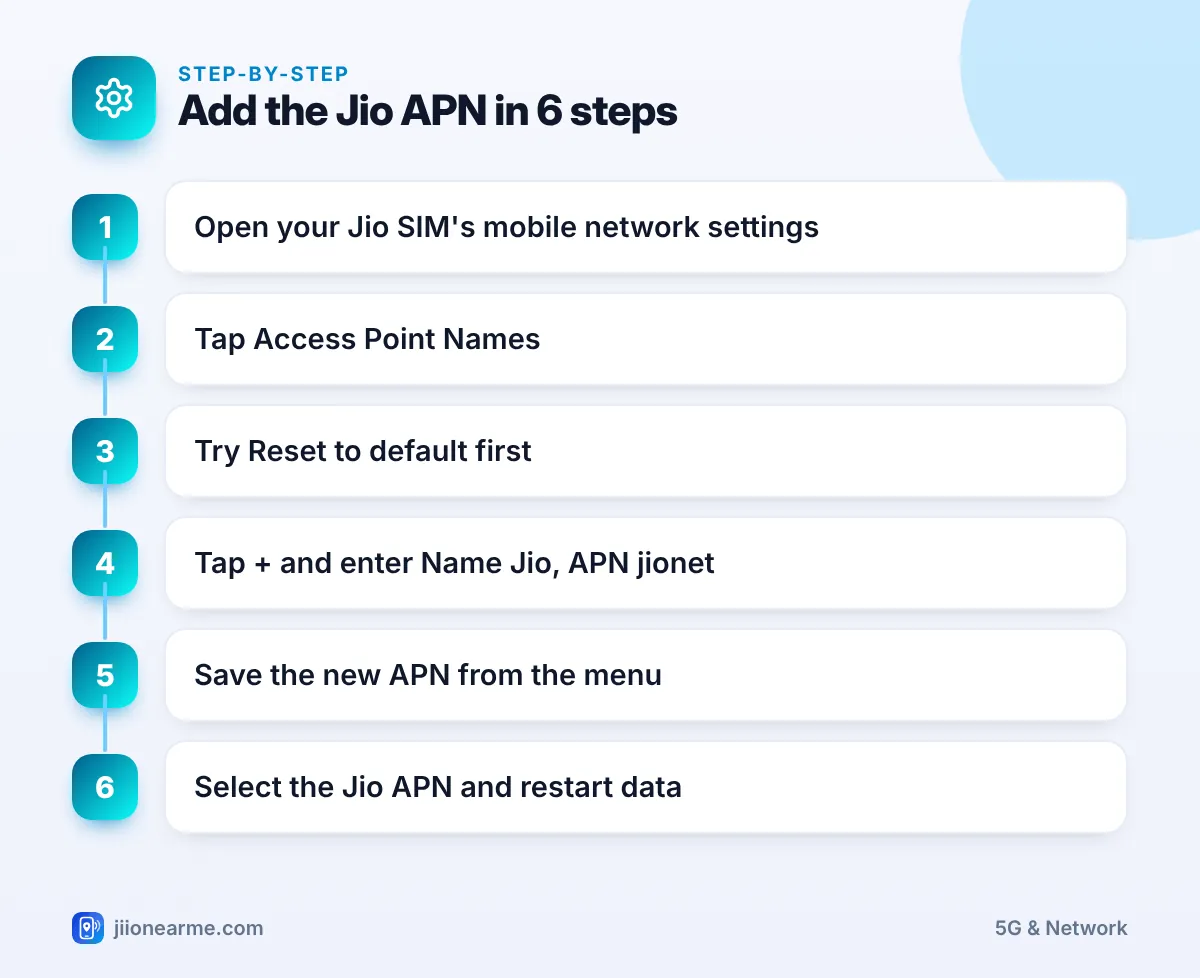
- Open Settings and go to your mobile network or SIM settings.
- Select your Jio SIM and tap Access Point Names. On some phones it sits under Advanced.
- Tap +, Add or New APN.
- Enter Jio in the Name field and jionet in the APN field.
- Check that APN type shows default and both protocol fields show IPv4/IPv6. Fill them in only if they are empty.
- Leave every other field as it is.
- Tap the three-dot menu (⋮) and choose Save, or tap the tick (✓) on some phones.
Where to find Access Point Names
- Samsung (One UI): Settings > Connections > Mobile networks > Access Point Names.
- Xiaomi, Redmi and POCO: Settings > SIM cards & mobile networks > select the Jio SIM > Access point names.
- OnePlus, OPPO and realme: Settings > Mobile network > select the SIM > Access point names.
- vivo and iQOO: Settings > Mobile network > select the SIM > Access Point Names.
- Google Pixel and Motorola: Settings > Network & internet > SIMs > select the Jio SIM > Access point names.
On a dual SIM phone, make sure you are on the Jio SIM’s page. Each SIM keeps its own APN list.
How to Select Jio as the Active APN
Saving an APN does not always switch to it. Back on the Access Point Names list, look for the small circle (radio button) next to each entry.
- Tap the circle next to Jio so it fills in.
- Go back to the main settings screen.
- Turn mobile data off, wait a few seconds and turn it on again.
- If pages still do not load, restart the phone.
On dual SIM phones, data only flows through the SIM chosen for mobile data. Open your SIM settings and confirm that Jio is set as the Mobile data or Data SIM before blaming the APN.
Some phones show the Jio entry in grey and do not let you edit it. That is normal. The phone is protecting the carrier’s own profile. You can still select it, or reset to default if it seems wrong.
When APN Changes Will Not Fix Your Data
If the APN is correct and selected but data still fails, the cause is somewhere else. Work through these checks:
- Plan and data balance: Check validity and remaining data in the MyJio app. Data stops when the plan expires.
- Network mode: Make sure the mode includes 4G or 5G. Jio has no 2G or 3G network.
- Signal: Move near a window or step outside to rule out a weak spot.
- Software: Install pending system updates, which can include fresh carrier settings.
- Network reset: Use Reset Wi-Fi, mobile and Bluetooth (or similar) under Settings > System > Reset options. This clears saved Wi-Fi passwords.
If none of these work, call Jio on 199 from your Jio number for queries, or 198 to register a complaint. You can also visit a Jio Store with your phone and SIM.
Frequently Asked Questions
What is the APN for Jio 4G and 5G?
The APN is jionet for both Jio 4G and Jio True 5G data. You do not need a separate APN for 5G.
Should I set the APN protocol to IPv4 or IPv6?
Keep both APN protocol and roaming protocol on IPv4/IPv6. Jio’s network uses both address types, and this option lets the phone handle each one.
Can I delete the other APN entries in the list?
It is better not to. Entries such as ims are used for calling. If the list looks messy, use Reset to default instead of deleting items one by one.
Why can't I edit the Jio APN on my phone?
Some phones lock the carrier’s built-in APN. You can still select it, reset to default, or add a new entry with the jionet APN.
Can I change the APN on an iPhone with a Jio SIM?
iPhones normally do not show an editable APN for Jio. The settings come from carrier settings updates, which you can check under Settings > General > About.
Final Thoughts
Jio APN settings rarely need attention, but when data stops working they are worth checking. Reset to default first, add the jionet APN only if it is missing, select it and restart data. Leave the advanced fields alone, and if data still fails, look at your plan, signal and data SIM before contacting Jio support.
JIo Near me is an independent guide and is not affiliated with Reliance Jio. App menus, plans and policies can change – always confirm current details in the official MyJio app or on jio.com. We will never ask for your OTP, PIN or passwords.
