
A Jio SIM cannot be registered in a child’s own name. Mobile connections in India are issued only to adults, so if your child is under 18, the SIM must be taken in a parent’s or guardian’s name, using that adult’s KYC.
That makes you responsible for the number, so it pays to set it up carefully. This guide explains the ownership rules, then walks through practical steps: a SIM PIN, saved contacts, spam filters and phone-level limits that keep your child safer.
- A Jio SIM for child use must be registered to a parent or guardian, with the adult’s own KYC.
- The registered owner is legally responsible for anything done with that number.
- Set a SIM PIN, save emergency contacts and turn on parental controls on the phone itself.
- Teach your child never to share OTPs and to tell you about strange calls or messages.
Why a Jio SIM for Child Use Must Be in Your Name
Under the Department of Telecommunications (DoT) rules, mobile connections are not issued to anyone under 18. A SIM purchase is a service agreement, and minors cannot enter into it on their own.
So the parent or guardian:
- Visits the Jio Store, or books home delivery, and completes KYC with their own Aadhaar or ID
- Becomes the registered owner of the number
- Takes responsibility for how the number is used, including any misuse
Because the number is linked to your identity, any calls, messages or OTP requests made from it can be traced to you. This is a good reason to stay involved in how your child uses the phone.
A SIM taken for your child counts towards the total number of mobile connections registered in your name across all operators.
Choosing the Right Phone and Plan
Before you buy, think about how your child will use the number.
- Younger children may only need calls and SMS to stay in touch. A simple feature phone such as a JioPhone or JioBharat keeps things basic.
- Older children who need apps for school may need a smartphone. This gives more freedom, so phone-level controls matter more.
- Plans change often. Compare the current prepaid and postpaid options in the MyJio app or on jio.com, and pick one that matches real usage.
If you already use Jio postpaid, a JioPlus family plan can bring your child’s number under your account, which makes bills and usage easier to watch. Check the current JioPlus options before deciding.
How to Set Up Your Child’s Jio SIM Safely
Once the SIM is active, take ten minutes to set things up before you hand over the phone.
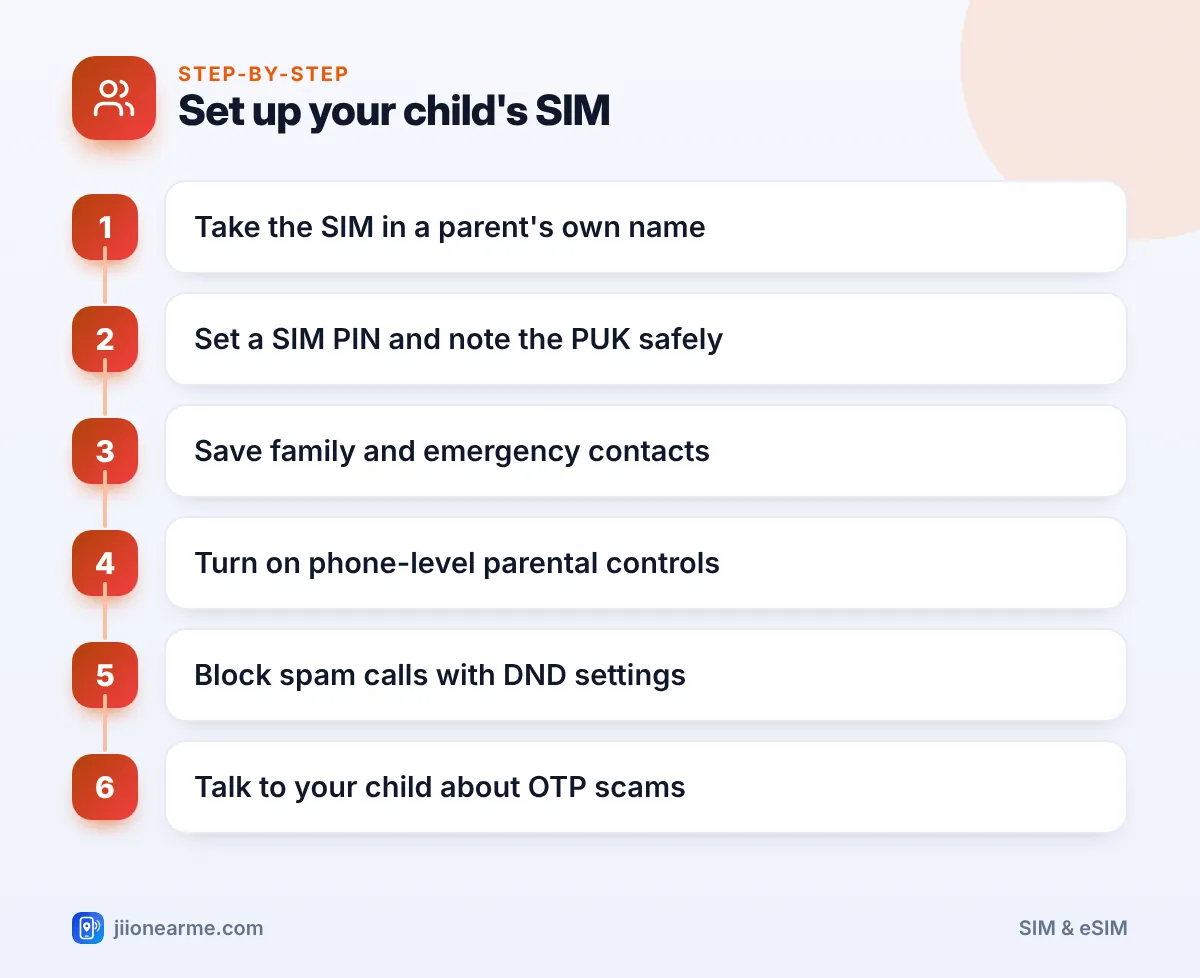
- Set a SIM PIN. On Android, look under Settings > Security (or Security & privacy) for SIM lock or SIM card lock. On an iPhone, go to Settings > Mobile Data (or Mobile Service) > SIM PIN. Labels can differ by phone. Keep the SIM card holder with the PUK code in a safe place at home.
- Save key contacts. Add parents, close relatives, the school and a trusted neighbour. Mark parents as favourites for quick dialling.
- Add emergency information. Use the phone’s emergency contact or medical info feature, so contacts can be reached even from the lock screen.
- Turn on parental controls. Use Google Family Link on Android or Screen Time on iPhone (details below).
- Reduce spam. Register your child’s number on the TRAI DND app, or call 1909 from that number to set Do Not Disturb preferences.
- Add the number to MyJio. In the MyJio app on your phone, look for the option to link or add another Jio number. This lets you check its balance, validity and usage.
Teach your child to dial 112, India’s emergency response number, and make sure they know your number by heart. A phone with a dead battery is no help, so a memorised number matters.
Phone-Level Usage Limits That Actually Help
Jio provides the connection, but most day-to-day controls live on the phone itself. Here is what each platform offers.
| What you want | Android (Google Family Link) | iPhone (Screen Time) |
|---|---|---|
| Daily screen time limits | Yes | Yes |
| Approve app downloads | Yes | Yes, with Ask to Buy |
| Block certain apps | Yes | Yes |
| See app usage reports | Yes | Yes |
| Locate the phone | Yes | Yes, through Find My |
Set these up with your child, not behind their back. Explaining why the limits exist makes them more likely to work.
Also check settings inside apps. Streaming apps, including JioHotstar, may offer kids profiles or parental settings. Look in each app’s profile or settings menu to see what is available.
Teaching Your Child About Scams and OTPs
Children are increasingly targeted by phone and message scams. A few simple rules help:
- Never share an OTP with anyone, even someone claiming to be from Jio, a bank or the school.
- Don’t click links in unknown SMS or chat messages.
- Don’t answer video calls from strangers.
- Tell a parent about any call or message that feels odd, threatening or urgent.
If your child receives a suspicious fraud call or message, report it on the Chakshu facility of the Sanchar Saathi portal. If money or personal data is involved, call the national cybercrime helpline 1930 or file a complaint on cybercrime.gov.in.
Don’t let your child or anyone else use your Aadhaar or ID to take a second SIM. Every connection in your name is your responsibility.
When Your Child Turns 18
Once your child becomes an adult, they can take a connection in their own name with their own KYC. If they want to keep the same number, ask Jio about the current process for transferring the connection. Until that happens, the number remains legally yours.

Frequently Asked Questions
Can I get a Jio SIM in my child's name?
No. Mobile connections are not issued to people under 18. The SIM must be taken in a parent’s or guardian’s name using that adult’s KYC.
Does Jio offer parental controls on the SIM itself?
Most usage limits are set on the phone, using tools like Google Family Link or Screen Time. You can track your child’s balance and usage by adding their number to MyJio on your phone.
Should I choose prepaid or postpaid for my child?
Prepaid gives a fixed limit and no surprise bills. Postpaid, such as a JioPlus family plan, can be easier to manage if you already use Jio postpaid.
What if my child forgets the SIM PIN?
After three wrong PIN attempts, the SIM locks and asks for a PUK code. Use the PUK from the SIM card holder, or contact Jio customer care with your ID.
Can I see who my child is calling?
Your phone bill or MyJio usage details may show some call records, depending on your connection type. Talking openly with your child usually works better than close monitoring.
Wrapping Up
A Jio SIM for child use must be in your name, so treat it like any number you own. Set a SIM PIN, save the right contacts, turn on phone-level controls and keep an eye on usage in MyJio.
Most of all, talk to your child about OTPs, links and strangers. Good habits now will protect them long after the parental controls come off.
JIo Near me is an independent guide and is not affiliated with Reliance Jio. App menus, plans and policies can change – always confirm current details in the official MyJio app or on jio.com. We will never ask for your OTP, PIN or passwords.
