Yes, you can save many movies and episodes from JioHotstar to your phone and watch them later without internet. Open the title in the JioHotstar mobile app, tap the Download icon, choose a quality and wait for it to finish. Your saved titles then appear in the app’s Downloads section.
There are a few limits, though. Not every title can be downloaded, the feature works in the mobile app rather than on TV or the website, and offline copies do not stay forever. This guide explains each of these so you know what to expect before a flight, a long train journey or a trip to an area with weak signal.
- Downloads work in the JioHotstar app on Android phones and iPhones, with a plan that supports them
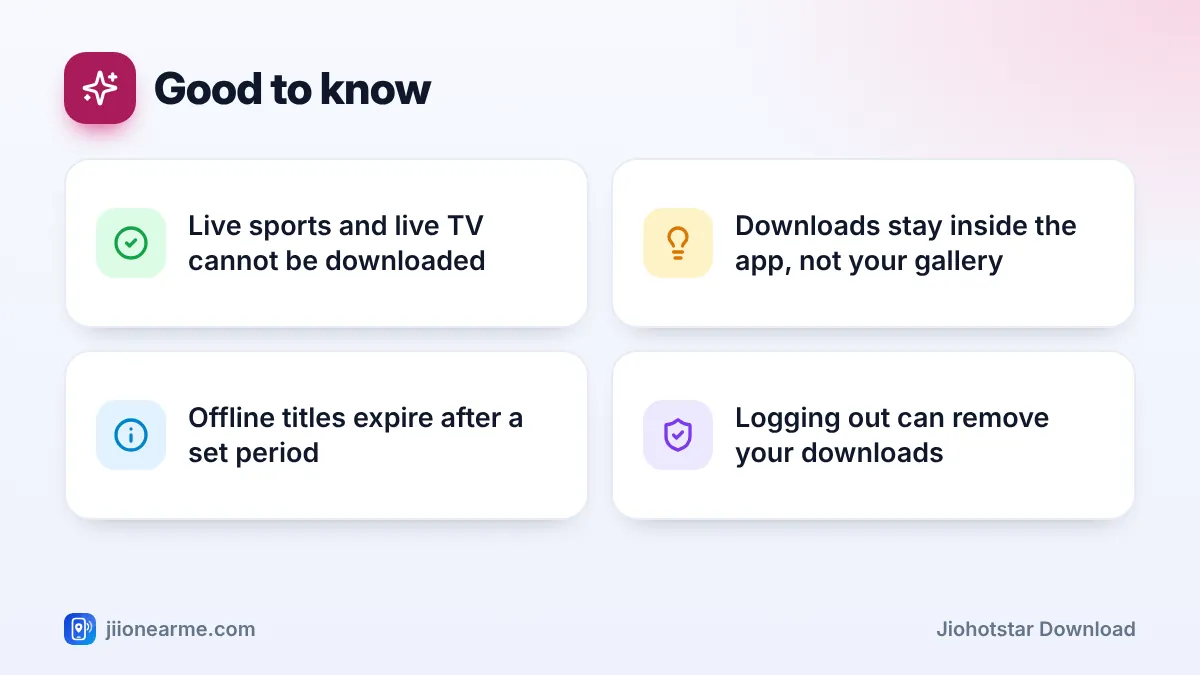
- Only titles that show a Download icon can be saved; live sports and live TV cannot
- Lower quality saves storage and data, while higher quality looks sharper on bigger screens
- Downloads expire after a set time and need the app to go online now and then
What You Need Before You Download
Check these basics first. Most download problems come from one of them.
- The mobile app. Downloads are a feature of the JioHotstar app for Android phones, iPhones and tablets. The website and smart TV apps are meant for streaming.
- An active subscription. Downloading is generally tied to a paid plan or a plan included with your Jio recharge. If your plan does not support downloads, the app tells you when you tap the icon.
- Enough storage. A full movie in high quality can take a large chunk of space. Clear old videos or unused apps if your phone is nearly full.
- The latest app version. Update JioHotstar from the Google Play Store or the App Store. Older versions sometimes hide or break the download option.
- A stable connection while downloading. Wi-Fi or JioFiber is ideal. Mobile data works too, but it uses your daily data.
Which JioHotstar Titles Can Be Downloaded
Whether a title can be saved depends on the rights JioHotstar holds for it. Many movies, web series and TV show episodes are downloadable. Some are not, even on the same plan.
The easiest test is to open the title page. If you see a Download icon (usually a downward arrow) near the Play button or beside each episode, that title can be saved. If the icon is missing, the title is streaming-only.
A few types of content are not available offline at all:
- Live cricket, football and other live sports
- Live TV channels and live events
- Some trailers, short clips and promotional videos
Match highlights and replays may or may not be downloadable. It depends on the event, so look for the icon each time.
JioHotstar Download Steps for Android and iPhone
Follow these steps on your phone or tablet. The flow is the same on Android and iPhone.
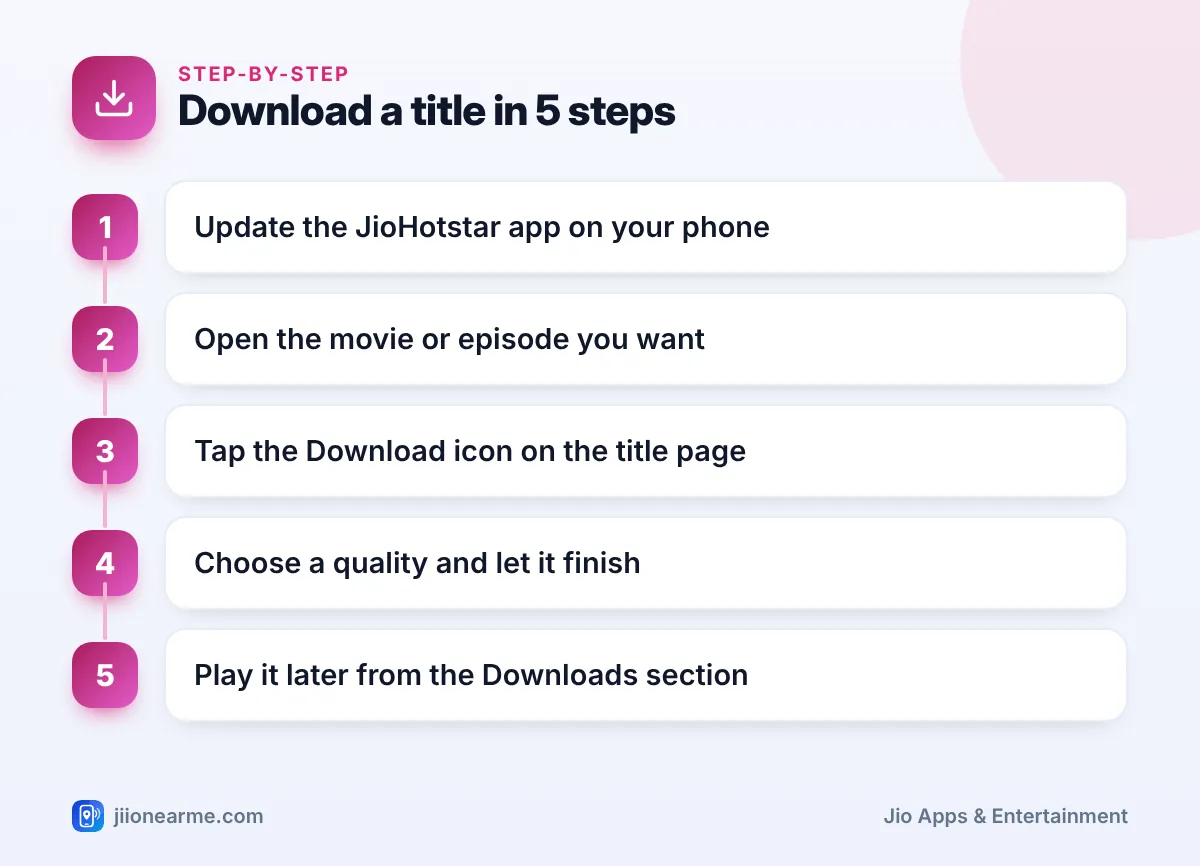
- Open the JioHotstar app and make sure you are signed in with the number that holds your subscription.
- Select your profile if the account has more than one.
- Search for the movie or show, or open it from the home screen.
- On the title page, tap the Download icon. For a series, tap the icon next to the episode you want.
- If the app asks, choose a download quality and confirm.
- Watch the progress bar. You can keep using your phone while the download runs.
- When it finishes, open the Downloads section and tap the title to play it offline.
JioHotstar updates its app often. If you cannot find a button named exactly as described here, look for a similar icon or label in the same area of the screen.
Downloading several episodes of a series
For a show, you usually download episodes one at a time from the episode list. Start the next few episodes while you are on Wi-Fi and they will queue up. Avoid saving a whole season at once if your storage is tight.
Download on Wi-Fi or JioFiber the night before you travel. Starting downloads at the airport or station on mobile data is slower and eats into your daily data.
Choosing the Right Download Quality
JioHotstar usually offers a few quality levels for downloads. Some app versions ask you every time, while others let you set a default in the app settings. Look in My Space and then the settings or gear icon for an option such as Download quality. Labels vary, but the choice is always the same: a smaller file or a sharper picture.
| Quality level | Picture | Storage and data | Best for |
|---|---|---|---|
| Lower | Fine on a small screen | Smallest files | Phones with little free space, long series |
| Medium | Clear for most viewing | Moderate | Everyday downloads on a phone |
| Higher | Sharpest picture | Largest files | Tablets, big phones, movies you care about |
The highest quality on offer also depends on your plan and your device. If a level you expect is missing, your plan or phone may not support it.
Where Downloads Are Kept and How Long They Stay
Downloaded titles live inside the JioHotstar app. You will not find them in your phone gallery or file manager as normal video files, and you cannot copy them to another phone or a pen drive. This protects the content and is standard for streaming apps.
To find them, open the Downloads section. Depending on your app version, it sits in the bottom menu or inside My Space.
How long downloads stay available
Offline titles do not last forever. Each download comes with a time limit that the app applies in the background. When it runs out, the title stops playing until you connect to the internet and renew it or download it again. Some titles may also have a shorter window once you press Play for the first time.
Your downloads can also disappear or stop playing if:
- your subscription ends or the bundled plan validity runs out
- the title is removed from JioHotstar
- you log out of the app, clear its data or uninstall it
- the app has not been online for a long time
Logging out or uninstalling JioHotstar can delete every download on that phone. Watch what you need first, and download it again later on Wi-Fi.
Fixing Common Download Problems
If something goes wrong, try these fixes in order.
- Download icon missing: the title is streaming-only, or your plan does not include downloads. Check another title to confirm.
- Download stuck at a percentage: pause and resume it, switch between Wi-Fi and mobile data, or restart the app.
- Not enough storage message: free up space or pick a lower quality.
- Downloaded title will not play: connect to the internet for a minute and open the app so it can check your subscription.
- Downloads vanished: you may have logged out or cleared app data, or the time limit may have expired.
If a download still fails after an app update and a phone restart, use the help section inside the JioHotstar app. For data balance or network issues on your Jio number, check the MyJio app or call 199 from your Jio number.
Frequently Asked Questions
Can I download JioHotstar content on my laptop or TV?
Downloads are designed for the JioHotstar mobile app on phones and tablets. The website and smart TV apps are for streaming, so plan to download on your phone.
Does downloading use my Jio data?
Yes. If you download on mobile data, it counts towards your data balance. Watching a title after it has downloaded does not use data, apart from a brief check when the app goes online.
Why does a downloaded movie ask me to go online?
The app needs to confirm that your subscription is still active and the title’s offline period has not ended. Connect briefly, open JioHotstar, and the title should play again.
Can I move JioHotstar downloads to another phone?
No. Downloads are locked to the app on the phone where you saved them. If you change phones, sign in on the new one and download the titles again.
Is there a limit on how many titles I can download?
There can be limits on the number of downloads or devices, depending on your plan. If you hit one, the app shows a message, so delete titles you have finished to make room.
Final Thoughts
Downloading on JioHotstar is simple once you know the rules. Use the mobile app, look for the Download icon, pick a quality that suits your storage and save titles on Wi-Fi before you travel. Remember that offline copies expire and can vanish if you log out, so open your Downloads section the day before a trip and confirm everything plays.
JIo Near me is an independent guide and is not affiliated with Reliance Jio. App menus, plans and policies can change – always confirm current details in the official MyJio app or on jio.com. We will never ask for your OTP, PIN or passwords.
